@storybook/addon-interactions
Version:
Automate, test and debug user interactions
58 lines (40 loc) • 1.98 kB
Markdown
# Storybook Addon Interactions
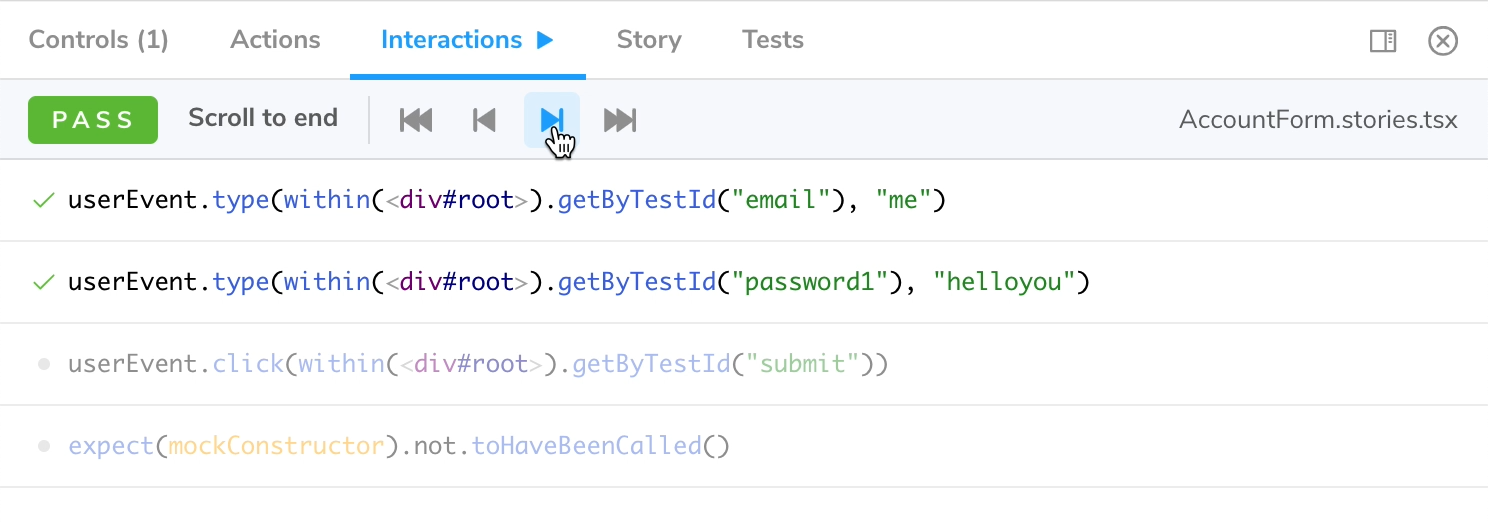
Storybook Addon Interactions enables visual debugging of interactions and tests in [Storybook](https://storybook.js.org).
## Installation
Install this addon by adding the `@storybook/addon-interactions` dependency:
```sh
yarn add -D @storybook/addon-interactions @storybook/test
```
within `.storybook/main.js`:
```js
export default {
addons: ['@storybook/addon-interactions'],
};
```
Note that `@storybook/addon-interactions` must be listed **after** `@storybook/addon-actions` or `@storybook/addon-essentials`.
## Usage
Interactions relies on "instrumented" versions of Vitest and Testing Library, that you import from `@storybook/test` instead of their original package. You can then use these libraries in your `play` function.
```js
import { expect, fn, userEvent, within } from '@storybook/test';
import { Button } from './Button';
export default {
title: 'Button',
component: Button,
args: {
onClick: fn(),
},
};
const Template = (args) => <Button {...args} />;
export const Demo = Template.bind({});
Demo.play = async ({ args, canvasElement }) => {
const canvas = within(canvasElement);
await userEvent.click(canvas.getByRole('button'));
await expect(args.onClick).toHaveBeenCalled();
};
```
In order to enable step-through debugging in the addon panel, calls to `userEvent.*`, `fireEvent`, `findBy*`, `waitFor*` and `expect` have to
be `await`-ed. While debugging, these functions return a Promise that won't resolve until you continue to the next step.
While you can technically use `screen`, it's recommended to use `within(canvasElement)`. Besides giving you a better error
message when a DOM element can't be found, it will also ensure your play function is compatible with Storybook Docs.
Note that the `fn` function will assign a spy to your arg, so that you can assert invocations.