@stellaris/vite-plugin-tencent-oss
Version:
Upload the production files bundled in the project to Tencent CSS, except for html
113 lines (80 loc) • 4.31 kB
Markdown


Upload the production files bundled in the project to Tencent OSS, except for html
[中文文档](https://github.com/taosiqi/vite-plugin-tencent-oss/blob/main/README_CN.md)
- Skip existing files by default (files will not be downloaded) to speed up upload files.
- Almost zero configuration, using `outDir` path of `vite`, uploading to the same path of oss.
Note: Upload all files except html files, because html files have no hash and are usually placed on the server.
# Preview:
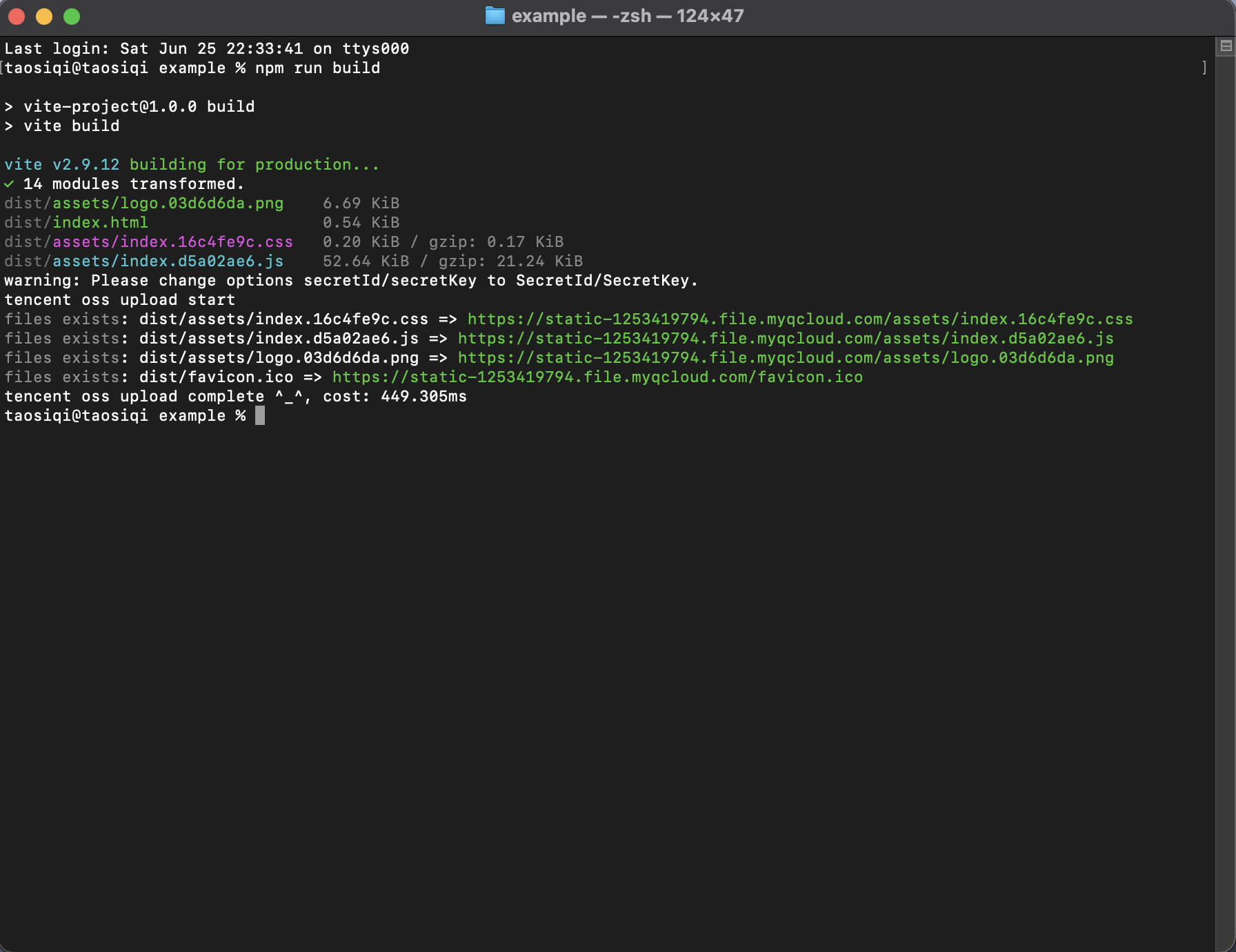
# Installation
```bash
pnpm i -D vite-plugin-tencent-oss
```
or
```bash
yarn add -D vite-plugin-tencent-oss
```
or
```bash
npm i -D vite-plugin-tencent-oss
```
# Basic usage
1. Register the plugin in `vite.config.js`
2. Set base public **_URL_** path when served in development or production.
```javascript
import { defineConfig } from "vite";
import vue from "@vitejs/plugin-vue";
import vitePluginTencentOss from "vite-plugin-tencent-oss";
const options = {
region: "<Your Region>",
secretId: "<Your Secret ID>",
secretKey: "<Your Secret Key>",
bucket: "<Your Bucket>",
};
const prod = process.env.NODE_ENV === "production";
// https://vitejs.dev/config/
export default defineConfig({
base: prod ? "https://foo.com/" : "/", // must be URL when build
plugins: [vue(), vitePluginTencentOss(options)],
});
```
3. Build Production
```bash
pnpm run build
```
The plugin will upload files of `outDir` path after bundle.
You can specify certain files to be uploaded last using the `lastCommitGlobs` option. This is useful for files like `index.html` or manifest files that should only be uploaded after all other assets are ready:
```javascript
const options = {
region: "<Your Region>",
secretId: "<Your Secret ID>",
secretKey: "<Your Secret Key>",
bucket: "<Your Bucket>",
lastCommitGlobs: [
"**/index.html", // Upload all index.html files last
"**/manifest.json", // Upload manifest files last
"**/*.html", // Upload all HTML files last
],
};
```
This ensures that critical files like HTML entry points are only uploaded after all their dependencies (JS, CSS, images) are already available on the CDN.
# options
| options | description | type | default |
| --------------- | --------------------------------------------------------------------------------------------- | -------- | ------------- |
| region | tencent cloud oss region | string | |
| secretId | tencent cloud oss secretId | string | |
| secretKey | tencent cloud oss secretKey | string | |
| bucket | tencent cloud oss bucket | string | |
| overwrite | If the file already exists, whether to skip upload | boolean | false |
| ignore | Ignore file rules. If you use empty string `''`, no files will be ignored | string | `'**/*.html'` |
| test | Only test path, no files upload | boolean | false |
| enabled | Enable the ali oss plugin | boolean | true |
| lastCommitGlobs | Glob patterns for files that should be uploaded last (e.g., index.html, manifest files) | string[] | [] |
| ... | Other init oss options, more information: https://cloud.tencent.com/document/product/436/8629 | any | |
# thanks
This project is based on[vite-plugin-ali-oss](https://github.com/xiaweiss/vite-plugin-ali-oss)secondary development。