@small-tech/tap-monkey
Version:
A tap formatter that’s also a monkey.
139 lines (88 loc) • 5.11 kB
Markdown
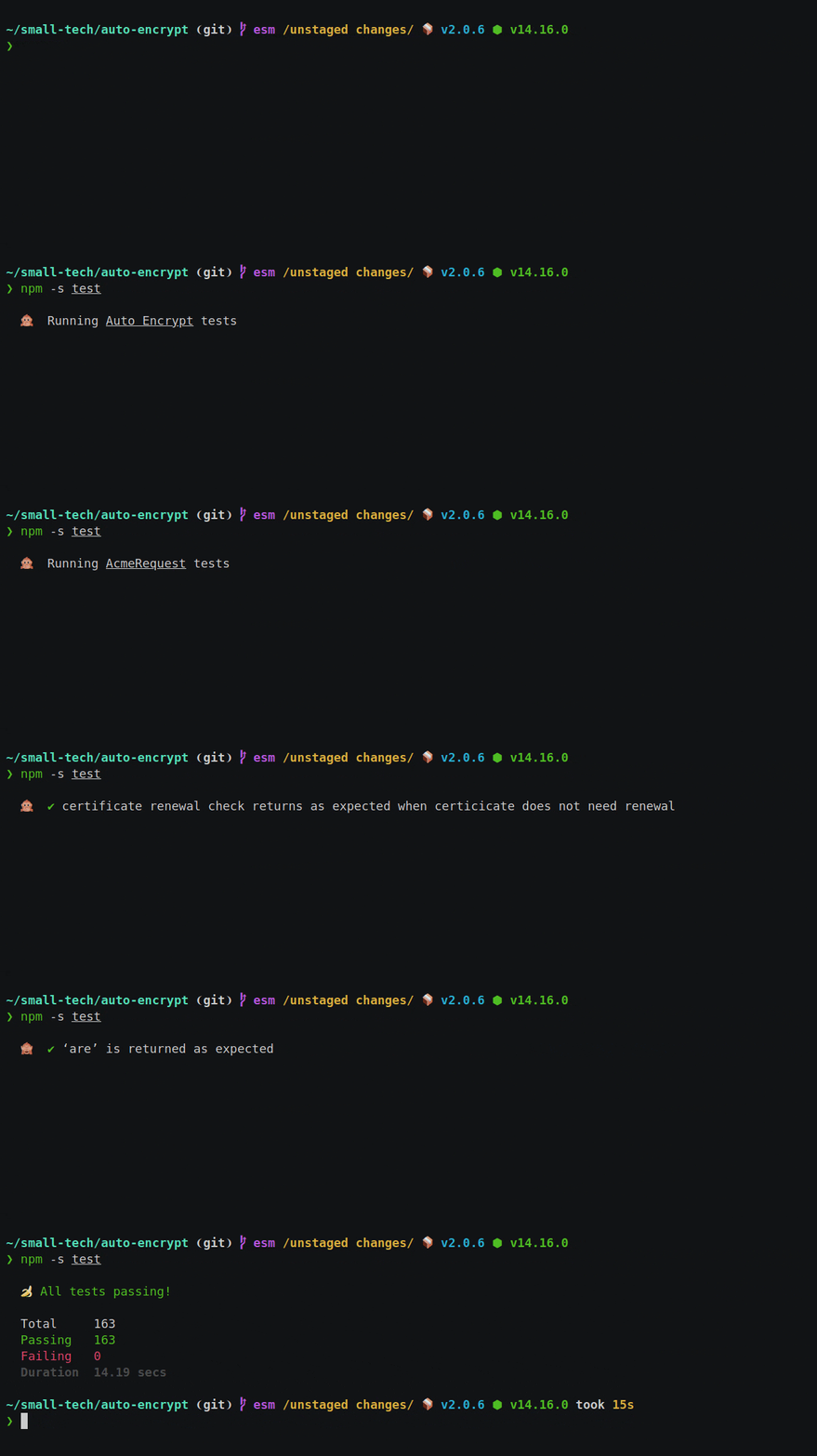
A [tap](https://testanything.org/) formatter that’s also a monkey.
Displays test runner status using a static single-line spinner (hint: it’s a monkey) and only fills your screen with text on failures and with your coverage report.
Use it like [tap-spec](https://github.com/scottcorgan/tap-spec) for running regular tests and also like [tap-nyc](https://github.com/MegaArman/tap-nyc) for running coverage with [c8](https://github.com/bcoe/c8) or [nyc](https://github.com/istanbuljs/nyc).
## Install
```sh
npm i @small-tech/tap-monkey
```
## Use
Pipe your tap test output to tap-monkey (e.g., if your _test.js_ file contains [tape](https://github.com/substack/tape) tests):
```sh
node test.js | npx tap-monkey
```
Or, as a test task in your _package.json_ file:
```json
"scripts" : {
"test": "node test.js | tap-monkey"
}
```
Or, if you have more than one test file:
```json
"scripts" : {
"test": "tape test/**/*js | tap-monkey"
}
```
For a quieter monkey, use the `--quiet` flag. e.g.,
```json
"scripts" : {
"test": "tape test/**/*js | tap-monkey --quiet"
}
```
When this flag is passed, only an initial notice is shown that tests are running and no further updates are given unless there are failures or until the final summary and/or coverage report are shown.
This is a general accessibility and usability feature. It might help folks using assistive devices like screen readers who might otherwise get overwhelmed by notifications of running/passing tests as well as anyone else who wants a generally calmer monkey.
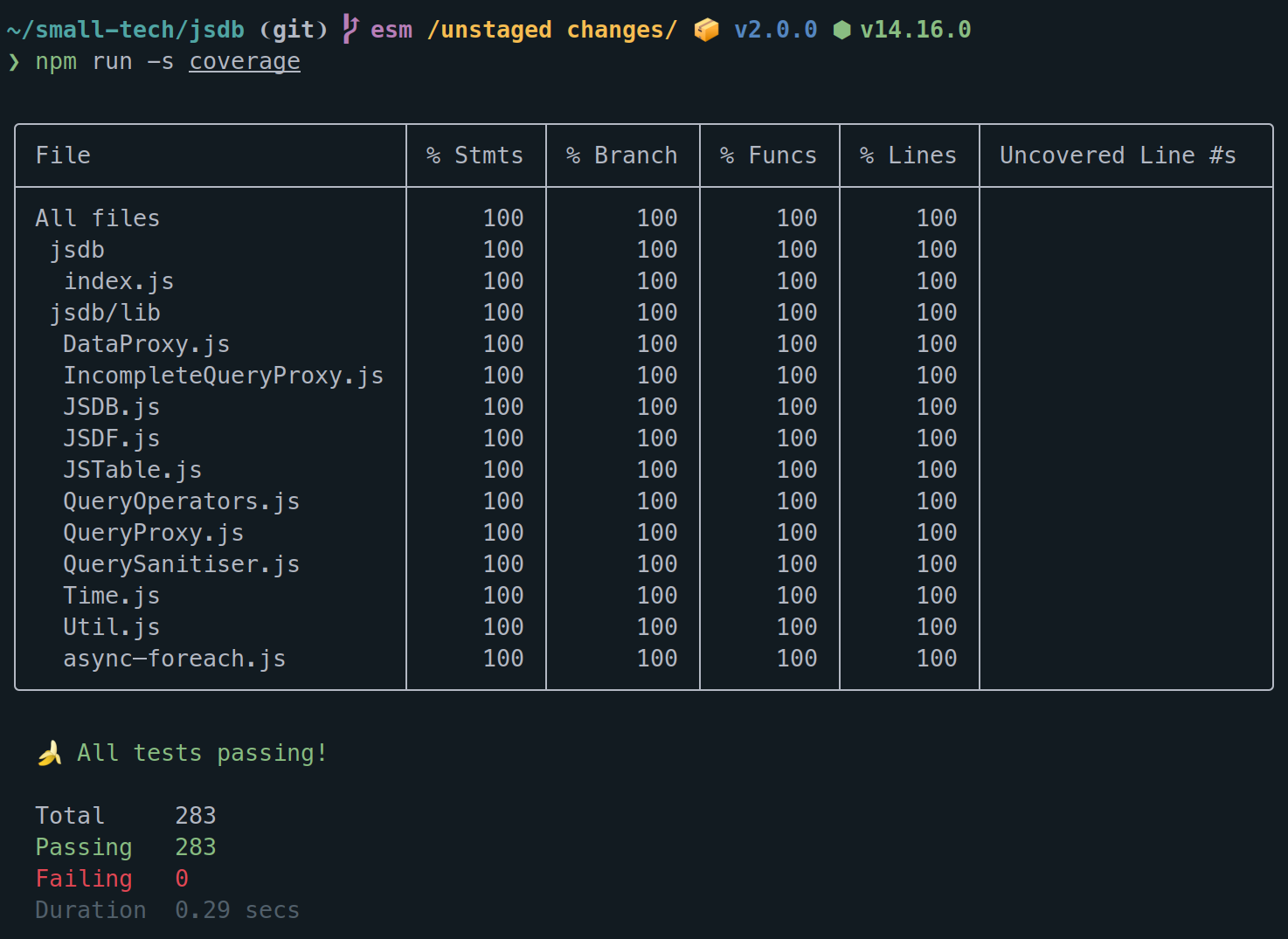
Use Tap Monkey for code coverage in exactly the same way as you do for your tests.
e.g., using [c8](https://github.com/bcoe/c8):
```json
"scripts" : {
"coverage": "c8 tape test/**/*js | tap-monkey"
}
```
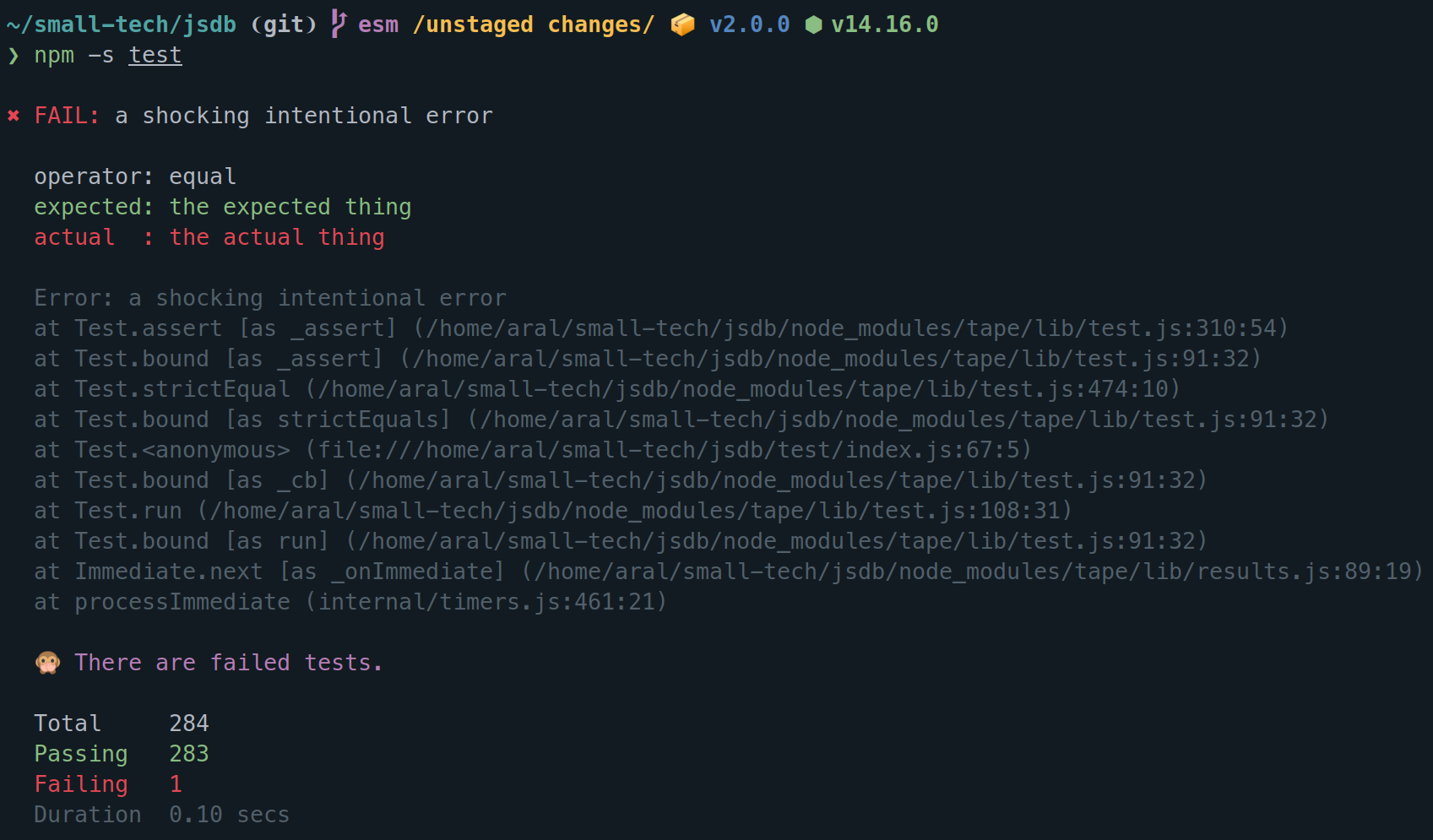
While passing tests are displayed ephemerally in the status line so as not to fill up your terminal window with unnecessary information, failed tests are always written in full to the terminal.
(When running tests, we don’t care about passing tests, only failing ones.)
Any console output that is generated by your program (e.g., from `console.log()` statements) is displayed in full and separate from the current test status line.
This is useful while debugging. (I like to have regular and debug test tasks in my code and use the latter when debugging an issue encountered in a test.)
e.g., my regular tests define an environment variable that silences console output but I have a separate debug test task that doesn’t include this.
```json
"scripts" : {
"test": "QUIET=true tape test/**/*js | tap-monkey",
"test-debug": "tape test/**/*js | tap-monkey"
}
```
Then, all you need is to use a conditional log function in your app that checks for that environment variable. e.g.,
```js
// Conditionally log to console.
export default function log (...args) {
if (process.env.QUIET) {
return
}
console.log(...args)
}
```
If your test runner (e.g., [ESM Tape Runner](https://github.com/small-tech/esm-tape-runner)) encounters an error in your app’s source code (e.g., a syntax error in one of your classes), it should bail out (and hopefully also log the error so you know what it is). Tap Monkey will respond to bail out events by displaying them and exiting (your test runner should have exit also so you should not get any pipe errors).
## Testing Tap Monkey
Tap Monkey itself, of course, comes with unit tests displayed by none other than _\*drumroll\*_ Tap Monkey!
### Run tests
```shell
npm run -s test
```
### Run coverage
```shell
npm run -s coverage
```
## Like this? Fund us!
[Small Technology Foundation](https://small-tech.org) is a tiny, independent not-for-profit.
We exist in part thanks to patronage by people like you. If you share [our vision](https://small-tech.org/about/#small-technology) and want to support our work, please [become a patron or donate to us](https://small-tech.org/fund-us) today and help us continue to exist.
## Copyright
© 2021 [Aral Balkan](https://ar.al), [Small Technology Foundation](https://small-tech.org).
ISC