@sixbell-telco/sdk
Version:
A collection of reusable components designed for use in Sixbell Telco Angular projects
590 lines (502 loc) • 17.8 kB
Markdown
# Sixbell Telco SDK
We are thrilled to have you here. This SDK is designed to provide you with a comprehensive set of UI components to accelerate your development process. Whether you are building a small project or a large-scale application, our components are crafted to be flexible, customizable, and easy to integrate.
Explore the documentation, try out the examples, and start building amazing applications with Sixbell Telco SDK today!
Happy coding!
[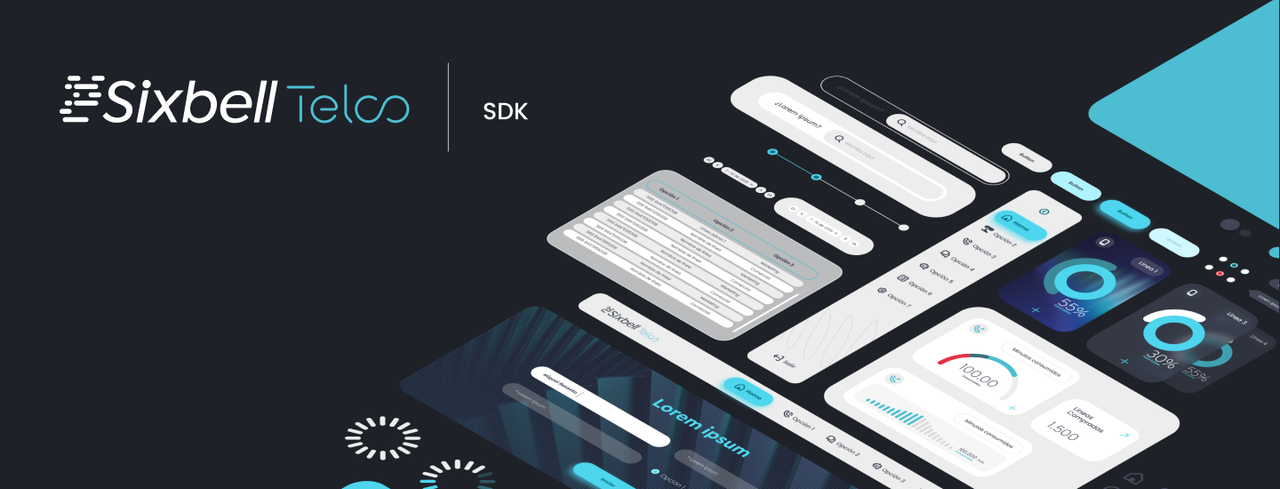](https://postimg.cc/0rNbHK67)
## Pre-requirements
- Angular 19.2.X or later
## Available Components
### General components
| Component | Description |
| -------------- | ---------------------------------- |
| Accordion | Expandable/collapsible content |
| Accordion Item | Item within an accordion |
| Audio Player | Audio playback with track controls |
| Avatar | User avatar display |
| Button | Buttons for various actions |
| Card | Container for content and actions |
| Countdown | Countdown timer |
| Dropdown | Dropdown menu for actions or links |
| Dual List | Dual list for selecting items |
| File Uploader | Upload files |
| File Dropzone | Drag and drop file upload |
| Icon | Display icons |
| Link | Hyperlink component |
| Modal | Modal dialog |
| Notification | Display notifications |
| Paginator | Pagination controls |
| Product Card | Display product information |
| Progress | Progress bar |
| Tab | Tabbed navigation |
| Table | Display tabular data |
| Toast | Toast notifications |
| Tooltip | Display tooltips |
| Wizard | Step-by-step wizard |
### Forms specific components
| Component | Description |
| ---------- | ------------------------------- |
| Checkbox | Checkbox input |
| Combobox | Combo box for selecting options |
| Datepicker | Date selection input |
| Form Error | Display form errors |
| Input | Text input field |
| Radio | Radio button input |
| Range | Range slider input |
| Select | Dropdown select input |
| Switch | Toggle switch input |
| Textarea | Multi-line text input |
| Toggle | Toggle button input |
## Setup
### Quick Setup (Recommended)
We provide a CLI tool for automatic setup:
```bash
npx @sixbell-telco/cli init
```
This will automatically:
- Install all necessary dependencies
- Configure Tailwind CSS and Daisy UI
- Set up required theme configurations
> **Note:** The CLI tool is currently a work in progress and is not yet available. Coming soon!
### Manual Setup
1. Install dependencies:
```bash
npm i -D @sixbell-telco/sdk @tailwindcss/typography daisyui @midudev/tailwind-animations
```
2. Configure Tailwind CSS ([Tailwind guide](https://tailwindcss.com/docs/guides/angular))
3. Add the provided configuration to gobla stylesheet where you configured tailwind [See detailed config below]
```css
@import '../node_modules/@sixbell-telco/sdk/_index.css';
@import 'tailwindcss';
@source '../src';
```
> **⚠️ IMPORTANT**: Make sure to import the `_index.css` before the tailwind import.
> **⚠️ IMPORTANT**: The `@source` decorator indicates where tailwind should look for classes.
With that configuration the library custom CSS will be loaded
4. **Microfrontend Configuration (Required for Microfrontends Only)**
Add the following path mapping to your `tsconfig.json` file under `compilerOptions.paths`:
```json
"@sixbell-telco/sdk/*": ["./node_modules/@sixbell-telco/sdk/*"]
```
Complete example of a `tsconfig.json`:
```json
{
"compileOnSave": false,
"compilerOptions": {
"paths": {
"@sixbell-telco/sdk/*": ["./node_modules/@sixbell-telco/sdk/*"]
// ... other path mappings
}
// ... other compiler options
}
}
```
This configuration ensures proper module resolution in microfrontend architectures.
5. **VSCode Settings (Optional)**
For VSCode users, it is recommended to install the official Tailwind CSS extension and add the following to your `settings.json` file:
```json
"editor.quickSuggestions": {
"strings": "on"
},
"files.associations": {
"*.css": "tailwindcss"
},
"tailwindCSS.classAttributes": ["class", "className", "ngClass", "class:list"],
"tailwindCSS.experimental.classRegex": [
["cva\\(((?:[^()]|\\([^()]*\\))*)\\)", "[\"'`]([^\"'`]*).*?[\"'`]"],
["cx\\(((?:[^()]|\\([^()]*\\))*)\\)", "(?:'|\"|`)([^']*)(?:'|\"|`)"],
["cn\\(((?:[^()]|\\([^()]*\\))*)\\)", "(?:'|\"|`)([^']*)(?:'|\"|`)"]
]
```
These settings improve your development experience:
- `editor.quickSuggestions`: Enables autosuggestions within string literals
- `files.associations`: Ensures CSS files are treated as Tailwind CSS files
- `tailwindCSS.classAttributes`: Adds support for Angular-specific class attributes
- `tailwindCSS.experimental.classRegex`: Enables Tailwind intellisense in utility functions like `cva()`, `cx()`, and `cn()` that are used for conditional class name composition
With these settings, VSCode will provide class autocompletion for the library's custom attributes and utility functions.
6. **Translations**
Before setting up translations, first install the necessary packages:
```bash
npm install @ngx-translate/core@16.0 @ngx-translate/http-loader@16.0 ngx-translate-multi-http-loader@19.0
```
#### Setup
1. Create a folder (e.g., `/assets/i18n`) to store your translation files.
2. In the folder, add separate JSON files for each language:
- en.json (English)
- es.json (Spanish)
- pt.json (Portuguese)
3. In each file, include the corresponding translations for file uploader, for example:
##### English
```json
{
"sdk": {
"fileUpload": {
"dropzone": {
"selectPrompt": "Click to select files or drag and drop here",
"maxSizeLabel": "Max size:",
"allowedTypesLabel": "Allowed types:",
"invalidFileType": "Invalid file type",
"fileTooLarge": "File too large",
"fileCounter": "{{current}} of {{max}} files",
"maxFilesExceeded": "Maximum {{max}} file(s) allowed",
"noValidFiles": "No valid files selected",
"fileActions": {
"play": "Play audio",
"pause": "Pause audio",
"download": "Download file",
"remove": "Remove file"
}
},
"fileUploader": {
"allowedTypesLabel": "Allowed types:"
}
},
"audioPlayer": {
"trackListTitle": "Tracks",
"trackInfo": {
"title": "No title",
"description": "No description"
}
},
"countdown": {
"days": "Days",
"hours": "Hours",
"minutes": "Minutes",
"seconds": "Seconds"
},
"dualList": {
"searchPlaceHolder": "Search"
},
"combobox": {
"searchPlaceholder": "Search",
"placeholder": "Select",
"noResultsFound": "No results found",
"clearAll": "Clear All",
"clearSelection": "Clear selection",
"searchOptions": "Search options",
"loading": "Loading..."
},
"select": {
"placeholder": "Select"
},
"formErrors": {
"validation": {
"required": "*This field is required",
"email": "*Please enter a valid email address",
"minLength": "*Must be at least {{min}} characters",
"maxLength": "*Must be no more than {{max}} characters",
"min": "*Value must be at least {{min}}",
"max": "*Value must be no more than {{max}}",
"pattern": "*Invalid format",
"unhandledError": "*Unhandled error"
}
},
"textarea": {
"maxCharacters": "{{current}} of {{max}} characters"
},
"table": {
"entriesByPage": "Entries per page",
"totalEntries": "{{total}} entries",
"entriesRange": "{{range}} of {{total}} entries",
"emptyListMessage": "No items to show"
},
"wizard": {
"wizardMarker": {
"completed": "Completed",
"inProgress": "In progress",
"pending": "Pending"
},
"wizardWrapper": {
"back": "Back",
"previous": "Previous",
"end": "End",
"next": "Next",
"step": "Step {{index}}"
}
}
}
}
```
##### Spanish
```json
{
"sdk": {
"fileUpload": {
"dropzone": {
"selectPrompt": "Haz clic para seleccionar archivos o arrastra y suelta aquí",
"maxSizeLabel": "Tamaño máximo:",
"allowedTypesLabel": "Tipos permitidos:",
"invalidFileType": "Tipo de archivo no válido",
"fileTooLarge": "Archivo demasiado grande",
"fileCounter": "{{current}} de {{max}} archivos",
"maxFilesExceeded": "Máximo de {{max}} archivo(s) permitido",
"noValidFiles": "No se han seleccionado archivos válidos",
"fileActions": {
"play": "Reproducir audio",
"pause": "Pausar audio",
"download": "Descargar archivo",
"remove": "Quitar archivo"
}
},
"fileUploader": {
"allowTypesLabel": "Tipos permitidos:"
}
},
"audioPlayer": {
"trackListTitle": "Pistas",
"trackInfo": {
"title": "Sin título",
"description": "Sin descripción"
}
},
"countdown": {
"days": "Días",
"hours": "Horas",
"minutes": "Minutos",
"seconds": "Segundos"
},
"dualList": {
"searchPlaceHolder": "Buscar"
},
"combobox": {
"searchPlaceholder": "Buscar",
"placeholder": "Seleccione",
"noResultsFound": "No se encontraron resultados",
"clearAll": "Limpiar Todo",
"clearSelection": "Limpiar selección",
"searchOptions": "Buscar opciones",
"loading": "Cargando..."
},
"select": {
"placeholder": "Seleccione"
},
"formErrors": {
"validation": {
"required": "*Este campo es obligatorio",
"email": "*Por favor ingresa una dirección de correo válida",
"minLength": "*Debe tener al menos {{min}} caracteres",
"maxLength": "*No debe tener más de {{max}} caracteres",
"min": "*El valor debe ser al menos {{min}}",
"max": "*El valor no debe superar {{max}}",
"pattern": "*Formato inválido",
"unhandledError": "*Error inesperado"
}
},
"textarea": {
"maxCharacters": "{{current}} de {{max}} caracteres"
},
"table": {
"entriesByPage": "Entradas por página",
"totalEntries": "{{total}} entradas",
"entriesRange": "{{range}} de {{total}} entradas",
"emptyListMessage": "No hay elementos para mostrar"
},
"wizard": {
"wizardMarker": {
"completed": "Completado",
"inProgress": "En progreso",
"pending": "Pendiente"
},
"wizardWrapper": {
"back": "Atrás",
"previous": "Anterior",
"end": "Finalizar",
"next": "Siguiente",
"step": "Paso {{index}}"
}
}
}
}
```
##### Portuguese
```json
{
"sdk": {
"fileUpload": {
"dropzone": {
"selectPrompt": "Haz clic para seleccionar archivos o arrastra y suelta aquí",
"maxSizeLabel": "Tamaño máximo:",
"allowedTypesLabel": "Tipos permitidos:",
"invalidFileType": "Tipo de archivo no válido",
"fileTooLarge": "Archivo demasiado grande",
"fileCounter": "{{current}} de {{max}} archivos",
"maxFilesExceeded": "Máximo de {{max}} archivo(s) permitido",
"noValidFiles": "No se han seleccionado archivos válidos",
"fileActions": {
"play": "Reproducir audio",
"pause": "Pausar audio",
"download": "Descargar archivo",
"remove": "Quitar archivo"
}
},
"fileUploader": {
"allowedTypesLabel": "Tipos permitidos:"
}
},
"audioPlayer": {
"trackListTitle": "Trilhas",
"trackInfo": {
"title": "Sem título",
"description": "Sem descrição"
}
},
"countdown": {
"days": "Dias",
"hours": "Horas",
"minutes": "Minutos",
"seconds": "Segundos"
},
"dualList": {
"searchPlaceHolder": "Pesquisar"
},
"combobox": {
"searchPlaceholder": "Pesquisar",
"placeholder": "Selecione",
"noResultsFound": "Nenhum resultado encontrado",
"clearAll": "Limpar Tudo",
"clearSelection": "Limpar seleção",
"searchOptions": "Pesquisar opções",
"loading": "Carregando..."
},
"select": {
"placeholder": "Selecione"
},
"formErrors": {
"validation": {
"required": "*Este campo é obrigatório",
"email": "*Por favor, insira um endereço de e-mail válido",
"minLength": "*Deve ter pelo menos {{min}} caracteres",
"maxLength": "*Deve ter no máximo {{max}} caracteres",
"min": "*O valor deve ser de pelo menos {{min}}",
"max": "*O valor deve ser de no máximo {{max}}",
"pattern": "*Formato inválido",
"unhandledError": "*Erro não tratado"
}
},
"textarea": {
"maxCharacters": "{{current}} de {{max}} caracteres"
},
"table": {
"entriesByPage": "Entradas por página",
"totalEntries": "{{total}} entradas",
"entriesRange": "{{range}} de {{total}} entradas",
"emptyListMessage": "Nenhum item para mostrar"
},
"wizard": {
"wizardMarker": {
"completed": "Concluído",
"inProgress": "Em andamento",
"pending": "Pendente"
},
"wizardWrapper": {
"back": "Voltar",
"previous": "Anterior",
"end": "Fim",
"next": "Próximo",
"step": "Etapa {{index}}"
}
}
}
}
```
4. Configure your translation loader. If you are using Angular i18n, ngx-translate, etc., first import in your app.config.ts:
```ts
import { HttpBackend } from '@angular/common/http';
import { provideRouter } from '@angular/router';
import { provideTranslateService, TranslateLoader } from '@ngx-translate/core';
import { MultiTranslateHttpLoader } from 'ngx-translate-multi-http-loader';
export function HttpLoaderFactory(_httpBackend: HttpBackend) {
return new MultiTranslateHttpLoader(_httpBackend, ['/assets/i18n/', '/assets/i18n/sdk/']);
}
```
5. Then, add the provider to your application configuration:
```ts
import { ApplicationConfig } from '@angular/core';
import { provideHttpClient } from '@angular/common/http';
export const appConfig: ApplicationConfig = {
providers: [
provideRouter(routes),
provideHttpClient(),
provideTranslateService({ loader: { provide: TranslateLoader, useFactory: HttpLoaderFactory, deps: [HttpBackend] } }),
],
};
```
6. After, add a traslation service like this one to encapsulate all the translation logic:
```ts
import { Injectable, inject } from '@angular/core';
import { EnvironmentService } from '@core/services/environment/environment.service';
import { TranslateService } from '@ngx-translate/core';
export interface Locale {
lang: string;
data: object;
}
const LOCALIZATION_LOCAL_STORAGE_KEY = 'language';
@Injectable({
providedIn: 'root',
})
export class TranslationService {
translate = inject(TranslateService);
environmentService = inject(EnvironmentService);
constructor() {
const defaultLanguage: string = this.environmentService.language;
// add new langIds to the list
this.translate.addLangs([defaultLanguage]);
// this language will be used as a fallback when a translation isn't found in the current language
this.translate.setDefaultLang(defaultLanguage);
}
loadTranslations(langs: string[]): void {
this.translate.addLangs(langs);
}
setLanguage(lang: string) {
if (lang) {
this.translate.use(lang);
localStorage.setItem(LOCALIZATION_LOCAL_STORAGE_KEY, lang);
}
}
getSelectedLanguage(): string {
return localStorage.getItem(LOCALIZATION_LOCAL_STORAGE_KEY) ?? this.translate.getDefaultLang();
}
instant(key: string, params?: object | undefined) {
if (params) {
return this.translate.instant(key, params);
}
return this.translate.instant(key);
}
}
```
7. Finally, call the traslation service in app.component to load the translations:
```ts
import { Component } from '@angular/core';
import { TranslateService } from '@ngx-translate/core';
@Component({
selector: 'app-root',
template: `<router-outlet></router-outlet>`,
})
export class AppComponent {
translationService = inject(TranslationService);
constructor() {
// register translations
this.translationService.loadTranslations(['es', 'en', 'pt']);
}
}
```
With this configuration, all the translations related to the SDK will be loaded.
## Usage Example
Here's a basic example of using a button component:
```ts
// app.component.ts
import { ButtonComponent } from '@sixbell-telco/sdk/components/button';
@Component({
imports: [ButtonComponent],
template: `
<div>
<h1>Awesome button</h1>
<st-button variant="primary">Click me!</st-button>
</div>
`
})
```
## Documentation
For detailed component documentation, visit our [Storybook](https://storybook.js.org/tutorials/intro-to-storybook/angular/en/get-started/)
> **Note:** Our Storybook documentation is currently a work in progress and will be available soon!
## Last update
This file was last updated in July 18th, 2025.