@simon_he/pi
Version:
Project-aware CLI that detects npm, pnpm, yarn, bun, Go, Rust and Python projects, then routes installs, scripts, builds and workspace commands automatically.
224 lines (154 loc) • 7.56 kB
Markdown
<p align="center">
<img src="https://raw.githubusercontent.com/Simon-He95/pi/main/assets/kv.png" alt="PI - Project-aware command router">
</p>
<p align="center">
<a href="https://www.npmjs.com/package/@simon_he/pi"><img src="https://img.shields.io/npm/v/@simon_he/pi?color=3fb883&label=" alt="NPM version"></a>
<a href="https://www.npmjs.com/package/@simon_he/pi"><img src="https://img.shields.io/npm/dm/@simon_he/pi.svg?color=3fb883&label=" alt="NPM Downloads"></a>
<a href="https://github.com/Simon-He95/pi/blob/main/LICENSE"><img src="https://img.shields.io/github/license/Simon-He95/pi?color=3fb883" alt="License"></a>
</p>
<p align="center">English | <a href="./README_zh.md">简体中文</a></p>
# PI
> Project-aware command router for package managers, monorepos, and multi-language dev tasks.
PI detects your current project context and runs the right command for npm, pnpm, yarn, bun, Go, Rust, and Python workflows.
> Requires Node.js >= 18. Node.js 22+ is recommended for supported LTS runtimes.
```bash
npm i -g @simon_he/pi
pi react # install with the detected package manager
prun dev # run or fuzzy-select package scripts
pfind build # find and run scripts inside a workspace
```
## Why
Different projects use different package managers, lockfiles, workspaces, and script layouts. PI gives you one command layer that understands the current project before running commands.
- Auto-detect npm, pnpm, yarn, and bun
- Remember package-manager choices per workspace
- Fuzzy run package scripts
- Find scripts deeply in monorepos
- Run Go, Rust, and Python entry files
- Integrate selected `prun` / `pfind` commands with shell history
## Core Commands
```bash
pi react
pi --choose-tool bun
pi --show-tool
prun dev
prun
pfind build
pfind
```
| Command | Purpose |
| --- | --- |
| `pi` | Install or update dependencies with the package manager for the current project. |
| `prun` | Run package scripts, fuzzy-select scripts, or run language entry files. |
| `pfind` | Find and run scripts across a workspace or monorepo. |
## Naming
The package is still published as `@simon_he/pi`, and `pi` remains the primary short command.
The product positioning is now broader than dependency installation: PI is a project-aware command router.
## Compared With ni
[`ni`](https://github.com/antfu-collective/ni) focuses on using the right JavaScript package manager.
PI goes further as a project command router:
- remembers ambiguous workspace choices
- supports fuzzy script selection via `prun`
- searches scripts in monorepos via `pfind`
- supports Go and Rust build/run workflows
- supports Python file execution
- provides optional shell history integration
## Supported Projects
| Environment | Support |
| --- | --- |
| Node.js | npm, pnpm, yarn, bun install/remove/run workflows |
| Monorepo | pnpm and yarn workspace script discovery and package-manager selection |
| Go | `go get`, `go mod tidy`, `go run`, `go mod init`, `go build`, plus `go clean` for clean tasks. |
| Rust | `cargo run`, `cargo init`, `cargo build`, plus `cargo install` / `cargo uninstall` for binary crates. |
| Python | Python entry file execution through `prun` / `pfind` |
## Command Reference
| Command | Description |
| --- | --- |
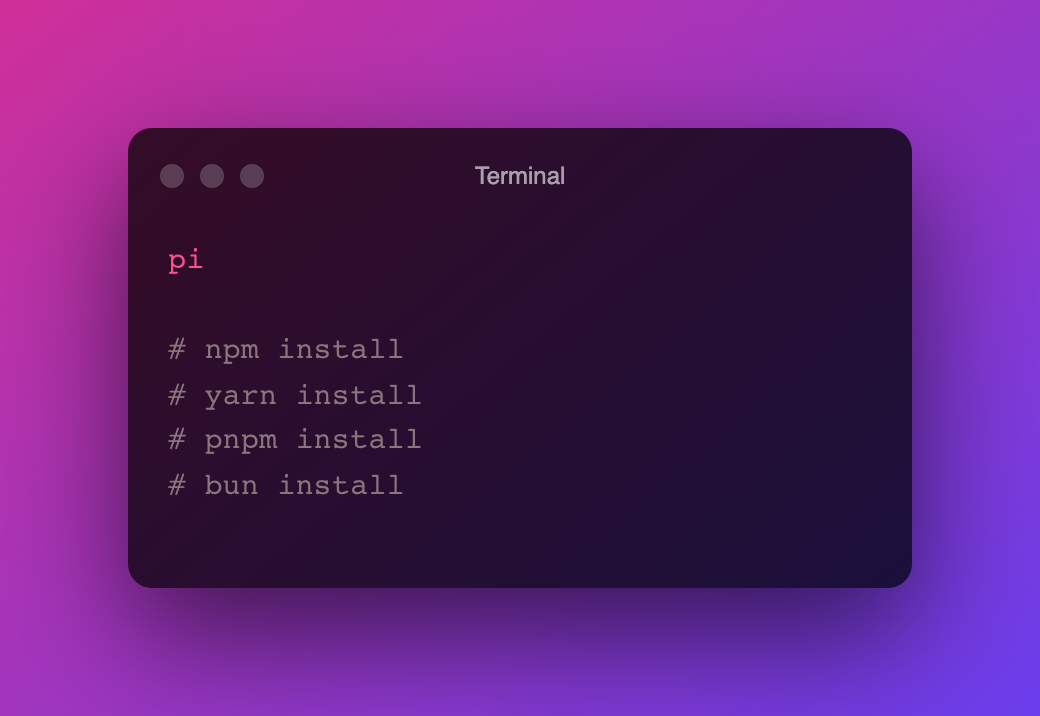
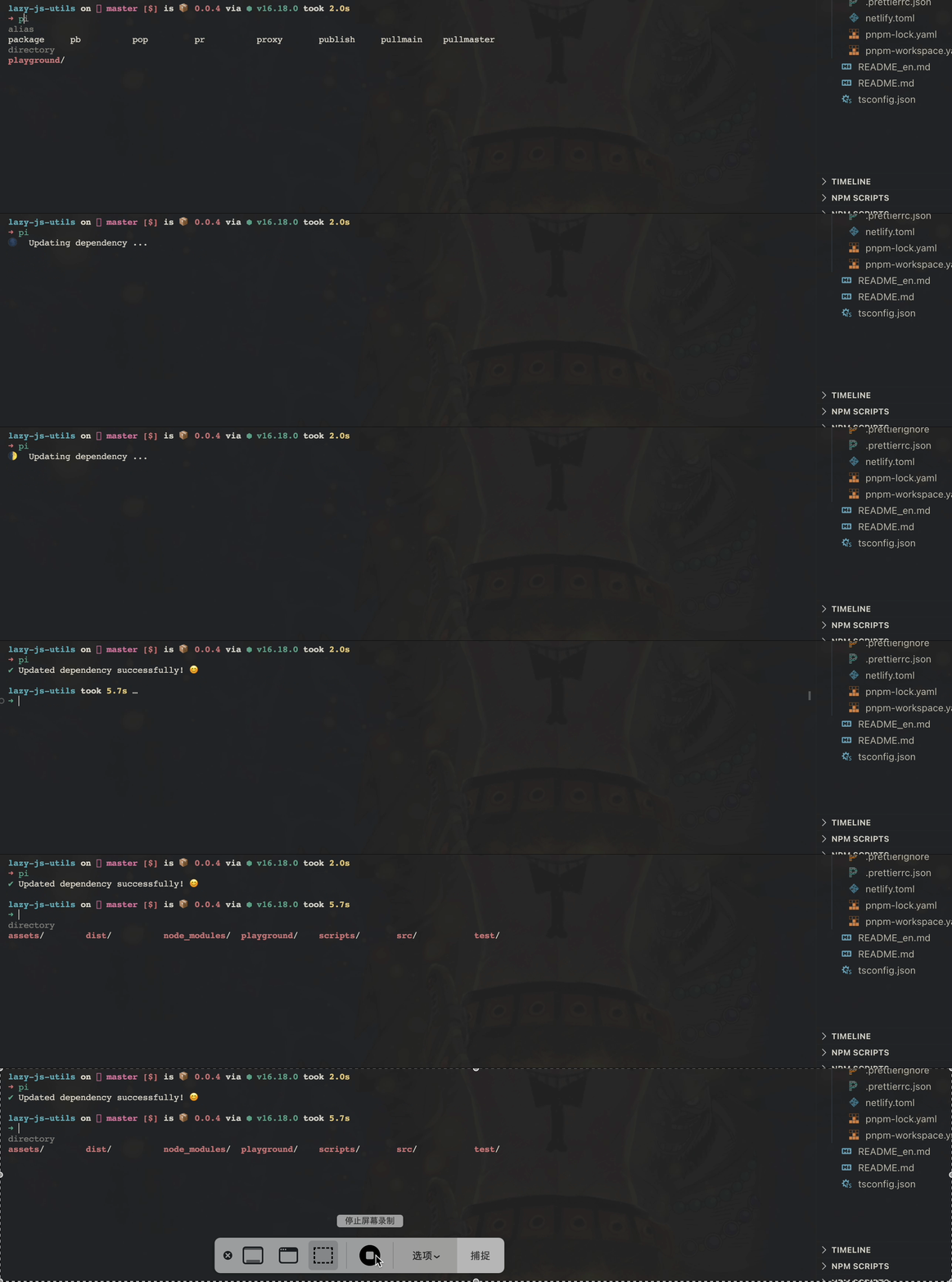
| `pi [pkg]` | Install a package, or update dependencies when no package is passed. |
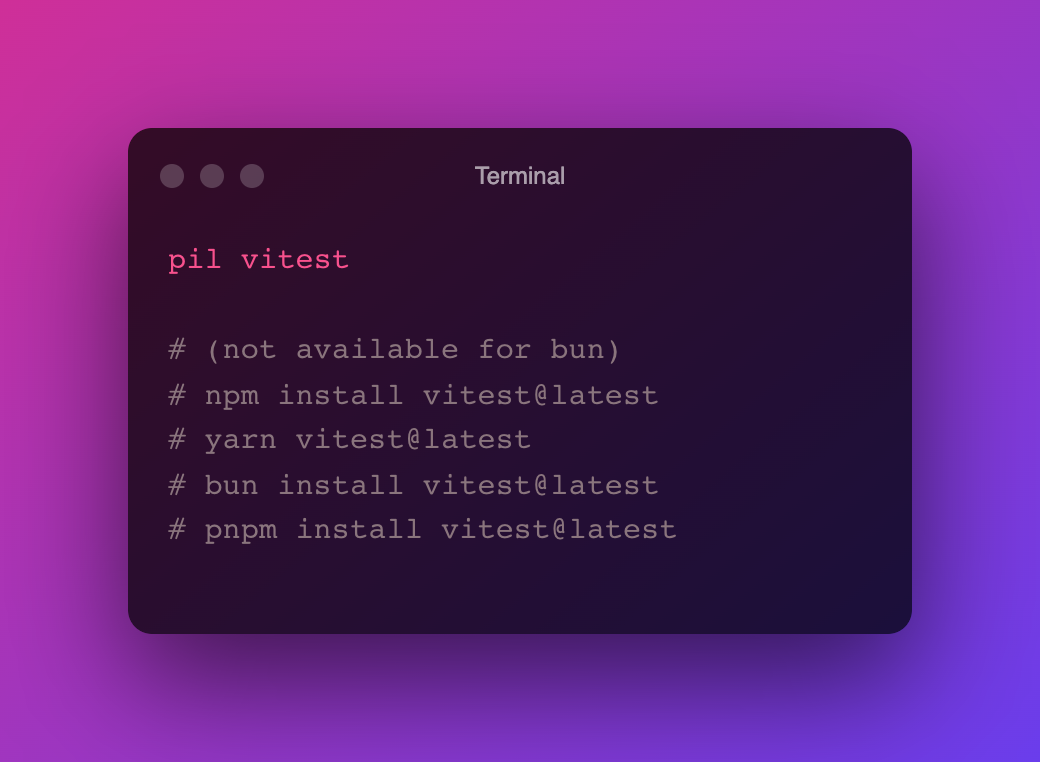
| `pil [pkg]` | Install selected packages at `@latest`. |
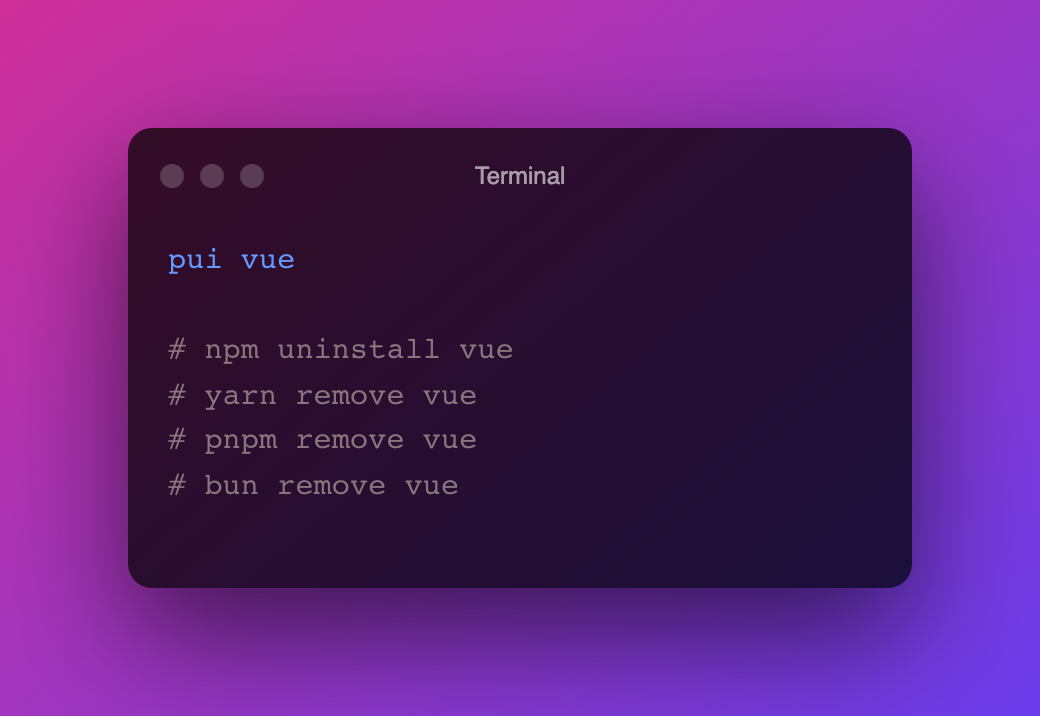
| `pui [pkg]` | Remove dependencies. |
| `pio [pkg]` | Install with the detected package manager and `--prefer-offline`. |
| `pix [cmd]` | Run `npx` or `bunx` depending on the project. |
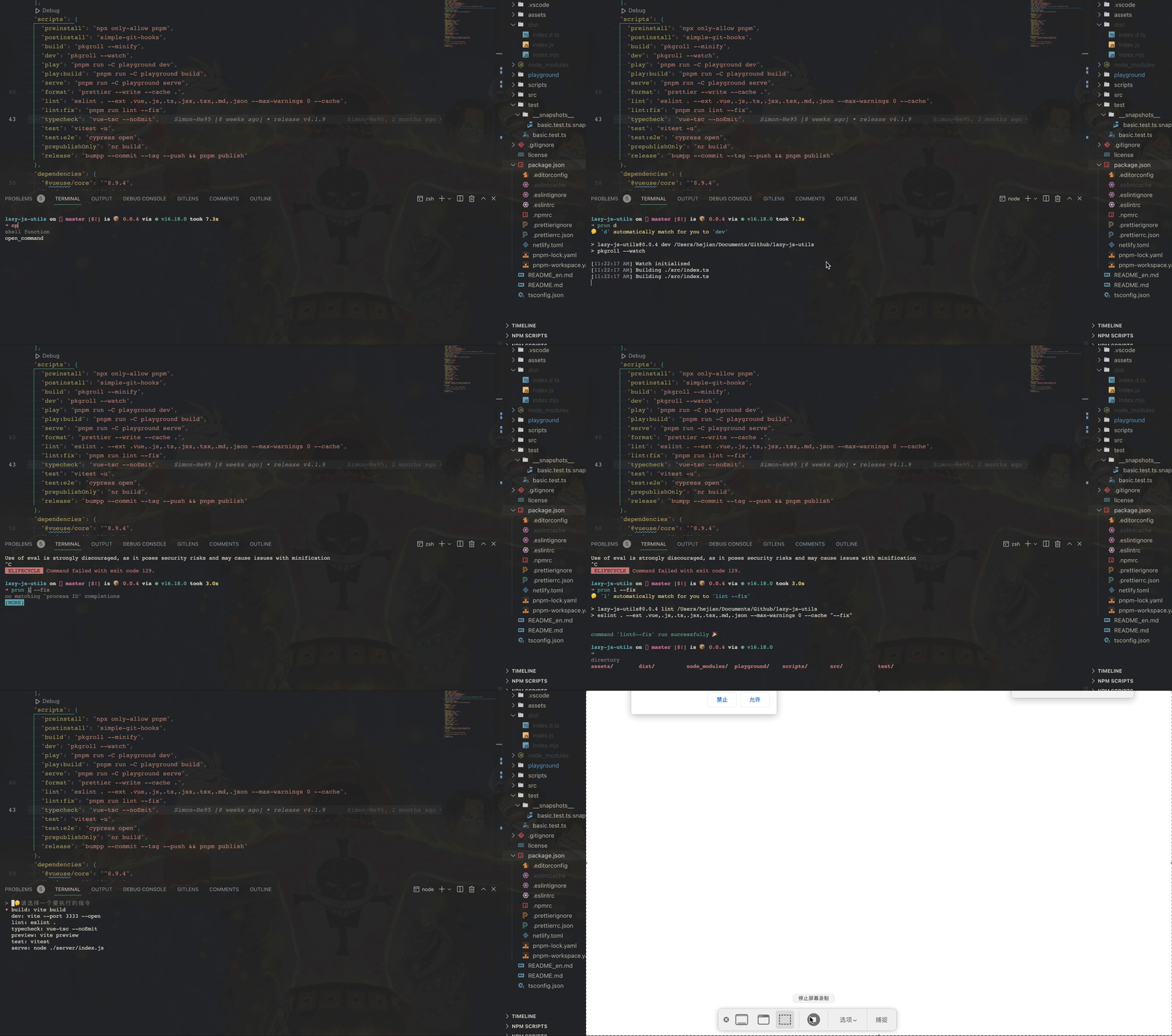
| `prun [script]` | Run a package script, fuzzy-select one, or run a language entry file. |
| `pfind [script]` | Search workspace packages and run matching scripts. |
| `pinit` | Initialize the current project with the detected tool. |
| `pbuild` | Run `go build` or `cargo build` in Go/Rust projects. |
| `pci [pkg]` | Compatibility alias of `pi`; kept for older workflows. Prefer `pi`. |
## Deprecated Aliases
| Command | Status |
| --- | --- |
| `pa` | Deprecated. Delegates to `na` when installed. Use `na` directly if you still need that workflow. |
| `pu` | Deprecated. Delegates to `nu` when installed. Use `nu` directly, or `pil` only for `@latest` upgrades. |
## Workspace Tool Selection
When a workspace contains multiple package-manager indicators, for example `bun.lock` and `pnpm-lock.yaml`, `pi`, `pil`, and `pci` ask which tool to use and remember that choice for the current workspace.
- Saved choices are stored locally, for example `~/.config/pi/workspace-tools.json`.
- The file is local machine configuration and should not be committed.
- If the remembered tool no longer matches the workspace, PI removes the stale record.
```bash
pi --choose-tool
pi --choose-tool bun
pi --forget-tool
pi --show-tool
pi --show-tool --json
pi --list-tools
pi --list-tools --json
```
`pil` and `pci` support the same package-manager selection flags. `pui` and `pio` reuse the remembered workspace choice when they resolve a package manager.
## Shell Integration
`prun` and `pfind` can make the command selected by the fuzzy UI available immediately in your shell history.
Manual setup:
```bash
# zsh
eval "$(prun --init zsh)"
# bash
eval "$(prun --init bash)"
# fish
prun --init fish | source
# Windows PowerShell
prun --init powershell | Out-String | Invoke-Expression
# PowerShell 7+
prun --init pwsh | Out-String | Invoke-Expression
```
Shell integration notice:
By default, PI does not modify your shell rc/profile.
- Automatic setup is opt-in with `PI_AUTO_INIT=1 prun`.
- Run `prun --doctor` to inspect shell/history integration state.
- Open a new terminal, or reload your shell config, after adding the hook.
## Configuration
```bash
export PI_Lang=en # en or zh
export PI_DEFAULT=pnpm # fallback package manager
export PI_COLOR=yellow # ora color
export PI_SPINNER=star # cli-spinners name
```
`PI_COLOR` accepts `black`, `red`, `green`, `yellow`, `blue`, `magenta`, `cyan`, `white`, and `gray`.
## Examples
### pi
### prun
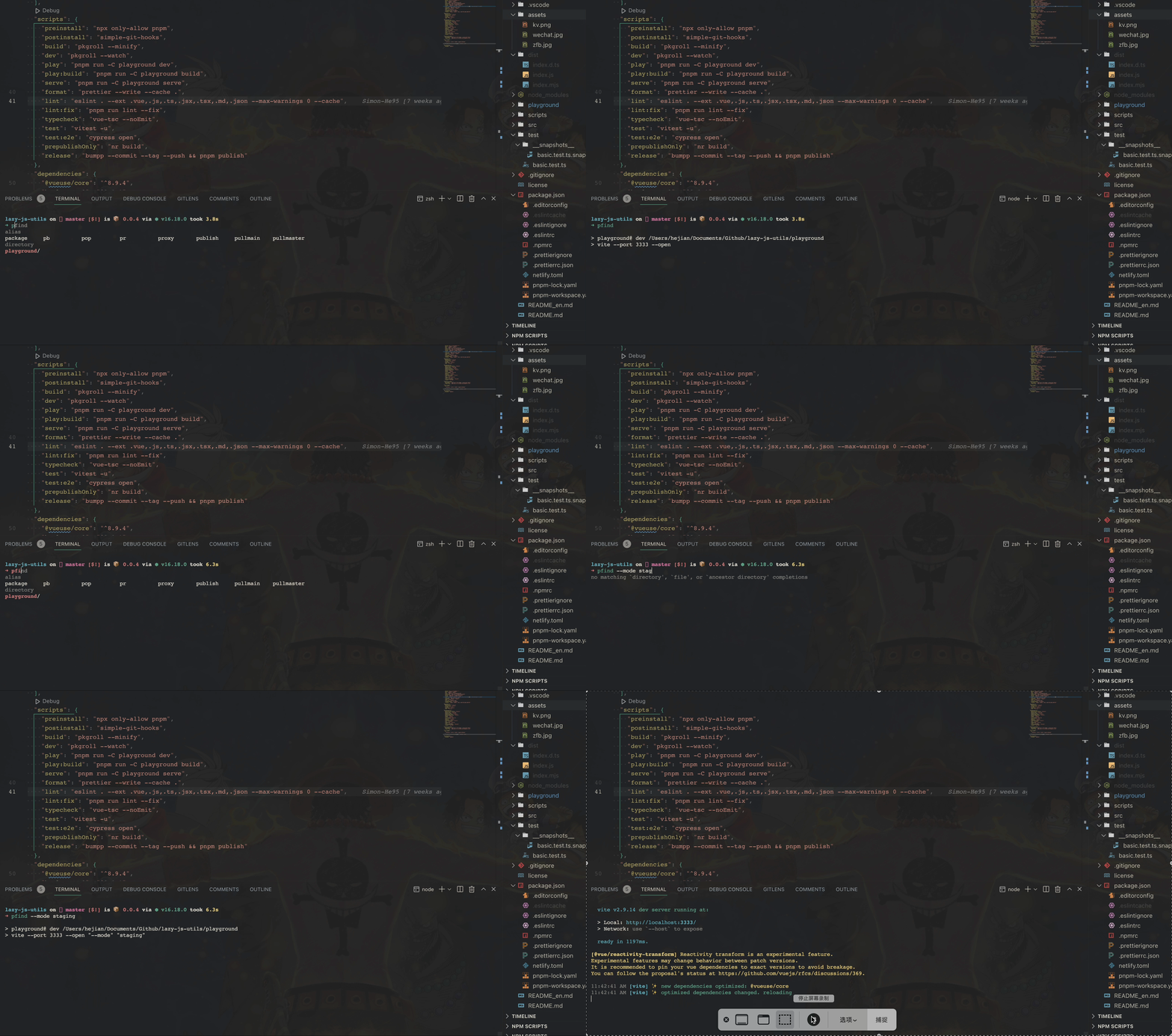
### pfind
### pui
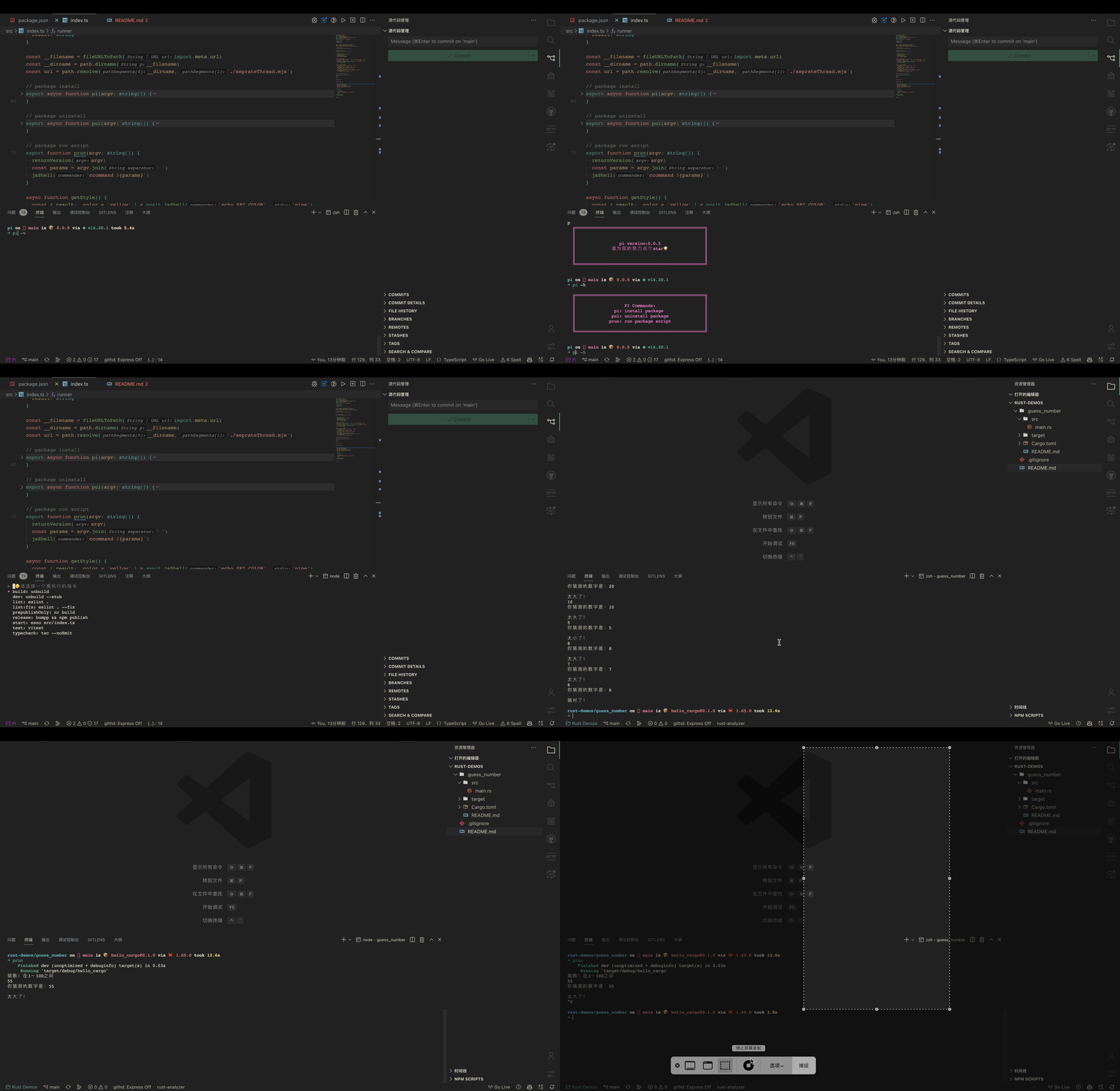
### Other Features
## Development Checks
```bash
pnpm build
pnpm test
pnpm pack:check
pnpm smoke
pnpm smoke:packed
```
## Runtime Integrations
- [ora](https://github.com/sindresorhus/ora)
- [ccommand](https://github.com/Simon-He95/ccommand)
Optional external tools are used when the current project needs them:
- [Cargo](https://github.com/rust-lang/cargo) for Rust workflows
- Go toolchain for Go workflows
- Python for Python file execution
## License
[MIT](./LICENSE) License © 2022 [Simon He](https://github.com/Simon-He95)
<a href="https://github.com/Simon-He95/sponsor" target="_blank"><img src="https://cdn.buymeacoffee.com/buttons/default-orange.png" alt="Buy Me A Coffee" style="height: 51px !important;width: 217px !important;" ></a>