@serenity-js/webdriverio
Version:
Adapter that integrates @serenity-js/web with the latest stable version of WebdriverIO, enabling Serenity/JS reporting and using the Screenplay Pattern to write web and mobile test scenarios
148 lines (103 loc) • 8.88 kB
Markdown
# Serenity/JS WebdriverIO
[](https://badge.fury.io/js/%40serenity-js%2Fwebdriverio)
[](https://github.com/serenity-js/serenity-js/actions)
[](https://qlty.sh/gh/serenity-js/projects/serenity-js)
[](https://qlty.sh/gh/serenity-js/projects/serenity-js)
[](https://github.com/serenity-js/serenity-js/graphs/contributors)
[](https://snyk.io/test/npm/@serenity-js/webdriverio)
[](https://github.com/serenity-js/serenity-js)
[](https://www.linkedin.com/company/serenity-js)
[](https://www.youtube.com/@serenity-js)
[](https://matrix.to/#/#serenity-js:gitter.im)
[](https://github.com/sponsors/serenity-js)
[Serenity/JS](https://serenity-js.org) revolutionises automated testing by enabling your team to write **expressive**, **maintainable tests** that align
with **your unique domain**. Seamlessly integrating with [WebdriverIO](https://webdriver.io) and test runners like
[**Mocha**](https://serenity-js.org/handbook/test-runners/mocha/),
[**Cucumber**](https://serenity-js.org/handbook/test-runners/cucumber/),
and [**Jasmine**](https://serenity-js.org/handbook/test-runners/jasmine/),
Serenity/JS also offers **advanced reporting** that provides clear insights into test results,
helping both technical teams and business stakeholders understand the quality of the system under test.
## Features
- Write **expressive**, **maintainable** tests that align with your unique domain using the [**Serenity/JS Screenplay Pattern**](https://serenity-js.org/handbook/design/screenplay-pattern) APIs.
- **Leverage advanced reporting** to track progress, detect failures, and share results with both technical and business stakeholders.
- Build on flexible, modular, and extensible architecture that supports a wide range of test automation needs.
- Integrate with WebdriverIO and modern test automation tools.
## Quick Start
Serenity/JS integrates with the WebdriverIO command line wizard to help you set up a new project with the required dependencies, configuration and example tests.
If you prefer to review a reference implementation first or use it as a starting point for your project, you can clone a [Serenity/JS Project Template](https://serenity-js.org/handbook/project-templates/) for your preferred test runner.
### Creating a project
To use the WebdriverIO wizard to create a new project, run the following command in your computer terminal:
```sh
npm init wdio ./my-project
```
To create a Serenity/JS project, select the following options:
- Type of testing: **E2E Testing**
- Automation backend: **any** - Serenity/JS supports both local and remote WebdriverIO test runners; select **local** to keep it simple
- Environment: **web**
- Browser: **any** - Serenity/JS supports all browsers supported by WebdriverIO; selecting **Chrome** is a good starting point
- Framework: **Jasmine with Serenity/JS**, **Mocha with Serenity/JS**, or **Cucumber with Serenity/JS**; we'll use **Mocha with Serenity/JS** in this example
- Compiler: **any** - Serenity/JS supports both TypeScript and JavaScript; we recommend **TypeScript** for better tooling support
- Generate test files: **yes**, if you'd like Serenity/JS to give you a starting point for your test scenarios
- Test file location: **accept the defaults** unless you'd like to store your code in a different directory
- Test reporter: **any**, Serenity/JS configures the project to use [Serenity/JS reporting services](https://serenity-js.org/handbook/reporting/), and you can add native WebdriverIO reporters too if needed
- Plugins/add-ons/services: **none**; Serenity/JS doesn't require any additional plugins to work with WebdriverIO
To create a Serenity/JS, WebdriverIO and Cucumber project, follow the tutorial:
[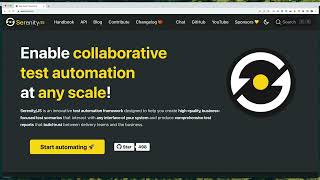](https://youtu.be/8mMY6Of4nCw)
### Writing a test scenario
Assuming you've chosen **Mocha with Serenity/JS** and requested the wizard to generate example test files for you,
you'll find your first test file located at `./test/specs/example.spec.ts`:
```ts
// ./test/specs/example.spec.ts
import { describe, it } from 'mocha'
import { Ensure, equals } from '@serenity-js/assertions'
import { actorCalled } from '@serenity-js/core'
import { By, Navigate, PageElement, Text } from '@serenity-js/web'
describe('Example', () => {
it('interacts with a web page', async () => {
await actorCalled('Alice').attemptsTo(
Navigate.to('https://serenity-js.org'),
Ensure.that(
Text.of(PageElement.located(By.id('cta-start-automating'))),
equals('Start automating 🚀')
),
)
})
// ... other examples
})
```
You'll notice that the example test file uses:
- [`@serenity-js/assertions`](https://serenity-js.org/api/assertions/) - to make assertions about the state of the system under test
- [`@serenity-js/core`](https://serenity-js.org/api/core/) - to create and manage actors
- [`@serenity-js/web`](https://serenity-js.org/api/web/) - to interact with web pages
You can learn more about these and other Serenity/JS modules in the [Serenity/JS API documentation](https://serenity-js.org/api/).
The configuration of your project is located in the `wdio.conf.ts` file. Check out the [Serenity/JS WebdriverIO integration guide](https://serenity-js.org/handbook/test-runners/webdriverio/) for more details.
### Running your tests and generating reports
To run your tests and generate Serenity/JS reports, execute the following command in your terminal:
```sh
npm run serenity
```
Your test results will be available in the `target/site/serenity` directory.
To view them, open the `index.html` file in your preferred web browser.
## Documentation
- [API Reference](https://serenity-js.org/api/)
- [Screenplay Pattern Guide](https://serenity-js.org/handbook/design/screenplay-pattern/)
- [Serenity/JS Project Templates](https://serenity-js.org/handbook/project-templates/)
- [More examples and reference implementations](https://github.com/serenity-js/serenity-js/tree/main/examples)
- [Tutorial: First Web Scenario](https://serenity-js.org/handbook/tutorials/your-first-web-scenario/)
- [Tutorial: First API Scenario](https://serenity-js.org/handbook/tutorials/your-first-api-scenario/)
## Contributing
Contributions of all kinds are welcome! Get started with the [Contributing Guide](https://serenity-js.org/community/contributing/).
## Community
- [Community Chat](https://matrix.to/#/#serenity-js:gitter.im)
- [Discussions Forum](https://github.com/orgs/serenity-js/discussions)
- Visit the [💡How to... ?](https://github.com/orgs/serenity-js/discussions/categories/how-to) section for answers to common questions
If you enjoy using Serenity/JS, make sure to star ⭐️ [Serenity/JS on GitHub](https://github.com/serenity-js/serenity-js) to help others discover the framework!
## License
The Serenity/JS code base is licensed under the [Apache-2.0](https://opensource.org/license/apache-2-0) license,
while its documentation and the [Serenity/JS Handbook](https://serenity-js.org/handbook/) are licensed under the [Creative Commons BY-NC-SA 4.0 International](https://creativecommons.org/licenses/by-nc-sa/4.0/).
See the [Serenity/JS License](https://serenity-js.org/legal/license/).
## Support
Support ongoing development through [GitHub Sponsors](https://github.com/sponsors/serenity-js). Sponsors gain access to [Serenity/JS Playbooks](https://github.com/serenity-js/playbooks)
and priority help in the [Discussions Forum](https://github.com/orgs/serenity-js/discussions).
For corporate sponsorship or commercial support, please contact [Jan Molak](https://www.linkedin.com/in/janmolak/).
[](https://github.com/sponsors/serenity-js)