@sanity/table
Version:
Table schema type and input component for Sanity Studio
112 lines (81 loc) • 3.12 kB
Markdown
> This is a **Sanity Studio v3** plugin.
> For the v2 version, please refer to the [v2 repository](https://github.com/rdunk/sanity-plugin-table).
This is a (triple) fork of the Sanity Plugin Table, migrated to [Sanity Studio V3](https://beta.sanity.io/docs/platform/studio/v2-to-v3).
Only the v3 version is maintained by Sanity.io.
## Acknowledgements
Big thanks to the original contributors for their work!
- Original version: [rdunk/sanity-plugin-table](https://github.com/rdunk/sanity-plugin-table).
- Further improvements in fork [MathisBullinger/sanity-plugin-another-table](https://github.com/MathisBullinger/sanity-plugin-another-table).
- Initial V3 port: [bitfo/sanity-plugin-table](https://github.com/bitfo/sanity-plugin-table)
## Disclaimer
Sometimes a table is just what you need.
However, before using the Table plugin, consider if there are other ways to model your data that are:
- easier to edit and validate
- easier to query
Approaching your schemas in a more structured manner can often pay dividends down the line.
## Install
Install using npm
```bash
$ npm i --save @sanity/table
```
## Usage
Add the plugin to your project configuration. Then use the type in your schemas
```js
// sanity.config.ts
import { defineConfig } from 'sanity';
import { table } from '@sanity/table';
export default defineConfig({
name: 'default',
title: 'My Cool Project',
projectId: 'my-project-id',
dataset: 'production',
plugins: [
// Include the table plugin
table(),
],
schema: {
types: [
{
name: 'product',
title: 'Product',
type: 'document',
fields: [
{
// Include the table as a field
// Giving it a semantic title
name: 'sizeChart',
title: 'Size Chart',
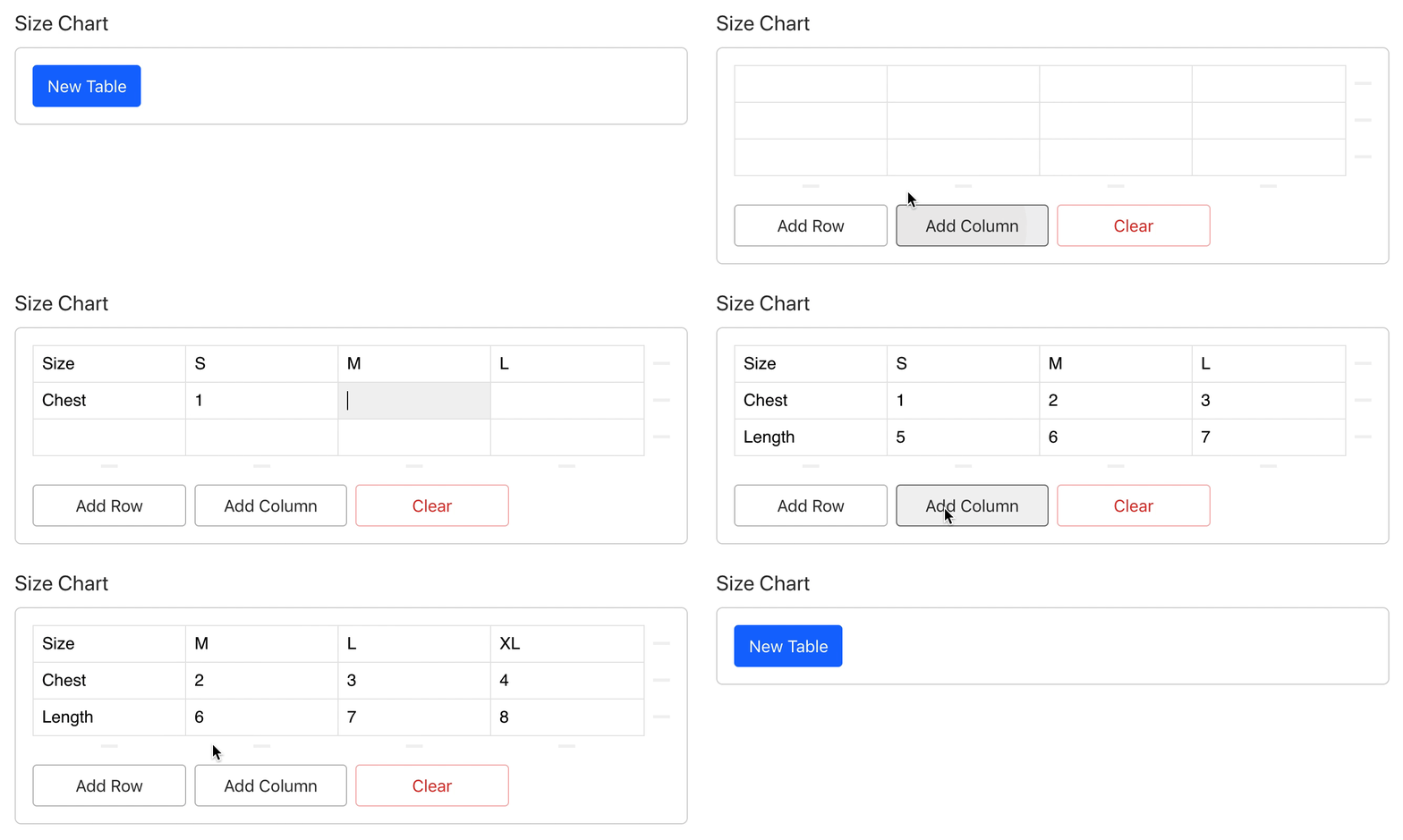
type: 'table',
},
],
},
],
},
});
```
You can optionally configure the `_type` used for the row object in the table schema by passing a `rowType` when adding the plugin. For most users this is unnecessary, but it can be useful if you are migrating from a legacy table plugin.
```js
export default defineConfig({
// ...
plugins: [
table({
rowType: 'my-custom-row-type',
}),
],
// ...
});
```
[](LICENSE) © ʞunp ʇɹǝdnɹ, Mathis Bullinger, Dave Lucia and Sanity.io
This plugin uses [@sanity/plugin-kit](https://github.com/sanity-io/plugin-kit)
with default configuration for build & watch scripts.
See [Testing a plugin in Sanity Studio](https://github.com/sanity-io/plugin-kit#testing-a-plugin-in-sanity-studio)
on how to run this plugin with hotreload in the studio.
Run ["CI & Release" workflow](https://github.com/sanity-io/table/actions/workflows/main.yml).
Make sure to select the main branch and check "Release new version".
Semantic release will only release on configured branches, so it is safe to run release on any branch.