@rm3l/plugin-scaffolder-frontend-module-devfile-field
Version:
Devfile Field Extensions (Frontend Plugin)
83 lines (63 loc) • 2.83 kB
Markdown
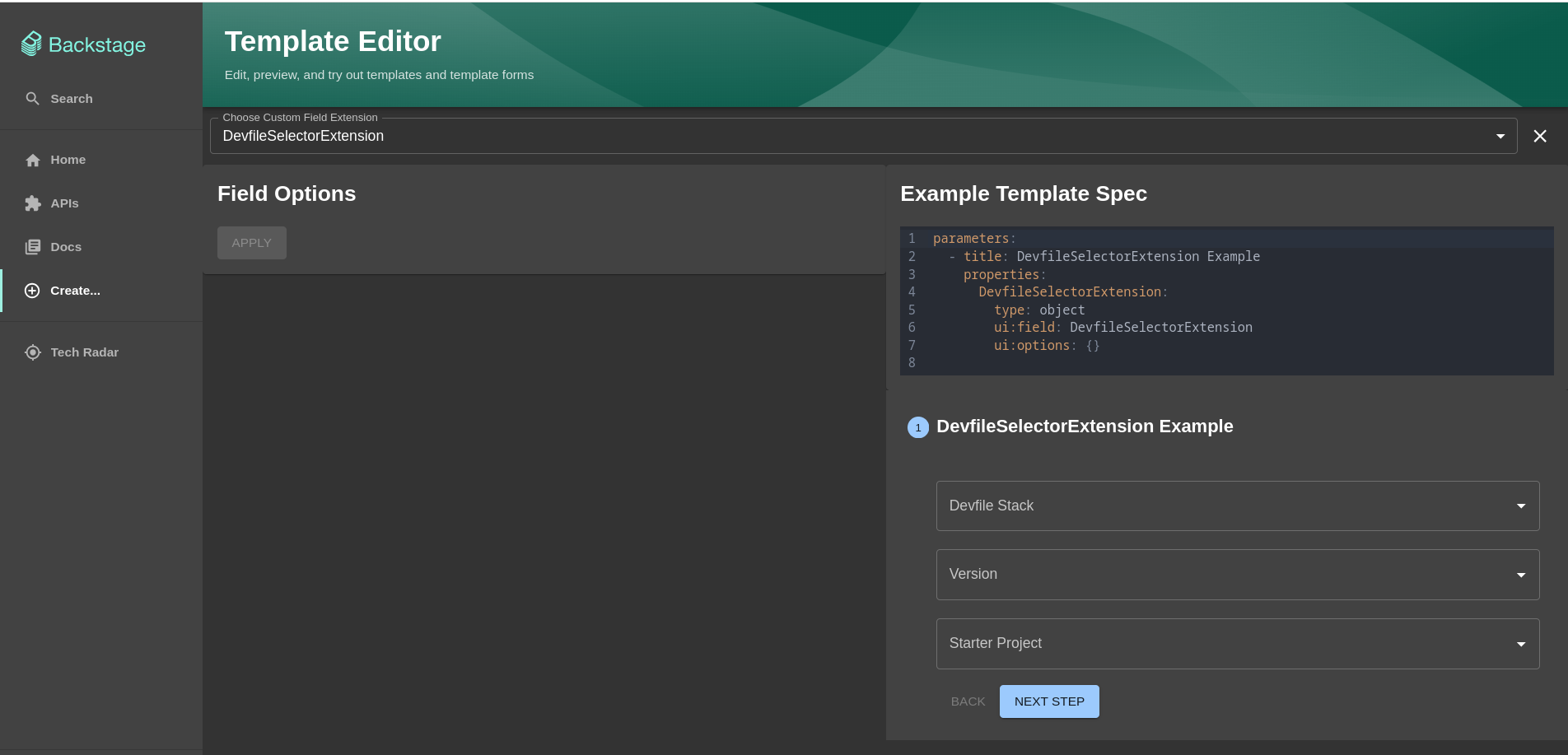
This plugin is a Custom Field Extension for Backstage. It allows you to add a set of drop-down lists to pick a Devfile Stack version, a version, and a starter project.
It interacts with the configured [Devfile registry](https://registry.devfile.io/viewer) to load the list of available Devfile Stacks.
From your Backstage instance root folder:
```shell
yarn add --cwd packages/app @rm3l/plugin-scaffolder-frontend-module-devfile-field
```
1. Add the import to your `packages/app/src/App.tsx` on the frontend package of your Backstage instance:
```js
// packages/app/src/App.tsx
import { DevfileSelectorFieldExtension } from '@rm3l/plugin-scaffolder-frontend-module-devfile-field';
import { ScaffolderFieldExtensions } from '@backstage/plugin-scaffolder-react';
```
2. Then add the imported field extension as a child of `ScaffolderFieldExtensions` inside `Route`, like so:
```js
// packages/app/src/App.tsx
<Route path="/create" element={<ScaffolderPage />}>
<ScaffolderFieldExtensions>
<DevfileSelectorFieldExtension />
</ScaffolderFieldExtensions>
</Route>
```
3. This custom field extension populates the dropdown lists from a Devfile Registry, which is expected to be proxied by Backstage at the following path: `/devfile-registry`. As such, you need to add the appropriate configuration to your `app-config.yaml` file under the `proxy.endpoints` field, like so:
```yaml
proxy:
endpoints:
'/devfile-registry':
target: 'https://registry.devfile.io'
```
You should now see the custom field `DevfileSelectorExtension` and its dropdown lists populated if you navigate to the Template Editor page at http://localhost:3000/create/edit.
To use the extension in a Backstage Software Template, you can add the `ui:field` field to the parameter. The output of the extension is an object made up of the following fields:
- `devfile`: the Devfile Stack selected by the user.
- `version`: the Devfile Stack version selected by the user
- `starter_project`: the Devfile Starter Project selected by the user. Optional.
```yaml
parameters:
- title: Provide details about the Devfile
required:
- devfile_data
properties:
devfile_data:
type: object
required:
- devfile
- version
properties:
devfile:
type: string
version:
type: string
starter_project:
type: string
ui:field: DevfileSelectorExtension
ui:autofocus: true
ui:options:
rows: 5
```