@restqa/cucumber-export
Version:
A simple cucumber-js formatter exporting your result to different endpoints
598 lines (468 loc) • 16.4 kB
Markdown
# Cucumber-export
> This cucumber formatter works well with cucumber version 7.x. If you are still using cucumber 6.x refer to the version @restqa/cucumber-export@0.1.10
## Table of content
- [Installation](#installation)
- [API](#api)
- [getFormatter([options])](#cucumberexportgetformatteroptions)
- [Usage](#usage)
- [Setup your formatter](#setup-your-formatter-through-cucumber)
- [Run with cucumber-js](#run-cucumber-js)
- [Setup as a module](#setup-as-a-module)
- [Options](#options)
- [Outputs](#outputs)
- [File](#file)
- [HTML](#html)
- [Webhook](#webhook)
- [Slack](#slack)
- [Microsoft Teams](#microsoft-teams)
- [Discord](#discord)
- [Line](#line)
- [Mattermost](#mattermost)
- [Elastic-Search](#elastic-search)
- [kibana](#kibana)
- [Grafana](#grafana)
- [HTML Remote](#html-remote)
- [Stream](#stream)
- [Custom exporter](#custom-exporter)
- [Development](#development)
- [Todo](#todo)
## Installation
```sh
npm install @restqa/cucumber-export
```
## API
```js
const { getFormatter } = require('@restqa/cucumber-export');
```
The `getFormatter` object expose a function receving your exports options.
All The options are shared below.
### cucumberExport.getFormatter([options])
Returns a cucumber formatter where the result will be pre-formatted and transferred
to the selected destination.
## Usage
### Setup your formatter (through cucumber)
Create a new file at the root of your project. (restqa-formatter.js)
```js
# <root-dir>/restqa-formatter.js
const { getFormatter } = require('@restqa/cucumber-export')
const stream = require('stream')
const instance = new stream.Writable({
write: (data, encoding, next) => {
console.log(JSON.parse(data.toString('utf-8')))
next()
}
})
let envConfig = {
uuid: 'xxx-yyy-zzz',
name: 'local',
env: 'uat',
outputs: [
{
type: 'stream',
enabled: true,
config: {
instance: instance
}
},
{
type: 'html',
enabled: true,
config: {
path: 'my-report-folder', // (default: ./report)
browserOpening: true // (default: true)
}
},
{
type: 'html-remote',
enabled: true,
config: {
url: 'https://html-report.your-domain.dev' // (default : https://dashboard.restqa.io/reports)
}
},
{
type: 'webhook',
enabled: true,
config: {
url: 'https://httpdump.io/lb8f7',
method: 'POST',
headers: {
'x-apikey': 'xxx-yyy-zzz'
}
}
},
{
type: 'elastic-search',
enabled: true,
config: {
url: 'http://my-elastic-search.local:9200',
index: 'bdd-e2e'
}
},
{
type: 'file',
enabled: true,
config: {
path: 'my-report.json' // File to save
}
},
{
type: 'slack',
enabled: true,
config: {
url: 'https://hooks.slack.com/service/xxx/yyy/zzz', // The slack webhook url
onlyFailed: true, // Trigger the hook only for test failure (default: false)
showErrors: true, // Show the error message within slack
reportUrl: 'https://www.test.report/{uuid}' // The url to access to your detail test report if you have one
}
},
{
type: 'microsoft-teams',
enabled: true,
config: {
url: 'https://outlook.office.com/webhook/xxx/IncomingWebhook/yyy/zzz', // The teams webhook url
onlyFailed: true, // Trigger the hook only for test failure (default: false)
showErrors: true, // Show the error message within teams
reportUrl: 'https://www.test.report/{uuid}' // The url to access to your detail test report if you have one
}
},
{
type: 'line',
enabled: true,
config: {
token: 'sEdkjfEr745aasd546saSDdjklawE74S', // The line notfication token
onlyFailed: true, // Trigger the hook only for test failure (default: false)
reportUrl: 'https://www.test.report/{uuid}' // The url to access to your detail test report if you have one
}
},
{
type: 'discord',
enabled: true,
config: {
url: 'https://discordapp.com/api/webhooks/xxx/yyy', // The discord webhook url
onlyFailed: false, // Trigger the hook only for test failure (default: false)
showErrors: true, // Show the error message within slack
reportUrl: 'https://www.test.report/{uuid}', // The url to access to your detail test report if you have one,
tts: false, // enable TTS for the message, false by default
username: 'bot-name' // alternative name for bot, uses the name it has in discord UI by default if nothing specified
}
},
{
type: 'mattermost',
enabled: true,
config: {
url: 'https://your-mattermost-url/webhooks/xxx',
onlyFailed: true, // Trigger the hook only for test failure (default: false),
showErrors: true, // Show the error message within Mattermost,
reportUrl: 'https://www.test.report/{uuid}', // The url to access to your detail test report if you have one
channel: 'town-square', // The channel to send messages to
username: 'restqa-formatter', // Username to post as (only works if bot is allowed to change its name)
iconUrl: '', // Link to bot profile picture (only works if bot is allowed to change image)
iconEmoji: 'laughing', // An emoji tag without the ':'s for bot profile picture (only works if bot is allowed to change image)
displayedErrorsLimit: 25 // Limit the number of errors displayed in one message
}
},
{
type: 'custom-report-key',
enabled: true,
config: {
key: 'value'
}
}
],
customExporters: {
'custom-report-key': function(config) {
const { key } = config
//console.log(result.success)
return Promise.resolve('[CUSTOM REPORT][SUCCESS] - Your custom report is great!')
}
}
}
module.exports = getFormatter(envConfig)
```
### Run with cucumber-js
You can now run cucumber-js with the just created formatter
`cucumber-js -f ./restqa-formatter.js:restqa.log`
> It's important to defined formatter export path to have access the logs, you can refer to the cucumber-js documentation (https://github.com/cucumber/cucumber-js/blob/master/docs/cli.md#formats)'
### Setup as a module
If you already have an JSON export file you can export the result using :
```
const { Export } = require('@restqa/cucumber-export')
async function main(result) {
const options = {
uuid: 'xxx-yyy-zzz',
name: 'local',
env: 'uat',
outputs: [
{
type: 'html',
enabled: true
}
]
}
const exportResult = await Export(result, options)
console.log(exportResult)
}
main(result)
```
IMPORTANT : The duration can't be defined if you use this method. (it will appear as 0 into your repart)
## Options
The Options are mandatory.
##### uuid \<string> (optional)
Represent the unique identifier of current test suit exported.
_Default: autogenerated from [uuid : v4](https://www.npmjs.com/package/uuid#version-4-random)_
##### name \<string> (optional)
Represent the name of the current test suite (example: The backend api for the mobile application)
##### title \<string> (optional)
Represent a custom title that you want to show at the beginning of the export. (default: CUCUMBER EXPORT)
##### startTime \<date> (optional)
Represent a unique key of the current test suite (example: 2018–01–30T12:34:56+00:00)
_Default: current datetime_
##### key \<string> (optional)
Represent a unique key of the current test suite (example: backend-api)
##### env \<string> (optional)
Represent a environment of the current test suite (example: uat)
##### outputs \<array> (required)
You can configure different output, see below the available output reporters.
## Outputs
### Stream
Export the result to a Writable Stream
```
{
type: 'stream',
enabled: true,
config: {
instance: WritableStream // The writable stream instance
}
}
```
### File
Export the result to a JSON file
```
{
type: 'file',
enabled: true,
config: {
path: 'my-report.json' // File to save
}
}
```
### HTML
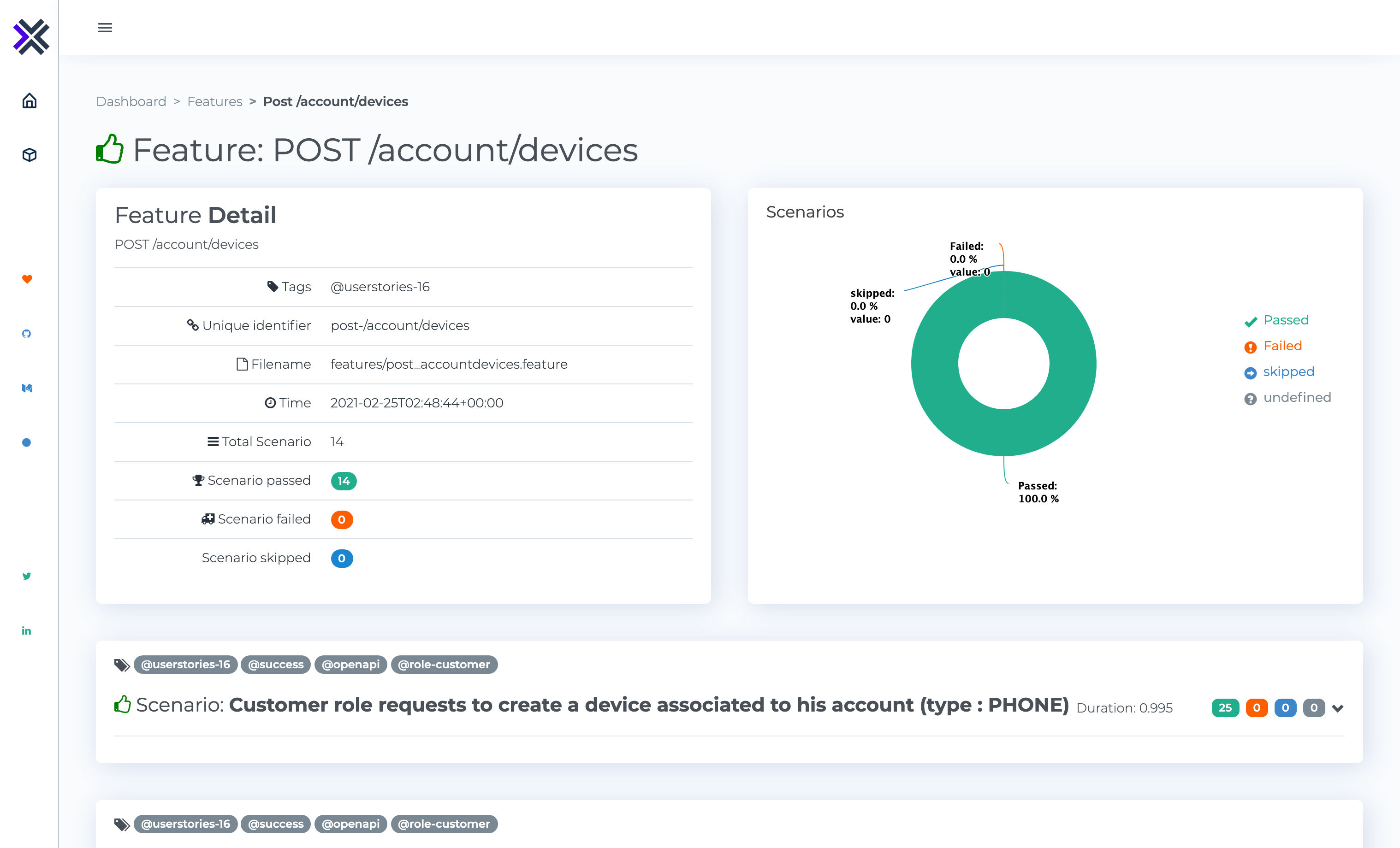
Export the result to a local file folder as HTML format
```
{
type: 'html',
enabled: true,
config: {
path: 'my-folder', // Folder to save the report
browserOpening: true // Open the report on the default browser
}
}
```
_Example_:
### Webhook
Export the result to a webhook
```
{
type: 'webhook',
enabled: true,
config: {
url: 'https://httpdump.io/rb6zi', // The http endpoint to send the result
method: 'POST', // The http method to use
headers: { // The request headers to use
apikey: 'xxx-yyy-zzz'
}
}
}
```
### Slack
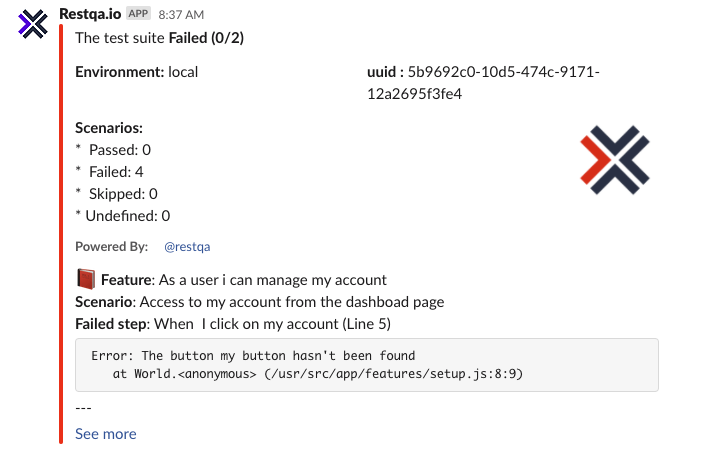
Receive a notification on slack about you test report
```
{
type: 'slack',
enabled: true,
config: {
url: 'https://hooks.slack.com/service/xxx/yyy/zzz', // The slack webhook url
onlyFailed: true, // Trigger the hook only for test failure (default: true)
showErrors: true, // Show the error message within slack
reportUrl: 'https://www.test.report/{uuid}' // The url to access to your detail test report if you have one
}
}
```
_Example_:
### Microsoft Teams
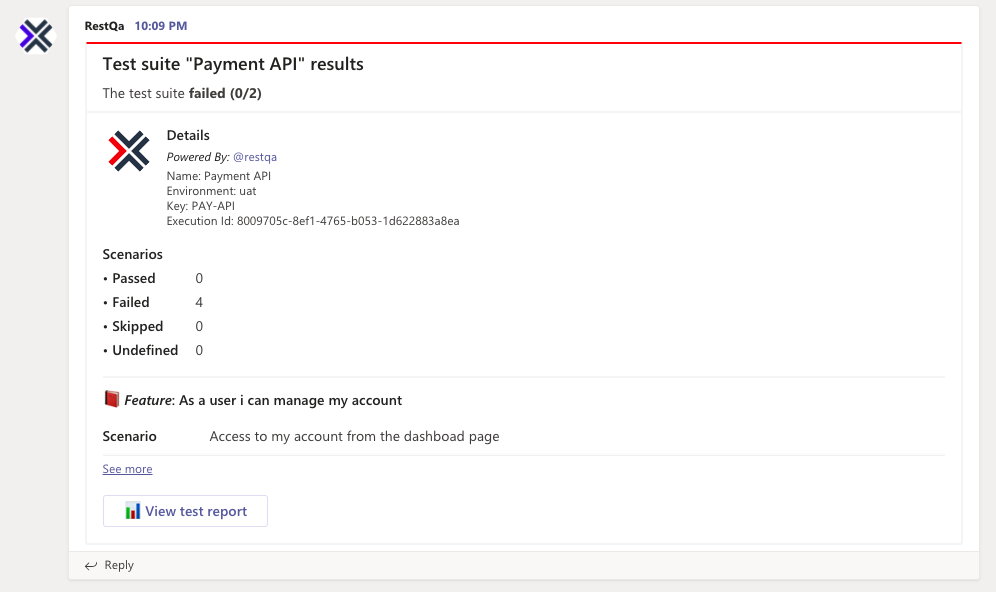
Receive a connector card in your Microsoft Teams channel when your test finishes
```
{
type: 'microsoft-teams',
enabled: true,
config: {
url: 'https://outlook.office.com/webhook/xxx/IncomingWebhook/yyy/zzz', // The teams webhook url (tutorial : https://docs.microsoft.com/en-us/learn/modules/msteams-webhooks-connectors/5-exercise-incoming-webhooks)
onlyFailed: true, // Trigger the hook only for test failure (default: true)
showErrors: true, // Show the error message within teams
}
}
```
In order to get the url of the incoming webhook, take a look at : https://docs.microsoft.com/en-us/learn/modules/msteams-webhooks-connectors/5-exercise-incoming-webhooks
_Example_:
### Discord
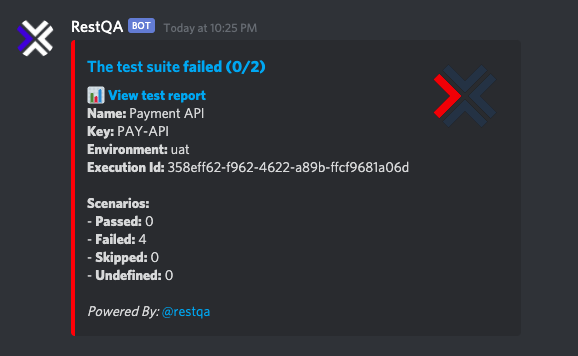
Receive a message in your Discord channel when your test finishes via webhook. See how to set up the webhook bot here:
```
{
type: 'discord',
enabled: true,
config: {
url: 'https://discordapp.com/api/webhooks/xxx/yyy', // The discord webhook url
onlyFailed: false, // Trigger the hook only for test failure (default: true)
showErrors: true, // Show the error message within slack
reportUrl: 'https://www.test.report/{uuid}', // The url to access to your detail test report if you have one,
tts: false, // enable TTS for the message, false by default
username: 'bot-name' // alternative name for bot, uses the name it has in discord UI by default if nothing specified
}
}
```
_Example_:
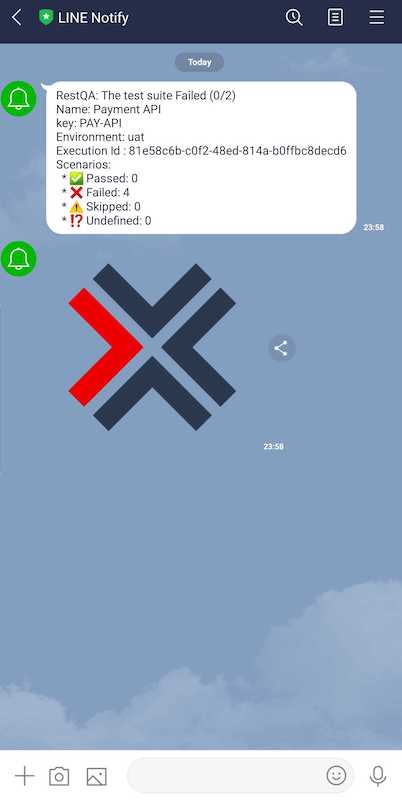
### Line
Receive a notification on line about you test report
```
{
type: 'line',
enabled: true,
config: {
token: 'sEdkjfEr745aasd546saSDdjklawE74S', // The line notfication token (get your token here : https://notify-bot.line.me/en/)
onlyFailed: true, // Trigger the hook only for test failure (default: true)
reportUrl: 'https://www.test.report/{uuid}' // The url to access to your detail test report if you have one
}
}
```
In order to get the token for the nofify line app, take a look at : https://notify-bot.line.me/en/
_Example_:
### Mattermost
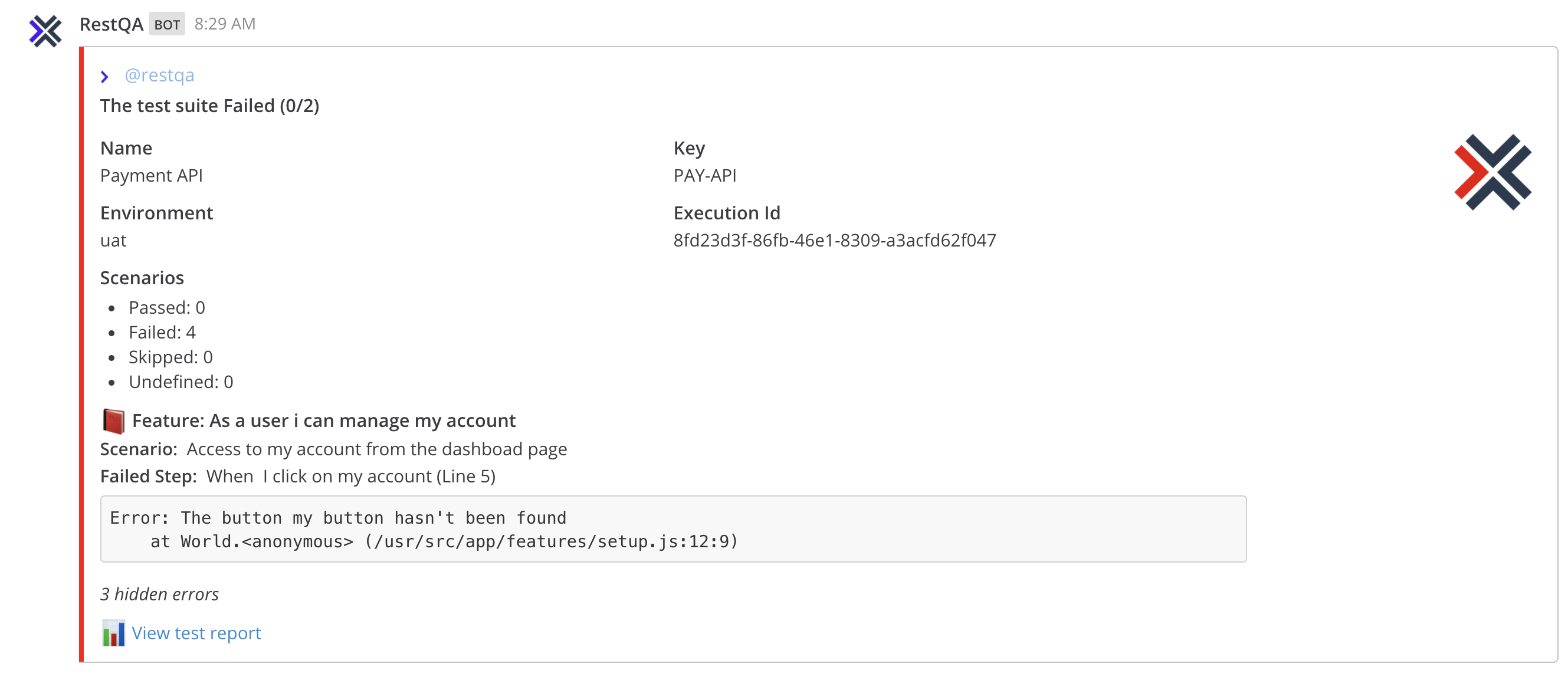
Receive a notification in your Mattermost channel when your test finishes
```
{
type: 'mattermost',
enabled: true,
config: {
url: 'https://your-mattermost-url/webhooks/xxx',
onlyFailed: true // Trigger the hook only for test failure (default: true),
showErrors: true // Show the error message within Mattermost,
reportUrl: 'https://www.test.report/{uuid}', // The url to access to your detail test report if you have one
channel: 'town-square', // The channel to send messages to
username: 'restqa-formatter', // Username to post as (only works if bot is allowed to change its name)
iconUrl: '', // Link to bot profile picture (only works if bot is allowed to change image)
iconEmoji: 'laughing', // An emoji tag without the ':'s for bot profile picture (only works if bot is allowed to change image)
displayedErrorsLimit: 25, // Limit the number of errors displayed in one message
}
}
```
To personalise the bot, note the following from: https://docs.mattermost.com/developer/webhooks-incoming.html
> Enable integrations to override usernames must be set to true in config.json to override
> usernames. Enable them from System Console > Integrations > Custom Integrations in prior
> versions or System Console > Integrations > Integration Management in versions after 5.12 or
> ask your System Administrator to do so. If not enabled, the username is set to webhook.
>
> Similarly, Enable integrations to override profile picture icons must be set to true in
> config.json to override profile picture icons. Enable them from
> System Console > Integrations > Custom Integrations in prior versions or
> System Console > Integrations > Integration Management in versions after 5.12 or ask your
> System Administrator to do so. If not enabled, the icon of the creator of the webhook URL is
> used to post messages.
_Example_:
### Elastic-Search
Export the result to an elastic search server (using rolling index)
```
{
type: 'elastic-search',
enabled: true,
config: {
url: 'http://my-elastic-search.local:9200', // The elastic search endpoint
index: 'bdd-e2e' // The elastic search index to use (default: restqa-e2e-result)
}
}
```
The Elastic Search export allows you to create nice dashboard within Grafana or Kibana. And the good things is that we already prepared everything for you :
#### Grafana
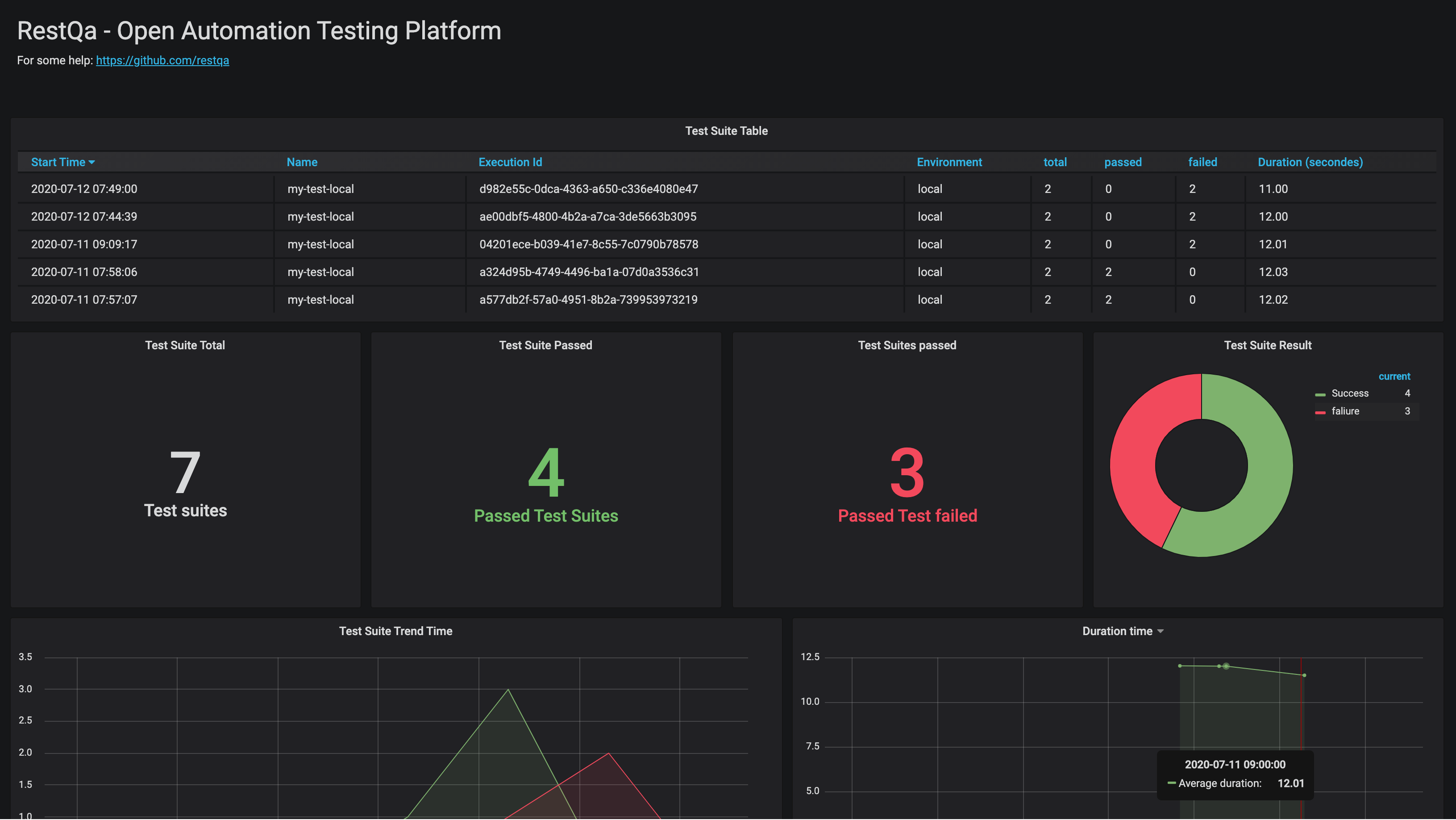
[Access to the Grafana dashboard installation guide](./dashboard-setup/grafana/README.md)
#### kibana
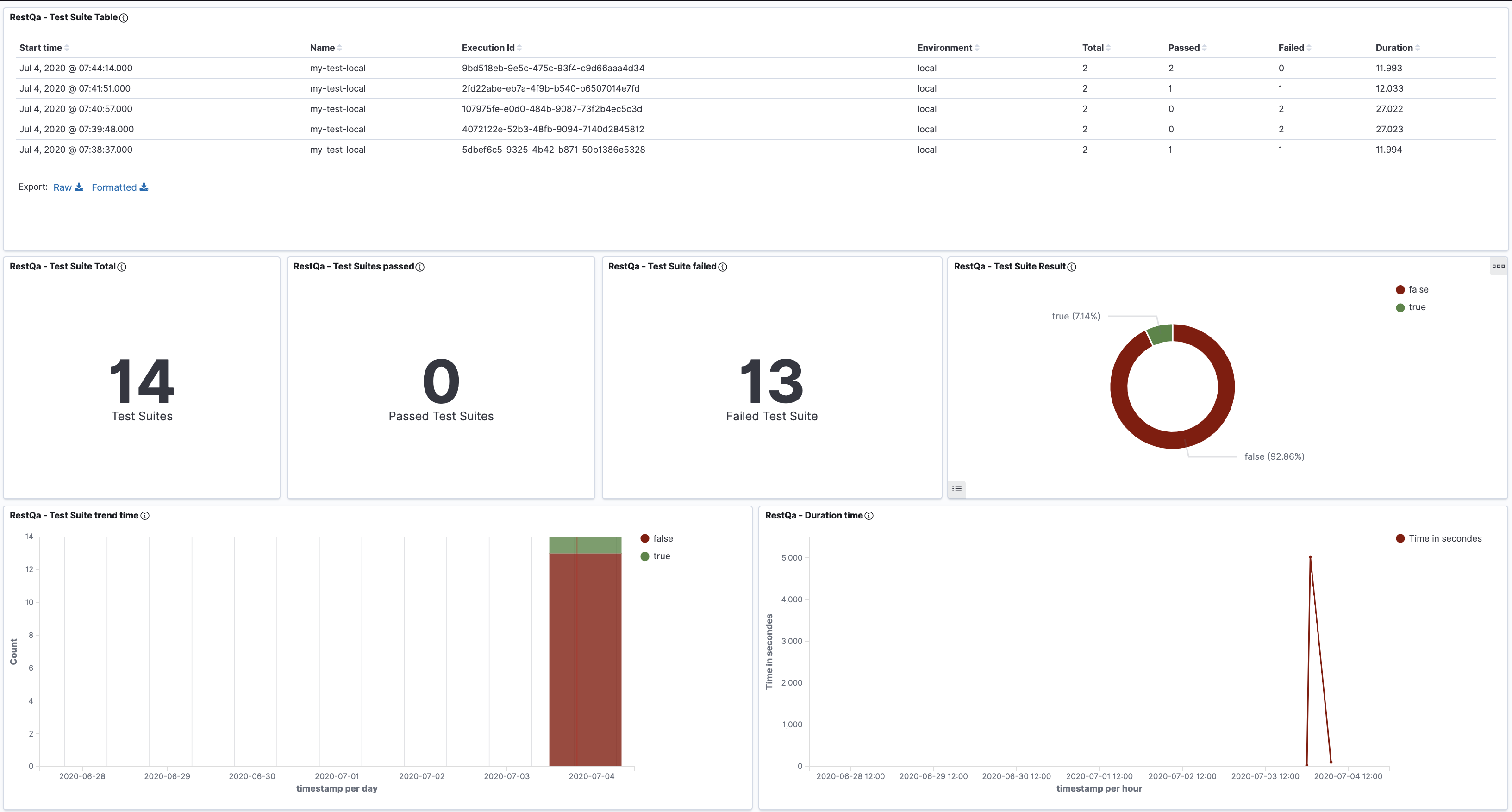
[Access to the Kibana dashboard installation guide](./dashboard-setup/kibana/README.md)
### HTML Remote
Export the result to a remote endpoint in order to generate an html report.
For more information about the generation of the report you can look at the project :
1. Use the SaaS version hosted on : dashboard.restqa.io (pro: ready, cons: data privacy, shared)
2. Host your own, take a look at the [documentation](https://docs.restqa.io/reporting/html-remote)
```
{
type: 'html-remote',
enabled: true,
config: {
url: 'https://html-remote.your-domain.dev', // (default : https://dashboard.restqa.io/reports),
auth: { // Authentication through basic auth
username: 'john',
password: 'secure123'
}
}
}
```
### Custom exporter
In case any of these exporter is matching your need you can build your own.
Your options object should look like:
```js
let options = {
uuid: 'xxx-yyy-zzz',
name: 'local',
env: 'uat',
outputs: [
{
type: 'custom-report-key',
enabled: true,
config: {
key: 'value'
}
}
],
customExporters: {
'custom-report-key': function(config) {
const { key } = config
//console.log(result.success)
return Promise.resolve('[CUSTOM REPORT][SUCCESS] - Your custom report is great!')
}
}
}
```
#### 2. Add your config in the outputs
```
{
type: 'stream',
enabled: true,
config: {
instance: WritableStream // The writable stream instance
}
}
```
### DEVELOPMENT
if you would like to contribute to the project you will simply need to :
* Install the packages : `npm i`
* Then you can use the example available on the [./example](./example) folder using the command : `npm run example`
### TODO
Create channels for :
- Rocket chat
- Google Hangouts
- Prometheus
- Grafana Loki
- influxdb
- statsd
- testrail
- teamcity
- confluence
- junit
- Github Alert
## License
[MIT License](./LICENSE)