@ranceheart/sticky-elevator
Version:
A lightweight scroll‑spy elevator nav for React
285 lines (189 loc) • 9.52 kB
Markdown
<details>
<summary><sub>🌐 点击展开中文说明(Click to view Chinese)</sub></summary>
# 🛗 ElevatorNav – 滚动锚点导航组件
一个轻量级的 React 视觉锚点导航(scroll-spy)组件。position: sticky 在某些情况不好使(父元素要求太多),在复杂项目中不好改父元素时,可用此组件替代导航栏行为。
[](https://github.com/RanceHeart/sticky-elevator)
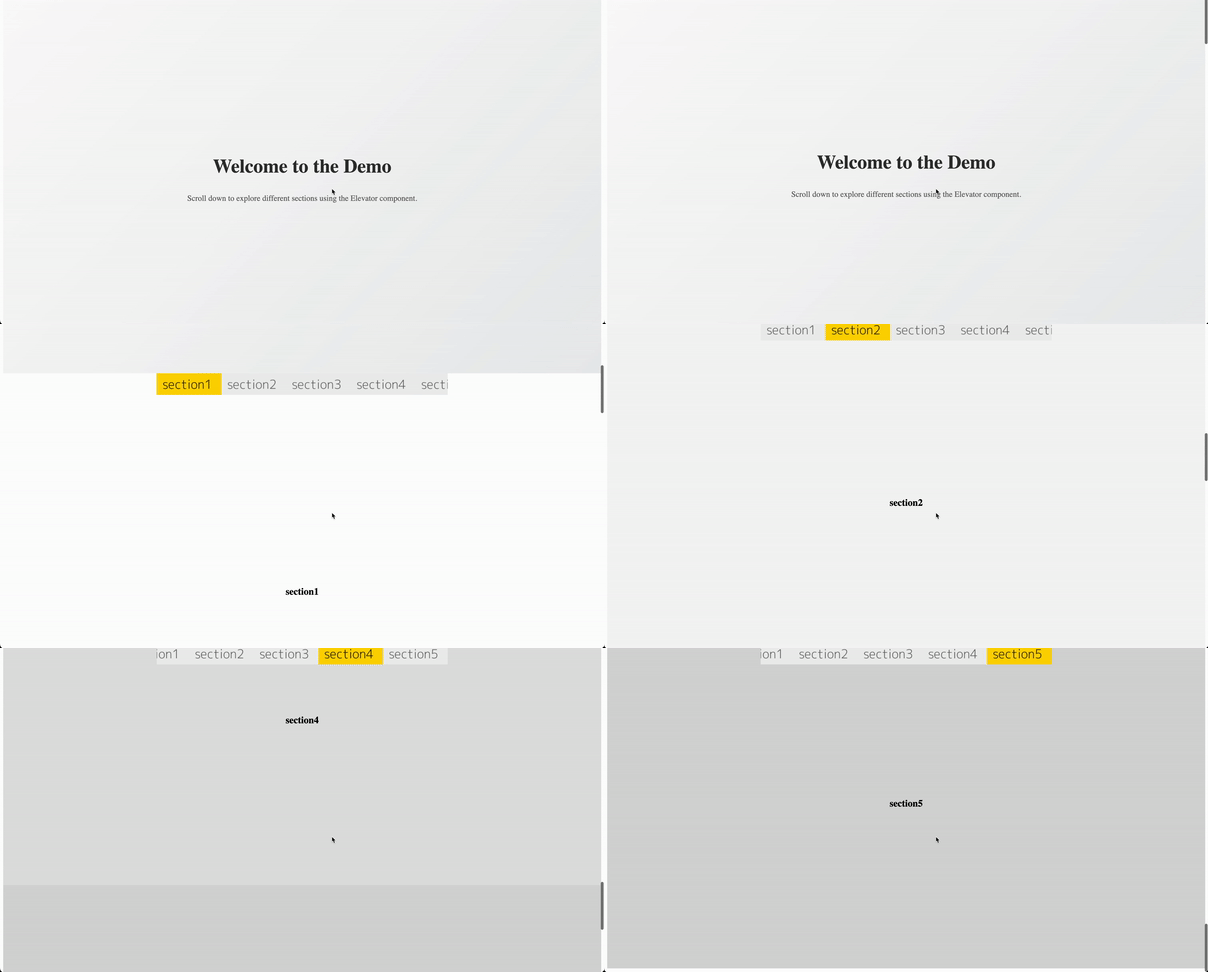
### 📌 Demo 1: 锚点自动吸附 + 自动滚动定位
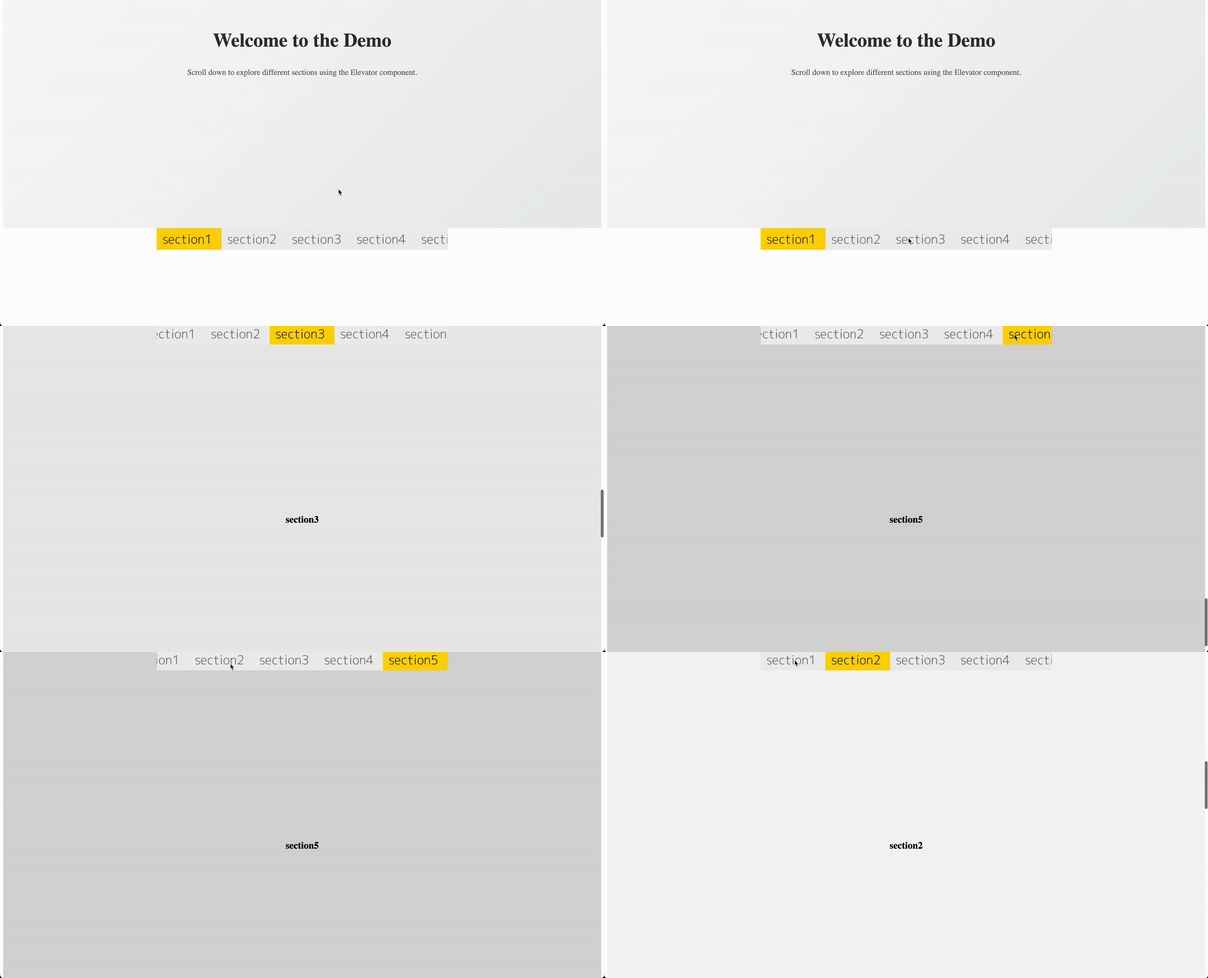
### 📌 Demo 2: 点击跳转锚点 + 滑动切换图片显示
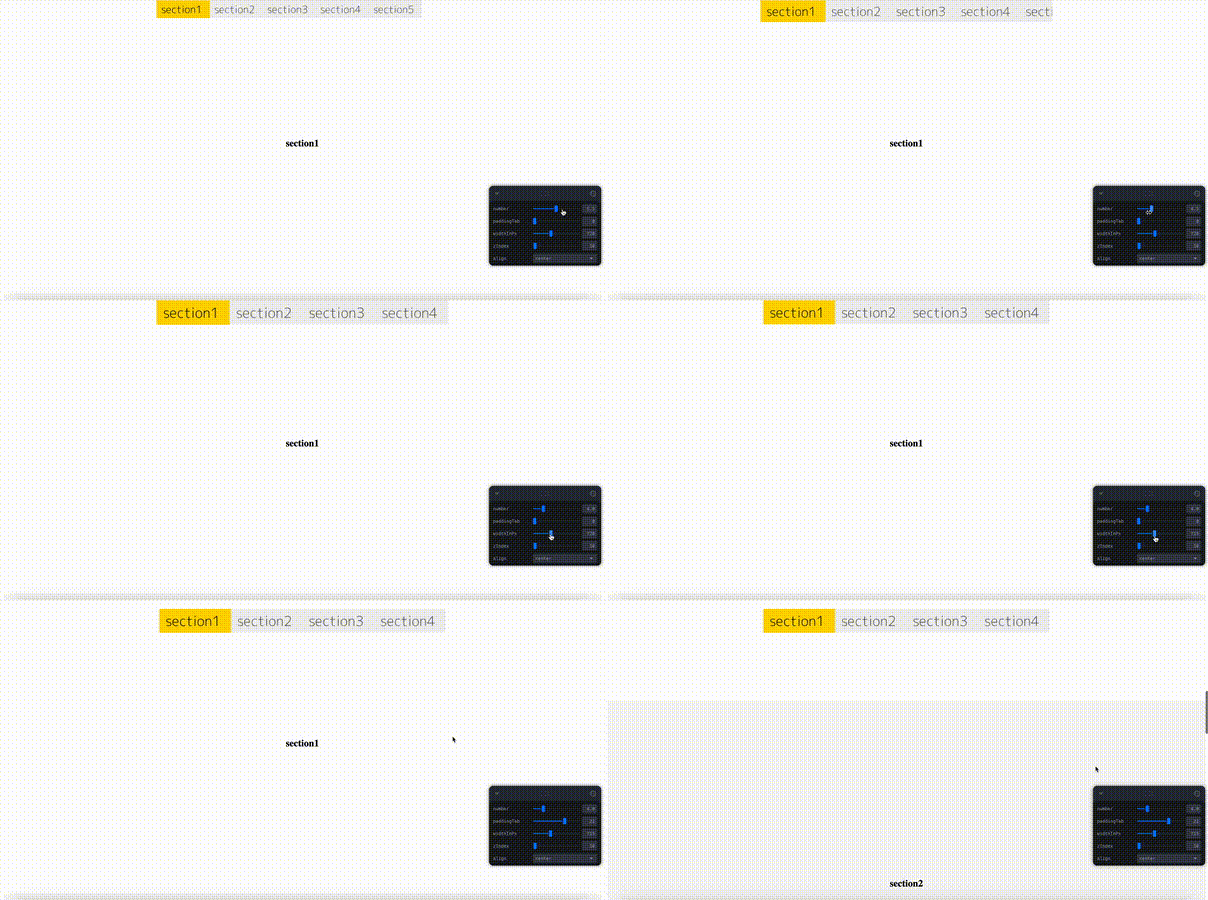
### 📌 Demo 3: 参数自定义效果预览(tab 数量 / 宽度 / padding)
## 🎬 在线演示
#### 👉 [示例](https://ranceheart.github.io/sticky-elevator/)
#### 👉 [示例带参数](https://ranceheart.github.io/sticky-elevator/?debug=1)
本地运行:
```bash
yarn install
yarn dev
```
构建并部署到 GitHub Pages:
```bash
yarn build:demo
yarn gh:deploy
```
## 📦 安装方式
```bash
npm install @ranceheart/sticky-elevator
# 或
yarn add @ranceheart/sticky-elevator
```
## 🔧 使用方法
```tsx
import {Elevator} from '@ranceheart/sticky-elevator'
const anchors = ['section1', 'section2', 'section3'];
const imgs = anchors.map(id => `/images/${id}.png`);
const imgsActive = anchors.map(id => `/images/${id}-active.png`);
<Elevator
anchorPoints={anchors}
anchorImages={imgs}
anchorActiveImages={imgsActive}
number={3}
paddingTab={12}
/>
```
确保页面中有对应的 `id` 区块:
```html
<section id="section1">...</section>
<section id="section2">...</section>
<section id="section3">...</section>
```
## ⚙️ 参数说明
| 属性名 | 类型 | 说明 |
|----------------------|---------------------------------|----------------------------------------|
| `anchorPoints` | `string[]` | 要跳转和跟踪的 section ID 列表 |
| `anchorImages` | `string[]` | 默认状态的 tab 图像 URL 列表 |
| `anchorActiveImages` | `string[]` | 激活状态下的 tab 图像 URL,缺省则使用 `anchorImages` |
| `number` | `number` | 屏幕显示 tab 数量(自动按比例宽度) |
| `paddingTab` | `number` | 顶部 padding 值(吸顶后距页面顶部距离) |
| `navbarHeight` | `number` | 可选项,tab 高度默认自动识别,如异常可手动设置 |
| `align` | `'left' or 'center' or 'right'` | 吸顶后 tab 对齐方式(默认 `center`) |
| `width` | `string` | tab 容器最大宽度,如 `728px` |
| `zIndex` | `number` | 吸顶时的 `z-index` 层级,默认 10 |
| `className` | `string` | 外层自定义类名 |
| `style` | `CSSProperties` | 外层自定义行内样式 |
## 🧪 特性亮点
- 🌀 **滚动监听**:精准滚动高亮,滚动停止后稳定定位
- 📱 **移动端优先**:支持横向滚动,手指滑动流畅
- 📌 **不怕 sticky 失效**:采用 `fixed` 固定 + 占位元素补偿
- 🧵 **SCSS 支持**:自带作用域 SCSS 文件,可按需自定义样式
- 🖼️ **图像导航**:纯图视觉导航,适合内容导览型 UI
## ⚠️ sticky 的常见问题
以下场景中 `position: sticky` 容易失效:
- 父元素设置了 `overflow: hidden`
- iOS Safari / WebView 中
- 嵌套滚动容器、模态框、App 内页
- 部分旧 Android 浏览器
ElevatorNav 使用 `fixed` + 占位补偿,可在任意布局下保持吸顶行为稳定。
## 📐 技术架构
- React hooks:`useEffect`, `useRef`, `useMemo`
- `ResizeObserver` 实时监听尺寸变化
- `requestAnimationFrame` 精准 scroll 监听
- `smoothscroll-polyfill` 支持 iOS 平滑滚动
## 🧱 许可证
MIT © [@RanceHeart](https://github.com/RanceHeart)
</details>
# 🛗 ElevatorNav – Scroll Spy Navigation Component
A lightweight, visual scroll‑spy elevator navigation component for React.
[](https://github.com/RanceHeart/sticky-elevator)
### 📌 Demo 1: Auto anchor snapping with scroll position tracking

### 📌 Demo 2: Click to navigate anchor + dynamic image switching

### 📌 Demo 3: Parameter preview (tab count / width / padding)

> 🧭 This component is a modern alternative to `position: sticky` navigation bars, specifically built to **avoid issues
where sticky fails**, such as inside iOS WebViews, scrollable modals, or nested containers. It uses `position: fixed` +
> placeholder compensation for full reliability.
## 🎬 Live Previews
#### 👉 [View Demo](https://ranceheart.github.io/sticky-elevator/)
#### 👉 [View Demo with param](https://ranceheart.github.io/sticky-elevator/?debug=1)
To try it locally:
```bash
yarn install
yarn dev
```
To build for demo and deploy to GitHub Pages:
```bash
yarn build:demo
yarn gh:deploy
```
## 📦 Installation
```bash
npm install @ranceheart/sticky-elevator
# or
yarn add @ranceheart/sticky-elevator
```
## 🔧 Usage
```tsx
import {Elevator} from '@ranceheart/sticky-elevator'
const anchors = ['section1', 'section2', 'section3'];
const imgs = anchors.map(id => `/images/${id}.png`);
const imgsActive = anchors.map(id => `/images/${id}-active.png`);
<Elevator
anchorPoints={anchors}
anchorImages={imgs}
anchorActiveImages={imgsActive}
number={3}
paddingTab={0}
/>
```
Make sure your page contains sections with matching `id`s:
```html
<section id="section1">...</section>
<section id="section2">...</section>
<section id="section3">...</section>
```
## ⚙️ Props
| Prop | Type | Description |
|----------------------|---------------------------------|----------------------------------------------------------|
| `anchorPoints` | `string[]` | Section IDs to scroll to and track |
| `anchorImages` | `string[]` | Tab image URLs in normal state |
| `anchorActiveImages` | `string[]` | Tab image URLs when active (fallbacks to `anchorImages`) |
| `number` | `number` | Number of tabs visible on screen (evenly spaced) |
| `paddingTab` | `number` | Top padding in fixed state (e.g., avoid navbar overlap) |
| `navbarHeight` | `number` | Optional tab height override (autodetected by default) |
| `align` | `'left' or 'center' or 'right'` | Tab alignment when fixed (default: center) |
| `width` | `string` | Max width of tab container, e.g., `"728px"` |
| `zIndex` | `number` | `z-index` in fixed state (default: 10) |
| `className` | `string` | Custom class name for outer container |
| `style` | `CSSProperties` | Custom inline styles for outer container |
## 🧪 Features
- 🌀 **ScrollSpy**: Realtime section tracking with scroll-end detection
- 📱 **Mobile-first**: Horizontal scroll with touch-friendly tabs
- 📌 **Sticky-safe**: Uses `fixed` instead of `sticky` to avoid platform bugs
- 🧵 **SCSS-ready**: Ships with fully scoped `elevator.scss`, easily themeable
- 🖼️ **Visual**: Tabs are image-driven, perfect for visually guided navigation
## ⚠️ Sticky Pitfalls Solved
`position: sticky` fails in these common cases:
- Inside `overflow: hidden` parents
- In iOS Safari + WebViews
- In scrollable modals or hybrid apps
- On older Android browser engines
🛗 Elevator avoids these by **using `fixed` positioning with intelligent placeholder elements**, so your layout stays
stable and predictable.
## 📐 Architecture
- React hooks: `useEffect`, `useRef`, `useMemo`
- `ResizeObserver` for dynamic tab height changes
- `requestAnimationFrame` for smooth scroll tracking
- Polyfills: `smoothscroll-polyfill` for iOS support
## 🧱 License
MIT © [@RanceHeart](https://github.com/RanceHeart)