@qts-mini/cli
Version:
@qts-mini/cli
152 lines (106 loc) • 2.6 kB
Markdown
# @qts-mini/cli
小程序多端同构 & 使用微信小程序或者支付宝小程序进行多端开发
简单,基于小程序语法,无接入成本和逃离成本(依然可以在转换后的代码继续开发)
支持多种同构语法
- 条件注释
- js 多态
- 组件文件多态
## Installing
Using npm:
```bash
$ npm i -g @qts-mini/cli
```
Using yarn:
```bash
$ yarn global add @qts-mini/cli
```
## Use
```bash
qts-mini transform 'target/**'
```
查看命令运行目录有`dist`目录,注意`'target/**'`的引号
## Example
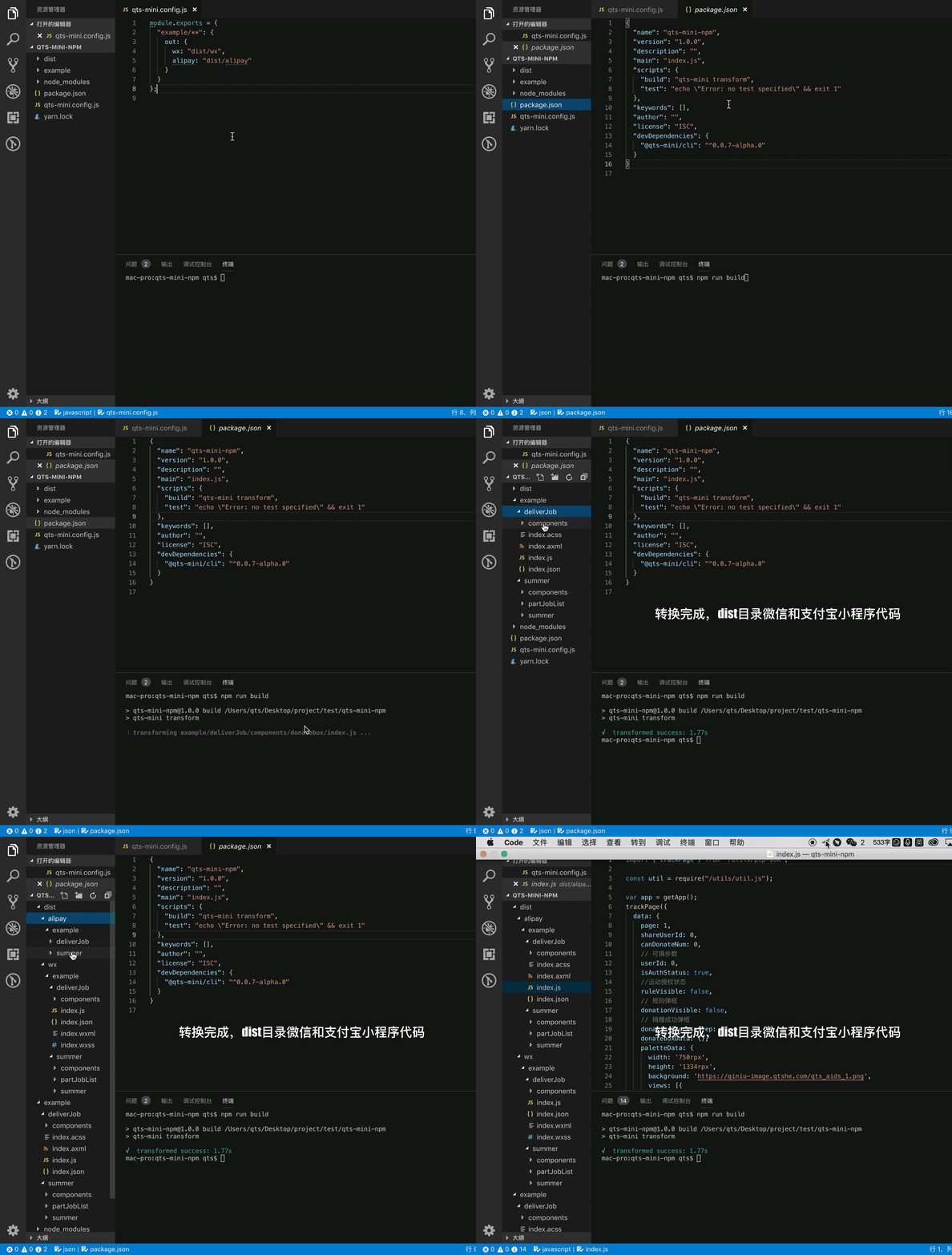
## 配置 和 API
### `qts-mini.config.js`
在项目根目录配置`qts-mini.config.js`
```javascript
module.exports = {
files: {
'example/**': {
out: {
wx: 'dist/wx',
alipay: 'dist/alipay'
}
}
}
}
```
### `transform`
#### 简单命令行模式
`qts-mini transform 'target1/**' 'target2/**'` 忽略`qts-mini.config.js`,代码自动转换到当前命令运行目录下的'dist/wx'和'dist/alipay'
`qts-mini transform 'target1/**' 'target2/**' -w`
#### 配置文件模式
`qts-mini transform` 转换代码,根据`qts-mini.config.js`文件输出目录,可配置多个
`qts-mini transform -w` 监听代码,默认不转换监听到改动才转换
`qts-mini transform -w --init-run` 先转换一次后监听
## 同构模式
### 条件注释 [preprocess](https://github.com/jsoverson/preprocess)
js:
```javascript
// @ifdef WX
const text = '专属于微信'
// @endif
```
xml:
```xml
<!-- @ifdef ALIPAY -->
<view>专属于支付宝</view>
<!-- @endif -->
```
在`javascript`、`xml`、`css`、`bash`等文件中使用条件注释,导出到不同端
### js 多态 `interface`语法
`test.interface` 文件
```html
<script type="wx">
export function show() {
wx.show()
}
</script>
<script type="alipay">
export function show() {
my.show()
}
</script>
```
```js
import { show } from './a.interface'
```
### 组件目录条件编译
```
|- component
|- login.interface
|- wx
|- index.wxml
|- ...
|- alipay
|- index.axml
|- ...
|- pages
|- index
|- index.json
```
最终会根据目录编译,例如微信(wx):
```
|- component
|- login
|- index.wxml
|- ...
|- pages
|- index
|- index.json
```
所以直接在 `pages/index/index.json`中使用组件`login: 'component/login/index'`
根据目录的多态组件的格式
`${组件名称}.interface/${wx/alipay}/${原生代码}`
`原生代码`不会经过转换,原样输出