@pipedream/api4ai
Version:
Pipedream API4AI Components
115 lines (77 loc) • 5.08 kB
Markdown
# Overview
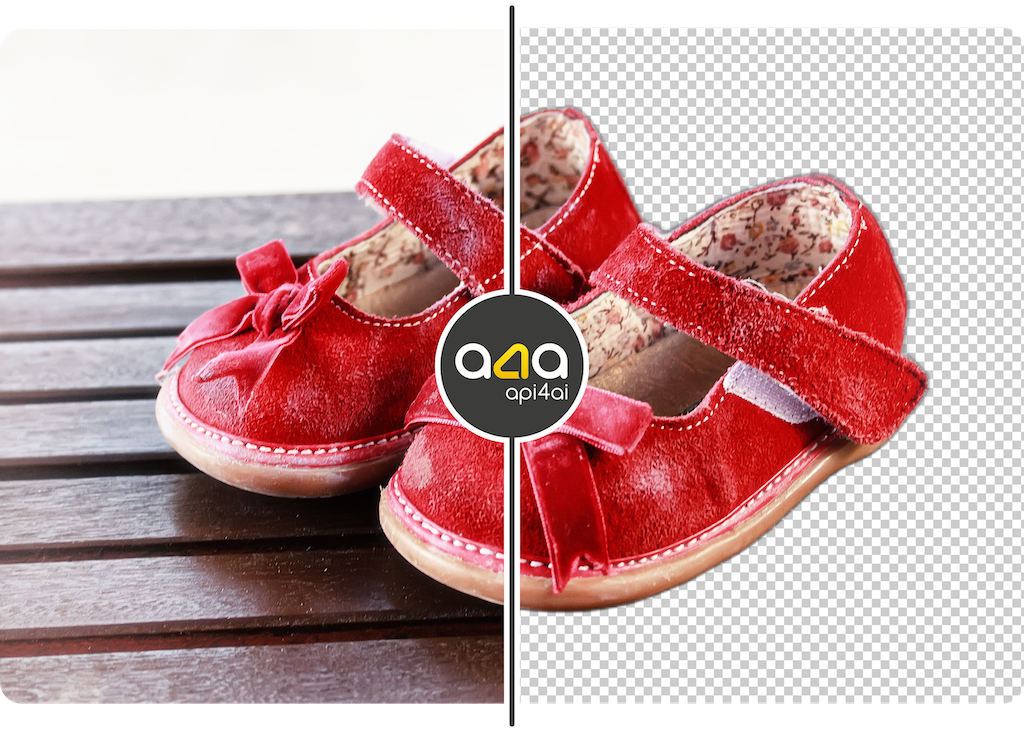
⭐️ **Background Removal** offers advanced image analysis for foreground segmentation and effortless background removal.
## 🤖 Demo
Discover the Background Removal Web demo for free and get a feel for its capabilities before diving deeper. No registration is required: https://api4.ai/apis/bg-removal#demo-wrapper
# Getting started
## 🚀 Subscribe and get API key
To use Background Removal, start at [RapidAPI](https://rapidapi.com/), a well-known API hub. Register, subscribe to begin, and obtain an API key:
1. Register on RapidAPI and subscribe to API4AI [Background Removal API](https://rapidapi.com/api4ai-api4ai-default/api/background-removal4/pricing) to start.
2. Navigate to the [Background Removal API endpoints](https://rapidapi.com/api4ai-api4ai-default/api/background-removal4) list.
3. In the "Header Parameters" section, your API Key will be shown in the `X-RapidAPI-Key` field.
## 🛠 Parameters
### API Key
An API Key is required. Register and subscribe on RapidAPI to receive one.
### Image
Input image. Various types are accepted:
* a **path** to a file
```
/tmp/myfile.jpg
```
* a **URL** to a file
```
https://storage.googleapis.com/api4ai-static/samples/img-bg-removal-3.jpg
```
* a file's content encoded as a **base64** string
```
iVBORw0KGgoAAAANSUhEUgAABdwAAAPoCAYAAADEDjzlAAEAAElEQVR4nO...
```
* a file's content as a **Buffer** encoded in JSON
```json
{
"type": "Buffer",
"data": [255,216,255,224,0,16,74,70,73,70,0,1,1,0,...]
}
```
* a file's content as an **Array** of bytes
```json
[255,216,255,224,0,16,74,70,73,70,0,1,1,0,0,1,0,1,0,0,,...]
```
### Result image representation
By default, Background Removal returns a PNG image saved to a local file storage in the `/tmp` directory with a random filename. However, in some cases, it may be more appropriate to have an alternative representation of the result image.
Here is a list of possible result image representations:
* **path** to a file (default)
* **URL** to a file hosted by api4ai (valid for 1 day)
* **Base64** string with file's content
* **Buffer** encoded in JSON with a file's content
* **Array** of bytes with a file's content
In general, the result image representations are same as those for the `Image` option. Please refer to the `Image` section above for examples of each representation.
ℹ️ **Note**: If you choose the `URL to file` option, Background Removal will return a direct URL to the resulting image file hosted by API4AI. Please be informed that API4AI hosts resulting images for **one day**.
💡️️️️️️ **Hint**: If you wish to use a base64 encoded image as the `src` attribute value of an `<img>` HTML element somewhere in your pipeline, remember to add `data:image/png;base64,` (don’t forget the comma!) before the actual base64 content. This informs the web browser that the `src` contains a PNG image encoded as base64 rather than a URL. For more information on displaying base64 images in HTML, visit: https://www.w3docs.com/snippets/html/how-to-display-base64-images-in-html.html
### Mask mode
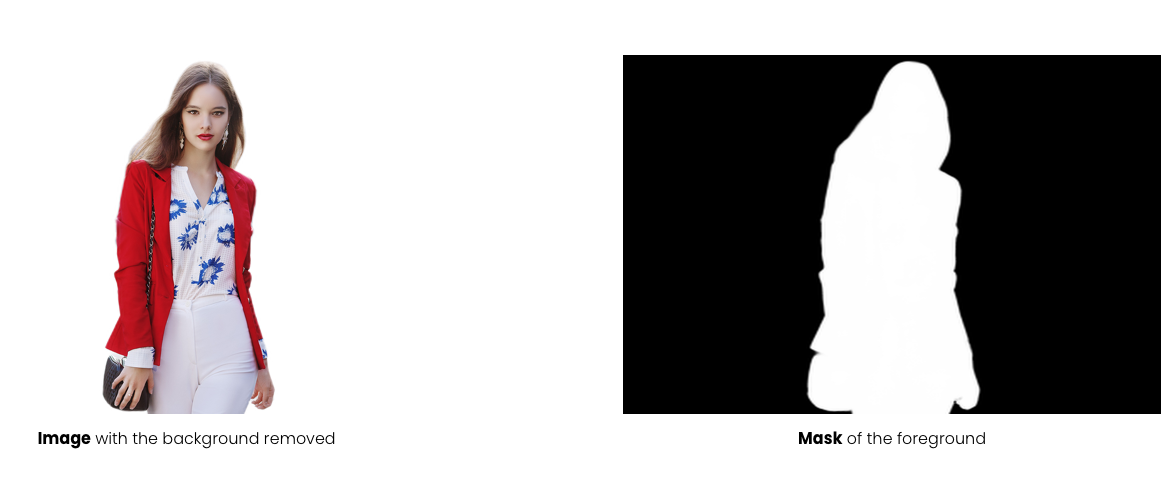
By default, the Background Removal returns a PNG image with the background removed. However, in some use cases, it is preferred to receive a mask of the foreground object. Technically, the mask is also a PNG image, but instead ofcontaining the original image content with the background removed, it consists of pixels ranging from black to white. White pixels correspond to the foreground area, while black pixels correspond to the background area. Grayscale pixels are transitional.
## ↩️ Returned values
The "Background removal" action returns a set of values which can be used to obtain processing results:
* `result` (string) – The resulting PNG image. See the documentation of the `Result image representation` option for information on available representations.
* `width` (number) – The width of the result image (same as the input image).
* `height` (number) – The height of the result image (same as the input image).
* `objects` (array) – An array of objects in the image.
### About "objects"
`objects` is an array of objects in format:
```json
{
"class": "CLASS",
"box": {
"x": X,
"y": Y,
"w": W,
"h": H
}
}
```
Where:
* `CLASS` represents the object class.
* `X`, `Y`, `W`, `H` denote the bounding box dimensions.
Bounding box coordinates are normalized, meaning they range from `0.0` to `1.0`. Multiply `X` and `W` by the image's width and `Y` and `H` by the image's height to convert to pixels.
ℹ️ **Note**: Currently, the "Background Removal" always returns only one object – `opaque-content`, corresponding to the area of opaque content in the result image. The content outside this area in the result image is fully transparent.