@pdftron/webviewer
Version:
[WebViewer](https://www.apryse.com/webviewer) is a powerful JavaScript Document SDK and UI Component Library that is a part of the [Apryse PDF SDK](https://www.apryse.com). It provides a slick, out-of-the-box responsive UI that interacts with the core lib
67 lines (46 loc) • 3.89 kB
Markdown
# WebViewer
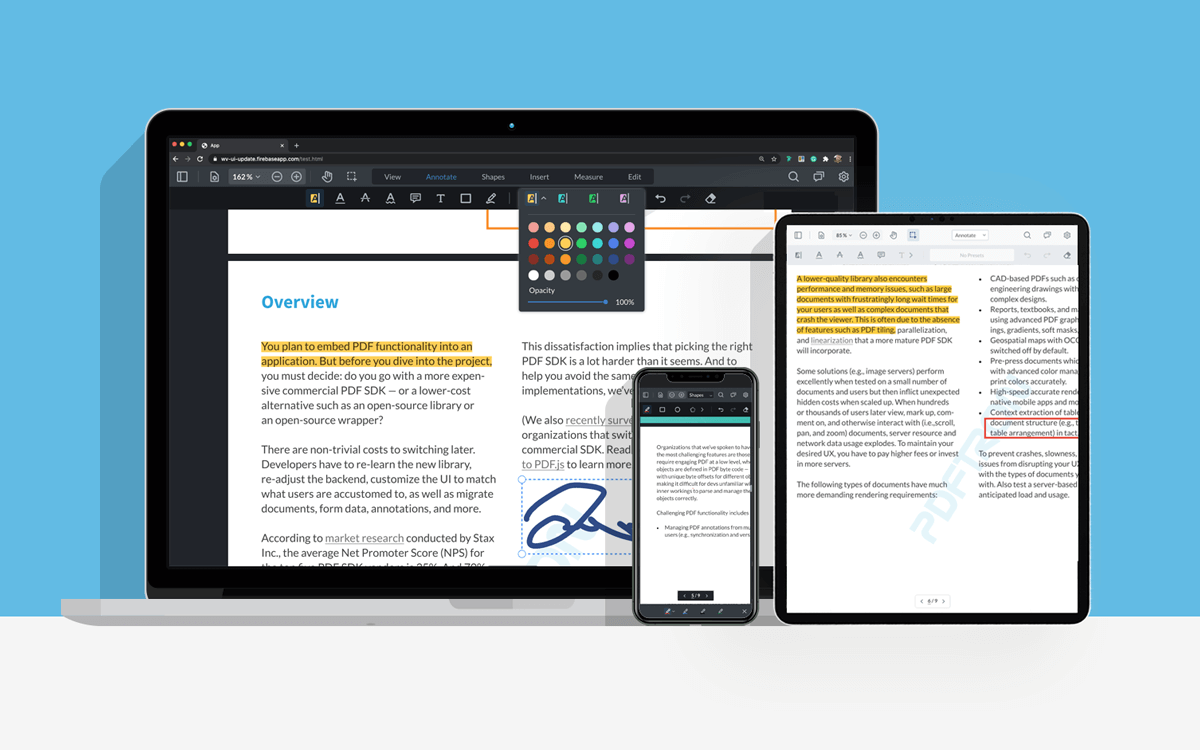
[WebViewer](https://www.apryse.com/webviewer) is a powerful JavaScript Document SDK and UI Component Library that is a part of the [Apryse PDF SDK](https://www.apryse.com). It provides a slick, out-of-the-box responsive UI that interacts with the core library to view, annotate, and edit PDF, DOCX, XLSX, PPTX, images, videos, audio and CAD. It can be easily embedded into any [JS project](https://docs.apryse.com/web/guides/get-started/npm) and is compatible with frameworks like [React](https://docs.apryse.com/web/guides/get-started/react), [Angular](https://docs.apryse.com/web/guides/get-started/angular), [Vue](https://docs.apryse.com/web/guides/get-started/vue), [Next.js](https://docs.apryse.com//web/guides/get-started/nextjs), [Nuxt](https://docs.apryse.com/web/guides/get-started/nuxt), [Electron](https://docs.apryse.com/documentation/web/get-started/electron/), [Svelte](https://docs.apryse.com/web/guides/get-started/electron). WebViewer can also be integrated into [Salesforce](https://docs.apryse.com/salesforce/guides), [Mendix](https://docs.apryse.com/web/guides/mendix), [Appian](https://docs.apryse.com/appian/guides), [OutSystems](https://docs.apryse.com/web/guides/get-started/outsystems), and [SharePoint](https://docs.apryse.com/web/guides/get-started/sharepoint).
## Demos
- [Customizable out-of-the-box UI](https://showcase.apryse.com/toolbar-customization)
- [PDF Viewer](https://showcase.apryse.com/)
- [DOCX Editor](https://showcase.apryse.com/office-editor)
- [Annotation & Markup](https://showcase.apryse.com/annotation-permissions)
- [Generate PDFs from DOCX template](https://showcase.apryse.com/office-template-fill)
- [Digital Signatures](https://showcase.apryse.com/digital-signatures)
- [PDF Text Editing](https://showcase.apryse.com/pdf-editing)
- [Page Manipulation](https://showcase.apryse.com/pdf-page-manipulation-api)
- [Redaction](https://showcase.apryse.com/redaction)
- [Form Building](https://showcase.apryse.com/pdf-form-build)
- [More](https://showcase.apryse.com/)
## Trial
WebViewer comes with a 7-day trial without any feature limitations or trial key needed. To extend the trial, you can obtain the trial key by [signing-up](https://dev.apryse.com/) on our [developer portal](https://dev.apryse.com/).
## Usage
Full get-started guides and videos are available in our [docs](https://docs.apryse.com/).
**1) Install WebViewer**
```
npm i @pdftron/webviewer --save
```
This will also download all the assets that need to be included for WebViewer to work.
**2) Copy assets and resources to your public/static folder**
These assets need to be served with your application. For example, if your project is built into a `dist` folder, you could copy these assets into `dist/public`.
The folder you need to copy is `node_modules/@pdftron/webviewer/public`.
```
cp -R ./node_modules/@pdftron/webviewer/public ./dist
```
We recommend using a module bundler like [Webpack](https://webpack.js.org/) to automatically do this for you. There is a nice plugin called [copy-webpack-plugin](https://github.com/webpack-contrib/copy-webpack-plugin) that does just this.
**3) Import and instantiate WebViewer**
```js
import WebViewer from '@pdftron/webviewer'
const element = document.getElementById('viewer');
WebViewer({
path: '/public', // point to where the files you copied are served from
initialDoc: 'https://pdftron.s3.amazonaws.com/downloads/pl/PDFTRON_about.pdf' // path to your document
}, element).then((instance) => {
// Call APIs here
})
```
## Documentation
Full documentation for WebViewer can be found [here](https://docs.apryse.com/web/guides/get-started).
## Licensing
WebViewer will run in trial mode until a license is provided. For more information on licensing, please visit [our website.](https://apryse.com/form/contact-sales)