@nvq/flowtoken
Version:
Animated React components for streaming text and markdown with GitHub theme syntax highlighting (forked from flowtoken)
243 lines (179 loc) • 7.29 kB
Markdown
# FlowToken 🌊
### A smooth Animation Library for LLM Text Streaming
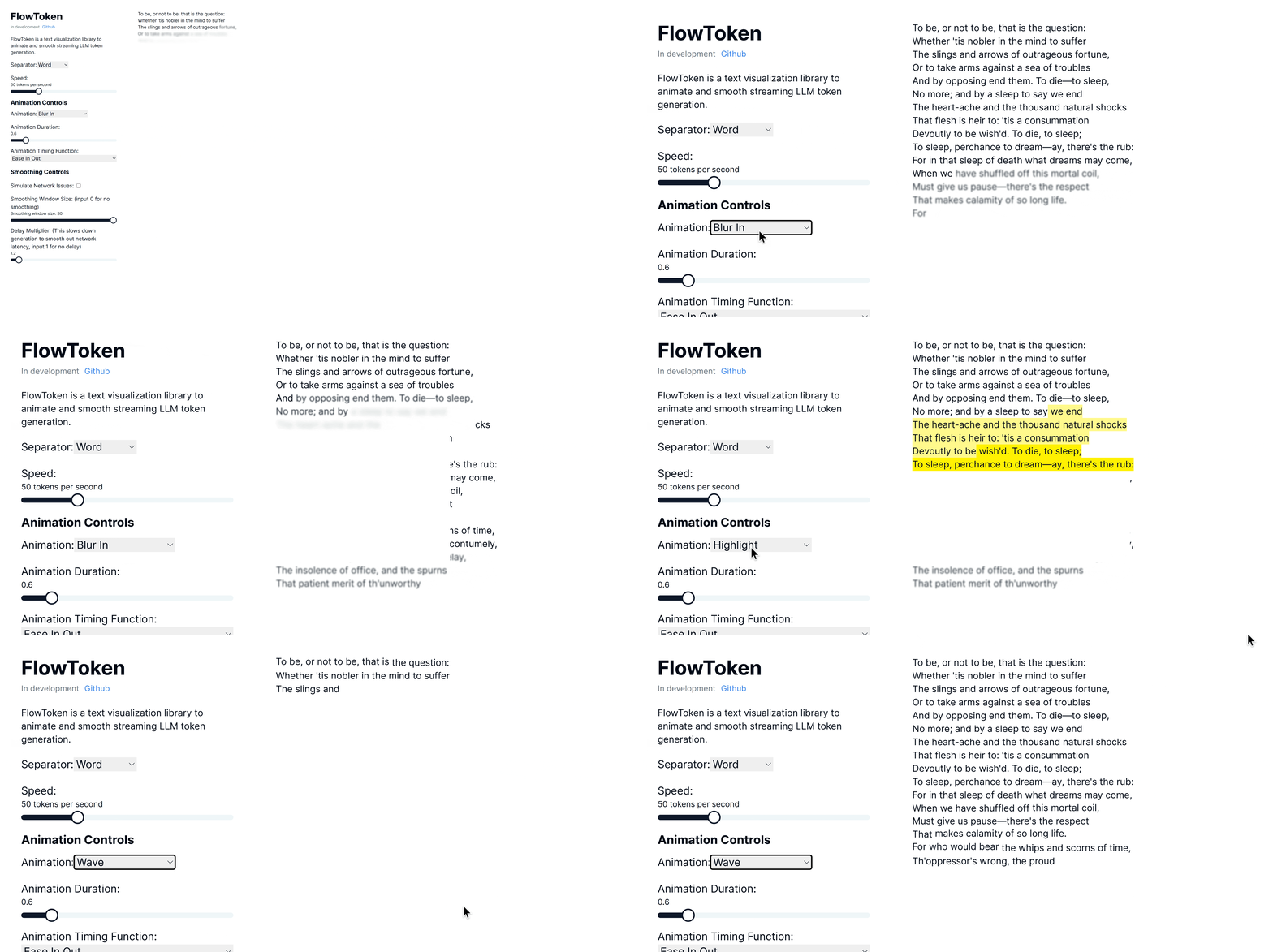
FlowToken is a React component library designed to enhance the visual presentation of text streaming from large language models (LLMs). This library offers a variety of animations that make the text appear smoothly and dynamically, providing an engaging user experience.
## Version 2.0 🎉
**Major updates in v2.0:**
- **Tailwind CSS v4 Support**: Full compatibility with the latest Tailwind CSS
- **Gemini-style Span Removal**: Automatic cleanup of animation spans for clean HTML output
- **Improved Performance**: Direct DOM manipulation without re-rendering
- **Modern UI Components**: Updated Controls with shadcn-inspired design
- **Better Architecture**: Self-contained animation completion detection
## Demo
Try the demo here: [Demo link](https://flow-token-demo.vercel.app/)
## Features
FlowToken includes several key features:
- **Gemini-style Span Removal:** Automatically removes animation spans after completion for clean HTML output
- **Zero Re-rendering:** Direct DOM manipulation ensures no performance impact during animations
- **Tailwind CSS v4 Ready:** Full compatibility with the latest Tailwind CSS architecture
- **Customizable Animations:** A range of animations such as fade, blur-in, drop-in, slide from the left, typewriter effect, word pull-up, flip text, gradual spacing, and more
- **Smooth Text Streaming:** Options to control the speed and manner of text appearance to handle the variability in text generation speed
- **Responsive and Lightweight:** Optimized for performance and compatibility across all modern browsers
- **TypeScript Support:** Full TypeScript definitions included
## Installation
### For Tailwind CSS v4 (v2.x.x)
```bash
npm install @nvq/flowtoken@^2.0.0
# or
pnpm add @nvq/flowtoken@^2.0.0
```
### For Tailwind CSS v3 (v1.x.x - Legacy)
```bash
npm install @nvq/flowtoken@^1.4.0
# or
pnpm add @nvq/flowtoken@^1.4.0
```
**Requirements for v2.0:**
- Tailwind CSS v4.x
- React 18+
- Node.js 16+
## Migration from v1.x to v2.0
### Breaking Changes
1. **Package Name**: Updated to scoped package `@nvq/flowtoken`
2. **Tailwind CSS v4**: Requires Tailwind CSS v4.x
3. **Default Animation**: Changed from `"fadeIn"` to `"none"` for better performance
### Migration Steps
```bash
# 1. Update Tailwind CSS to v4
npx @tailwindcss/upgrade
# 2. Update FlowToken
npm install @nvq/flowtoken@^2.0.0
# 3. Update imports
# Before: import { AnimatedMarkdown } from 'flowtoken';
# After: import { AnimatedMarkdown } from '@nvq/flowtoken';
```
### New Features in v2.0
- **Automatic Span Cleanup**: Animations now automatically remove span elements after completion
- **Improved Performance**: Zero re-rendering during animation completion
- **Better Default Behavior**: Default animation is now "none" for better performance
## Usage
## Markdown Support
To use markdown, import the `AnimatedMarkdown` component.
```jsx
import React from "react";
import { AnimatedMarkdown } from "@nvq/flowtoken";
// import the flowtoken css in order to use the animations
import "@nvq/flowtoken/dist/styles.css";
const App = () => {
return (
<AnimatedMarkdown
content="## Hello, world!"
animation="fadeIn"
animationDuration="0.5s"
animationTimingFunction="ease-in-out"
/>
);
};
export default App;
```
### Real World with Vercel AI SDK
```jsx
"use client";
import { useChat } from "ai/react";
import { AnimatedMarkdown } from "@nvq/flowtoken";
import "@nvq/flowtoken/dist/styles.css";
export default function Chat() {
const { messages, input, handleInputChange, handleSubmit } = useChat();
return (
<div>
{messages.map((m) => (
<div key={m.id}>
{m.role}:{" "}
<AnimatedMarkdown
content={m.content}
animation="fadeIn"
animationDuration="0.5s"
animationTimingFunction="ease-in-out"
/>
</div>
))}
<form onSubmit={handleSubmit}>
<label>
Say something...
<input value={input} onChange={handleInputChange} />
</label>
</form>
</div>
);
}
```
### Custom Components
You can use custom components by passing a `customComponents` prop to the `AnimatedMarkdown` component where the key is xml tag (ex. `MyComponent`) to match and the value is the component to render. Then just prompt your LLM to output the custom component syntax and it will be rendered with your custom component.
```jsx
const customComponents = {
'customcomponent': ({ animateText, node, children, ...props }: any) => {
return (
<>
{animateText(<div {...props}>{children}</div>)}
</>
)
},
}
...
<AnimatedMarkdown content="Hello, world! <customcomponent>This is a custom component</customcomponent>" customComponents={customComponents} />
```
#### Example
This is an example of a custom component. <ArticlePreview triggerText="Github" title="FlowToken" description="This is an example of a custom component." link="https://github.com/data-maki/flowtoken" />
### AnimatedMarkdown Props
- **content** (string): The text to be displayed.
- **sep** (`"word"` | `"char"`): How to split and animate the content. Defaults to `"word"`.
- **animation** (string | `null`): Name of the CSS animation to apply (e.g. `fadeIn`, `dropIn`). Set to `null` to disable animations on completed messages.
- **animationDuration** (string): CSS duration of the animation (e.g. `0.6s`).
- **animationTimingFunction** (string): CSS timing function for the animation (e.g. `ease`, `ease-in-out`).
- **codeStyle** (object): The syntax-highlighter style object to use for code blocks.
- **customComponents** (Record<string, React.ComponentType>):
Map of regex patterns or custom tag names to React components. Use this to render arbitrary LLM-emitted syntax.
- **imgHeight** (string): Default height for rendered images (e.g. `200px`).
## Animations
FlowToken supports various CSS animations:
- **fadeIn**
- **blurIn**
- **typewriter**
- **slideInFromLeft**
- **fadeAndScale**
- **rotateIn**
- **bounceIn**
- **elastic**
- **highlight**
- **blurAndSharpen**
- **dropIn**
- **slideUp**
- **wave**
For custom animations, define your keyframes in CSS wrap it in a class and pass the animation name to the `animation` prop.
```css
/* custom-styles.css */
@keyframes custom-animation {
from {
opacity: 0;
}
to {
opacity: 1;
}
}
.custom-animation {
animation: custom-animation 1s ease-in-out;
}
```
```jsx
import 'custom-styles.css';
...
<AnimatedMarkdown content="Hello, world!" animation="custom-animation" />
```
### Notes
To lower the memory footprint, disable animations by setting the `animation` parameter to `null` on any completed messages.
If using tailwind with generated markdown, be sure to setup tailwind typography: [https://github.com/tailwindlabs/tailwindcss-typography](here)
and add `prose lg:prose-md prose-pre:p-0 prose-pre:m-0 prose-pre:bg-transparent` to your flowtoken markdown container.
## Contributing
Contributions are welcome! Please feel free to submit pull requests or open issues to suggest features or report bugs.
## License
FlowToken is MIT licensed.