@noffle/cabal
Version:
p2p forum software
96 lines (81 loc) • 2.13 kB
Markdown
# Cabal
p2p chat software
cabal is a place where mesh conspirators can talk about p2p topics in a p2p way
see [cabal-node](https://github.com/cabal-club/cabal-node) for the underlying database & api
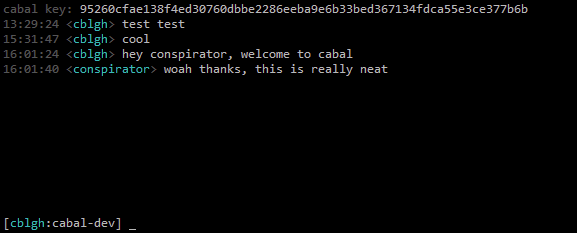
chat with us:
`npx cabal --key cabal://4ae5ec168a9f6b45b9d35e3cc1d0f4e3a436000d37fae8f53b3f8dadfe8f192f`
## Installation
```
git clone https://github.com/cabal-club/cabal-client.git
cd cabal-client
npm install
```
## Usage
#### Start a new instance:
```
node cli.js --db <file path> --nick <nickname>
```
#### Connect to an existing instance:
```
node cli.js --key <key> --nick <nickname>
```
e.g.
```
node cli.js --key cabal://4ae5ec168a9f6b45b9d35e3cc1d0f4e3a436000d37fae8f53b3f8dadfe8f192f --nick voynich
```
#### Headless mode
This will run cabal without a UI. You can use this to seed a cabal (e.g. on a VPS) and make its data more available:
```
node cli.js --key <key> --seeder
```
## Commands
```
/channels
display channels you can join
/names
display a list of the people currently online
/join <channel>
join a channel
/j
alias for /join
/nick <new nick>
pick a new username
/n
alias for /nick
/emote <some text>
write an old-school text emote
/me
alias for /emote
/clear
clear the current backlog
/debug <key>
debug the underlying hyperdb's keys
/help
display a help message of the current commands
/quit
exit cabal
```
## Hotkeys
`ctrl+u`
clear input line
`ctrl+w`
delete last word in input
`up-arrow`
cycle through command history
`down-arrow`
cycle through command history
`home`
go to start of input line
`end`
go to end of input line
`ctrl+n`
go to next channel
`ctrl+p`
go to previous channel
`pageup`
scroll up through backlog
`pagedown`
scroll down through backlog
`alt-[1,9]`
select channels 1-9