@needle-tools/materialx
Version:
MaterialX material support for three.js and Needle Engine – render physically based MaterialX shaders in the browser via WebAssembly
145 lines (107 loc) • 5.27 kB
Markdown
Web runtime for [MaterialX](https://materialx.org/) materials in [Needle Engine](https://needle.tools) and [three.js](https://threejs.org/). Renders physically based MaterialX shaders in the browser using WebAssembly — load `.mtlx` files or glTF assets with the `NEEDLE_materials_mtlx` extension (created with Needle Engine's Unity integration and ShaderGraph).
- MaterialX to WebGL/WebGPU shader generation via WASM
- Vertex displacement support (procedural noise, texture-based, animatable)
- Three.js shadow support (directional, spot, point lights)
- Alpha mask and blend transparency modes
- glTF extension for embedding MaterialX materials in `.glb`/`.gltf` files
- Experimental support for loading raw MaterialX XML (`.mtlx`) files
- Works standalone with three.js or as a Needle Engine module
[Learn more in the Needle Engine documentation](https://engine.needle.tools/docs/how-to-guides/export/materialx.html)
[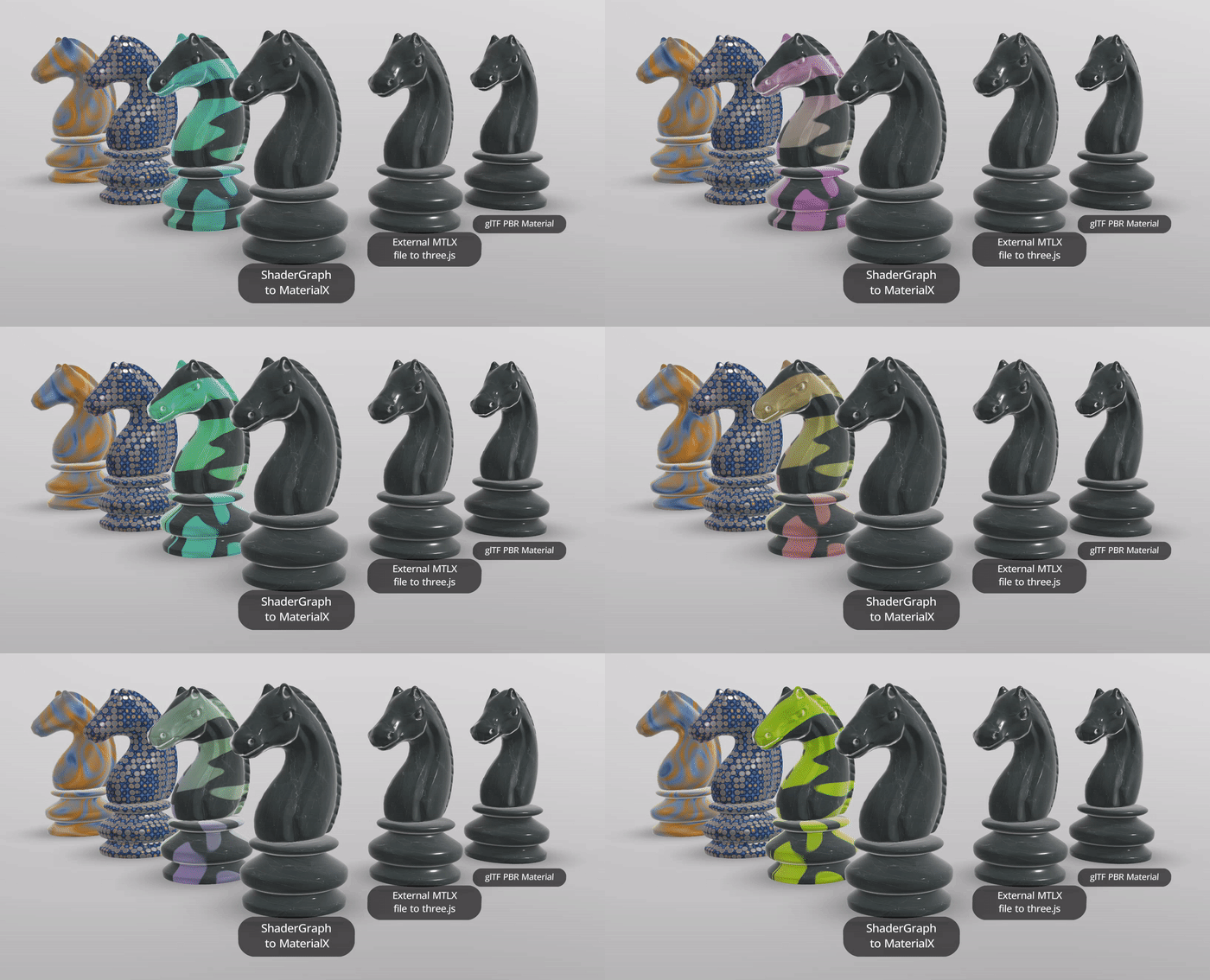](https://engine.needle.tools/samples/material-x)
## Installation
`npm i @needle-tools/materialx`
## Examples
- [three.js Example on Stackblitz](https://stackblitz.com/edit/needle-materialx-example?file=main.js,package.json,index.html)
## How to use
### Use with Needle Engine
**Needle Engine has built in support for MaterialX shaders.**
No changes to your code are necessary. The MaterialX module will import lazily when needed.
### Use with three.js
```ts
import { useNeedleMaterialX } from "@needle-tools/materialx";
// Call the function with your GLTFLoader instance to add the GLTFLoader plugin
useNeedleMaterialX(<yourGltfLoaderInstance>);
```
MaterialX shaders will create `MaterialXMaterial` materials at runtime. These are custom three.js ShaderMaterials and assigned to objects like any other three.js material.
[](https://engine.needle.tools/docs/how-to-guides/export/materialx.html)
By default, MaterialX WASM files are loaded from the Needle CDN at `https://cdn.needle.tools/static/materialx/<version>/`. No configuration needed.
You can override the WASM location by setting `globalThis.NEEDLE_MATERIALX_LOCATION` **before** MaterialX loads (for example in global scope in a root script).
#### Package-local files
To use the WASM files bundled with the `@needle-tools/materialx` npm package, set the location to one of:
```js
globalThis.NEEDLE_MATERIALX_LOCATION = "package";
// or
globalThis.NEEDLE_MATERIALX_LOCATION = "bin/";
// or
globalThis.NEEDLE_MATERIALX_LOCATION = "./bin/";
// or
globalThis.NEEDLE_MATERIALX_LOCATION = "../bin/";
```
This is useful when you want to avoid network requests or bundle all assets locally.
To use a custom base URL (for self-hosted deployments, air-gapped environments, or a custom CDN):
```js
globalThis.NEEDLE_MATERIALX_LOCATION = "/assets/materialx/";
```
IMPORTANT: The value must end with a trailing slash (`/`).
## glTF Extension: NEEDLE_materials_mtlx
There is a root level glTF extension, `NEEDLE_materials_mtlx`, which contains an array of documents. Each document contains a MaterialX xml string, and information about textures and materials used in the document, so they can be resolved from inside the glTF buffers.
The `textures` array is used to resolve texture paths from inside the MaterialX document to texture pointers in the glTF file.
Materials can also contain the `NEEDLE_materials_mtlx` extension, which references a document and shader. This allows you to use the same MaterialX document for multiple materials in the glTF file.
### Root-level extension
```json
{
"extensions": {
"NEEDLE_materials_mtlx": {
"documents": [
{
"name": "Perforated_Metal",
"version": "1.38",
"xml": "<?xml version='1.0' encoding='UTF-8'?><materialx version=\"1.38\">...</materialx>",
"textures": [
{
"pointer": "/textures/0",
"name": "Perforated_Metal_diffuse"
},
{
"pointer": "/textures/1",
"name": "Perforated_Metal_normal"
}
],
"shaders": [] ← optional
}
]
}
}
}
```
```json
{
"materials": [
{
"name": "Perforated Metal",
"extensions": {
"NEEDLE_materials_mtlx": {
"name": "Perforated_Metal",
"document": 0,
"shader": 0
}
}
}
]
}
```
<br />
<b>[🌵 Needle](https://needle.tools)</b> •
[](https://github.com/needle-tools) •
[](https://x.com/NeedleTools) •
[](https://discord.needle.tools) •
[](https://forum.needle.tools) •
[](https://www.youtube.com/@needle-tools)