@needle-tools/engine
Version:
Needle Engine is a web-based runtime for 3D apps. It runs on your machine for development with great integrations into editors like Unity or Blender - and can be deployed onto any device! It is flexible, extensible and networking and XR are built-in.
1,092 lines (1,052 loc) • 1.07 MB
TypeScript
import { AnimationAction } from 'three';
import { AnimationClip } from 'three';
import { AnimationMixer } from 'three';
import { Audio as Audio_2 } from 'three';
import { AudioListener as AudioListener_3 } from 'three';
import { BatchedMesh } from 'three';
import { BloomEffect as BloomEffect_2 } from 'postprocessing';
import { Box3 } from 'three';
import { BufferGeometry } from 'three';
import { Camera as Camera_2 } from 'three';
import { Collider as Collider_2 } from '@dimforge/rapier3d-compat';
import { ColliderDesc } from '@dimforge/rapier3d-compat';
import { Color } from 'three';
import { ColorRepresentation } from 'three';
import { Curve } from 'three';
import { default as default_2 } from 'peerjs';
import { default as default_3 } from 'three/src/materials/nodes/MeshPhysicalNodeMaterial.js';
import { DepthOfFieldEffect } from 'postprocessing';
import { DepthTexture } from 'three';
import { dimforgeRapier3dCompat } from '@dimforge/rapier3d-compat';
import { DocumentedOptions } from '../../../node_modules/three-mesh-ui/build/types/core/elements/MeshUIBaseElement.js';
import { Effect } from 'postprocessing';
import { EffectComposer } from 'postprocessing';
import { EffectComposer as EffectComposer_2 } from '../../node_modules/@types/three/examples/jsm/postprocessing/EffectComposer.js';
import { EffectComposer as EffectComposer_3 } from '../../../node_modules/@types/three/examples/jsm/postprocessing/EffectComposer.js';
import { EmitterShape } from 'three.quarks';
import { Euler } from 'three';
import { EventDispatcher } from 'three';
import { Face } from 'three';
import * as fflate from 'three/examples/jsm/libs/fflate.module.js';
import * as flatbuffers from 'flatbuffers';
import { Fog as Fog_2 } from 'three';
import { Font } from '../../node_modules/@types/three/examples/jsm/loaders/FontLoader.js';
import { Frustum } from 'three';
import { GLTF as GLTF_2 } from '../../node_modules/@types/three/examples/jsm/loaders/GLTFLoader.js';
import { GLTF as GLTF_3 } from '../../../node_modules/@types/three/examples/jsm/loaders/GLTFLoader.js';
import { GLTFExporter } from '../../../node_modules/@types/three/examples/jsm/exporters/GLTFExporter.js';
import { GLTFExporterOptions } from '../../../../node_modules/@types/three/examples/jsm/exporters/GLTFExporter.js';
import { GLTFLoader } from '../../../node_modules/@types/three/examples/jsm/loaders/GLTFLoader.js';
import { GLTFLoaderPlugin } from '../../../node_modules/@types/three/examples/jsm/loaders/GLTFLoader.js';
import { GLTFParser } from '../../../node_modules/@types/three/examples/jsm/loaders/GLTFLoader.js';
import { Group } from 'three';
import { ImpulseJoint } from '@dimforge/rapier3d-compat';
import { InstancedMesh } from 'three';
import { Intersection } from 'three';
import { IParticleSystem as IParticleSystem_2 } from 'three.quarks';
import { KeyframeTrack } from 'three';
import { Layers } from 'three';
import { Light as Light_2 } from 'three';
import { LightProbe } from 'three';
import { Line2 } from '../../../../node_modules/@types/three/examples/jsm/lines/Line2.js';
import { Loader } from 'three';
import { LoadingManager } from 'three';
import { LOD_Results } from '@needle-tools/gltf-progressive';
import { LODsManager as LODsManager_2 } from '@needle-tools/gltf-progressive';
import { Material } from 'three';
import { Matrix4 } from 'three';
import { MediaConnection } from 'peerjs';
import { Mesh } from 'three';
import { MeshBasicMaterial } from 'three';
import { MeshPhysicalMaterial } from 'three';
import { MeshStandardMaterial } from 'three';
import { N8AOPostPass } from 'n8ao';
import { NEEDLE_progressive } from '@needle-tools/gltf-progressive';
import { NEEDLE_progressive_plugin } from '@needle-tools/gltf-progressive';
import { needleToolsMaterialx } from '@needle-tools/materialx';
import { NormalBufferAttributes } from 'three';
import { Object3D } from 'three';
import { Object3DEventMap } from 'three';
import { Options } from '../../../node_modules/three-mesh-ui/build/types/core/elements/MeshUIBaseElement.js';
import { OrbitControls as OrbitControls_2 } from '../../node_modules/@types/three/examples/jsm/controls/OrbitControls.js';
import { OrthographicCamera } from 'three';
import { ParticleSystem as ParticleSystem_2 } from 'three.quarks';
import { Pass } from 'postprocessing';
import { peerjs } from 'peerjs';
import { PeerJSOption } from 'peerjs';
import { PerspectiveCamera } from 'three';
import { PositionalAudio } from 'three';
import { postprocessing } from 'postprocessing';
import { Particle as QParticle } from 'three.quarks';
import { Behavior as QParticleBehaviour } from 'three.quarks';
import { TrailParticle as QTrailParticle } from 'three.quarks';
import { Quaternion } from 'three';
import { QueryFilterFlags } from '@dimforge/rapier3d-compat';
import { RawShaderMaterial } from 'three';
import { Ray } from 'three';
import { Raycaster } from 'three';
import { Scene } from 'three';
import { SceneData } from '../../plugins/types/needle-bindings.d.ts';
import { ShaderMaterial } from 'three';
import { ShapeJSON } from 'three.quarks';
import { SkinnedMesh } from 'three';
import { Sprite as Sprite_2 } from 'three';
import { SpriteMaterial } from 'three';
import { Texture } from 'three';
import * as ThreeMeshUI from 'three-mesh-ui';
import { ToneMapping } from 'three';
import { TransformControls } from '../../node_modules/@types/three/examples/jsm/controls/TransformControls.js';
import { Vector2 } from 'three';
import { Vector2Like } from 'three';
import { Vector3 } from 'three';
import { Vector3 as Vector3_2 } from 'three.quarks';
import { Vector3Like } from 'three';
import { Vector4 } from 'three';
import { Vector4 as Vector4_2 } from 'three.quarks';
import { Vector4Like } from 'three';
import { VideoTexture } from 'three';
import { WebGLCubeRenderTarget } from 'three';
import { WebGLRenderer } from 'three';
import { WebGLRendererParameters } from 'three';
import { WebGLRenderTarget } from 'three';
import { WebXRArrayCamera } from 'three';
import { World } from '@dimforge/rapier3d-compat';
import { XRControllerModelFactory } from '../../../../node_modules/@types/three/examples/jsm/webxr/XRControllerModelFactory.js';
import { XRHandMeshModel } from '../../../../node_modules/@types/three/examples/jsm/webxr/XRHandMeshModel.js';
import { XRHandSpace } from 'three';
export declare const $componentName: unique symbol;
export declare const $physicsKey: unique symbol;
export declare class __Ignore {
}
export declare function __internalNotifyObjectDestroyed(obj: Object3D): void;
/* Excluded from this release type: __otwqOR */
/** Data describing the accessible semantics for a 3D object or component. */
declare type AccessibilityData = {
/** ARIA role (e.g. `"button"`, `"img"`, `"region"`). */
role: string;
/** Human-readable label announced by screen readers. */
label: string;
/** When `true`, the element is hidden from the accessibility tree. */
hidden?: boolean;
/** When `true`, indicates the element's content is being updated. */
busy?: boolean;
};
/**
* Manages an accessible, screen-reader-friendly overlay for a Needle Engine {@link Context}.
*
* The manager maintains a visually-hidden DOM tree that mirrors relevant 3D scene objects
* with appropriate ARIA roles and labels. It also provides a live region so that hover
* events in the 3D scene can be announced to assistive technology without stealing focus.
*
* ## Automatic integration
* Several built-in components register accessible elements automatically:
* - {@link DragControls} — announces draggable objects and drag state
* - {@link Button} — exposes UI buttons to the accessibility tree
* - {@link Text} — exposes UI text content to screen readers
* - {@link ChangeTransformOnClick} — announces clickable transform actions
* - {@link ChangeMaterialOnClick} — announces clickable material changes
* - {@link EmphasizeOnClick} — announces clickable emphasis effects
* - {@link PlayAudioOnClick} — announces clickable audio playback
* - {@link PlayAnimationOnClick} — announces clickable animation triggers
*
* ## What this unlocks
* - Hovering over buttons and interactive objects with the cursor announces them to screen readers via an ARIA live region — no focus steal required
* - Screen readers can discover and navigate interactive 3D objects in the scene
* - Drag operations update the accessibility state (busy, label changes) in real time
* - Custom components can participate by calling {@link updateElement}, {@link focus}, and {@link hover}
*
* Access the manager via `this.context.accessibility` from any component.
*/
declare class AccessibilityManager {
private readonly context;
private static readonly _managers;
/** Returns the {@link AccessibilityManager} associated with the given context or component. */
static get(obj: Context | IComponent): AccessibilityManager | undefined;
constructor(context: Context);
private _enabled;
/** Enables or disables the accessibility overlay. When disabled, the overlay DOM is removed. */
set enabled(value: boolean);
/** Removes all tracked accessibility elements, keeping only the live region. */
clear(): void;
/** Removes the overlay from the DOM and unregisters this manager from the context. */
dispose(): void;
private readonly root;
private readonly liveRegion;
private readonly treeElements;
/**
* Creates or updates the accessible DOM element for a 3D object or component.
* @param obj - The scene object or component to represent.
* @param data - Partial accessibility data (role, label, hidden, busy) to apply.
*/
updateElement<T extends Object3D | IComponent>(obj: T, data: Partial<AccessibilityData>): void;
/** Moves keyboard focus to the accessible element representing the given object. */
focus<T extends Object3D | IComponent>(obj: T): void;
/** Removes keyboard focus from the accessible element representing the given object. */
unfocus<T extends Object3D | IComponent>(obj: T): void;
/**
* Announces a hover event to screen readers via the ARIA live region.
* @param obj - The hovered object (used to look up its label if `text` is not provided).
* @param text - Optional text to announce. Falls back to the element's `aria-label`.
*/
hover<T extends Object3D | IComponent>(obj: T, text?: string): void;
/** Removes the accessible DOM element for the given object and stops tracking it. */
removeElement(obj: Object3D | IComponent): void;
private set liveRegionMode(value);
}
export declare class ActionBuilder {
static sequence(...params: IBehaviorElement[]): GroupActionModel;
static parallel(...params: IBehaviorElement[]): GroupActionModel;
static fadeAction(targetObject: Target, duration: number, show: boolean): ActionModel;
/**
* creates an action that plays an animation
* @param start offset in seconds!
* @param duration in seconds! 0 means play to end
*/
static startAnimationAction(targetObject: Target, anim: RegisteredAnimationInfo, reversed?: boolean, pingPong?: boolean): IBehaviorElement;
static waitAction(duration: number): ActionModel;
static lookAtCameraAction(targets: Target, duration?: number, front?: Vec3_2, up?: Vec3_2): ActionModel;
static emphasize(targets: Target, duration: number, motionType?: EmphasizeActionMotionType, moveDistance?: number, style?: MotionStyle): ActionModel;
static transformAction(targets: Target, transformTarget: Target, duration: number, transformType: Space, easeType?: EaseType): ActionModel;
static playAudioAction(targets: Target, audio: string, type?: PlayAction, gain?: number, auralMode?: AuralMode): ActionModel;
static impulseAction(targets: Target, velocity: Vec3_2): ActionModel;
}
export declare class ActionCollection {
private actions;
private sortedActions?;
constructor(actions: DocumentAction[]);
private organize;
/** returns all document actions affecting the object passed in */
getActions(obj: Object3D): DocumentAction[] | null;
}
export declare class ActionModel implements IBehaviorElement {
private static global_id;
id: string;
tokenId?: "ChangeScene" | "Visibility" | "StartAnimation" | "Wait" | "LookAtCamera" | "Emphasize" | "Transform" | "Audio" | "Impulse";
affectedObjects?: string | Target;
easeType?: EaseType;
motionType: EmphasizeActionMotionType | VisibilityActionMotionType | undefined;
duration?: number;
moveDistance?: number;
style?: MotionStyle;
type?: Space | PlayAction | VisibilityMode;
front?: Vec3_2;
up?: Vec3_2;
start?: number;
animationSpeed?: number;
reversed?: boolean;
pingPong?: boolean;
xFormTarget?: Target | string;
audio?: string;
gain?: number;
auralMode?: AuralMode;
multiplePerformOperation?: MultiplePerformOperation;
velocity?: Vec3_2;
comment?: string;
animationName?: string;
clone(): ActionModel;
constructor(affectedObjects?: string | Target, id?: string);
writeTo(document: USDDocument, writer: USDWriter): void;
}
/**
* Options for an activation clip in the timeline builder
*/
export declare type ActivationClipOptions = {
/** Start time of the clip in seconds. If omitted, placed after the previous clip on this track. */
start?: number;
/** Duration of the clip in seconds (required) */
duration: number;
/** Ease-in duration in seconds (default: 0) */
easeIn?: number;
/** Ease-out duration in seconds (default: 0) */
easeOut?: number;
};
/**
* Builder for activation tracks. Provides `.clip()` for defining activation windows.
* @category Animation and Sequencing
*/
export declare interface ActivationTrackBuilder extends TimelineBuilderBase {
/** Adds an activation clip that shows/hides the bound object */
clip(options: ActivationClipOptions): ActivationTrackBuilder;
/** Mutes this track so it is skipped during playback */
muted(muted?: boolean): ActivationTrackBuilder;
}
export declare const activeInHierarchyFieldName = "needle_isActiveInHierarchy";
/**
* Register a callback when an {@link HTMLElement} attribute changes.
* This is used, for example, by the Skybox component to watch for changes to the environment-* and skybox-* attributes.
* @returns A function that can be used to unregister the callback
*/
export declare function addAttributeChangeCallback(domElement: HTMLElement, name: string, callback: AttributeChangeCallback): () => void;
export declare function addComponent<T extends IComponent>(obj: Object3D, componentInstance: T | ConstructorConcrete<T>, init?: ComponentInit<T>, opts?: {
callAwake: boolean;
}): T;
/** Register callbacks for registering custom gltf importer or exporter plugins */
export declare function addCustomExtensionPlugin(ext: INeedleGLTFExtensionPlugin): void;
export declare function addNewComponent<T extends IComponent>(obj: Object3D, componentInstance: T, callAwake?: boolean): T;
/**
* Use patcher for patching properties insteadof calling Object.defineProperty individually
* since this will cause conflicts if multiple patches need to be applied to the same property
*/
export declare function addPatch<T extends object>(prototype: T, fieldName: string, beforeCallback?: Prefix | null, afterCallback?: Postfix | null): void;
/**
* The Addressables class is used to register and manage {@link AssetReference} types
* It can be accessed from components via {@link Context.Current} or {@link Context.addressables} (e.g. `this.context.addressables`)
*/
export declare class Addressables {
private _context;
private _assetReferences;
/* Excluded from this release type: __constructor */
/* Excluded from this release type: dispose */
private preUpdate;
/**
* Find a registered AssetReference by its URL
*/
findAssetReference(url: string): AssetReference | null;
/* Excluded from this release type: registerAssetReference */
/* Excluded from this release type: unregisterAssetReference */
}
/**[documentation](https://developer.apple.com/documentation/arkit/usdz_schemas_for_ar/preliminary_anchoringapi/preliminary_planeanchoring_alignment) */
declare type Alignment = "horizontal" | "vertical" | "any";
/**
* The [AlignmentConstraint](https://engine.needle.tools/docs/api/AlignmentConstraint) positions and scales this GameObject to span between two target objects.
* The object is rotated to face `to` and scaled along Z to match the distance.
*
* **Use cases:**
* - Dynamic beams or laser effects between objects
* - Stretchy connectors or ropes
* - Visual links between UI elements
* - Debug lines between transforms
*
* **How it works:**
* - Position: Centered between `from` and `to` (or at `from` if not centered)
* - Rotation: Looks at `to` from `from`
* - Scale: Z-axis scales to match distance, X/Y use `width`
*
* @example Create a beam between two objects
* ```ts
* const beam = beamMesh.addComponent(AlignmentConstraint);
* // Set targets via serialized properties in editor
* // or via code if properties are exposed
* ```
*
* @summary Aligns and scales object between two targets
* @category Constraints
* @group Components
* @see {@link SmoothFollow} for following with smoothing
**/
export declare class AlignmentConstraint extends Component {
private from;
private to;
private width;
private centered;
private _centerPos;
awake(): void;
update(): void;
}
declare type AlphaKey = {
time: number;
alpha: number;
};
/* Excluded from this release type: AmbientMode */
/**[documentation](https://developer.apple.com/documentation/arkit/usdz_schemas_for_ar/preliminary_anchoringapi/preliminary_anchoring_type) */
declare type Anchoring = "plane" | "image" | "face" | "none";
/**
* Animation component to play animations on a GameObject.
* For simpler animation needs compared to {@link Animator}, this component directly
* plays AnimationClips without state machine logic.
*
* **Key features:**
* - Play animations by index, name, or clip reference
* - Cross-fade between animations with `fadeDuration`
* - Loop or play once with optional clamping
* - Random start time and speed variation
* - Promise-based completion handling
*
*
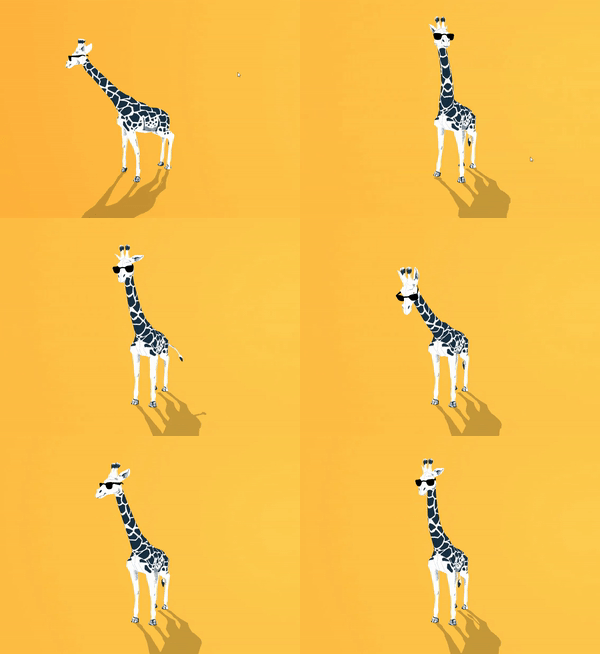
* 
*
* @example Play animation by name
* ```ts
* const anim = this.gameObject.getComponent(Animation);
* await anim?.play("Walk", { loop: true, fadeDuration: 0.3 });
* ```
*
* @example Play with options
* ```ts
* anim?.play(0, {
* loop: false,
* clampWhenFinished: true,
* speed: 2
* });
* ```
*
* @summary Plays animations from AnimationClips
* @category Animation and Sequencing
* @group Components
* @see {@link Animator} for state machine-based animation
* @see {@link PlayOptions} for all playback options
* @link https://engine.needle.tools/samples/?overlay=samples&tag=animation
* @link https://engine.needle.tools/samples/imunogard/
*
* @link https://engine.needle.tools/docs/blender/animation.html
*
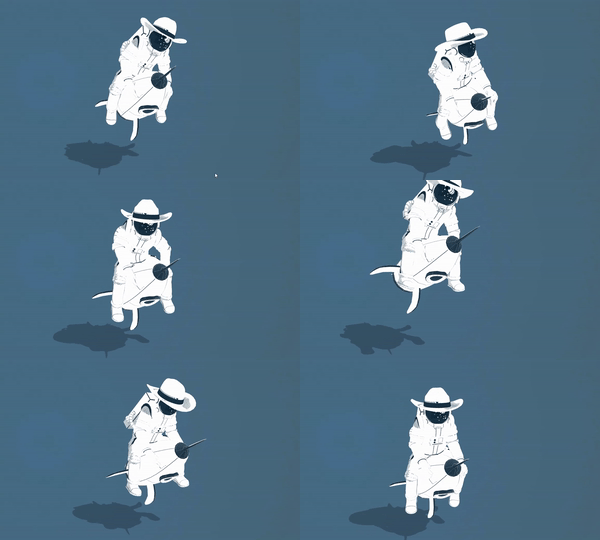
* 
*
*/
declare class Animation_2 extends Component implements IAnimationComponent {
get isAnimationComponent(): boolean;
addClip(clip: AnimationClip): void;
/**
* If true, the animation will start playing when the component is enabled
*/
playAutomatically: boolean;
/**
* If true, the animation will start at a random time. This is used when the animation component is enabled
* @default false
*/
randomStartTime: boolean;
/**
* The animation min-max speed range
* @default undefined
*/
minMaxSpeed?: Vec2_2;
/**
* The normalized offset to start the animation at. This will override startTime
* @default undefined
*/
minMaxOffsetNormalized?: Vec2_2;
/**
* Set to true to loop the animation
* @default true
*/
loop: boolean;
/**
* If true, the animation will clamp when finished
*/
clampWhenFinished: boolean;
/**
* The time in seconds of the first running animation action
* @default 0
*/
get time(): number;
set time(val: number);
get duration(): number;
private _tempAnimationClipBeforeGameObjectExisted;
/**
* Get the first animation clip in the animations array
*/
get clip(): AnimationClip | null;
/**
* Set the first animation clip in the animations array
*/
set clip(val: AnimationClip | null);
set clips(animations: AnimationClip[]);
private _tempAnimationsArray;
set animations(animations: AnimationClip[]);
get animations(): AnimationClip[];
private mixer;
/**
* The animation actions
*/
get actions(): Array<AnimationAction>;
set actions(val: Array<AnimationAction>);
private _actions;
private _handles;
/* Excluded from this release type: awake */
/* Excluded from this release type: onEnable */
/* Excluded from this release type: update */
/* Excluded from this release type: onDisable */
/* Excluded from this release type: onDestroy */
/** Get an animation action by the animation clip name */
getAction(name: string): AnimationAction | null;
/** Is any animation playing? */
get isPlaying(): boolean;
/** Stops all currently playing animations */
stopAll(opts?: Pick<PlayOptions, "fadeDuration">): void;
/**
* Stops a specific animation clip or index. If clip is undefined then all animations will be stopped
*/
stop(clip?: AnimationIdentifier, opts?: Pick<PlayOptions, "fadeDuration">): void;
/**
* Pause all animations or a specific animation clip or index
* @param clip optional animation clip, index or name, if undefined all animations will be paused
* @param unpause if true, the animation will be resumed
*/
pause(clip?: AnimationIdentifier, unpause?: boolean): void;
/**
* Resume all paused animations.
* Note that this will not fade animations in or out and just unpause previous animations. If an animation was faded out which means it's not running anymore, it will not be resumed.
*/
resume(): void;
/**
* Play an animation clip or an clip at the specified index.
* @param clipOrNumber the animation clip, index or name to play. If undefined, the first animation in the animations array will be played
* @param options the play options. Use to set the fade duration, loop, speed, start time, end time, clampWhenFinished
* @returns a promise that resolves when the animation is finished (note that it will not resolve if the animation is looping)
*/
play(clipOrNumber?: AnimationIdentifier, options?: PlayOptions): Promise<AnimationAction> | void;
private internalOnPlay;
private tryFindHandle;
private ensureMixer;
}
export { Animation_2 as Animation }
/**
* A fluent builder for creating `AnimationClip` instances from code.
*
* Use {@link AnimationBuilder.create} to start a new builder, chain `.track()` calls
* to add animation tracks, and call `.build()` to produce the clip.
*
* @example Single track
* ```ts
* const clip = AnimationBuilder.create()
* .track(door, "position", { from: [0,0,0], to: [2,0,0], duration: 1 })
* .build();
* ```
*
* @example Multiple tracks
* ```ts
* const clip = AnimationBuilder.create("DoorOpen")
* .track(door, "position", { from: [0,0,0], to: [2,0,0], duration: 1 })
* .track(light, "intensity", { from: 0, to: 5, duration: 1 })
* .build(room);
* ```
*
* @category Animation and Sequencing
* @group Utilities
*/
export declare class AnimationBuilder {
private _name?;
private _tracks;
/** Creates a new AnimationBuilder instance */
static create(name?: string): AnimationBuilder;
constructor(name?: string);
/** Adds an animation track for an Object3D's position or scale */
track(target: Object3D, property: "position" | "scale", keyframes: KF_2<Vec3Value>, options?: TrackOptions): this;
/** Adds an animation track for an Object3D's quaternion */
track(target: Object3D, property: "quaternion", keyframes: KF_2<QuatValue>, options?: TrackOptions): this;
/** Adds an animation track for an Object3D's rotation (Euler, converted to quaternion) */
track(target: Object3D, property: "rotation", keyframes: KF_2<EulerValue>, options?: TrackOptions): this;
/** Adds an animation track for an Object3D's visibility */
track(target: Object3D, property: "visible", keyframes: KF_2<boolean>, options?: TrackOptions): this;
/** Adds an animation track for a material's numeric property */
track(target: Material, property: "opacity" | "roughness" | "metalness" | "alphaTest" | "emissiveIntensity" | "envMapIntensity" | "bumpScale" | "displacementScale" | "displacementBias", keyframes: KF_2<number>, options?: TrackOptions): this;
/** Adds an animation track for a material's color property */
track(target: Material, property: "color" | "emissive", keyframes: KF_2<ColorValue>, options?: TrackOptions): this;
/** Adds an animation track for a light's numeric property */
track(target: Light_2, property: "intensity" | "distance" | "angle" | "penumbra" | "decay", keyframes: KF_2<number>, options?: TrackOptions): this;
/** Adds an animation track for a light's color */
track(target: Light_2, property: "color", keyframes: KF_2<ColorValue>, options?: TrackOptions): this;
/** Adds an animation track for a camera's numeric property */
track(target: PerspectiveCamera, property: "fov" | "near" | "far" | "zoom", keyframes: KF_2<number>, options?: TrackOptions): this;
/**
* Builds and returns the `AnimationClip`.
* @param root - Optional root Object3D for resolving track paths.
* When provided, tracks targeting a different object use `target.name` for named resolution.
*/
build(root?: Object3D): AnimationClip;
}
/**
* @category Animation and Sequencing
* @see {@link PlayableDirector} for the main component to control timelines in Needle Engine.
*/
export declare type AnimationClipModel = {
clip: string | number | AnimationClip;
loop: boolean;
duration: number;
removeStartOffset: boolean;
position?: Vec3_3 | Vector3;
rotation?: Quat | Quaternion;
};
/**
* Options for an animation clip in the timeline builder
*/
export declare type AnimationClipOptions = {
/** Start time of the clip in seconds. If omitted, placed after the previous clip on this track. */
start?: number;
/** Duration of the clip in seconds. Defaults to the animation clip duration. */
duration?: number;
/** Playback speed multiplier (default: 1) */
speed?: number;
/** Whether the animation should loop within the clip (default: false) */
loop?: boolean;
/** Ease-in duration in seconds (default: 0) */
easeIn?: number;
/** Ease-out duration in seconds (default: 0) */
easeOut?: number;
/** Offset into the source animation clip in seconds (default: 0) */
clipIn?: number;
/** Whether to remove the start offset of the animation (default: false) */
removeStartOffset?: boolean;
/** Pre-extrapolation mode (default: None) */
preExtrapolation?: ClipExtrapolation;
/** Post-extrapolation mode (default: None) */
postExtrapolation?: ClipExtrapolation;
/** Play the clip in reverse */
reversed?: boolean;
};
/**
* AnimationCurve is a representation of a curve that can be used to animate values over time.
*
* @category Animation
* @group Utilities
*/
export declare class AnimationCurve {
/**
* Creates an animation curve that goes from the `from` value to the `to` value over the given `duration`.
*/
static linearFromTo(from: number, to: number, duration: number): AnimationCurve;
/** Creates an animation curve with just one keyframe */
static constant(value: number): AnimationCurve;
/**
* The keyframes that define the curve.
*/
keys: Array<Keyframe_2>;
/**
* Clones this AnimationCurve and returns a new instance with the same keyframes (the keyframes are also cloned).
*/
clone(): AnimationCurve;
/** The duration of the curve, which is the time of the last keyframe. */
get duration(): number;
/** Evaluates the curve at the given time and returns the value of the curve at that time.
* @param time The time at which to evaluate the curve.
* @returns The value of the curve at the given time.
*/
evaluate(time: number): number;
static interpolateValue(time: number, keyframe1: Keyframe_2, keyframe2: Keyframe_2): number;
}
export declare class AnimationExtension implements IUSDExporterExtension {
get extensionName(): string;
get animationData(): Map<Object3D<Object3DEventMap>, TransformData[]>;
get registeredClips(): MapIterator<AnimationClip>;
get animatedRoots(): MapIterator<Object3D<Object3DEventMap>>;
get holdClipMap(): Map<AnimationClip, AnimationClip>;
/** For each animated object, contains time/pos/rot/scale samples in the format that USD needs,
* ready to be written to the .usda file.
*/
private dict;
/** Map of all roots (Animation/Animator or scene) and all targets that they animate.
* We need that info so that we can ensure that each target has the same number of TransformData entries
* so that switching between animations doesn't result in data "leaking" to another clip.
*/
private rootTargetMap;
private rootAndClipToRegisteredAnimationMap;
/** Clips registered for each root */
private rootToRegisteredClip;
private lastClipEndTime;
private clipToStartTime;
private clipToHoldClip;
private serializers;
/** Determines if we inject a rest pose clip for each root - only makes sense for QuickLook */
injectRestPoses: boolean;
/** Determines if we inject a PlayAnimationOnClick component with "scenestart" trigger - only makes sense for QuickLook */
injectImplicitBehaviours: boolean;
constructor(quickLookCompatible: boolean);
getStartTimeCode(): number;
/** Returns the end time code, based on 60 frames per second, for all registered animations.
* This matches the highest time value in the USDZ file. */
getEndTimeCode(): number;
getClipCount(root: Object3D): number;
getStartTimeByClip(clip: AnimationClip | null): number;
/** Register an AnimationClip for a specific root object.
* @param root The root object that the animation clip is targeting.
* @param clip The animation clip to register. If null, a rest pose is registered.
* @returns The registered animation info, which contains the start time and duration of the clip.
*/
registerAnimation(root: Object3D, clip: AnimationClip | null): RegisteredAnimationInfo | null;
onAfterHierarchy(_context: any): void;
onAfterBuildDocument(_context: any): void;
onExportObject(object: any, model: USDObject, _context: any): void;
}
declare type AnimationIdentifier = AnimationClip | number | string | undefined;
/** User-friendly interpolation mode names */
export declare type AnimationInterpolation = "linear" | "smooth" | "step";
/** A single keyframe: a time and a value */
export declare type AnimationKeyframe<V> = {
/** Time in seconds */
time: number;
/** The value at this time */
value: V;
/** Interpolation mode for this track (default: `"linear"`). Note: Three.js applies one mode per track; the first keyframe's mode is used. */
interpolation?: AnimationInterpolation;
};
/**
* Registry for animation related data. Use {@link registerAnimationMixer} to register an animation mixer instance.
* Can be accessed from {@link Context.animations} and is used internally e.g. when exporting GLTF files.
* @category Animation
*/
declare class AnimationsRegistry {
readonly context: Context;
readonly mixers: AnimationMixer[];
constructor(context: Context);
/* Excluded from this release type: onDestroy */
/**
* Register an animation mixer instance.
*/
registerAnimationMixer(mixer: AnimationMixer): void;
/**
* Unregister an animation mixer instance.
*/
unregisterAnimationMixer(mixer: AnimationMixer | null | undefined): void;
}
/**
* Builder for animation tracks.
* Provides `.clip()` for pre-built AnimationClips and `.track()` for inline animation definition.
*
* @category Animation and Sequencing
*/
export declare interface AnimationTrackBuilder extends TimelineBuilderBase {
/** Adds a pre-built AnimationClip */
clip(asset: AnimationClip, options?: AnimationClipOptions): AnimationTrackBuilder;
/** Adds a clip from a single {@link TrackDescriptor} */
clip(descriptor: TrackDescriptor, options?: AnimationClipOptions): AnimationTrackBuilder;
/** Adds a clip from multiple {@link TrackDescriptor}s */
clip(descriptors: TrackDescriptor[], options?: AnimationClipOptions): AnimationTrackBuilder;
/** Adds an animation track for an Object3D's position or scale */
track(target: Object3D, property: "position" | "scale", keyframes: KF_3<Vec3Value>, options?: TrackOptions): AnimationTrackBuilder;
/** Adds an animation track for an Object3D's quaternion */
track(target: Object3D, property: "quaternion", keyframes: KF_3<QuatValue>, options?: TrackOptions): AnimationTrackBuilder;
/** Adds an animation track for an Object3D's rotation (Euler, converted to quaternion) */
track(target: Object3D, property: "rotation", keyframes: KF_3<EulerValue>, options?: TrackOptions): AnimationTrackBuilder;
/** Adds an animation track for an Object3D's visibility */
track(target: Object3D, property: "visible", keyframes: KF_3<boolean>, options?: TrackOptions): AnimationTrackBuilder;
/** Adds an animation track for a material's numeric property */
track(target: Material, property: "opacity" | "roughness" | "metalness" | "alphaTest" | "emissiveIntensity" | "envMapIntensity" | "bumpScale" | "displacementScale" | "displacementBias", keyframes: KF_3<number>, options?: TrackOptions): AnimationTrackBuilder;
/** Adds an animation track for a material's color property */
track(target: Material, property: "color" | "emissive", keyframes: KF_3<ColorValue>, options?: TrackOptions): AnimationTrackBuilder;
/** Adds an animation track for a light's numeric property */
track(target: Light_2, property: "intensity" | "distance" | "angle" | "penumbra" | "decay", keyframes: KF_3<number>, options?: TrackOptions): AnimationTrackBuilder;
/** Adds an animation track for a light's color */
track(target: Light_2, property: "color", keyframes: KF_3<ColorValue>, options?: TrackOptions): AnimationTrackBuilder;
/** Adds an animation track for a camera's numeric property */
track(target: PerspectiveCamera, property: "fov" | "near" | "far" | "zoom", keyframes: KF_3<number>, options?: TrackOptions): AnimationTrackBuilder;
/** Mutes this track so it is skipped during playback */
muted(muted?: boolean): AnimationTrackBuilder;
}
declare class AnimationTriggers {
disabledTrigger: string;
highlightedTrigger: string;
normalTrigger: string;
pressedTrigger: string;
selectedTrigger: string;
}
/**
* Utility class for working with animations.
*/
export declare namespace AnimationUtils {
/**
* Tests if the root object of an AnimationAction can be animated. Objects where matrixAutoUpdate or matrixWorldAutoUpdate is set to false may not animate correctly.
* @param action The AnimationAction to test
* @param allowLog Whether to allow logging warnings. Default is false, which only allows logging in development environments.
* @returns True if the root object can be animated, false otherwise
*/
export function testIfRootCanAnimate(action: AnimationAction, allowLog?: boolean): boolean;
/**
* Tries to get the animation actions from an animation mixer.
* @param mixer The animation mixer to get the actions from
* @returns The actions or null if the mixer is invalid
*/
export function tryGetActionsFromMixer(mixer: AnimationMixer): Array<AnimationAction> | null;
export function tryGetAnimationClipsFromObjectHierarchy(obj: Object3D, target?: Array<AnimationClip>): Array<AnimationClip>;
/** Internal method - This marks an object as being animated. Make sure to always call isAnimated=false if you stop animating the object
* @param obj The object to mark
* @param isAnimated Whether the object is animated or not
*/
export function setObjectAnimated(obj: Object3D, animatedBy: object, isAnimated: boolean): void;
/** Get is the object is currently animated. Currently used by the Animator to check if a timeline animationtrack is actively animating an object */
export function getObjectAnimated(obj: Object3D): boolean;
/**
* Assigns animations from a GLTF file to the objects in the scene.
* This method will look for objects in the scene that have animations and assign them to the correct objects.
* @param file The GLTF file to assign the animations from
*/
export function autoplayAnimations(file: Object3D | Pick<Model, "animations" | "scene">): Array<IAnimationComponent> | null;
export function emptyClip(): AnimationClip;
export function createScaleClip(options?: ScaleClipOptions): AnimationClip;
}
/**
* Animator plays and manages state-machine based animations on a GameObject.
* Uses an {@link AnimatorController} for state transitions, blending, and parameters.
*
* **State machine animations:**
* Define animation states and transitions in Unity's Animator window or in [Blender's Animator Controller editor](https://engine.needle.tools/docs/blender/animation.html)
* Control transitions via parameters (bool, int, float, trigger).
*
* 
*
* **Creating at runtime:**
* Use `AnimatorController.createFromClips()` to create controllers from code.
*
* **Parameters:**
* - `setTrigger(name)` - Trigger a one-shot transition
* - `setBool(name, value)` - Set boolean parameter
* - `setFloat(name, value)` - Set float parameter
* - `setInteger(name, value)` - Set integer parameter
*
* @example Trigger animation state
* ```ts
* const animator = myCharacter.getComponent(Animator);
* animator.setTrigger("Jump");
* animator.setFloat("Speed", 5);
* animator.setBool("IsRunning", true);
* ```
*
* @example Listen to animation events
* ```ts
* animator.onLoop(evt => console.log("Animation looped"));
* animator.onFinished(evt => console.log("Animation finished"));
* ```
*
* @summary Plays and manages animations on a GameObject based on an AnimatorController
* @category Animation and Sequencing
* @group Components
* @see {@link AnimatorController} for state machine configuration
* @see {@link Animation} for simple clip playback
* @see {@link PlayableDirector} for timeline-based animation
*
* @link https://engine.needle.tools/docs/blender/animation.html
*/
export declare class Animator extends Component implements IAnimationComponent {
/**
* Identifies this component as an animation component in the engine
*/
get isAnimationComponent(): boolean;
/**
* The current animator mixer, used for low-level control of animations. Owned by the AnimatorController
* @returns The current AnimationMixer, or null if no controller is assigned
* @see AnimatorController.mixer
*/
get mixer(): AnimationMixer | null;
/**
* When enabled, animation will affect the root transform position and rotation
*/
applyRootMotion: boolean;
/**
* Indicates whether this animator contains root motion data
*/
hasRootMotion: boolean;
/**
* When enabled, the animator will maintain its state when the component is disabled
*/
keepAnimatorControllerStateOnDisable: boolean;
/**
* Sets or replaces the animator controller for this component.
* Handles binding the controller to this animator instance and ensures
* proper initialization when the controller changes.
* @param val The animator controller model or instance to use
*/
set runtimeAnimatorController(val: AnimatorControllerModel | AnimatorController | undefined | null);
/**
* Gets the current animator controller instance
* @returns The current animator controller or null if none is assigned
*/
get runtimeAnimatorController(): AnimatorController | undefined | null;
/**
* Retrieves information about the current animation state
* @returns The current state information, or undefined if no state is playing
*/
getCurrentStateInfo(): AnimatorStateInfo | null | undefined;
/**
* The currently playing animation action that can be used to modify animation properties
* @returns The current animation action, or null if no animation is playing
*/
get currentAction(): AnimationAction | null;
/**
* Indicates whether animation parameters have been modified since the last update
* @returns True if parameters have been changed
*/
get parametersAreDirty(): boolean;
private _parametersAreDirty;
/**
* Indicates whether the animator state has changed since the last update
* @returns True if the animator has been changed
*/
get isDirty(): boolean;
private _isDirty;
/**@deprecated use play() */
Play(name: string | number, layer?: number, normalizedTime?: number, transitionDurationInSec?: number): void;
/**
* Plays an animation on the animator
* @param name The name or hash of the animation to play
* @param layer The layer to play the animation on (-1 for default layer)
* @param normalizedTime The time position to start playing (0-1 range, NEGATIVE_INFINITY for current position)
* @param transitionDurationInSec The duration of the blend transition in seconds
*/
play(name: string | number, layer?: number, normalizedTime?: number, transitionDurationInSec?: number): void;
/**@deprecated use reset */
Reset(): void;
/**
* Resets the animator controller to its initial state
*/
reset(): void;
/**@deprecated use setBool */
SetBool(name: string | number, val: boolean): void;
/**
* Sets a boolean parameter in the animator
* @param name The name or hash of the parameter
* @param value The boolean value to set
*/
setBool(name: string | number, value: boolean): void;
/**@deprecated use getBool */
GetBool(name: string | number): boolean;
/**
* Gets a boolean parameter from the animator
* @param name The name or hash of the parameter
* @returns The value of the boolean parameter, or false if not found
*/
getBool(name: string | number): boolean;
/**
* Toggles a boolean parameter between true and false
* @param name The name or hash of the parameter
*/
toggleBool(name: string | number): void;
/**@deprecated use setFloat */
SetFloat(name: string | number, val: number): void;
/**
* Sets a float parameter in the animator
* @param name The name or hash of the parameter
* @param val The float value to set
*/
setFloat(name: string | number, val: number): void;
/**@deprecated use getFloat */
GetFloat(name: string | number): number;
/**
* Gets a float parameter from the animator
* @param name The name or hash of the parameter
* @returns The value of the float parameter, or -1 if not found
*/
getFloat(name: string | number): number;
/**@deprecated use setInteger */
SetInteger(name: string | number, val: number): void;
/**
* Sets an integer parameter in the animator
* @param name The name or hash of the parameter
* @param val The integer value to set
*/
setInteger(name: string | number, val: number): void;
/**@deprecated use getInteger */
GetInteger(name: string | number): number;
/**
* Gets an integer parameter from the animator
* @param name The name or hash of the parameter
* @returns The value of the integer parameter, or -1 if not found
*/
getInteger(name: string | number): number;
/**@deprecated use setTrigger */
SetTrigger(name: string | number): void;
/**
* Activates a trigger parameter in the animator
* @param name The name or hash of the trigger parameter
*/
setTrigger(name: string | number): void;
/**@deprecated use resetTrigger */
ResetTrigger(name: string | number): void;
/**
* Resets a trigger parameter in the animator
* @param name The name or hash of the trigger parameter
*/
resetTrigger(name: string | number): void;
/**@deprecated use getTrigger */
GetTrigger(name: string | number): void;
/**
* Gets the state of a trigger parameter from the animator
* @param name The name or hash of the trigger parameter
* @returns The state of the trigger parameter
*/
getTrigger(name: string | number): boolean | undefined;
/**@deprecated use isInTransition */
IsInTransition(): boolean;
/**
* Checks if the animator is currently in a transition between states
* @returns True if the animator is currently blending between animations
*/
isInTransition(): boolean;
/**@deprecated use setSpeed */
SetSpeed(speed: number): void;
/**
* Sets the playback speed of the animator
* @param speed The new playback speed multiplier
*/
setSpeed(speed: number): void;
/**
* Sets a random playback speed between the min and max values
* @param minMax Object with x (minimum) and y (maximum) speed values
*/
set minMaxSpeed(minMax: {
x: number;
y: number;
});
/**
* Sets a random normalized time offset for animations between min (x) and max (y) values
* @param minMax Object with x (min) and y (max) values for the offset range
*/
set minMaxOffsetNormalized(minMax: {
x: number;
y: number;
});
private _speed;
private _normalizedStartOffset;
private _animatorController?;
awake(): void;
private _initializeWithRuntimeAnimatorController?;
initializeRuntimeAnimatorController(force?: boolean): void;
onDisable(): void;
onBeforeRender(): void;
}
export declare enum AnimatorConditionMode {
If = 1,
IfNot = 2,
Greater = 3,
Less = 4,
Equals = 6,
NotEqual = 7
}
/**
* Controls the playback of animations using a state machine architecture.
*
* The AnimatorController manages animation states, transitions between states,
* and parameters that affect those transitions. It is used by the {@link Animator}
* component to control animation behavior on 3D models.
*
* Use {@link AnimatorController.build} to fluently create a controller with parameters,
* states, transitions, and conditions. For simple sequential playback,
* use {@link AnimatorController.createFromClips}.
*
* @category Animation and Sequencing
* @group Utilities
*/
export declare class AnimatorController {
/**
* Creates an AnimatorController from a set of animation clips.
* Each clip becomes a state in the controller's state machine.
*
* @param clips - The animation clips to use for creating states
* @param options - Configuration options for the controller including looping behavior and transitions
* @returns A new AnimatorController instance
*/
static createFromClips(clips: AnimationClip[], options?: CreateAnimatorControllerOptions): AnimatorController;
/**
* Creates a new {@link AnimatorControllerBuilder} for fluently constructing a controller with
* parameters, states, transitions, and conditions.
*
* @param name - Optional name for the controller
* @returns A new builder instance
*
* @example
* ```ts
* const ctrl = AnimatorController.build("MyController")
* .floatParameter("Speed")
* .state("Idle", { clip: idleClip, loop: true })
* .state("Walk", { clip: walkClip, loop: true })
* .transition("Idle", "Walk", { duration: 0.25 })
* .condition("Speed", "greater", 0.1)
* .transition("Walk", "Idle", { duration: 0.25 })
* .condition("Speed", "less", 0.1)
* .build();
* ```
*/
static build(name?: string): AnimatorControllerBuilder;
/**
* Plays an animation state by name or hash.
*
* @param name - The name or hash identifier of the state to play
* @param layerIndex - The laye