@needle-tools/engine
Version:
Needle Engine is a web-based runtime for 3D apps. It runs on your machine for development with great integrations into editors like Unity or Blender - and can be deployed onto any device! It is flexible, extensible and networking and XR are built-in.
67 lines (59 loc) • 2.14 kB
text/typescript
import { Color, ColorRepresentation, GridHelper as _GridHelper } from "three";
import * as params from "../engine/engine_default_parameters.js";
import { serializable } from "../engine/engine_serialization_decorator.js";
import { Behaviour } from "./Component.js";
/**
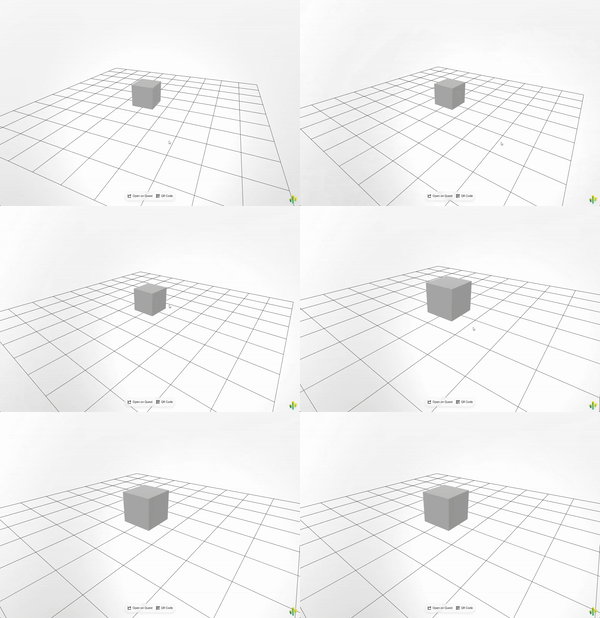
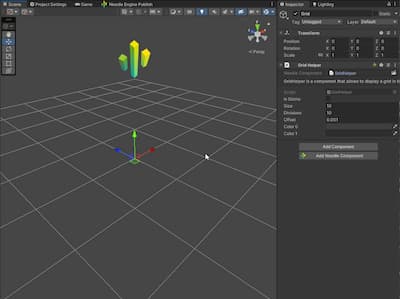
* The [GridHelper](https://engine.needle.tools/docs/api/GridHelper) displays a flat grid in the scene for visual reference.
* Useful for debugging, level design, or providing spatial context.
*
* 
*
* **Properties:**
* - `color0` / `color1` - Alternating grid line colors
* - `isGizmo` - When true, only shows when gizmos are enabled
*
* @example Add a grid to the scene
* ```ts
* const grid = myObject.addComponent(GridHelper);
* grid.color0 = new Color(0.3, 0.3, 0.3);
* grid.color1 = new Color(0.5, 0.5, 0.5);
* ```
*
* @category Helpers
* @group Components
* @see {@link Gizmos} for debug visualization
*
* 
*/
export class GridHelper extends Behaviour {
public isGizmo: boolean = false;
color0!: Color | ColorRepresentation;
color1!: Color | ColorRepresentation;
private gridHelper!: _GridHelper | null;
private size!: number;
private divisions!: number;
private offset!: number;
/** @internal */
onEnable() {
if (this.isGizmo && !params.showGizmos) return;
const size = this.size;
const divisions = this.divisions;
if (!this.gridHelper) {
this.gridHelper = new _GridHelper(size, divisions, this.color0 ?? new Color(.4, .4, .4), this.color1 ?? new Color(.6, .6, .6));
if (this.offset !== undefined)
this.gridHelper.position.y += this.offset;
}
if (this.gridHelper)
this.gameObject.add(this.gridHelper);
}
/** @internal */
onDisable(): void {
if (this.gridHelper) {
this.gameObject.remove(this.gridHelper);
this.gridHelper = null;
}
}
}