@needle-tools/engine
Version:
Needle Engine is a web-based runtime for 3D apps. It runs on your machine for development with great integrations into editors like Unity or Blender - and can be deployed onto any device! It is flexible, extensible and networking and XR are built-in.
202 lines (201 loc) • 6.7 kB
TypeScript
import { AnimationAction, AnimationClip } from "three";
import { IAnimationComponent } from "../engine/engine_types.js";
import { Behaviour } from "./Component.js";
/**
* Options for controlling animation playback via {@link Animation.play}.
* All options are optional - defaults are sensible for most use cases.
*
* @see {@link Animation} for the component that uses these options
*/
export declare type PlayOptions = {
/**
* The fade duration in seconds for the action to fade in and other actions to fade out (if exclusive is enabled)
*/
fadeDuration?: number;
/**
* If true, the animation will loop
*/
loop?: boolean;
/**
* If true, will stop all other animations before playing this one
* @default true
*/
exclusive?: boolean;
/**
* The animation start time in seconds
*/
startTime?: number;
/**
* The animation end time in seconds
*/
endTime?: number;
/**
* If true, the animation will clamp when finished
*/
clampWhenFinished?: boolean;
/**
* Animation playback speed. This is a multiplier to the animation speed
* @default 1
*/
speed?: number;
/**
* Animation playback speed range. This will override speed
* @default undefined
*/
minMaxSpeed?: Vec2;
/**
* The normalized offset to start the animation at. This will override startTime
* @default undefined
*/
minMaxOffsetNormalized?: Vec2;
};
declare type AnimationIdentifier = AnimationClip | number | string | undefined;
declare class Vec2 {
x: number;
y: number;
}
/**
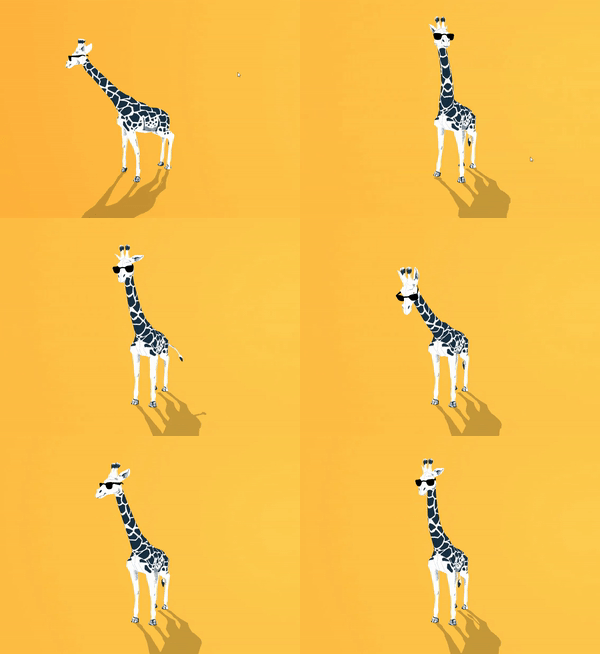
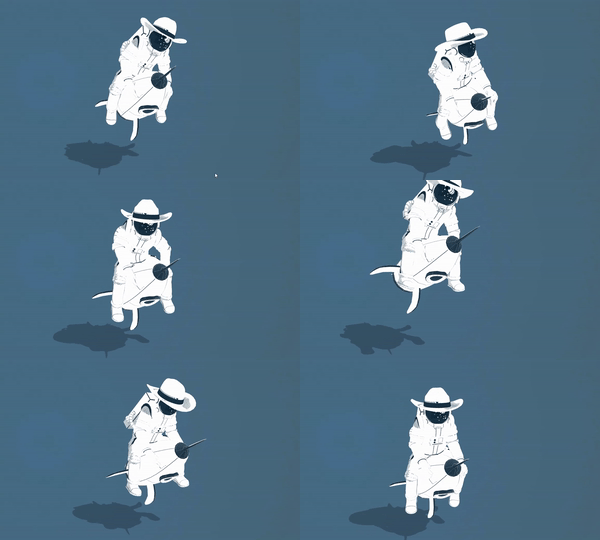
* Animation component to play animations on a GameObject.
* For simpler animation needs compared to {@link Animator}, this component directly
* plays AnimationClips without state machine logic.
*
* **Key features:**
* - Play animations by index, name, or clip reference
* - Cross-fade between animations with `fadeDuration`
* - Loop or play once with optional clamping
* - Random start time and speed variation
* - Promise-based completion handling
*
*
* 
*
* @example Play animation by name
* ```ts
* const anim = this.gameObject.getComponent(Animation);
* await anim?.play("Walk", { loop: true, fadeDuration: 0.3 });
* ```
*
* @example Play with options
* ```ts
* anim?.play(0, {
* loop: false,
* clampWhenFinished: true,
* speed: 2
* });
* ```
*
* @summary Plays animations from AnimationClips
* @category Animation and Sequencing
* @group Components
* @see {@link Animator} for state machine-based animation
* @see {@link PlayOptions} for all playback options
* @link https://engine.needle.tools/samples/?overlay=samples&tag=animation
* @link https://engine.needle.tools/samples/imunogard/
*
* @link https://engine.needle.tools/docs/blender/animation.html
*
* 
*
*/
export declare class Animation extends Behaviour implements IAnimationComponent {
get isAnimationComponent(): boolean;
addClip(clip: AnimationClip): void;
/**
* If true, the animation will start playing when the component is enabled
*/
playAutomatically: boolean;
/**
* If true, the animation will start at a random time. This is used when the animation component is enabled
* @default false
*/
randomStartTime: boolean;
/**
* The animation min-max speed range
* @default undefined
*/
minMaxSpeed?: Vec2;
/**
* The normalized offset to start the animation at. This will override startTime
* @default undefined
*/
minMaxOffsetNormalized?: Vec2;
/**
* Set to true to loop the animation
* @default true
*/
loop: boolean;
/**
* If true, the animation will clamp when finished
*/
clampWhenFinished: boolean;
/**
* The time in seconds of the first running animation action
* @default 0
*/
get time(): number;
set time(val: number);
get duration(): number;
private _tempAnimationClipBeforeGameObjectExisted;
/**
* Get the first animation clip in the animations array
*/
get clip(): AnimationClip | null;
/**
* Set the first animation clip in the animations array
*/
set clip(val: AnimationClip | null);
set clips(animations: AnimationClip[]);
private _tempAnimationsArray;
set animations(animations: AnimationClip[]);
get animations(): AnimationClip[];
private mixer;
/**
* The animation actions
*/
get actions(): Array<AnimationAction>;
set actions(val: Array<AnimationAction>);
private _actions;
private _handles;
/** @internal */
awake(): void;
/** @internal */
onEnable(): void;
/** @internal */
update(): void;
/** @internal */
onDisable(): void;
/** @internal */
onDestroy(): void;
/** Get an animation action by the animation clip name */
getAction(name: string): AnimationAction | null;
/** Is any animation playing? */
get isPlaying(): boolean;
/** Stops all currently playing animations */
stopAll(opts?: Pick<PlayOptions, "fadeDuration">): void;
/**
* Stops a specific animation clip or index. If clip is undefined then all animations will be stopped
*/
stop(clip?: AnimationIdentifier, opts?: Pick<PlayOptions, "fadeDuration">): void;
/**
* Pause all animations or a specific animation clip or index
* @param clip optional animation clip, index or name, if undefined all animations will be paused
* @param unpause if true, the animation will be resumed
*/
pause(clip?: AnimationIdentifier, unpause?: boolean): void;
/**
* Resume all paused animations.
* Note that this will not fade animations in or out and just unpause previous animations. If an animation was faded out which means it's not running anymore, it will not be resumed.
*/
resume(): void;
/**
* Play an animation clip or an clip at the specified index.
* @param clipOrNumber the animation clip, index or name to play. If undefined, the first animation in the animations array will be played
* @param options the play options. Use to set the fade duration, loop, speed, start time, end time, clampWhenFinished
* @returns a promise that resolves when the animation is finished (note that it will not resolve if the animation is looping)
*/
play(clipOrNumber?: AnimationIdentifier, options?: PlayOptions): Promise<AnimationAction> | void;
private internalOnPlay;
private tryFindHandle;
private ensureMixer;
}
export {};