@needle-tools/engine
Version:
Needle Engine is a web-based runtime for 3D apps. It runs on your machine for development with great integrations into editors like Unity or Blender - and can be deployed onto any device! It is flexible, extensible and networking and XR are built-in.
622 lines (534 loc) • 259 kB
Markdown
# Changelog
All notable changes to this package will be documented in this file.
The format is based on [Keep a Changelog](http://keepachangelog.com/en/1.0.0/)
and this project adheres to [Semantic Versioning](http://semver.org/spec/v2.0.0.html).
## [4.17.0-alpha] - 2026-03-19
- Add: Vite 8 support
- Fix: nextjs support
## [4.16.4] - 2026-03-18
- Fix: Splines catmullrom tension
- Fix: `focus-rect` attribute for e.g. `<needle-engine focus-rect=".mydiv" src="..."></needle-engine>`
- Fix: Vite plugins process exit on `SIGINT`
- Improved `activeInHierarchy` performance
- Improved `Graphics.blit` performance
- Improved Postprocessing performance
## [4.16.3] - 2026-03-15
- VideoPlayer default `renderMode` set to `MaterialOverride`
## [4.16.2] - 2026-03-11
- Improve: ReflectionProbe now uses integrated box intersection and gizmo
- Improve: ReflectionProbe `center` and `size` now have default values and improved JSDoc documentation
- Improve: Comprehensive TypeScript declarations for Vite and Next.js plugins with full JSDoc, `@param`, `@returns`, and `@example` tags for API documentation (NE-6952)
- Improve: Plugin type declarations are now auto-generated from source
- Remove: `loadMaterialX` vite plugin setting (no longer needed)
## [4.16.1] - 2026-03-09
- Fix: Regression causing error in react
## [4.16.0] - 2026-03-05
- **NEW**: `makeFilesLocal` build option overhauled — builds can now be fully self-contained and work offline. The plugin downloads external CDN assets at build time and bundles them locally. This is essential for playable ads, app stores that require single-origin or self-contained bundles, offline-capable PWAs, and restricted hosting environments. Supports auto-detection of used features, per-feature opt-in/opt-out, and platform presets. Covers Draco decoders, KTX2 transcoders, MaterialX, WebXR input profiles, skybox/environment textures, Google Fonts, third-party scripts, and more.
Example in `vite.config.js`:
```js
needlePlugin({
makeFilesLocal: "auto" // auto-detect and download only what your project uses
})
// or with fine-grained control:
needlePlugin({
makeFilesLocal: {
enabled: true,
features: ["draco", "ktx2", "fonts"],
excludeFeatures: ["xr"]
}
})
```
- Add: `showBalloonMessage` now supports `duration`, `once`, and `key` options for controlling message display duration and updating existing messages
- Add: `needleAI` vite plugin — when using Claude Code in a Needle Engine project, the engine automatically provides a project-aware AI skill with Needle Engine context
- Add: DragControls now warns when used on static objects that won't update their transforms
- Add: AR overlay support for AppClip sessions
- Improve: Stable three.js chunk names in production builds, enabling CDN import maps with predictable URLs
- Improve: USDZ export now uses `"string"` type for input variable names for better spec compatibility
- Improve: Gizmo rendering uses consistent font from CDN
- Improve: needle-menu layout with correct padding and minimum width for icon-only elements
- Improve: Vite project template aligned with online template
- Improve: Updated MaterialX dependency
- Improve: JSDoc documentation
- Fix: ReflectionProbe support for Blender workflows
- Fix: Mac build error ("-50" error)
- Fix: PWA defaults when package name is missing
- Fix: Improved error handling in MaterialX importer
## [4.15.0] - 2026-02-27
- **NEW**: Accessibility support with screen reader overlay. The engine now maintains a visually-hidden DOM tree mirroring 3D scene objects with ARIA roles and labels. Components like Button, Text, DragControls, and USDZ behavior components automatically register accessible elements.
- Add: `AccessibilityManager` accessible via `context.accessibility` for managing accessible elements, focus, and hover announcements
- Add: ReflectionProbe now supports assigning a URL string as texture (for Blender workflows)
- Update: Networking backend migrated to Cloudflare Durable Objects for improved scalability, per-room isolation, and reduced latency
- Improved MaterialPropertyBlock documentation with examples for material swapping behavior and override management
- Improved documentation for Networking, OneEuroFilter, and needle-button web component
## [4.14.0] - 2026-02-19
- Add: MaterialPropertyBlock support. This allows you to change material properties of objects without breaking batching and instancing.
It can be used by calling `const block = MaterialPropertyBlock.get(myObject);` and then set or remove overrides on the block.
This even supports the same material being rendered as transparent for one object and opaque for another.
- Add: Support of ReflectionProbe + Lightmap rendering on the same object
- Add: CustomShader (Unlit) support with VideoPlayer component
- Improved `?stats` console logs with info about shaders and used memory
- Improved documentation
## [4.13.1] - 2026-02-13
- Improved code documentation across the engine
- Improved ContactShadows to allow updating darkness and opacity dynamically at runtime
- Fix: Support for Lightmaps and ReflectionProbes on the same object
- Fix: Eventlist bug with instantiation ([Forum post](<https://forum.needle.tools/t/camera-orbit-controls-nan-in-new-scene/2779/6>))
## [4.13.0] - 2026-02-10
- **NEW**: Needle Engine MaterialX loader added to core. No extra dependency to @needle-tools/materialx is required anymore
- Fix: ContactShadows rendering
- Fix: Memory issue caused by ReflectionProbes component
## [4.12.5] - 2026-02-09
- Update three.js dependency
- Minor log improvements in development mode
## [4.12.4] - 2026-02-05
- Fix: WebXR image tracking support for multiple images (iOS + Android)
- Change: Animation and Animator components now checks in local dev if the root object to be animated is marked as static and won't automatically update matrices
- Improved iOS WebXR balloon message rendering to not overlap with camera or menu button
## [4.12.3] - 2026-02-04
- Add: `getComponentInChildren` and `getComponentInParent` now expose the `includeInactive` parameter to include inactive objects in the search
- Change: Improved XR `sessiongranted` temporary scene design (removing temporary objects in AR and adding support for custom logo display while the AR session is initializing)
- Fix: iOS WebXR canvas size for screenspace UI rendering
- Fix: iOS WebXR UI InputField support
- Fix: Invalid input event causing issue in OrbitControls when pressing multiple mouse buttons at the same time
## [4.12.2] - 2026-02-03
- Add: `showBalloonMessage` now also render in AR sessions
- Fix: iOS WebXR DOM-Overlay fixed
- Fix: iOS WebXR custom Quit AR button fixed
## [4.12.2] - 2026-02-03
- **NEW:** WebXR support for iOS - Your AR experiences now launch instantly on iPhone and iPad without app installation. Just tap "Enter AR" and you're in. Powered by Needle Go AppClip, combining Apple's excellent AR tracking with standards-compliant WebXR. Try it at [appclip.needle.tools](https://appclip.needle.tools)
- **NEW:** Intellisense support for the `<needle-engine>` web component and its attributes, both in HTML and in code. The `custom-elements.json` allows for VSCode intellisense support, while `HTMLElementTagNameMap` and `get/setAttribute` overloads bring code completion and documentation.
- Add: exposed `createCollider` API for the Rapier physics engine
- Add: `beforeLODExport` callback for USDZ export. This allows overriding which LOD level gets exported per object.
- Add: `?spector=#frame` URL parameter to enable a Spector.js capture on the specified frame number after page load. Make sure to install the [Spector.js browser extension](<https://chromewebstore.google.com/detail/spectorjs/denbgaamihkadbghdceggmchnflmhpmk?pli=1>). You can optionally specify a frame number for capturing: `?spector=15`.
- Add: auto-registration of custom elements for easier discovery of available web components in Needle Engine. You can disable this feature by setting `noCustomElementData` to false in vite config. To manually register custom elements data, add it to your workspace or `.vscode/settings.json` via the `html.customData` setting.
- Add: Support for rotation and scaling in DropListener component
- Improve: VisionOS and iPad detection for better WebXR compatibility
- Improve: WebXR session flow and error handling
- Improve: QuickLook integration - disabled by default in WebXR component, shows "Open in Quicklook" button
- Improve: SceneSwitcher now supports multiple scene switchers referencing the same asset reference
- Improve: DragControls smoothed velocity calculations and region support
- Improve: Detection of user interactions to enable media playback
- Improve: JSDoc documentation for Everywhere Actions and other components
- Fix: issue with callbacks on freshly destroyed components when leaving XR sessions
- Fix: Instancing issue with growing vertex/index buffers when not necessary
- Fix: Issue with `<needle-engine>` element being moved in the DOM
- Fix: Better type declarations in package.json
## [4.11.5] - 2025-10-31
- Fix: Timeline cloning with `instantiate` ([forum 2733](<https://forum.needle.tools/t/2733>))
- Fix: Renderer `sharedMaterials` being null in awake
- Fix: Issue where lightmapped materials were cloned
- Fix: Apply lighting intensity multiplier in root scene
- Fix: GLTF extensions when loading scene with Blob URL
- Improve JSDoc documentation
## [4.11.4] - 2025-10-24
- Add: `qrcode-logo-src` attribute to `<needle-engine>` web component to override the logo displayed in the QR code button. Requires PRO license.
- Improve JSDoc documentation
## [4.11.3] - 2025-10-21
- Fix: See-Through with MeshPhysicalMaterial
## [4.11.2] - 2025-10-20
- Change: Animation component disable `randomStartTime`
- Change: Vite build build pipeline plugin increased default max wait time to 60 seconds.
This time is now exposed via `needlePlugins` user config, e.g. to increase it to 5 minutes write `needlePlugins(command, needleConfig, { buildPipeline: { maxWaitDuration: 300_000 } })` in your `vite.config.js`.
## [4.11.1] - 2025-10-16
- Fix: WebXR / VR issue where trying to access missing geometry during raycasting caused errors
- Change: ScrollFollow now only applies when scroll has changed. It also immediately jumps to the target position on the first update instead of interpolating (avoiding interpolation through long timeline animations).
- Change: SplineWalker now has an option to disable LookAt. It also received a `pullStrength` property which controls how tightly the object moves along the spline.
- Improved: OrbitControls and ViewBox interaction
## [4.11.0] - 2025-10-15
- **NEW**: SeeThrough component. With this component you can easily fade-out objects between the camera and a reference point in the scene. See the [See-Through sample](<https://see-through-walls-z23hmxbz1kjfjn.needle.run/>) to see it in action
- **NEW**: [Droplistener sample](<https://engine.needle.tools/samples/droplistener/>)
- Add: CursorFollow option to follow cursor on the full page, even when a user moves their mouse outside of the `<needle-engine>` element.
- Add: CursorFollow `snapToSurface` option to automatically snap the object to the surface below the cursor.
- Add: Object3D `raycastAllowed` property to disable raycasting on specific objects (e.g. for performance reasons or to ignore invisible helper objects)
- Add: OrbitControls `targetBounds` property which can be used to constrain the OrbitControls target within a defined area in the scene. A Object3D can be assigned to the property. The position and scale of this object will be used.
- Add: *Experimental* - Vite plugin to generate `needle-app.js` which encapsulates the whole website into a single web component. The `needle-app.js` file will be emitted next to index.html and can be used to directly embed the website and 3D assets into another website by importing `<url>/needle-app.js` and then using the `<needle-app></needle-app>` web component.
- Add: Object3D `contains(otherObject: Object3D)` method to check if an object is a child of another object in the scene graph
- Fix: three nodes update camera for TSL
- Fix: Renderer lightmaps are now updating `sharedMaterials`
- Fix: `Gizmos.DrawWireMesh` matrix
- Fix: Image UI color was sometimes not correctly calculated for Button color states when used with the CanvasGroup component
- Fix: ScrollMarker issue
- Improved JSDoc documentation
## [4.10.4] - 2025-10-08
- Update: three-animation-pointer dependency to 1.0.4 to support KHR_node_visibility extension
- Documentation improvements
## [4.10.3] - 2025-10-06
### Needle Engine
- Add: [`ScrollFollow`](<https://engine.needle.tools/docs/api/ScrollFollow>) timeline markers can now be defined in HTML only and don't require markers to be present in the Timeline anymore. This means any timeline animation can now be mapped to HTML content by annotating the HTML elements.
For example `<div data-timeline-marker="2.5">` will define that the timeline should reach the time 2.5 seconds when this element becomes visible in the viewport. The [bike-scroll-follow example on Github](<https://github.com/needle-engine/needle-engine-bike-scrollytelling/tree/main>) will be updated to use this new feature soon ([example index.html](<https://github.com/needle-engine/needle-engine-bike-scrollytelling/blob/main/Scroll%20Bike%20Website/index.html>)).
## [4.10.1] - 2025-09-30
- Change: ViewBox `referenceFieldOfView` can now set to `-1` to automatically take the camera's field of view at runtime
- Fix: ViewBox evaluation order is now hierarchy-independent (Previously OrbitControls panning might be applied after ViewBox calculations if the ViewBox component was on a parent object)
## [4.10.0] - 2025-09-29
- **NEW**: [**Scrollytelling Bike Example**](https://scrollytelling-bike-z23hmxb2gnu5a.needle.run/) – This example uses ViewBox, FocusRect and ScrollFollow to create a scrollytelling experience. All project files are [available on Github](<https://github.com/needle-engine/needle-engine-bike-scrollytelling>).
- **NEW**: HoverAnimation component. Use this component to get a scale hover animation of an object when the cursor is hovering over the object or one of it's children.
- **NEW**: ViewBox component. Use this component to automatically perfectly fit your 3D scene into the camera view. Try the Scrollytelling Example to see it in action, test the [example on Stackblitz](<https://stackblitz.com/edit/needle-engine-view-box-example?file=src%2Fmain.ts>) or see the [ViewBox documentation](<https://engine.needle.tools/docs/api/ViewBox>) for details.
- Add: `fitCamera` function
- Add: `<needle-engine poster>` attribute. It works with an URL to an image that should be shown as a poster image. If no URL is assigned then the poster that is automatically generated during the first frame will be used.
- Add: `<needle-engine focus-rect="<html_selector">` attribute. Assign a HTML selector to the attribute to use a specific HTML element on screen offset the 3D camera center to the center of the HTML element. (The same can be done programmatically using `ctx.setCameraFocusRect(<html_element|DOMRect>)`)
- Add: Timeline [ScrollMarker](<https://engine.needle.tools/docs/api/ScrollMarkerModel>) for Unity and Blender timeline animations to control timing based on HTML visibility.
- Fix: Renderer `material` accessing error when component was not yet initialized
- Fix: Poster screenshot glitch during the first frame (development only)
- Fix: HTC Vive Focus 3 controller movement ([forum post](<https://forum.needle.tools/t/movement-via-controller-in-vr-with-htc-vive-focus-3/2718>))
- Change: Loading display does not show Needle logo anymore by default
- Change: Use fallback raycast method for lowpoly meshes while the faster mesh BVH is being generated
## [4.9.3] - 2025-09-15
- Fix: SpriteRenderer index issue when animated where animation precision issue was causing the wrong sprite to be selected ([issue](<https://forum.needle.tools/t/switching-sprite-images-via-timeline-causes-ghosting-glitches-when-exported/2709>))
- Fix: Scaling scene in AR with multitouch causing camera projection issue for a frame ([issue](<https://forum.needle.tools/t/3d-assets-warping-on-rotation-in-ar>))
## [4.9.1] - 2025-09-11
- Update [ScrollFollow component](<https://engine.needle.tools/docs/api/ScrollFollow>) documentation
- Update Renderer `sharedMaterial` typescript type
## [4.9.0] - 2025-09-08
- **NEW**: [**Scrollytelling Example**](<https://scrollytelling-2-z23hmxby7c6x.needle.run/>)
- **NEW**: Spline support with SplineContainer and SplineWalker components
- SplineContainer: Holds the spline data. Use `addKnot` and `removeKnot` to modify the spline and `getPointAt(t01:number)` to get a point on the spline curve. Splines currently only support cubic interpolation.
- SplineWalker: Component for moving objects along a spline. It can automatically move along the spline or be controlled by animations or other components by setting the `position01` property.
- **NEW**: [Attractor component](<https://engine.needle.tools/docs/api/Attractor>) – Add Rigidbodies to the list to attract physical objects towards a point in space (or apply repulsion).
- **NEW**: [CursorFollow component](<https://engine.needle.tools/docs/api/CursorFollow>) – Does what it says! Add the component to an object to make it follow your cursor (or touch) on screen.
- **NEW**: [ScrollFollow component](<https://engine.needle.tools/docs/api/ScrollFollow>) – Use browser scroll to influence animation, audio, light... in your scene.
- Add: WebXRImageTracking methods for `setPrimaryImage` and `addImage` to simplify image tracking changes at runtime.
- Add: Object3D `worldForward` can now be set (e.g. `myObject.worldForward = new Vector3(0,0,1)`)
- Fix: [XR] Issue where NeedleXRSession would invoke controller-added callback twice
- Fix: [XR] Issue where invalid value in XRControllerMovement would break rendering when using hand tracking
- Fix: [XR] NeedleXRController getButton for xr-standard-trigger and getStick("primary")
- Fix: Capsule collider height
- Fix: Issue where disposing object resources would cause errors in three.js
## [4.8.9] - 2025-09-05
- Add: OrbitControls `fitCamera` has now additional options for `fitDirection`, `cameraOffset`, `relativeCameraOffset`, `targetOffset` and `relativeTargetOffset` giving more fine-grained control over the final camera view where necessary ([Stackblitz](<https://stackblitz.com/edit/needle-engine-fit-camera-options?file=src%2Fscripts%2FPanelsAndText.ts,index.html,src%2Fmain.ts>)).
- Add: ContactShadows properties to `fitShadows` and static `ContactShadows.auto()` for more fine-grained control over which objects to fit the shadow to or to apply slight offsets to the shadow plane
- Add: NestedGltf component `loaded` event property
- Fix: OrbitControls should not override the camera FOV
- Fix: Updating the `scene.background` when setting both <needle-engine> `background-color` and `background-image` or switching between one or the other
- Fix: When setting `<needle-engine environment-image="url">` the assigned image should be respected by the engine and loaded glTF files (even if they bring their own skybox and environment images)
- Fix: Issue with `<needle-engine autoplay>` animation speed and when using the AnimationUtils.autoplay feature where animations would play faster than expected
- Fix: Minor fixes in Vite plugins
- Change: ReflectionProbes are not applied on Objects that use lightmapping
## [4.8.8] - 2025-08-29
- Fix: iOS AR image tracking bug where having multiple `WebXRImageTracking` components in the scene cause unexpected behaviour or invalid USDZ files
- Fix: DropListener `loadFromURL` now returns the promise to make awaiting the loaded asset much easier
- Fix: Issue where `<needle-engine autoplay>` would play animations faster than expected
- Change: OrbitControls with locked target constraint is now updating the constraint position when calling e.g. `setTargetPosition`
- Add: `setCameraFocusRect` method on Needle Context for easier responsive layouting.
With this you can e.g. overlay the webgl scene with HTML elements and pass in a div element for keeping important elements visible.
[Example 1 Website](<https://responsive-layout-z23hmxb22no6t.needle.run/>) | [Code on Stackblitz](<https://stackblitz.com/edit/needle-engine-camera-focus-rect?file=src%2Fsidebar.ts,index.html,src%2Fmain.ts>)
[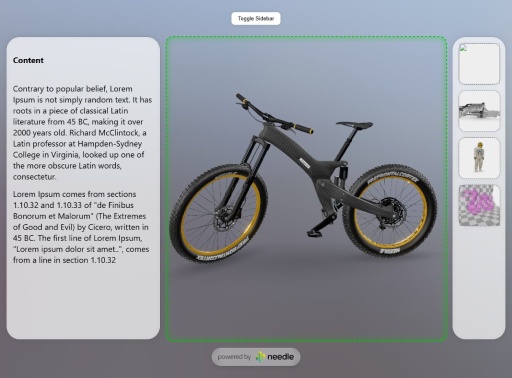](<https://responsive-layout-z23hmxb22no6t.needle.run/>)
[Example 2 Website](<https://responsive-layout-click-example-z23hmxbzuyk6y.needle.run/>) | [Code on Stackblitz](<https://stackblitz.com/edit/needle-engine-camera-focus-rect-click-to-move?file=index.html,src%2Fmain.ts>)
[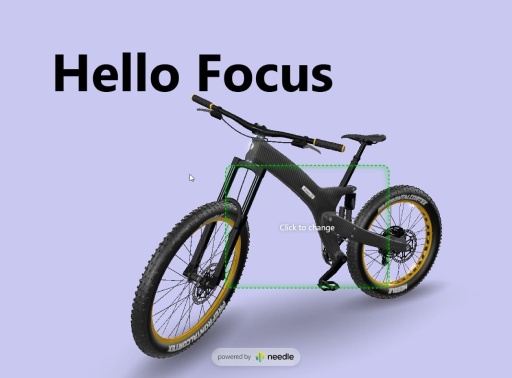](<https://responsive-layout-click-example-z23hmxbzuyk6y.needle.run/>)
## [4.8.7] - 2025-08-27
- Add: New [@needle-tools/three-animation-pointer](<https://www.npmjs.com/package/@needle-tools/three-animation-pointer>) package
- Add: `loadPMREM(<url>)` function
## [4.8.6] - 2025-08-20
- Bump three dependency to fix issue caused by KTX2Exporter
## [4.8.5] - 2025-08-20
- Add: Much faster loading for skyboxes and environment maps when using presets. E.g. `<needle-engine environment-image="studio"></needle-engine>`. Supported values are `studio`, `blurred-skybox`, `quicklook`, `quicklook-ar`
- Change: TransformControls now also enable `fastMode` on the SyncedTransform component
- Change: The mobile javascript console now needs to be explictly enabled using the `?console` flag. This change has been made to improve the local development experience. Previously the javascript console would be initialized in local development environments but stay invisible until e.g. an error would be detected. This did sometimes cause performance issues when very large objects would be logged in development
## [4.8.4] - 2025-08-18
- Update `@needle-tools/gltf-progressive` dependency which adds a `waitForFirstCapture` bool option to `awaitLoading(<opts>)`. With this you can call `manager.awaitLoading({waitForFirstCapture:true})` to get a promise that does not resolve until the next requested LOD levels have finished to load.
[**Here**](<https://lods-loading-overlay-z23hmxbz29h8vr.needle.run/>) is an example deployed to Needle Cloud + [here](<https://stackblitz.com/edit/needle-engine-wait-for-lods?file=src%2Fmain.ts>) is a example on Stackblitz which makes use of this feature to add a custom loading overlay.
- Fix: When using Needle Engine in Gemini Editor the webrtc dependency caused issues due to Gemini making `getUserMedia` read-only.
[**Example React Shopping App**](<https://reactshoppingcart-z23hmxbzcfkmf.needle.run/>) built by Gemini with Needle Engine ([Code on Stackblitz](<https://stackblitz.com/edit/needle-react-shopping-cart-2?file=src%2FApp.tsx,index.html,src%2Fmain.tsx>))
- Fix: When using pre-bundled Needle Engine (e.g. from jsdelivr) the mesh-bvh worker path was not correctly resolved
- Change: `<needle-engine>` CSS z-index setting where the `<needle-menu>` element would be rendered above elements outside the `<needle-engine>` component. This would cause issues where e.g. a sidebar should overlay the page.
- Change: Reduce default z-index for Needle loading logo
## [4.8.3] - 2025-08-18
- Change: Clamp devicePixelRatio to `2` by default. This can be overriden by setting the Needle Engine Context's `devicePixelRatio` to e.g. `window.devicePixelRatio`
- Update `@needle-tools/gltf-progressive` dependency to expose `overrideLodLevel`. This can be used to override which LOD level will be loaded instead of calculating the LOD level based on screen coverage:
For example `context.lodsManager.manager!.overrideLodLevel = 0;` will always load the highest quality mesh + texture
## [4.8.1] - 2025-08-14
- Fix: SceneSwitcher dispose of background and environment texture causing lighting issues when `useSceneLight` is disabled in SceneSwitcher component
- Fix: Detection of model/gltf+json by file header
## [4.8.0] - 2025-08-12
- Add: `Gizmos.DrawWireBox` now takes an optional `rotation` parameter
- Add: Physics `boxOverlap` function
- Fix: Vite plugin improvements
- Fix: Issue where re-applying Postprocessing effects with custom devicePixelRatio did falsely reset devicePixelRatio
- Update `@needle-tools/gltf-progressive` to version 3.2.0 with experimental javascript worker support. It can currently only be enabled by adding the URL query parameter `?gltf-progressive-worker`
## [4.7.4] - 2025-08-07
- Update `@needle-tools/gltf-progressive` to version 3.1.1
## [4.7.3] - 2025-08-06
- Add: OrbitControls `rotateUp(<radians>)` function
- Add: OrbitControls support for setting `targetElement` (e.g. `orbitControls.targetElement = myNewHtmlElement;`)
- Fix: RemoteSkybox loading relative URIs like "folder/image.exr", catch errors in loadAsync
- Update gltf-progressive dependency with improved performance when using skinned meshes and a concurrent LOD request limit (default: 100 concurrent requests)
## [4.7.2] - 2025-08-04
- Add: `loading-blur` attribute to `<needle-engine>` web component. With this attribute the 3D scene will be blurred using CSS during loading of initial LOD level.
This feature can be used to hide initial low-resolution textures and meshes while already getting an interactive preview visible in the browser (e.g. when displaying high quality product models where the 3D model download should be fast and not block the website but low-res assets should never be visible to the user)
Currently `loading-blur` is disabled by default but can simply be enabled:
- Enable default blur: `<needle-engine loading-blur></needle-engine>`
- Or to control the blur amount a pixel value can be passed in `<needle-engine loading-blur="30px">`
- Add: You can now await LOD loading at any time by calling `context.lodsManager.manager?.awaitLoading()`. The method accepts an optional options argument and returns a promise that will resolve when all requested LOD level during the next frame have completed loading. Please review the jsdoc code documentation for details.
- Add: The `physics.raycast` options now accept an optional argument (`allowSlowRaycastFallback`) which controls wether or not the traditional three.js `raycast` method is allowed. If this parameter is set to false then only objects with a finished bvh mesh will be used for raycasting to ensure raycasts are always fast and never fallback to the slow route. This is especially important for relative frequent raycasts like mouse-movements or camera-target updates where it's not crucial if objects are ignored for a few frames. Needle Engine does automatically calculate mesh BVHs for all meshes in the scene on a worker at the first time they're discovered to ensure optimal performance.
- Add: OrbitControls methods for `pan(<delta-x>, <delta-y>)`, `zoomIn(<scale>)` and `rotateLeft<angleInRadians>`. These methods can be used to control camera movement from code or via custom key-bindings.
- Update gltf-progressive which adds support awaiting LOD level + improved LOD level calculations where meshes have multiple primitives/submeshes.
- Fix: `useKeys` in OrbitControls - it requires `tabindex` on the `<needle-engine>` web component to receive keyboard events
- Fix: Clamp of tonemapping exposure in AgX
- Fix: Issue in Vite plugin with logging of very large objects
## [4.7.1] - 2025-07-31
- Add: LODsManager parameter `skinnedMeshAutoUpdateBoundsInterval`
- Fix: Issue where model fetch with query parameters was constructing a wrong URL
## [4.7.0] - 2025-07-28
- Improved Postprocessing performance and stability - [Live Example](<https://antialiasing-and-postprocessing-zubcksz1o8daw.needle.run/>)
- Fix: Issue where Tonemapping would not be applied
- Change: Improve `<needle-engine background-image="<url>" />` support and deprecate the old `skybox-image` attribute
## [4.6.3] - 2025-07-25
- Update Vite alias plugin to make sure the same postprocessing module is used
- Improve postprocessing stability
- Fix: Postprocessing with transparent background
## [4.6.2] - 2025-07-23
- Postprocessing performance and stability improvements
- Add: Custom postprocessing effects can now use `PostProcessingEffectPriority` to ensure effects are correctly sorted (e.g. before DepthOfField)
- Fix: Postprocessing multisampling (MSAA) causing issues with performance
- Fix: `screenshot` correctly handling custom `devicePixelRatio`
## [4.6.1] - 2025-07-17
- Fix: Post-processing effects ordering and gamma correction handling
- Fix: Renderer and ReflectionProbe update behaviour where changing the scene environment texture would not affect certain objects anymore
- Fix: ReflectionProbe should not be applied if the component is inactive (e.g. on a disabled Object3D)
- Fix: Internal resource dispose error when destroying objects with custom ShaderMaterials with certain uniform values
## [4.6.0] - 2025-07-14
- Add: Vite plugin to make remote assets local at build time. This currently supports google.font CSS and font assets as well as polyhaven HDRi/EXR textures.
To use enable `makeFilesLocal` in your `vite.config.js`:
```js
needlePlugins(command, needleConfig, {
makeFilesLocal: true
}),
```
- Change: AudioSource component `preload` option to `true` by default
## [4.5.8] - 2025-06-10
- Fix: QR code logo overlay now scales down for longer URLs and uses stronger error correction level
## [4.5.7] - 2025-06-10
- Fix: `instantiate({ visible: false })` should only set the root object's visible state
## [4.5.6] - 2025-05-21
- Add: `Cylinder` primitive to ObjectUtils
- Add: QR code now displays the URL that will open
- Fix: Issue where calling `NeedleXRSession.stop()` from within `update()` event caused an error
## [4.5.4] - 2025-05-21
- Add: DropListener now also allows custom file types
- Fix: File loading range request url did not handle relative URLs properly
- Fix: Vite built pipeline plugin
## [4.5.0] - 2025-05-21
- Add: `NeedleEngineModelLoader` namespace with methods to provide custom file loaders to load unsupported 3D model formats. For example to load STL files:
```ts
import { NeedleEngineModelLoader } from "@needle-tools/engine";
import { STLLoader } from "three/examples/jsm/loaders/STLLoader.js";
// Register a callback for determining our custom loader mimetype
NeedleEngineModelLoader.onDetermineModelMimetype(args => {
// check if the mimetype is already provided by the server
if (args.contentType === "model/stl") {
return "model/stl";
}
// use URL extension if available
if (args.url.endsWith(".stl")) {
return "model/stl";
}
// check if first few bytes start with "solid"
// this is a very naive check, but it works for most cases
if(args.bytes[0] === 0x73 && args.bytes[1] === 0x74 && args.bytes[2] === 0x6c) {
return "model/stl";
}
return null;
});
// Register a callback for creating our custom loader
NeedleEngineModelLoader.onCreateCustomModelLoader(args => {
if (args.mimetype === "model/stl") {
const stlLoader = new STLLoader();
return stlLoader;
}
});
```
- Add: Experimental attribute to autostart **AR**: `<needle-engine autostart="ar">`
- Add: Modify the QR code button URL via `ButtonsFactory.instance.qrButtonUrl = https://yourwebsite.de`
- Add: ContactShadows `manualUpdate` boolean. When enabled the ContactShadows component will not automatically re-render every frame. When enabled then set `needsUpdate=true` to manually schedule contact shadows re-render
- Change: Needle Engine loading view is now transparent by default. The `loading-background` attribute can be used to add custom styling like `<needle-engine loading-background="#000" />`. Alternatively the `<needle-engine>` web component or background can be styled.
- Removed: Web component attributes: `loading-background-color`, `loading-style`, `loading-text-color`
- Fix: Vite HMR (Hot Module Replacement) working nicely with browser breakpoints and debugging
- Fix: Debug stats (`?stats`) showing correct draw calls when using postprocessing
- Fix: `findObjectOfType` does now also search components on the root scene object
## [4.4.6] - 2025-05-05
- Change: Networking disconnect() should reset state + leaveRoom does now reset allowEditing to true
- Fix Vite prebundle engine with mesh bvh worker
## [4.4.5] - 2025-04-30
- Add: Support for easily adding an Animation component to the root object of a loaded glTF to automatically play animations.
- Add: `loadAsset` function
- Fix: OrbitControls issue where `fitCamera({immediate:true})` would not fit the camera immediately without lerping
- Fix: Vite fetch public key causing build to fail
## [4.4.3] - 2025-04-29
- Add: Support for `getKeyDown`, `getKeyPressed` and `getKeyUp` to pass in key name to check the state of keyboard input, e.g. `context.getKeyDown(<key>)`
- Add: License validation for webpack (nextjs) via access token or teamid. The `needleNext` plugin does now handle the license for passed in team or access tokens.
For example the `next.config.js` can be modified like so `... }, { modules: { webpack }, license: {team: "needle"} })` to pass in the name of a team (or a Needle Cloud access token).
- Change: License checks will now read the `NEEDLE_CLOUD_TOKEN` environment variable if no access token is provided.
- Fix: SyncedTransform `fastmode` lerp
- Fix: OrbitControls regression when calling `setCameraAndLookTarget` with a Camera object (or transform) where the forward direction (+Z) did not match the camera's look/render direction (-Z)
## [4.4.2] - 2025-04-24
- Fix: Vite license server timeout
- Fix: Vite `manualChunks` should not be declared if `rollupOutput.inlineDynamicImports` is set to true
## [4.4.0] - 2025-04-17
**Added**
- Add: The needle-engine web-component `contactshadows` attribute now allows you to specify a factor for controlling the darkness/lightness. E.g. `<needle-engine contactshadows="1">` will make the shadows appear darker vs. `<needle-engine contactshadows=".2">` will make the contact shadow appear lighter.
- Add: The needle-engine web-component does now support transparency for `background-color`. For example: `rgba(255, 255, 100, .5)` or `#ffdddd99` or `transparent` are valid values: `<needle-engine background-color="rgba(255, 255, 100, .5)" />`
- Add: `ObjectUtils.createPrimitive()` now supports scale as array
e.g. `ObjectUtils.createPrimitive("Cube", { scale: [1, .25, 1] } );`
- Add: Input `getGamepad(<index>)` function to query a connected gamepad. Example: `this.context.input.getGamepad()`
- Add: `lookAtScreenPoint()` function which allows 3D object to look at points in 2D screen coordinates (e.g. your mouse position).
**Example Component that makes the object look at the mouse**
```ts
import { Behaviour, lookAtScreenPoint } from "@needle-tools/engine";
export class LookAtMouse extends Behaviour {
update() {
lookAtScreenPoint(this.gameObject, this.context.input.mousePosition, this.context.mainCamera);
}
}
```
- Add: Default environment lighting. If you don't configure any environment-image needle engine will now create a default scene to light your objects. Previously the scene was just black when the loaded model didn't contain any lighting information.
- Add: SyncedTransform does now also sync scale changes
- Add: SyncedTransform `freeOwnership()` method
- Add: ReflectionProbe bounding box intersection check to automatically apply reflections to object's in a specific area (handled by the Renderer component)
- Add: `devicePixelRatio` option on Needle Context. This option controls the window.devicePixelRatio set on the renderer by Needle Engine (default `auto`). It can be set to `manual` to disable this behaviour or a custom number which will then be set on the renderer or composer.
**Fixed**
- Fix: Implicit camera did not automatically set to skybox when using `background-image`. E.g. `<needle-engine background-image="<url>">
- Fix: Tonemapping falsely set tonemappingEsposure to undefined causing a black screen
- Fix: `background-color` attribute was not always applied. E.g. `<needle-engine background-color="#ff3333">`
- Fix: `screenshot()` checks if XR is presenting
- Fix: Issue where MeshBVH worker import breaks for projects where the needle-engine vite plugins are not added to the plugins list
- Fix: SceneSwitcher regression with `Object3D` objects in scenes array
- Fix: SceneSwitcher preload was not using three.js FileLoader to re-use three's caching system
- Fix: GroundProjection regression where background blurriness was hardcoded
- Fix: RenderTexture regression where deserialization was not properly handled anymore
- Fix: OrbitControls regression where forward direction in `setCameraAndLookTarget` was inverted
- Fix: Physics bug where negative box collider scales were not correctly handled in all cases causing Rapier to break
- Fix: UI instantiate bug where three-mesh-ui `clone` method was not working and UI that was already in the scene could not be duplicated because of that.
- Fix: Vite license plugin not waiting for the CLI process to start
- Fix: Vite improve license checks in CI environments (e.g. when running via a Github Action).
- Fix: Vite plugins for running in CI environment
- Fix: Vite `manualChunks` are not defined when `preserveModules` is set to true
**Changed**
- Change: License check aborts now faster instead of retrying when connection is actively refused
- Change: OrbitControls `autoTarget` does now automatically update the look at target after panning and not when rotating the camera (previously the target would be updated after any input but this resultet in undesireable behaviour when rotating around objects)
- Change: When no background-color is defined by either the loaded scene or by a `background-color` attribute then the default scene background color respects the user's accessibility setting for `prefer-dark` or `prefer-light`. This means that the background color will be set to a default light or dark value.
- Change: Scene background color or image set on `<needle-engine>` are not overridden anymore by the camera component.
- Change: Hide Needle logo automatically when using Needle Engine with a license
## [4.4.0-beta.9] - 2025-04-07
- Add: `<needle-engine background-color="#ffdddd55">` does now support transparency. For example: `rgba(255, 255, 100, .5)` or `#ffdddd99` or `transparent` are valid values.
- Add: SyncedTransform `freeOwnership()` method
- Add: ReflectionProbe does now check boundingbox intersection
- Add: `devicePixelRatio` option on Needle Context. This option controls the window.devicePixelRatio set on the renderer by Needle Engine (default `auto`). It can be set to `manual` to disable this behaviour or a custom number which will then be set on the renderer or composer.
- Change: Scene background color or image set on `<needle-engine>` are not overridden anymore by the camera component.
- Change: Hide Needle logo automatically when using Needle Engine with a license
- Fix: Improve license checks in CI environments (e.g. when running via a Github Action).
- Fix: Vite plugins for running in CI environment
- Fix: Vite `manualChunks` are not defined when `preserveModules` is set to true
- Fix: `screenshot()` checks if XR is presenting
- Fix: Issue where MeshBVH worker import breaks for projects where the needle-engine vite plugins are not added to the plugins list
- Fix: Vite license plugin not waiting for the CLI process to start
## [4.4.0-beta] - 2025-03-28
- Add: `ObjectUtils.createPrimitive()` now supports scale as array
e.g. `ObjectUtils.createPrimitive("Cube", { scale: [1, .25, 1] } );`
- Add: Input `getGamepad(index?:number)` function to query a connected gamepad. Example: `this.context.input.getGamepad()`
- Add: `lookAtScreenPoint()` function which allows 3D object to look at points in 2D screen coordinates (e.g. your mouse position).
**Example Component that makes the object look at the mouse**
```ts
import { Behaviour, lookAtScreenPoint } from "@needle-tools/engine";
export class LookAtMouse extends Behaviour {
update() {
lookAtScreenPoint(this.gameObject, this.context.input.mousePosition, this.context.mainCamera);
}
}
```
- Add: SyncedTransform does now also sync scale changes
- Add: Default environment lighting. If you don't configure any environment-image needle engine will now create a default scene to light your objects. Previously the scene was just black when the loaded model didn't contain any lighting information.
- Add: The `contactshadows` attribute now allows you to specify a factor for controlling the darkness/lightness. E.g. `<needle-engine contactshadows="1">` will make the shadows appear darker vs. `<needle-engine contactshadows=".2">` will make the contact shadow appear lighter.
- Fix: Implicit camera did not automatically set to skybox when using `background-image`. E.g. `<needle-engine background-image="<url>">`
- Fix: Tonemapping falsely set tonemappingEsposure to undefined causing a black screen
- Fix: `background-color` attribute was not always applied. E.g. `<needle-engine background-color="#ff3333">`
- Change: License check aborts now faster instead of retrying when connection is actively refused
- Change: OrbitControls `autoTarget` does now automatically update the look at target after panning and not when rotating the camera (previously the target would be updated after any input but this resultet in undesireable behaviour when rotating around objects)
- Change: When no background-color is defined by either the loaded scene or by a `background-color` attribute then the default scene background color respects the user's accessibility setting for `prefer-dark` or `prefer-light`. This means that the background color will be set to a default light or dark value.
## [4.3.2] - 2025-03-20
#### Added
- Documentation for `Gizmos` API
- `this.context.time.fps` returning the FPS for the current frame (for a more stable FPS value `smoothedFps` can be used)
#### Removed
- Vite license plugin check does not support Node 16 anymore
#### Changes
- Improve Vite preload link injection into HTML head
- The PostprocessingManager component does now expose a `multisampling` property which is set to `"auto"` by default. By setting `multisampling` to a number it will force postprocessing to the configured samples.
- Downloading of `<needle-engine>` attributes for `skybox-image` and `environment-image` does now start earlier. Previously it would only start loading the HDRi or EXR images after the root glTF file was finished loading. Now it will start downloading earlier which improves the time until the scene is ready to be displayed.
#### Fixed
- Vite dependency-watcher plugin warning
- Vite license check plugin is now using the latest Needle CLI version
- Browser cache busting issue related to loading the root scene where range requests (e.g. when download urls without a file extension). This caused Chrome to remove files from the disc cache causing a re-download
- Three.js core postprocessing effects support
- Loading glTF files without any components (e.g. when directly downloaded from Sketchfab) was causing Needle Engine to falsely keep a reference to the loaded glTF structure.
- Instancing issue where instancing did sometimes renderer wrong geometry when many objects where removed and added again and multiple different geometries were batched together. This was caused by a bug in the internal bucketing mechanism and has now been removed since it's not necessary anymore.
## [4.3.2-beta.5] - 2025-03-20
- Change: Improve Vite preload link injection into HTML head
- Fix: Vite dependency-watcher plugin warning
## [4.3.2-beta.4] - 2025-03-19
- Fix: Start loading earlier for `skybox-image` and `environment-image` when configured in `<needle-engine>` web component. Previously it would only start loading the HDRi or EXR images after the root glTF file was finished loading. Now it will start downloading earlier which improves the time until the scene is ready to be displayed.
- Fix: Update vite license check using the latest CLI version
- Fix: Issue related to loading the root scene where range requests (e.g. when download urls without a file extension) caused Chrome to remove previously full downloads to be removed from disc cache
- Remove: Vite license check does not support Node 16 anymore
## [4.3.2-beta.3] - 2025-03-18
- Fix: Support for three.js core postprocessing effects
## [4.3.2-beta.2] - 2025-03-18
- Add: Documentation for `Gizmos` API
## [4.3.2-beta.1] - 2025-03-17
- Fix: Bug when loading glTF files without any components where a reference to the loaded glTF structre was kept in memory causing the memory to not be freed
## [4.3.2-beta] - 2025-03-14
- Add: `this.context.time.fps` returning the FPS for the current frame (for a more stable FPS value `smoothedFps` can be used)
- Change: The PostprocessingManager component does now expose a `multisampling` property which is set to `"auto"` by default. By setting `multisampling` to a number it will force postprocessing to the configured samples.
- Fix: Issue where instancing with multiple different geometries being batched together did sometimes be cause wrong rendering when many objects where removed and added again. This was caused by a bug in the internal bucketing mechanism which is not necessary anymore with the new BatchedMesh version.
## [4.3.1] - 2025-03-14
- Add: Expose lifecylcle hooks in `Needle` global scope for usage in commonjs or without a bundler. For example this allows to subscribe to the update event with `Needle.onUpdate(ctx => console.log(ctx.time.time))`.
- Fix: OrbitControls micro-movement after a pointer event was already used. For example previously when using DragControls and starting to drag an object the camera would still move slightly before stopping during drag. This is not the case anymore now and the camera does not move anymore during interaction with other objects.
- Fix: Canvas UI render settings not being applied in one rare case causing a worldspace image not being set to double sided rendering.
## [4.3.0] - 2025-03-12
- Bump version to 4.3.0
## [4.3.0-alpha.6] - 2025-03-11
- Change: Postprocessing effects in shared volume (when exported from Unity) are now added to the Volume gameObject during initialization
- Fix: improve Rigidbody physics poststep / smoothed velocity
## [4.3.0-alpha.5] - 2025-03-06
- Add: more jsdoc comments to `Graphics.textureToCanvas` and `Mathf` methods
- Change: AudioSource tries to get AudioListener from it's own object first before it checks camera and scene
- Fix: SpriteRenderer issue where runtime instantiate and setting Sprite would in some cases not update the texture on all instances
- Fix: Issue in `Graphics.copyTexture` where the blit material was not yet created
## [4.3.0-alpha.4] - 2025-03-06
- Revert last AudioSource change
## [4.3.0-alpha.3] - 2025-03-06
- Add: WebARSessionRoot `arScale` can now be changed while in AR to modify or reset the scale.
- Change: AudioSource now creates it's own AudioListener instead of using one from the camera.
## [4.3.0-alpha.1] - 2025-03-03
- Add: More API documentation for various core components
## [4.3.0-alpha] - 2025-02-28
- Add: SceneSwitcher `sceneLoadingStart` and `sceneLoadingProgress` events
- Add: AssetReference `urlName` property
- Fix: SceneSwitcher preloading if configured to not load scene at startup
- Fix: UI issue where text components were not correctly handled by the EventSystem for the `hasActiveUI` property
## [4.2.5] - 2025-02-27
- Fix: keep FBX vertex color assignment when postprocessing materials
- Fix: ContactShadow flicker when point materials are in the scene
- Fix: OrbitControls keep `autoTarget` enabled in `fitCamera`
- Fix: Static `BoxCollider.add` now correctly calculates bounding box
- Fix: InputField `onValueChanged` event is now invoked after the new value has been assigned
- Change: `getBoundingBox` now also takes a single object as well as an array of objects
- Change: DropListener now exposes `DropListenerOnDropArguments` type
## [4.2.4] - 2025-02-21
- Add: OrbitControls set to `autoTarget` now automatically updates rotation target in onPointerUp
- Fix: USDZ add safeguard against potential issue in bone sorting
- Fix: USDZ remove extra check for bone type that might prevent bone structure ordering
- Fix: Static method for `BoxCollider.add` not correctly calculating object bounds when object is rotated
- Fix: Ignore fullscreen plane for WebXR auto center
- Fix: Issue in FBXLoader where loading FBX files with out-of-bounds material assignments lead to incorrect geometry groups and subsequent errors
- Change: Improve input typings for `isKeyDown`, `isKeyUp` and `isKeyPressed`
## [4.2.3] - 2025-02-20
- Add: InputField setter for `text`
- Fix: OrbitControls setCameraAndLookTarget
- Fix: Issue where updating KTX transcoder was not being correctly applied for offline usage
## [4.2.2] - 2025-02-18
- Fix: WebXRImageTracking iOS size calculation due to change by Apple
- Fix: USDZ AudioSource not generating code for `playOnAwake` anymore
- Fix: Lightmap and environment ligthing not working correctly anymore due to change in three v163
- Change: EventSystem simplification - it is now always created once in scene root, this removes the requirement of ObjectRaycasters in the scene which simplifies the usage of component input event methods like `onPointerClick` (which previously required users to ensure there are ObjectRaycasters in the parent hierarchy)
## [4.2.0] - 2025-02-17
- Change: remove MXInk fallback codepath for pre-release OS versions
- Change: don't request "hand-trackin