@needle-tools/engine
Version:
Needle Engine is a web-based runtime for 3D apps. It runs on your machine for development with great integrations into editors like Unity or Blender - and can be deployed onto any device! It is flexible, extensible and networking and XR are built-in.
93 lines (92 loc) • 3.09 kB
TypeScript
import { Object3D } from "three";
import { Behaviour } from "../Component.js";
import { SplineContainer } from "./Spline.js";
/**
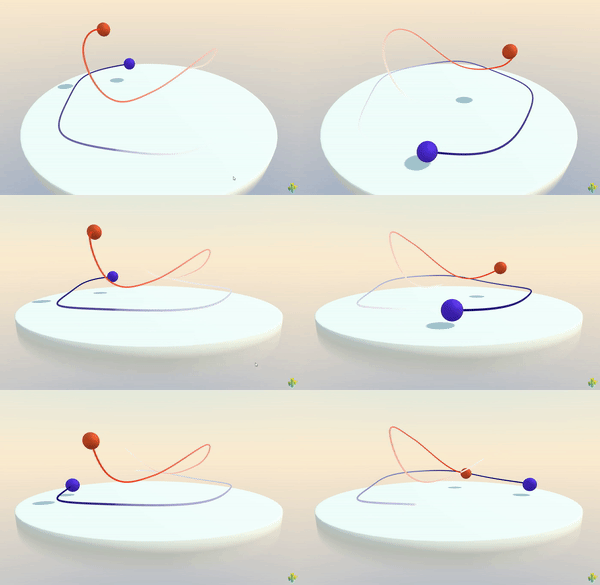
* [SplineWalker](https://engine.needle.tools/docs/api/SplineWalker) Moves an object along a {@link SplineContainer}.
* Use this with a SplineContainer component.
*
* 
*
* - Example http://samples.needle.tools/splines
*
* @summary Moves an object along a spline
* @category Splines
* @group Components
*/
export declare class SplineWalker extends Behaviour {
/**
* The spline to use/walk along. Add a SplineContainer component to an object and assign it here.
*/
spline: SplineContainer | null;
/**
* The object to move along the spline.
* If object is undefined then the spline walker will use it's own object (gameObject).
* If object is null the spline walker will not move any object.
* @default undefined
*/
object?: Object3D | null;
/**
* If true the object will rotate to look in the direction of the spline while moving along it.
* @default true
*/
useLookAt: boolean;
/**
* The object to look at while moving along the spline.
* If null the object will look in the direction of the spline.
* This can be disabled by setting useLookAt to false.
* @default null
*/
lookAt: Object3D | null;
/**
* When clamp is set to true, the position01 value will be clamped between 0 and 1 and the object will not loop the spline.
* @default false
*/
clamp: boolean;
/**
* The current position on the spline. The value ranges from 0 (start of the spline curve) to 1 (end of the spline curve)
*
* When setting this value, the position will be updated in the next frame.
* @default 0
*/
get position01(): number;
set position01(v: number);
/** Resets the position to 0 */
reset(): void;
/**
* If true the SplineWalker will automatically move along the spline
* @default true
*/
autoRun: boolean;
/**
* The duration in seconds it takes to complete the whole spline when autoWalk is enabled.
* @default 10
*/
duration: number;
/**
* The strength with which the object is pulled to the spline.
* This can be used to create a "rubber band" effect when the object is moved away from the spline by other forces.
* A value of 0 means no pull, a value of 1 means the object is always on the spline.
* @default 1
*/
pullStrength: number;
private _position01;
private _needsUpdate;
/** @internal */
start(): void;
/** @internal */
onEnable(): void;
/** @internal */
onDisable(): void;
private onUserInput;
/** @internal */
update(): void;
/**
* Updates the position of the object based on the current position01 value.
* @internal
*/
private updateFromPosition;
private _lastPosition01;
private _requiredUpdates;
private _performedUpdates;
private _lastPositionVector;
}