@needle-tools/engine
Version:
Needle Engine is a web-based runtime for 3D apps. It runs on your machine for development with great integrations into editors like Unity or Blender - and can be deployed onto any device! It is flexible, extensible and networking and XR are built-in.
1 lines • 208 kB
JSON
[{"file":"src/engine-components/AlignmentConstraint.ts","name":"AlignmentConstraint","kind":"class","categories":["Constraints"],"groups":["Components"],"inheritedFrom":"Behaviour","comment":{"kind":"text","shortText":"Aligns and scales object between two targets","text":"The [AlignmentConstraint](https://engine.needle.tools/docs/api/AlignmentConstraint) positions and scales this GameObject to span between two target objects.\nThe object is rotated to face `to` and scaled along Z to match the distance.\n\n**Use cases:**\n- Dynamic beams or laser effects between objects\n- Stretchy connectors or ropes\n- Visual links between UI elements\n- Debug lines between transforms\n\n**How it works:**\n- Position: Centered between `from` and `to` (or at `from` if not centered)\n- Rotation: Looks at `to` from `from`\n- Scale: Z-axis scales to match distance, X/Y use `width`"},"flags":{},"children":[{"name":"from","kind":"property","type":"GameObject | undefined","comment":{"kind":"text","shortText":""}},{"name":"to","kind":"property","type":"GameObject | undefined","comment":{"kind":"text","shortText":""}}]},{"file":"src/engine-components/Animation.ts","name":"Animation","kind":"class","categories":["Animation and Sequencing"],"groups":["Components"],"inheritedFrom":"Behaviour","comment":{"kind":"text","shortText":"Plays animations from AnimationClips","text":"Animation component to play animations on a GameObject.\nFor simpler animation needs compared to Animator, this component directly\nplays AnimationClips without state machine logic.\n\n**Key features:**\n- Play animations by index, name, or clip reference\n- Cross-fade between animations with `fadeDuration`\n- Loop or play once with optional clamping\n- Random start time and speed variation\n- Promise-based completion handling\n\n\n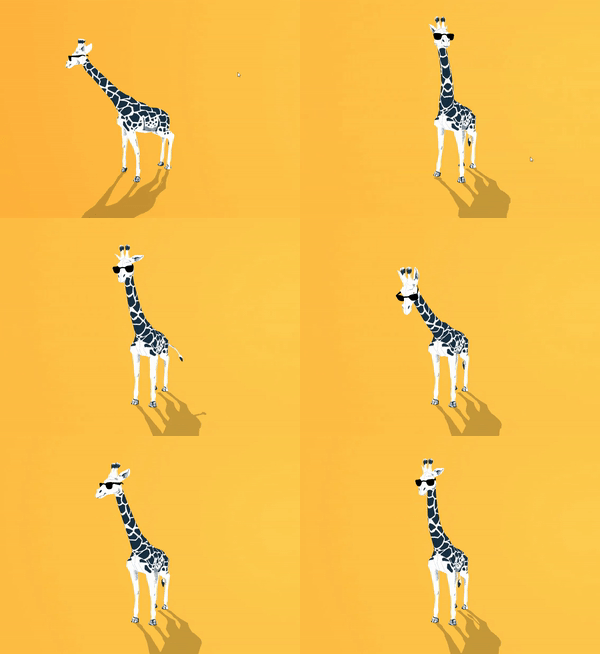"},"flags":{},"children":[{"name":"playAutomatically","kind":"property","type":"boolean","comment":{"kind":"text","shortText":"If true, the animation will start playing when the component is enabled"}},{"name":"randomStartTime","kind":"property","type":"boolean","comment":{"kind":"text","shortText":"If true, the animation will start at a random time. This is used when the animation component is enabled"}},{"name":"minMaxSpeed","kind":"property","type":"Vec2","comment":{"kind":"text","shortText":"The animation min-max speed range"}},{"name":"minMaxOffsetNormalized","kind":"property","type":"Vec2","comment":{"kind":"text","shortText":"The normalized offset to start the animation at. This will override startTime"}},{"name":"loop","kind":"property","type":"boolean","comment":{"kind":"text","shortText":"Set to true to loop the animation"}},{"name":"clampWhenFinished","kind":"property","type":"boolean","comment":{"kind":"text","shortText":"If true, the animation will clamp when finished"}},{"name":"clips","kind":"property","type":"AnimationClip[]","comment":{"kind":"text","shortText":""}}]},{"file":"src/engine-components/Animator.ts","name":"Animator","kind":"class","categories":["Animation and Sequencing"],"groups":["Components"],"inheritedFrom":"Behaviour","comment":{"kind":"text","shortText":"Plays and manages animations on a GameObject based on an…","text":"Animator plays and manages state-machine based animations on a GameObject.\nUses an AnimatorController for state transitions, blending, and parameters.\n\n**State machine animations:**\nDefine animation states and transitions in Unity's Animator window or in [Blender's Animator Controller editor](https://engine.needle.tools/docs/blender/animation.html)\nControl transitions via parameters (bool, int, float, trigger).\n\n\n\n**Creating at runtime:**\nUse `AnimatorController.createFromClips()` to create controllers from code.\n\n**Parameters:**\n- `setTrigger(name)` - Trigger a one-shot transition\n- `setBool(name, value)` - Set boolean parameter\n- `setFloat(name, value)` - Set float parameter\n- `setInteger(name, value)` - Set integer parameter"},"flags":{},"children":[{"name":"applyRootMotion","kind":"property","type":"boolean","comment":{"kind":"text","shortText":"When enabled, animation will affect the root transform position and rotation"}},{"name":"hasRootMotion","kind":"property","type":"boolean","comment":{"kind":"text","shortText":"Indicates whether this animator contains root motion data"}},{"name":"keepAnimatorControllerStateOnDisable","kind":"property","type":"boolean","comment":{"kind":"text","shortText":"When enabled, the animator will maintain its state when the component is disabled"}},{"name":"runtimeAnimatorController","kind":"property","type":"AnimatorControllerModel | AnimatorController | undefined | null","comment":{"kind":"text","shortText":"Sets or replaces the animator controller for this component.\nHandles binding the controller to this animator instance and ensures\nproper initialization when the controller changes."}}]},{"file":"src/engine-components/AudioListener.ts","name":"AudioListener","kind":"class","categories":["Multimedia"],"groups":["Components"],"inheritedFrom":"Behaviour","comment":{"kind":"text","shortText":"Receives audio in the scene and outputs it to speakers","text":"The [AudioListener](https://engine.needle.tools/docs/api/AudioListener) represents a listener that can hear audio sources in the scene.\nThis component creates and manages a Three.js three#AudioListener, automatically connecting it\nto the main camera or a Camera in the parent hierarchy."},"flags":{},"children":[]},{"file":"src/engine-components/AudioSource.ts","name":"AudioSource","kind":"class","categories":["Multimedia"],"groups":["Components"],"inheritedFrom":"Behaviour","comment":{"kind":"text","shortText":"Plays audio clips from files or media streams","text":"Plays audio clips in the scene with support for spatial (3D) positioning.\n\n**Browser autoplay policies:**\nWeb browsers require user interaction before playing audio. Use\n`AudioSource.userInteractionRegistered` to check if playback is allowed,\nor `registerWaitForAllowAudio()` to queue playback until interaction occurs.\n\n**Spatial audio:**\nSet `spatialBlend` to 1 for full 3D positioning, or 0 for 2D (non-spatial).\nRequires an AudioListener in the scene (typically on the camera).\n\n**Visibility handling:**\nAudio automatically pauses when the tab is hidden unless `playInBackground = true`.\nOn mobile, audio always pauses in background regardless of this setting."},"flags":{},"children":[{"name":"clip","kind":"property","type":"string | MediaStream","comment":{"kind":"text","shortText":"The audio clip to play. Can be a URL string pointing to an audio file or a MediaStream object."}},{"name":"playOnAwake","kind":"property","type":"boolean","comment":{"kind":"text","shortText":"When true, the audio will automatically start playing when the component is enabled.\nWhen false, you must call play() manually to start audio playback."}},{"name":"preload","kind":"property","type":"boolean","comment":{"kind":"text","shortText":"When true, the audio clip will be loaded during initialization rather than when play() is called.\nThis can reduce playback delay but increases initial loading time."}},{"name":"playInBackground","kind":"property","type":"boolean","comment":{"kind":"text","shortText":"When true, audio will continue playing when the browser tab loses focus.\nWhen false, audio will pause when the tab is minimized or not active."}},{"name":"pitch","kind":"property","type":"number","comment":{"kind":"text","shortText":"Controls the playback rate (speed) of the audio.\nValues greater than 1 increase speed, values less than 1 decrease it.\nThis affects both speed and pitch of the audio."}},{"name":"rollOffMode","kind":"property","type":"AudioRolloffMode","comment":{"kind":"text","shortText":"Determines how audio volume decreases with distance from the listener."}}]},{"file":"src/engine-components/AxesHelper.ts","name":"AxesHelper","kind":"class","categories":["Helpers"],"groups":["Components"],"inheritedFrom":"Behaviour","comment":{"kind":"text","shortText":"Visualizes object axes (X=red, Y=green, Z=blue)","text":"The [AxesHelper](https://engine.needle.tools/docs/api/AxesHelper) visualizes the local coordinate axes of an object.\nDisplays colored lines for X (red), Y (green), and Z (blue) axes.\n\n**Use cases:**\n- Debugging object orientation and rotation\n- Visualizing pivot points\n- Understanding coordinate systems\n\n**Properties:**\n- `length` - Length of axis lines in world units\n- `depthTest` - Whether axes are occluded by scene objects\n- `isGizmo` - Only show when `?gizmos` URL parameter is set"},"flags":{},"children":[{"name":"length","kind":"property","type":"number","comment":{"kind":"text","shortText":"The length of each axis line in scene units."}},{"name":"depthTest","kind":"property","type":"boolean","comment":{"kind":"text","shortText":"Whether the axes should be occluded by objects in the scene.\nWhen set to false, axes will always appear on top regardless of their depth."}},{"name":"isGizmo","kind":"property","type":"boolean","comment":{"kind":"text","shortText":"When true, this helper will only be visible if the debug flag `?gizmos` is enabled."}}]},{"file":"src/engine-components/BasicIKConstraint.ts","name":"BasicIKConstraint","kind":"class","categories":["Animation and Sequencing"],"groups":["Components"],"inheritedFrom":"Behaviour","comment":{"kind":"text","shortText":"Two-bone inverse kinematics constraint","text":"The [BasicIKConstraint](https://engine.needle.tools/docs/api/BasicIKConstraint) provides simple two-bone inverse kinematics.\nPositions this GameObject as a \"joint\" between `from` and `to` targets,\nusing a `hint` object to determine the bend direction.\n\n**Use cases:**\n- Simple arm/leg IK (elbow/knee positioning)\n- Mechanical linkages\n- Procedural animation joints\n\n**How it works:**\n- Calculates joint position based on `desiredDistance` (bone length)\n- Uses `hint` to determine which way the joint bends\n- Automatically handles stretching when targets are too far apart"},"flags":{},"children":[]},{"file":"src/engine-components/BoxHelperComponent.ts","name":"BoxHelperComponent","kind":"class","categories":["Helpers"],"groups":["Components"],"inheritedFrom":"Behaviour","comment":{"kind":"text","shortText":"Bounding box helper with intersection tests","text":"A component that creates a bounding box around an object and provides intersection testing functionality.\n\nDebug mode can be enabled with the URL parameter `?debugboxhelper`, which will visualize intersection tests.\nHelper visualization can be enabled with the URL parameter `?gizmos`."},"flags":{},"children":[]},{"file":"src/engine-components/Camera.ts","name":"Camera","kind":"class","categories":["Camera and Controls"],"groups":["Components"],"inheritedFrom":"Behaviour","comment":{"kind":"text","shortText":"Rendering scenes from a specific viewpoint","text":"[Camera](https://engine.needle.tools/docs/api/Camera) handles rendering from a specific viewpoint in the scene.\nSupports both perspective and orthographic cameras with various rendering options.\nInternally uses three.js PerspectiveCamera or OrthographicCamera.\n\n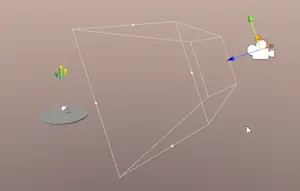\n\n**Background clearing:**\nControl how the camera clears the background using `clearFlags`:\n- `Skybox` - Use scene skybox/environment\n- `SolidColor` - Clear with `backgroundColor`\n- `None` - Don't clear (for layered rendering)\n\n**Render targets:**\nSet `targetTexture` to a RenderTexture to render to a texture\ninstead of the screen (useful for mirrors, portals, minimaps).\n\n[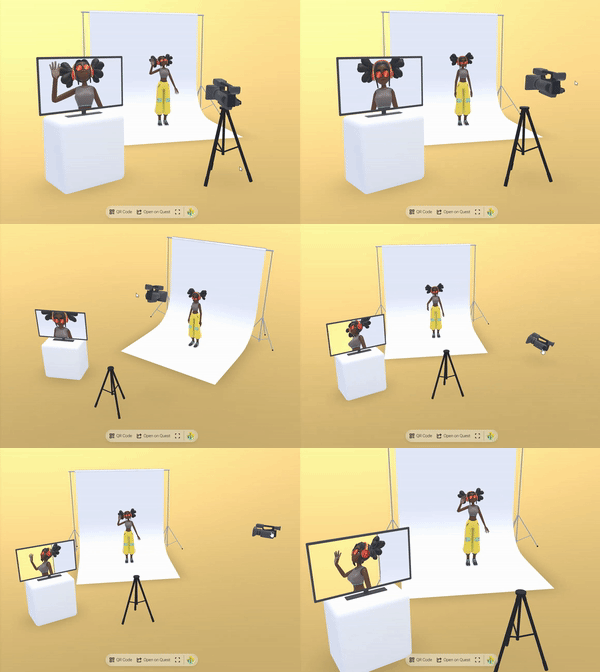](https://engine.needle.tools/samples/movie-set)"},"flags":{},"children":[{"name":"aspect","kind":"property","type":"number","comment":{"kind":"text","shortText":""}},{"name":"fieldOfView","kind":"property","type":"number | undefined","comment":{"kind":"text","shortText":""}},{"name":"nearClipPlane","kind":"property","type":"number","comment":{"kind":"text","shortText":""}},{"name":"farClipPlane","kind":"property","type":"number","comment":{"kind":"text","shortText":""}},{"name":"orthographic","kind":"property","type":"boolean","comment":{"kind":"text","shortText":"Determines if the camera should use orthographic projection instead of perspective."}},{"name":"orthographicSize","kind":"property","type":"number","comment":{"kind":"text","shortText":"The size of the orthographic camera's view volume when in orthographic mode.\nLarger values show more of the scene."}},{"name":"ARBackgroundAlpha","kind":"property","type":"number","comment":{"kind":"text","shortText":"Controls the transparency level of the camera background in AR mode on supported devices.\nValue from 0 (fully transparent) to 1 (fully opaque)."}},{"name":"cullingMask","kind":"property","type":"number","comment":{"kind":"text","shortText":"Gets or sets the layers mask that determines which objects this camera will render.\nUses the three.js layers mask convention."}},{"name":"backgroundBlurriness","kind":"property","type":"number | undefined","comment":{"kind":"text","shortText":"Gets or sets the blurriness of the skybox background.\nValues range from 0 (sharp) to 1 (maximum blur)."}},{"name":"backgroundIntensity","kind":"property","type":"number | undefined","comment":{"kind":"text","shortText":"Gets or sets the intensity of the skybox background.\nValues range from 0 (dark) to 10 (very bright)."}},{"name":"backgroundRotation","kind":"property","type":"Euler | undefined","comment":{"kind":"text","shortText":"Gets or sets the rotation of the skybox background.\nControls the orientation of the environment map."}},{"name":"environmentIntensity","kind":"property","type":"number | undefined","comment":{"kind":"text","shortText":"Gets or sets the intensity of the environment lighting.\nControls how strongly the environment map affects scene lighting."}},{"name":"targetTexture","kind":"property","type":"RenderTexture | null","comment":{"kind":"text","shortText":"Gets or sets the texture that the camera should render to instead of the screen.\nUseful for creating effects like mirrors, portals or custom post processing."}}]},{"file":"src/engine-components/CharacterController.ts","name":"CharacterController","kind":"class","categories":["Character"],"groups":["Components"],"inheritedFrom":"Behaviour","comment":{"kind":"text","shortText":"Character Movement Controller","text":"The [CharacterController](https://engine.needle.tools/docs/api/CharacterController) adds a capsule collider and rigidbody to the object, constrains rotation, and provides movement and grounded state.\nIt is designed for typical character movement in 3D environments.\n\nThe controller automatically:\n- Creates a CapsuleCollider if one doesn't exist\n- Creates a Rigidbody if one doesn't exist\n- Locks rotation on all axes to prevent tipping over\n- Tracks ground contact for jump detection"},"flags":{},"children":[{"name":"center","kind":"property","type":"Vector3","comment":{"kind":"text","shortText":"Center offset of the capsule collider in local space"}},{"name":"radius","kind":"property","type":"number","comment":{"kind":"text","shortText":"Radius of the capsule collider"}},{"name":"height","kind":"property","type":"number","comment":{"kind":"text","shortText":"Height of the capsule collider"}}]},{"file":"src/engine-components/CharacterController.ts","name":"CharacterControllerInput","kind":"class","categories":["Character"],"groups":["Components"],"inheritedFrom":"Behaviour","comment":{"kind":"text","shortText":"User Input for Character Controller","text":"CharacterControllerInput handles user input to control a CharacterController.\nIt supports movement, looking around, jumping, and double jumping.\n\nDefault controls:\n- **W/S**: Move forward/backward\n- **A/D**: Rotate left/right\n- **Space**: Jump (supports double jump)\n\nThe component automatically sets animator parameters:\n- `running` (bool): True when moving\n- `jumping` (bool): True when starting a jump\n- `doubleJump` (bool): True during double jump\n- `falling` (bool): True when falling from height"},"flags":{},"children":[{"name":"controller","kind":"property","type":"CharacterController","comment":{"kind":"text","shortText":"The CharacterController to drive with input"}},{"name":"movementSpeed","kind":"property","type":"number","comment":{"kind":"text","shortText":"Movement speed multiplier"}},{"name":"rotationSpeed","kind":"property","type":"number","comment":{"kind":"text","shortText":"Rotation speed multiplier"}},{"name":"jumpForce","kind":"property","type":"number","comment":{"kind":"text","shortText":"Impulse force applied when jumping from ground"}},{"name":"doubleJumpForce","kind":"property","type":"number","comment":{"kind":"text","shortText":"Impulse force applied for the second jump (set to 0 to disable double jump)"}},{"name":"animator","kind":"property","type":"Animator","comment":{"kind":"text","shortText":"Optional Animator for character animations"}}]},{"file":"src/engine-components/Collider.ts","name":"Collider","kind":"class","categories":["Physics"],"groups":["Components"],"inheritedFrom":"Behaviour","comment":{"kind":"text","shortText":"Physics collider base class","text":"Collider is the base class for all physics collision shapes.\nColliders define the physical boundary of objects for collision detection.\n\n\n\n**Usage with Rigidbody:**\n- Add a collider to define collision shape\n- Add a Rigidbody to the same or parent object for physics simulation\n- Without Rigidbody, collider acts as static geometry\n\n**Trigger mode:**\nSet `isTrigger = true` for detection without physical collision.\nTriggers fire `onTriggerEnter`, `onTriggerStay`, `onTriggerExit` events.\n\n**Collision filtering:**\nUse `membership` and `filter` arrays to control which objects collide."},"flags":{"isAbstract":true},"children":[{"name":"attachedRigidbody","kind":"property","type":"Rigidbody | null","comment":{"kind":"text","shortText":"The Rigidbody that this collider is attached to. This handles the physics simulation for this collider."}},{"name":"isTrigger","kind":"property","type":"boolean","comment":{"kind":"text","shortText":"When `true` the collider will not be used for collision detection but will still trigger events.\nTrigger colliders can trigger events when other colliders enter their space, without creating a physical response/collision."}},{"name":"sharedMaterial","kind":"property","type":"PhysicsMaterial","comment":{"kind":"text","shortText":"The physics material that defines physical properties of the collider such as friction and bounciness."}},{"name":"membership","kind":"property","type":"number[]","comment":{"kind":"text","shortText":"The layers that this collider belongs to. Used for filtering collision detection."}},{"name":"filter","kind":"property","type":"number[]","comment":{"kind":"text","shortText":"The layers that this collider will interact with. Used for filtering collision detection."}}]},{"file":"src/engine-components/Collider.ts","name":"SphereCollider","kind":"class","categories":["Physics"],"groups":["Components"],"inheritedFrom":"Collider","comment":{"kind":"text","shortText":"Sphere-shaped physics collider","text":"SphereCollider represents a sphere-shaped collision volume.\nEfficient and suitable for balls, projectiles, or approximate collision bounds.\n\n"},"flags":{},"children":[{"name":"radius","kind":"property","type":"number","comment":{"kind":"text","shortText":"The radius of the sphere collider."}},{"name":"center","kind":"property","type":"Vector3","comment":{"kind":"text","shortText":"The center position of the sphere collider relative to the transform's position."}}]},{"file":"src/engine-components/Collider.ts","name":"BoxCollider","kind":"class","categories":["Physics"],"groups":["Components"],"inheritedFrom":"Collider","comment":{"kind":"text","shortText":"Box-shaped physics collider","text":"BoxCollider represents a box-shaped (cuboid) collision volume.\nMost common collider type, efficient for walls, floors, crates, and rectangular objects.\n\n"},"flags":{},"children":[{"name":"size","kind":"property","type":"Vector3","comment":{"kind":"text","shortText":"The size of the box collider along each axis."}},{"name":"center","kind":"property","type":"Vector3","comment":{"kind":"text","shortText":"The center position of the box collider relative to the transform's position."}}]},{"file":"src/engine-components/Collider.ts","name":"MeshCollider","kind":"class","categories":["Physics"],"groups":["Components"],"inheritedFrom":"Collider","comment":{"kind":"text","shortText":"MeshCollider creates a collision shape from a mesh geometry.","text":"MeshCollider creates a collision shape from a mesh geometry.\nAllows for complex collision shapes that match the exact geometry of an object.\n\n\n\n- Example: https://samples.needle.tools/physics-basic\n- Example: https://samples.needle.tools/physics-playground\n- Example: https://samples.needle.tools/physics-&-animation"},"flags":{},"children":[{"name":"sharedMesh","kind":"property","type":"Mesh","comment":{"kind":"text","shortText":"The mesh that is used to create the collision shape.\nIf not set, the collider will try to use the mesh of the object it's attached to."}},{"name":"convex","kind":"property","type":"boolean","comment":{"kind":"text","shortText":"When `true` the collider is treated as a solid object without holes.\nSet to `false` if you want this mesh collider to be able to contain other objects."}}]},{"file":"src/engine-components/Collider.ts","name":"CapsuleCollider","kind":"class","categories":["Physics"],"groups":["Components"],"inheritedFrom":"Collider","comment":{"kind":"text","shortText":"CapsuleCollider represents a capsule-shaped collision volume…","text":"CapsuleCollider represents a capsule-shaped collision volume (cylinder with hemispherical ends).\nIdeal for character controllers and objects that need a rounded collision shape.\n\n\n\n- Example: https://samples.needle.tools/physics-basic\n- Example: https://samples.needle.tools/physics-playground\n- Example: https://samples.needle.tools/physics-&-animation"},"flags":{},"children":[{"name":"center","kind":"property","type":"Vector3","comment":{"kind":"text","shortText":"The center position of the capsule collider relative to the transform's position."}},{"name":"radius","kind":"property","type":"number","comment":{"kind":"text","shortText":"The radius of the capsule's cylindrical body and hemispherical ends."}},{"name":"height","kind":"property","type":"number","comment":{"kind":"text","shortText":"The total height of the capsule including both hemispherical ends."}}]},{"file":"src/engine-components/ContactShadows.ts","name":"ContactShadows","kind":"class","categories":["Rendering"],"groups":["Components"],"inheritedFrom":"Behaviour","comment":{"kind":"text","shortText":"Display contact shadows on the ground","text":"[ContactShadows](https://engine.needle.tools/docs/api/ContactShadows) renders proximity-based soft shadows on flat surfaces.\nIdeal for products or objects that need visual grounding without real-time shadows.\nProduces soft, blurred shadows that hug the ground, giving a sense of contact and depth.\n\n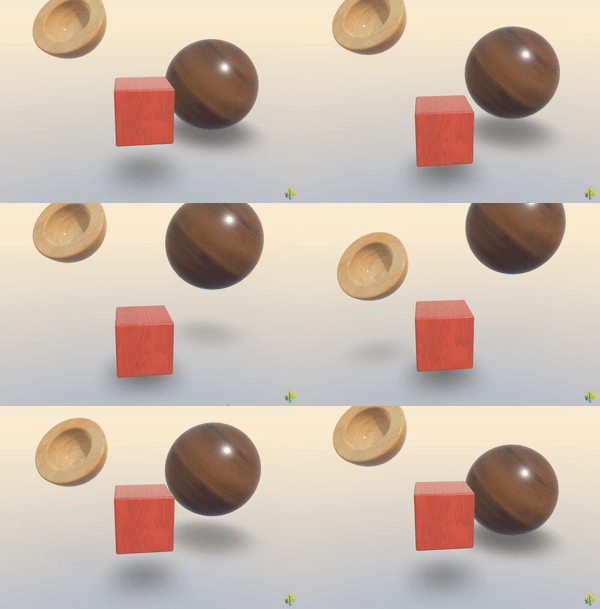\n\n**Setup options:**\n1. `ContactShadows.auto(context)` - Auto-create and fit to scene\n2. Add component manually to control position and scale\n3. HTML attribute: `<needle-engine contactshadows=\"0.7\">`\n\n**Properties:**\n- `opacity` / `darkness` - Shadow intensity\n- `blur` - Softness of shadow edges\n- Object scale defines shadow area size\n\n**Debug:** Use `?debugcontactshadows` URL parameter."},"flags":{},"children":[{"name":"autoFit","kind":"property","type":"boolean","comment":{"kind":"text","shortText":"When enabled the contact shadows component will be created to fit the whole scene."}},{"name":"darkness","kind":"property","type":"number","comment":{"kind":"text","shortText":"Darkness of the shadows."}},{"name":"opacity","kind":"property","type":"number","comment":{"kind":"text","shortText":"Opacity of the shadows."}},{"name":"blur","kind":"property","type":"number","comment":{"kind":"text","shortText":"Blur of the shadows."}},{"name":"occludeBelowGround","kind":"property","type":"boolean","comment":{"kind":"text","shortText":"When enabled objects will not be visible below the shadow plane"}},{"name":"backfaceShadows","kind":"property","type":"boolean","comment":{"kind":"text","shortText":"When enabled the backfaces of objects will cast shadows as well."}}]},{"file":"src/engine-components/DeleteBox.ts","name":"DeleteBox","kind":"class","categories":["Interactivity"],"groups":["Components"],"inheritedFrom":"BoxHelperComponent","comment":{"kind":"text","shortText":"Box area that deletes objects entering it","text":"The [DeleteBox](https://engine.needle.tools/docs/api/DeleteBox) component creates an invisible deletion zone that destroys objects entering it.\nWorks with objects that have a Deletable component attached.\n\n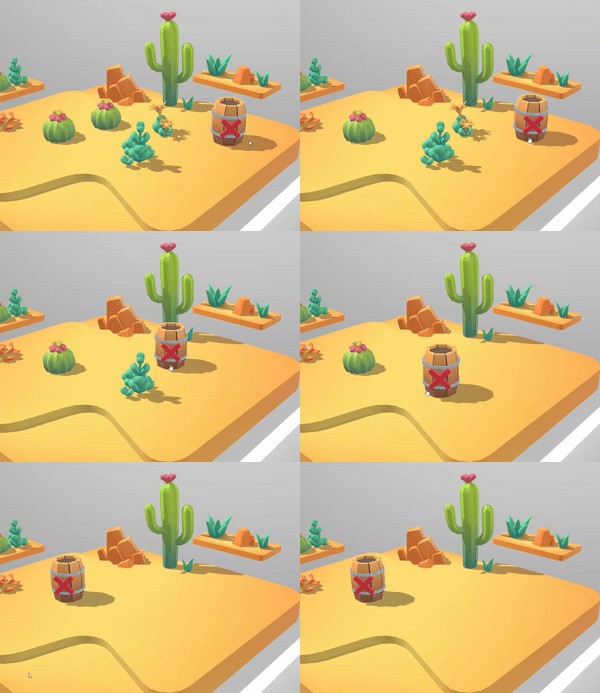\n\n**Use cases:**\n- Trash bins in sandbox builders\n- Kill zones in physics simulations\n- Cleanup areas for multiplayer scenes\n\n**Setup:**\n1. Add DeleteBox to a GameObject with a BoxCollider-like shape\n2. Add Deletable component to objects that should be destroyable\n3. Objects entering the box will be destroyed (synced across network)\n\n**Debug:** Use `?debugdeletable` URL parameter to visualize deletion areas.\n\n- Example: https://engine.needle.tools/samples/collaborative-sandbox"},"flags":{},"children":[]},{"file":"src/engine-components/DeleteBox.ts","name":"Deletable","kind":"class","categories":["Interactivity"],"groups":["Components"],"inheritedFrom":"Behaviour","comment":{"kind":"text","shortText":"Marks object as destroyable by DeleteBox","text":"Marks a GameObject as deletable by DeleteBox zones.\nObjects with this component will be destroyed (and synced across network)\nwhen they enter a DeleteBox area.\n\n**Note:** Objects currently being used (with UsageMarker) are protected from deletion."},"flags":{},"children":[]},{"file":"src/engine-components/DeviceFlag.ts","name":"DeviceFlag","kind":"class","categories":["Utilities"],"groups":["Components"],"inheritedFrom":"Behaviour","comment":{"kind":"text","shortText":"Show or hide GameObject based on device type","text":"DeviceFlag shows or hides GameObjects based on device type.\nUse for responsive 3D content - show different UI, models, or interactions\ndepending on mobile vs desktop.\n\n**Device types:**\n- `Desktop` - Traditional computers with mouse/keyboard\n- `Mobile` - Phones and tablets with touch input\n- Combine with bitwise OR for multiple: `Desktop | Mobile`"},"flags":{},"children":[{"name":"visibleOn","kind":"property","type":"DeviceType","comment":{"kind":"text","shortText":""}}]},{"file":"src/engine-components/DragControls.ts","name":"DragControls","kind":"class","categories":["Interactivity"],"groups":["Components"],"inheritedFrom":"Behaviour","comment":{"kind":"text","shortText":"Enables dragging of objects in 2D or 3D space","text":"[DragControls](https://engine.needle.tools/docs/api/DragControls) enables interactive dragging of objects in 2D (screen space) or 3D (world space).\n\n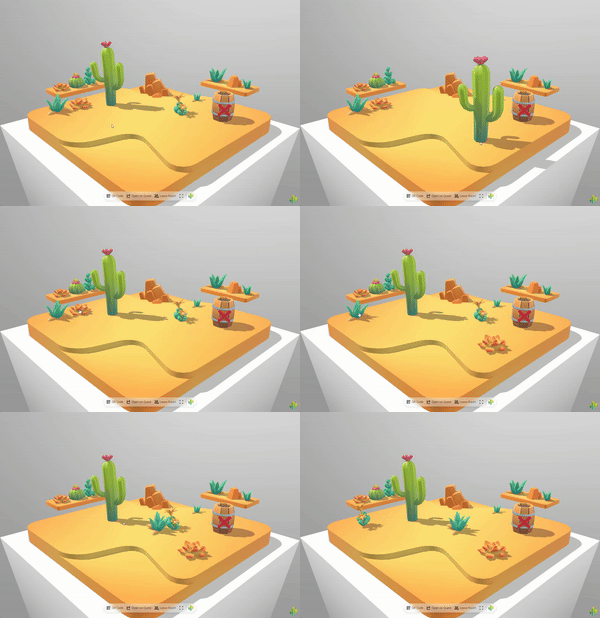\n\n**Drag modes:**\n- `XZPlane` - Drag on horizontal plane (good for floor objects)\n- `Attached` - Follow pointer directly (screen plane in 2D, controller in XR)\n- `HitNormal` - Drag along the surface normal where clicked\n- `DynamicViewAngle` - Auto-switch between XZ and screen based on view angle\n- `SnapToSurfaces` - Snap to scene geometry while dragging\n\n**Features:**\n- Works across desktop, mobile, VR, and AR\n- Optional grid snapping (`snapGridResolution`)\n- Rotation preservation (`keepRotation`)\n- Automatic networking with SyncedTransform\n\n\n**Debug:** Use `?debugdrag` URL parameter for visual helpers."},"flags":{},"children":[{"name":"dragMode","kind":"property","type":"DragMode","comment":{"kind":"text","shortText":"Determines how and where the object is dragged along. Different modes include\ndragging along a plane, attached to the pointer, or following surface normals."}},{"name":"snapGridResolution","kind":"property","type":"number","comment":{"kind":"text","shortText":"Snaps dragged objects to a 3D grid with the specified resolution.\nSet to 0 to disable snapping."}},{"name":"keepRotation","kind":"property","type":"boolean","comment":{"kind":"text","shortText":"When true, maintains the original rotation of the dragged object while moving it.\nWhen false, allows the object to rotate freely during dragging."}},{"name":"xrDragMode","kind":"property","type":"DragMode","comment":{"kind":"text","shortText":"Determines how and where the object is dragged along while dragging in XR.\nUses a separate setting from regular drag mode for better XR interaction."}},{"name":"xrKeepRotation","kind":"property","type":"boolean","comment":{"kind":"text","shortText":"When true, maintains the original rotation of the dragged object during XR dragging.\nWhen false, allows the object to rotate freely during XR dragging."}},{"name":"xrDistanceDragFactor","kind":"property","type":"number","comment":{"kind":"text","shortText":"Multiplier that affects how quickly objects move closer or further away when dragging in XR.\nHigher values make distance changes more pronounced.\nThis is similar to mouse acceleration on a screen."}},{"name":"showGizmo","kind":"property","type":"boolean","comment":{"kind":"text","shortText":"When enabled, draws a visual line from the dragged object downwards to the next raycast hit,\nproviding visual feedback about the object's position relative to surfaces below it."}}]},{"file":"src/engine-components/DropListener.ts","name":"DropListener","kind":"class","categories":["Asset Management"],"groups":["Components"],"inheritedFrom":"Behaviour","comment":{"kind":"text","shortText":"Drag-and-drop file loading for 3D assets","text":"DropListener enables drag-and-drop loading of 3D files directly into your scene.\nUsers can drop glTF/GLB files onto the canvas to dynamically add new objects at runtime.\n\n[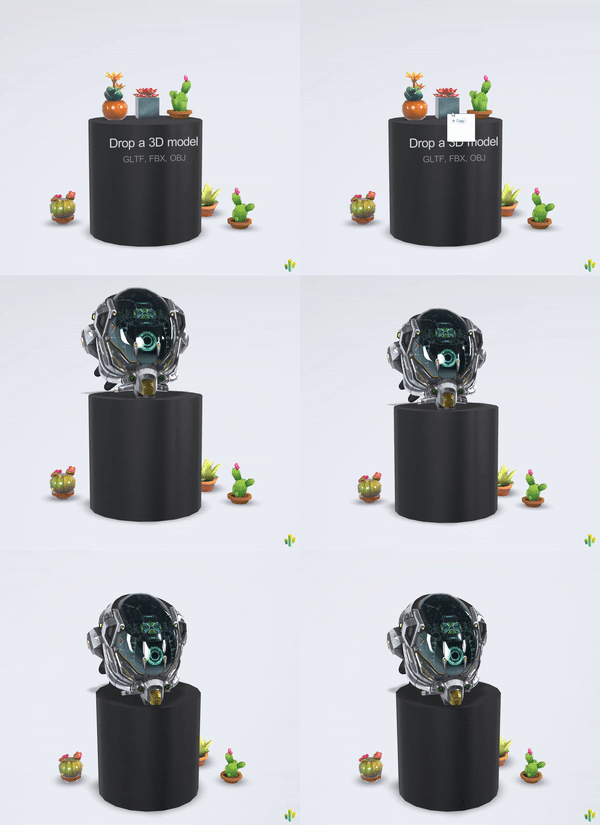](https://engine.needle.tools/samples/droplistener)\n\n**Supported formats:** glTF, GLB, FBX, OBJ, USDZ, VRM\n\n**Key features:**\n- Drop files directly onto canvas or onto a specific dropArea\n- Paste URLs from clipboard (Ctrl/Cmd+V)\n- Auto-fit objects to a specific size with fitIntoVolume\n- Network sync to share dropped objects with other users\n- Special handling for GitHub and Polyhaven URLs\n\n**Events:**\n- `file-dropped` - Fired for each dropped file\n- `object-added` - Fired when object is loaded and added to scene\n\n**Debug:** Use `?debugdroplistener` URL parameter"},"flags":{},"children":[{"name":"dropArea","kind":"property","type":"Object3D","comment":{"kind":"text","shortText":"When assigned, the DropListener will only accept files that are dropped on this specific object.\nThis allows creating designated drop zones in your scene."}},{"name":"fitIntoVolume","kind":"property","type":"boolean","comment":{"kind":"text","shortText":"When enabled, dropped objects will be automatically scaled to fit within the volume defined by fitVolumeSize.\nUseful for ensuring dropped models appear at an appropriate scale.\n\n**Tip**: Use the handy `fitObjectIntoVolume` function (`import { fitObjectIntoVolume } from \"@needle-tools/engine\"`) for custom fitting needs."}},{"name":"fitVolumeSize","kind":"property","type":"Vector3","comment":{"kind":"text","shortText":"Defines the dimensions of the volume that dropped objects will be scaled to fit within.\nOnly used when fitIntoVolume is enabled."}},{"name":"placeAtHitPosition","kind":"property","type":"boolean","comment":{"kind":"text","shortText":"When enabled, dropped objects will be positioned at the point where the cursor hit the scene.\nWhen disabled, objects will be placed at the origin of the DropListener."}},{"name":"useNetworking","kind":"property","type":"boolean","comment":{"kind":"text","shortText":"When enabled, the DropListener will automatically synchronize dropped files to other connected clients.\nWhen a file is dropped locally, it will be uploaded to blob storage and the URL will be shared with other clients."}},{"name":"onDropped","kind":"property","type":"EventList<DropListenerOnDropArguments>","comment":{"kind":"text","shortText":"Event list that gets invoked after a file has been successfully added to the scene.\nReceives DropListenerOnDropArguments containing the added object and related information."}}]},{"file":"src/engine-components/Duplicatable.ts","name":"Duplicatable","kind":"class","categories":["Interactivity"],"groups":["Components"],"inheritedFrom":"Behaviour","comment":{"kind":"text","shortText":"Duplicates a GameObject on pointer events","text":"The [Duplicatable](https://engine.needle.tools/docs/api/Duplicatable) component creates clones of a GameObject when clicked/tapped/dragged.\nPerfect for spawning objects, creating drag-and-drop inventories, or multiplayer object creation.\n\n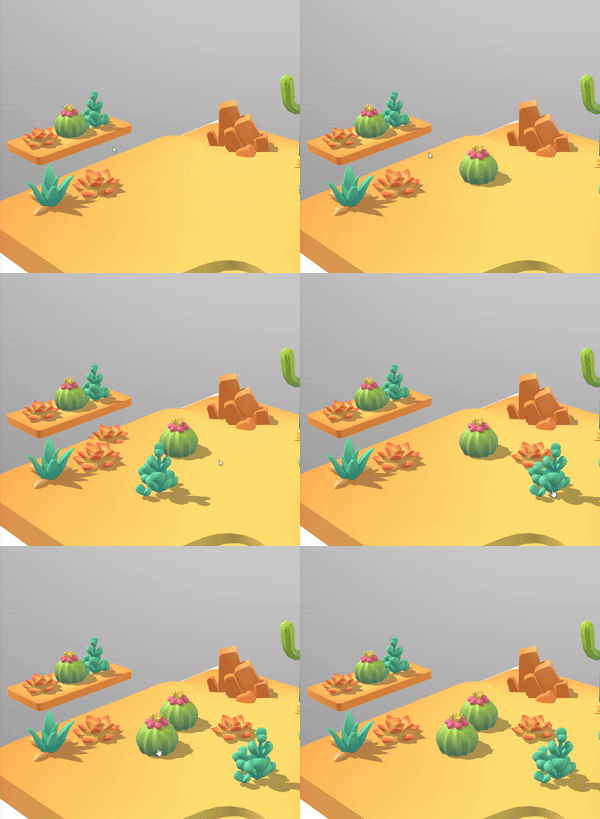\n\n**How it works:**\n- When the user clicks on this object, it creates a clone of the assigned `object`\n- The clone is automatically set up with DragControls so users can drag it\n- If networking is enabled, clones are synced via SyncedTransform\n- Rate limiting prevents spam (controlled by `limitCount`)\n\n**Setup tips:**\n- Assign `object` to a template object (it will be hidden and used as source)\n- If `object` is not assigned, the component's own GameObject is used as template\n- Add an ObjectRaycaster to enable pointer detection (added automatically if missing)"},"flags":{},"children":[{"name":"parent","kind":"property","type":"GameObject | null","comment":{"kind":"text","shortText":"Parent object for spawned duplicates.\nIf not set, duplicates are parented to this GameObject's parent."}},{"name":"object","kind":"property","type":"GameObject | null","comment":{"kind":"text","shortText":"Template object to duplicate. This object will be hidden and used as the source for clones.\nIf not assigned, this GameObject itself is used as the template."}},{"name":"limitCount","kind":"property","type":"number","comment":{"kind":"text","shortText":"Maximum duplications allowed per second to prevent spam.\nThe counter decreases by 1 each second."}}]},{"file":"src/engine-components/EventTrigger.ts","name":"EventTrigger","kind":"class","categories":["Interactivity"],"groups":["Components"],"inheritedFrom":"Behaviour","comment":{"kind":"text","shortText":"Triggers events on pointer interactions","text":"The [EventTrigger](https://engine.needle.tools/docs/api/EventTrigger) component is used to trigger events when certain pointer events occur on the GameObject.\nIt implements the IPointerEventHandler interface and can be used to expose events to the user in the editor without writing code."},"flags":{},"children":[{"name":"triggers","kind":"property","type":"Array<TriggerEvent>","comment":{"kind":"text","shortText":"A list of events that should be triggered when a pointer event occurs on the GameObject."}}]},{"file":"src/engine-components/Fog.ts","name":"Fog","kind":"class","categories":["Rendering"],"groups":["Components"],"inheritedFrom":"Behaviour","comment":{"kind":"text","shortText":"Adds fog effect to the scene","text":"Adds distance-based fog effect to the scene.\nWhen enabled, objects will fade into the fog color based on their distance from the camera.\n\nThis component is automatically added to the scene when fog is enabled in the editor.\nFor setting fog from code you can simply use `scene.fog = new Fog3(color, near, far)` without adding this component."},"flags":{},"children":[{"name":"near","kind":"property","type":"number","comment":{"kind":"text","shortText":""}},{"name":"far","kind":"property","type":"number","comment":{"kind":"text","shortText":""}},{"name":"color","kind":"property","type":"Color","comment":{"kind":"text","shortText":""}}]},{"file":"src/engine-components/Gizmos.ts","name":"BoxGizmo","kind":"class","categories":["Helpers"],"groups":["Components"],"inheritedFrom":"Behaviour","comment":{"kind":"text","shortText":"Display a box around the object","text":"BoxGizmo is a component that displays a box around the object in the scene. It can optionally expand to the object's bounds."},"flags":{},"children":[{"name":"objectBounds","kind":"property","type":"boolean","comment":{"kind":"text","shortText":""}},{"name":"color","kind":"property","type":"Color","comment":{"kind":"text","shortText":""}},{"name":"isGizmo","kind":"property","type":"boolean","comment":{"kind":"text","shortText":""}}]},{"file":"src/engine-components/GridHelper.ts","name":"GridHelper","kind":"class","categories":["Helpers"],"groups":["Components"],"inheritedFrom":"Behaviour","comment":{"kind":"text","shortText":"The GridHelper displays a flat grid in the scene for visual reference.","text":"The [GridHelper](https://engine.needle.tools/docs/api/GridHelper) displays a flat grid in the scene for visual reference.\nUseful for debugging, level design, or providing spatial context.\n\n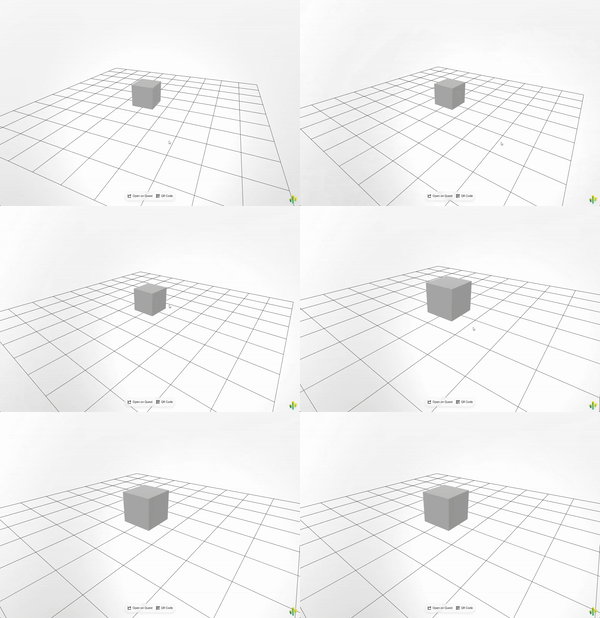\n\n**Properties:**\n- `color0` / `color1` - Alternating grid line colors\n- `isGizmo` - When true, only shows when gizmos are enabled"},"flags":{},"children":[{"name":"isGizmo","kind":"property","type":"boolean","comment":{"kind":"text","shortText":""}},{"name":"color0","kind":"property","type":"Color | ColorRepresentation","comment":{"kind":"text","shortText":""}},{"name":"color1","kind":"property","type":"Color | ColorRepresentation","comment":{"kind":"text","shortText":""}}]},{"file":"src/engine-components/GroundProjection.ts","name":"GroundProjectedEnv","kind":"class","categories":["Rendering"],"groups":["Components"],"inheritedFrom":"Behaviour","comment":{"kind":"text","shortText":"Projects the environment map onto the ground","text":"The [GroundProjectedEnv](https://engine.needle.tools/docs/api/GroundProjectedEnv) projects the environment map onto a virtual ground plane.\nCreates a realistic floor from 360° panoramas/HDRIs by deforming the skybox\ninto a hemisphere with a beveled floor.\n\n\n[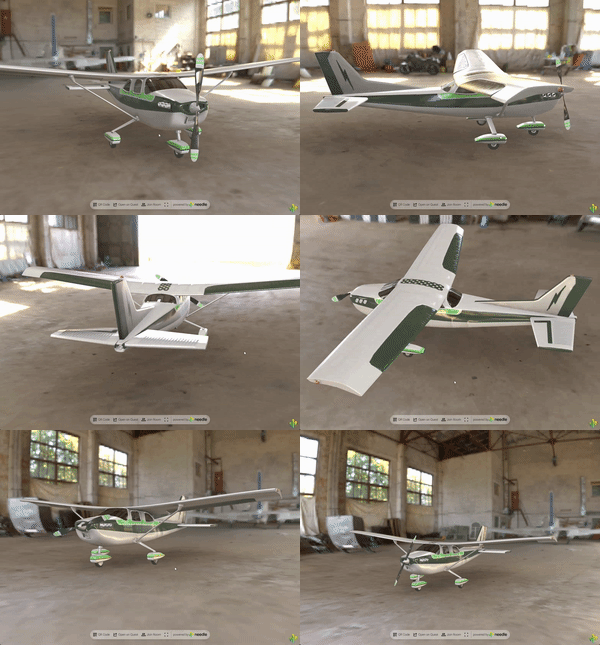](https://engine.needle.tools/samples/ground-projection)\n\n**Key properties:**\n- `radius` - Size of the projection sphere (keep camera inside)\n- `height` - How high the original photo was taken (affects floor magnification)\n- `autoFit` - Automatically center and position at ground level\n- `arBlending` - Blend with real-world in AR (0=hidden, 1=visible)\n\n**Debug:** Use `?debuggroundprojection` URL parameter."},"flags":{},"children":[{"name":"applyOnAwake","kind":"property","type":"boolean","comment":{"kind":"text","shortText":"If true the projection will be created on awake and onEnable"}},{"name":"autoFit","kind":"property","type":"boolean","comment":{"kind":"text","shortText":"When enabled the position of the projected environment will be adjusted to be centered in the scene (and ground level)."}},{"name":"radius","kind":"property","type":"number","comment":{"kind":"text","shortText":"Radius of the projection sphere. Set it large enough so the camera stays inside (make sure the far plane is also large enough)"}},{"name":"height","kind":"property","type":"number","comment":{"kind":"text","shortText":"How far the camera that took the photo was above the ground. A larger value will magnify the downward part of the image."}},{"name":"arBlending","kind":"property","type":"number","comment":{"kind":"text","shortText":"Blending factor for the AR projection being blended with the scene background.\n0 = not visible in AR - 1 = blended with real world background.\nValues between 0 and 1 control the smoothness of the blend while lower values result in smoother blending."}}]},{"file":"src/engine-components/Interactable.ts","name":"UsageMarker","kind":"class","categories":["Interactivity"],"groups":["Components"],"inheritedFrom":"Behaviour","comment":{"kind":"text","shortText":"Marks object as currently being interacted with","text":"UsageMarker indicates an object is currently being interacted with.\nComponents like DragControls add this to prevent accidental deletion\nby DeleteBox while the user is dragging."},"flags":{},"children":[]},{"file":"src/engine-components/Interactable.ts","name":"Interactable","kind":"class","categories":[],"groups":[],"inheritedFrom":"Behaviour","comment":{"kind":"text","shortText":""},"flags":{},"children":[]},{"file":"src/engine-components/Joints.ts","name":"Joint","kind":"class","categories":["Physics"],"groups":["Components"],"inheritedFrom":"Behaviour","comment":{"kind":"text","shortText":"Connect two Rigidbodies with physics constraints","text":"Base class for physics joints that connect two Rigidbody components.\nJoints constrain how two bodies can move relative to each other.\n\nThe joint is created between:\n- The Rigidbody on this GameObject (automatically found)\n- The connectedBody Rigidbody you specify"},"flags":{"isAbstract":true},"children":[{"name":"connectedBody","kind":"property","type":"Rigidbody","comment":{"kind":"text","shortText":"The other Rigidbody to connect to"}}]},{"file":"src/engine-components/Joints.ts","name":"FixedJoint","kind":"class","categories":["Physics"],"groups":["Components"],"inheritedFrom":"Joint","comment":{"kind":"text","shortText":"Lock two Rigidbodies together rigidly","text":"FixedJoint locks two Rigidbody components together, making them move as one rigid unit.\nThe bodies maintain their relative position and rotation at the time the joint is created.\n\nUse this for:\n- Attaching objects together permanently\n- Creating compound rigid bodies\n- Welding broken pieces back together"},"flags":{},"children":[]},{"file":"src/engine-components/Joints.ts","name":"HingeJoint","kind":"class","categories":["Physics"],"groups":["Components"],"inheritedFrom":"Joint","comment":{"kind":"text","shortText":"Connect two Rigidbodies with a rotating hinge","text":"HingeJoint connects two Rigidbody components with a rotating constraint,\nlike a door hinge or wheel axle. Bodies can only rotate around the specified axis.\n\nUse this for:\n- Doors and gates\n- Wheels and axles\n- Pendulums\n- Any rotating mechanical connection"},"flags":{},"children":[{"name":"anchor","kind":"property","type":"Vector3","comment":{"kind":"text","shortText":"Local position of the hinge pivot point"}},{"name":"axis","kind":"property","type":"Vector3","comment":{"kind":"text","shortText":"Axis of rotation for the hinge (e.g., Vector3(0,1,0) for vertical axis)"}}]},{"file":"src/engine-components/LODGroup.ts","name":"LODGroup","kind":"class","categories":["Rendering"],"groups":["Components"],"inheritedFrom":"Behaviour","comment":{"kind":"text","shortText":"Level of Detail Group for optimizing rendering","text":"LODGroup manages multiple levels of detail for optimized rendering.\nObjects switch between different detail levels based on distance from camera.\n\nLOD levels are defined in LODModel objects, each specifying:\n- The distance at which that level becomes active\n- The Renderer components to show at that level\n\nThis is useful for performance optimization - showing high-detail models up close\nand lower-detail versions at distance where the difference isn't visible.\n\n**Progressive Loading:**\nFor automatic texture/mesh LOD streaming, see the `@needle-tools/gltf-progressive` package\nwhich provides progressive loading capabilities independent of this component.\n\n**Debug options:**\n- `?debuglods` - Log LOD switching information\n- `?nolods` - Disable LOD system entirely"},"flags":{},"children":[{"name":"lodModels","kind":"property","type":"LODModel[]","comment":{"kind":"text","shortText":"Array of LOD level configurations"}}]},{"file":"src/engine-components/Light.ts","name":"Light","kind":"class","categories":["Rendering"],"groups":["Components"],"inheritedFrom":"Behaviour","comment":{"kind":"text","shortText":"Light component for various light types and shadow settings","text":"[Light](https://engine.needle.tools/docs/api/Light) creates a light source in the scene for illuminating 3D objects.\n\n**Light types:**\n- `Directional` - Sun-like parallel rays (best for outdoor scenes)\n- `Point` - Omnidirectional from a point (bulbs, candles)\n- `Spot` - Cone-shaped (flashlights, stage lights)\n\n**Shadows:**\nEnable shadows via `shadows` property. Configure quality with shadow resolution\nsettings. Directional lights support adaptive shadow cascades.\n\n**Performance tips:**\n- Use baked lighting (`lightmapBakeType = Baked`) when possible\n- Limit shadow-casting lights (1-2 recommended)\n- Reduce shadow resolution for mobile\n\n**Debug:** Use `?debuglights` URL parameter for visual helpers."},"flags":{},"children":[{"name":"type","kind":"property","type":"LightType","comment":{"kind":"text","shortText":"The type of light (spot, directional, point, etc.)\nCan not be changed at runtime."}},{"name":"color","kind":"property","type":"Color","comment":{"kind":"text","shortText":"The color of the light"}},{"name":"shadowNearPlane","kind":"property","type":"number","comment":{"kind":"text","shortText":"The near plane distance for shadow projection"}},{"name":"shadowBias","kind":"property","type":"number","comment":{"kind":"text","shortText":"Shadow bias value to reduce shadow acne and peter-panning"}},{"name":"shadowNormalBias","kind":"property","type":"number","comment":{"kind":"text","shortText":"Shadow normal bias to reduce shadow acne on sloped surfaces"}},{"name":"shadows","kind":"property","type":"LightShadows","comment":{"kind":"text","shortText":"Shadow casting mode (None, Hard, or Soft)"}},{"name":"lightmapBakeType","kind":"property","type":"LightmapBakeType","comment":{"kind":"text","shortText":"Determines if the light contributes to realtime lighting, baked lighting, or a mix"}},{"name":"intensity","kind":"property","type":"number","comment":{"kind":"text","shortText":"Brightness of the light. In WebXR experiences, the intensity is automatically\nadjusted based on the AR session scale to maintain consistent lighting."}}]},{"file":"src/engine-components/LookAtConstraint.ts","name":"LookAtConstraint","kind":"class","categories":["Camera and Controls"],"groups":["Components"],"inheritedFrom":"Behaviour","comment":{"kind":"text","shortText":"Look At Constraint for camera targeting","text":"The [LookAtConstraint](https://engine.needle.tools/docs/api/LookAtConstraint) component is primarely used by OrbitControls to set the camera's focus point.\nIt does not have its own logic to update the look-at position.\n\nThe constraint uses a list of source objects - the look-at target is\ncalculated from the first source in the `sources` array.\n\n**Integration with OrbitControls:**\nWhen attached to the same GameObject as OrbitControls, this constraint\ncontrols where the camera orbits around and looks at."},"flags":{},"children":[{"name":"constraintActive","kind":"property","type":"boolean","comment":{"kind":"text","shortText":"When true, the constraint is active and affects the target.\nSet to false to temporarily disable without removing sources."}},{"name":"locked","kind":"property","type":"boolean","comment":{"kind":"text","shortText":"When true, the look-at position is locked and won't update\neven if source objects move."}},{"name":"sources","kind":"property","type":"Object3D[]","comment":{"kind":"text","shortText":"Objects to look at. The first object in the array is used\nas the primary look-at target."}}]},{"file":"src/engine-components/NeedleMenu.ts","name":"NeedleMenu","kind":"class","categories":["User Interface"],"groups":["Components"],"inheritedFrom":"Behaviour","comment":{"kind":"text","shortText":"Configuration component for the Needle Menu overlay","text":"[NeedleMenu](https://engine.needle.tools/docs/api/NeedleMenu) provides configuration for the built-in UI menu.\nThe menu renders as HTML overlay in browser mode and automatically\nswitches to a 3D spatial menu in VR/AR.\n\n\n\n**Features:**\n- Fullscreen toggle button\n- Audio mute/unmute button\n- QR code sharing (desktop only)\n- Spatial menu in XR (appears when looking up)\n- Custom positioning (top/bottom)\n\n**Programmatic access:**\nAccess the menu API via `this.context.menu` to add custom buttons,\nshow/hide elements, or modify behavior at runtime."},"flags":{},"children":[{"name":"position","kind":"property","type":"\"top\" | \"bottom\"","comment":{"kind":"text","shortText":"Determines the vertical positioning of the menu on the screen"}},{"name":"showNeedleLogo","kind":"property","type":"boolean","comment":{"kind":"text","shortText":"Controls the visibility of the Needle logo in the menu (requires PRO license)"}},{"name":"showSpatialMenu","kind":"property","type":"boolean","comment":{"kind":"text","shortText":"When enabled, displays the menu in VR/AR mode when the user looks up"}},{"name":"createFullscreenButton","kind":"property","type":"boolean","comment":{"kind":"text","shortText":"When enabled, adds a fullscreen toggle button to the menu"}},{"name":"createMuteButton","kind":"property","type":"boolean","comment":{"kind":"text","shortText":"When enabled, adds an audio mute/unmute b