@micro-zoe/micro-app
Version:
A lightweight, efficient and powerful micro front-end framework
157 lines (120 loc) • 5.57 kB
Markdown
<p align="center">
<a href="https://jd-opensource.github.io/micro-app/">
<img src="https://jd-opensource.github.io/micro-app/home/assets/logo.png" alt="logo" width="200"/>
</a>
</p>
<p align="center">
<a href="https://www.npmjs.com/package/@micro-zoe/micro-app">
<img src="https://img.shields.io/npm/v/@micro-zoe/micro-app.svg" alt="version"/>
</a>
<a href="https://www.npmjs.com/package/@micro-zoe/micro-app">
<img src="https://img.shields.io/npm/dt/@micro-zoe/micro-app.svg" alt="downloads"/>
</a>
<a href="https://github.com/jd-opensource/micro-app/blob/master/LICENSE">
<img src="https://img.shields.io/npm/l/@micro-zoe/micro-app.svg" alt="license"/>
</a>
<a href="https://github.com/jd-opensource/micro-app/blob/dev/Contact.md">
<img src="https://img.shields.io/badge/chat-wechat-blue" alt="WeChat">
</a>
<a href="https://travis-ci.com/github/jd-opensource/micro-app">
<img src="https://api.travis-ci.com/jd-opensource/micro-app.svg?branch=master" alt="travis"/>
</a>
<a href="https://coveralls.io/github/jd-opensource/micro-app?branch=master">
<img src="https://coveralls.io/repos/github/jd-opensource/micro-app/badge.svg?branch=master" alt="coveralls"/>
</a>
</p>
English|[简体中文](./README.zh-cn.md)|[Documentation](https://jd-opensource.github.io/micro-app/)|[Discussions](https://github.com/jd-opensource/micro-app/discussions)|[WeChat](./Contact.md)
# 📖Introduction
micro-app is a micro front-end framework launched by JD Retail. It renders based on webcomponent-like and realizes the micro front-end from component thinking, it aiming to reduce the difficulty of getting started and improve work efficiency.
It is the lowest cost framework for accessing micro front-end, and provides a series of perfect functions such as JS sandbox, style isolation, element isolation, preloading, resource address completion, plugin system, data communication and so on.
micro-app has no restrictions on the front-end framework, and any framework can be used as a base application to embed any type of micro application of the framework.
# How to use
## Base application
**1、Install**
```bash
yarn add @micro-zoe/micro-app
```
**2、import at the entrance**
```js
// main.js
import microApp from '@micro-zoe/micro-app'
microApp.start()
```
**3、Use components in page**
```html
<!-- my-page.vue -->
<template>
<!-- 👇 name is the app name, url is the app address -->
<micro-app name='my-app' url='http://localhost:3000/'></micro-app>
</template>
```
## Sub application
**Set cross-domain support in the headers of webpack-dev-server**
```js
devServer: {
headers: {
'Access-Control-Allow-Origin': '*',
},
},
```
The above micro front-end rendering is completed, and the effect is as follows:
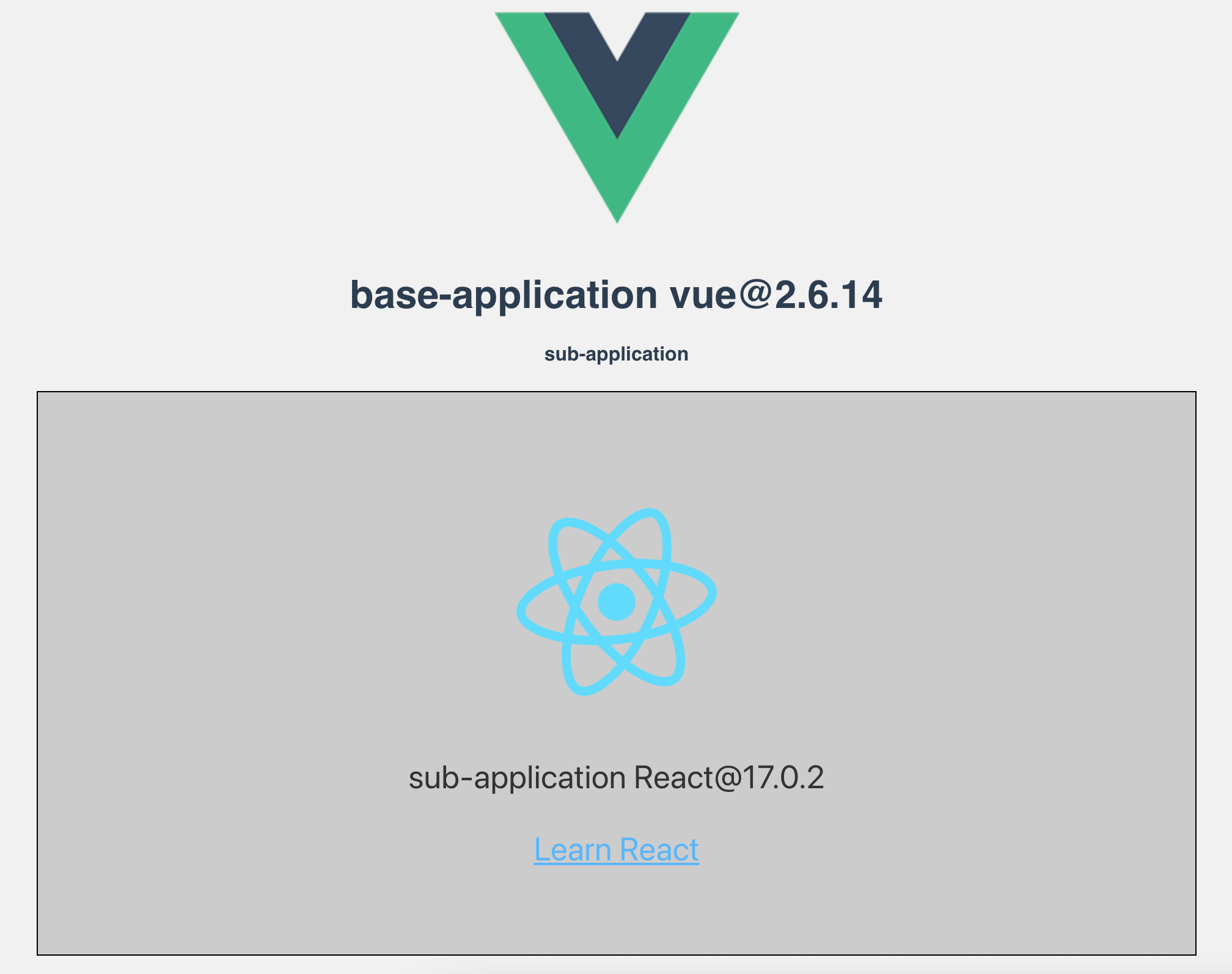
More detailed configuration can be viewed [Documentation](https://jd-opensource.github.io/micro-app/docs.html#/zh-cn/start).
# 🤝 Contribution
If you're interested in this project, you're welcome to mention pull request, and also welcome your "Star" ^_^
### development
1、Clone
```
git clone https://github.com/jd-opensource/micro-app.git
```
2、Install dependencies
```
yarn bootstrap
```
3、Run project
```
yarn start
```
For more commands, see [DEVELOP](https://github.com/jd-opensource/micro-app/blob/master/DEVELOP.md)
# FAQ
<details>
<summary>What are the advantages of micro-app?</summary>
It is easy to use and low invasive. It only needs to change a small amount of code to access the micro front-end, and provides rich functions at the same time.
</details>
<details>
<summary>How compatible?</summary>
The micro-app relies on two newer APIs, CustomElements and Proxy.
For browsers that do not support CustomElements, they can be compatible by introducing polyfills. For details, please refer to: [webcomponents/polyfills](https://github.com/webcomponents/polyfills/tree/master/packages/custom-elements)。
However, Proxy is not compatible for the time being, so the micro-app cannot be run on browsers that do not support Proxy.
Browser compatibility can be viewed: [Can I Use](https://caniuse.com/?search=Proxy)
The general is as follows:
- desktop: Except IE browser, other browsers are basically compatible.
- mobile: ios10+、android5+
</details>
<details>
<summary>Must micro applications support cross-domain?</summary>
yes!
If it is a development environment, you can set headers in webpack-dev-server to support cross-domain.
```js
devServer: {
headers: {
'Access-Control-Allow-Origin': '*',
},
}
```
If it is a production environment, you can support cross-domain through [Configuration nginx](https://segmentfault.com/a/1190000012550346).
</details>
<details>
<summary>Does it support vite?</summary>
Yes, please see [adapt vite](https://jd-opensource.github.io/micro-app/docs.html#/zh-cn/framework/vite) for details.
</details>
<details>
<summary>Does it support ssr?</summary>
Yes, please see [nextjs](https://jd-opensource.github.io/micro-app/docs.html#/zh-cn/framework/nextjs), [nuxtjs](https://jd-opensource.github.io/micro-app/docs.html#/zh-cn/framework/nuxtjs) for details.
</details>
# Contributors
<a href="https://github.com/jd-opensource/micro-app/graphs/contributors">
<img src="https://contrib.rocks/image?repo=jd-opensource/micro-app" />
</a>
# License
[MIT License](https://github.com/jd-opensource/micro-app/blob/master/LICENSE)