@merkur/core
Version:
Merkur is tiny and extensible library for creating front-end microservices.
130 lines (89 loc) • 5.75 kB
Markdown
<p align="center">
<a href="https://merkur.js.org/docs/getting-started" title="Getting started">
<img src="https://raw.githubusercontent.com/mjancarik/merkur/master/images/merkur-logo.png" width="100px" height="100px" alt="Merkur illustration"/>
</a>
</p>
# Merkur
[](https://github.com/mjancarik/merkur/actions/workflows/ci.yml)
[](https://www.npmjs.com/package/@merkur/core)

[](https://github.com/prettier/prettier)
The [Merkur](https://merkur.js.org/) is tiny extensible javascript library for front-end microservices(micro frontends). It allows by default server side rendering for loading performance boost. You can connect it with other frameworks or languages because merkur defines easy API. You can use one of six predefined template's library [Preact](https://preactjs.com/), [µhtml](https://github.com/WebReflection/uhtml#readme), [Svelte](https://svelte.dev/) and [vanilla](https://developer.mozilla.org/en-US/docs/Web/JavaScript/Reference/Template_literals) but you can easily extend for others.
## Features
- Flexible templating engine
- Usable with all tech stacks
- SSR-ready by default
- Easy extensible with plugins
- Tiny - 1 KB minified + gzipped
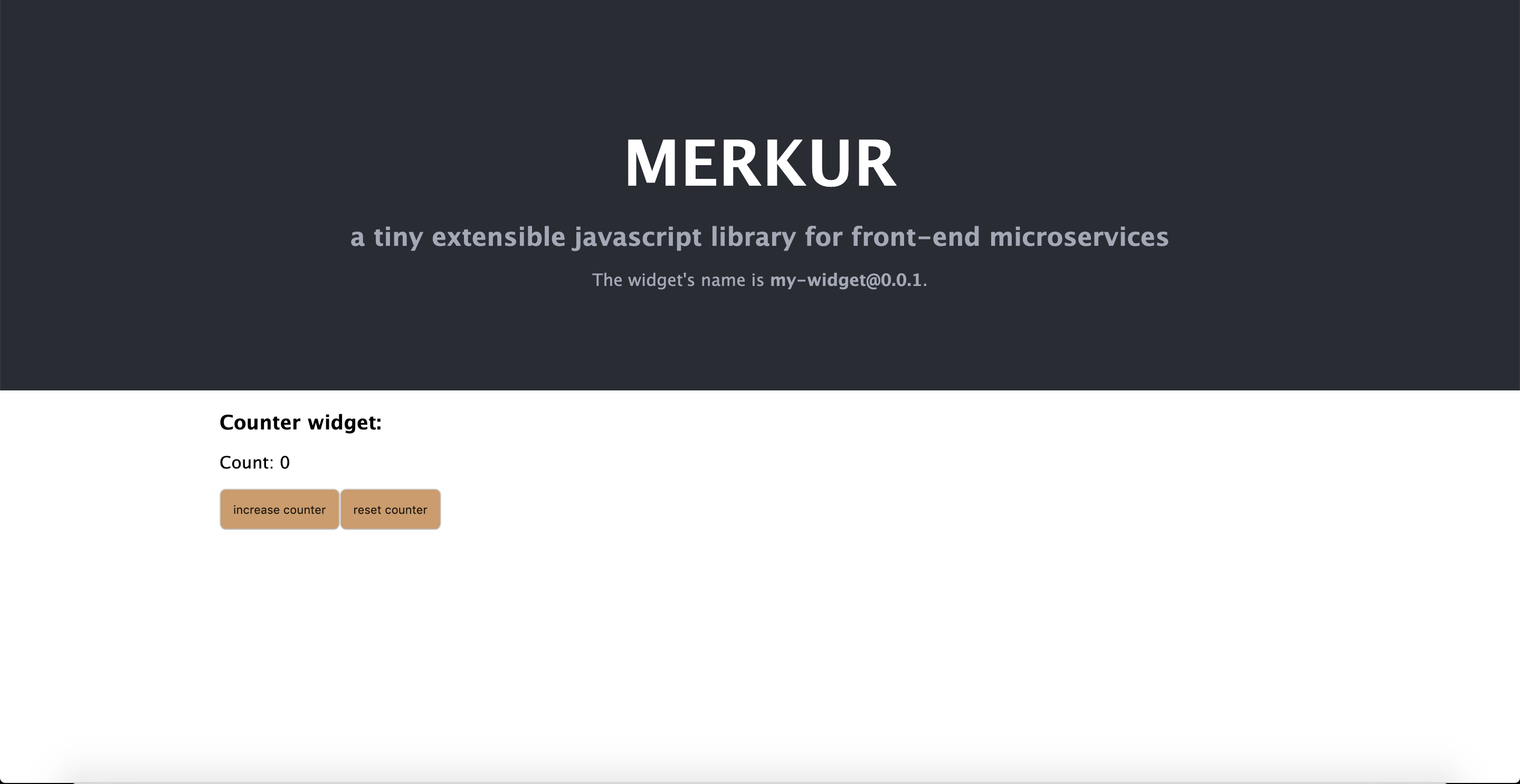
## Getting started
```bash
npx @merkur/create-widget <name>
cd name
npm run dev // Point your browser at http://localhost:4444/
```
## Documentation
To check out [live demo](https://merkur.js.org/demo) and [docs](https://merkur.js.org/docs), visit [https://merkur.js.org](https://merkur.js.org).
## Contribution
Contribute to this project via [Pull-Requests](https://github.com/mjancarik/merkur/pulls).
We are using [Changesets](https://github.com/changesets/changesets) for versioning and releasing. To add a changeset describing your changes, run `npm run changeset`.
> **Note:** The release process is documented **only** in this root README. Any per-package README sections that still describe a Lerna/Conventional Commits–based release flow are outdated and should be ignored in favour of the instructions below.
### Changeset format
Each changeset file (`.changeset/*.md`) must follow this structure:
**Frontmatter** — standard Changesets YAML listing affected package names and bump types (`patch`, `minor`, `major`).
**First line after frontmatter** — a single brief sentence summarising the change. No heading, no bold, no trailing bullet — just a plain declarative sentence. This section is not required but helps to quickly understand the change when browsing the changesets.
**Body** — three bullet points in this exact order, with no blank lines between them:
- **What** One or more sentences describing what changed: which APIs, files, or behaviours were added, removed, or fixed. Make sublists if needed to break down complex changes, but keep each bullet point as a single paragraph.
- **Why** One or more sentences explaining the motivation: why the change was necessary or beneficial.
- **How** Migration steps for consumers or contributors. If no action is required, write exactly: `Nothing.`
Additional rules:
- Each bullet is a single paragraph — no nested lists, no code blocks inside a bullet.
- Do not use headings (`##`, `###`) inside the body.
- Code symbols (function names, paths, package names) use backtick inline code.
Example:
```markdown
---
"@merkur/example": minor
---
Add `createFoo` helper for simplified widget initialisation.
- **What** New `createFoo(options)` export in `@merkur/example` wraps the low-level `initFoo` call and applies sensible defaults for `name` and `version`.
- **Why** Every project was duplicating the same boilerplate to call `initFoo`; centralising it reduces setup friction and ensures consistent defaults.
- **How** Replace direct `initFoo` calls with `createFoo({ name, version })`. The returned object is API-compatible, so no further changes are needed.
```
### Release
To release a version you must have the right permissions, please contact one of the repo maintainers.
#### Regular version release
To do a regular release, from the `master` branch with no uncommitted changes, run:
```
npm run release
```
This runs `release:prepare` (applies pending changesets, bumps versions, updates `package-lock.json`) followed by `release:push` (commits, tags, and pushes to the repository).
Packages are published from a GitHub Action triggered when a new version tag is pushed.
#### RC (pre-release) release
1. Enter pre-release mode (only needs to be done once per RC cycle):
```
npm run release:next:init
```
This sets pre-release mode to `rc`, so subsequent version bumps produce `rc` versions (e.g. `v0.44.0-rc.0`).
2. Add a changeset describing your changes:
```
npm run changeset
```
3. Bump versions and push the RC release:
```
npm run release
```
Repeat steps 2–3 for each subsequent RC iteration (e.g. `rc.0 → rc.1`).
4. When ready to graduate to a stable release, exit pre-release mode and prepare the final version:
```
npm run release:graduate
```
Then push with:
```
npm run release:push
```
---
Thank you to all the people who already contributed to Merkur!
<a href="https://github.com/mjancarik/merkur/graphs/contributors">
<img src="https://contrib.rocks/image?repo=mjancarik/merkur" />
</a>