@marp-team/marp-core
Version:
The core of Marp tools
362 lines (243 loc) • 16.3 kB
Markdown
# @marp-team/marp-core
[](https://circleci.com/gh/marp-team/marp-core/)
[](https://codecov.io/gh/marp-team/marp-core)
[](https://www.npmjs.com/package/@marp-team/marp-core)
[](./LICENSE)
**The core of [Marp](https://github.com/marp-team/marp) converter.**
In order to use on Marp tools, we have extended from the slide deck framework **[Marpit](https://github.com/marp-team/marpit)**. You can use the practical Markdown syntax, advanced features, and official themes.
## Install
```bash
npm install --save @marp-team/marp-core
```
## Usage
We provide `Marp` class, that is inherited from [Marpit](https://github.com/marp-team/marpit).
```javascript
import { Marp } from '@marp-team/marp-core'
// Convert Markdown slide deck into HTML and CSS
const marp = new Marp()
const { html, css } = marp.render('# Hello, marp-core!')
```
## Features
_We will only explain features extended in marp-core._ Please refer to [Marpit framework](https://marpit.marp.app) if you want to know the basic features.
---
### Marp Markdown
**Marp Markdown** is a custom Markdown flavor based on [Marpit](https://marpit.marp.app) and [CommonMark](https://commonmark.org/). Following are principle differences from the original:
- **Marpit**
- Enabled [inline SVG slide](https://marpit.marp.app/inline-svg), [CSS container query support and loose YAML parsing](https://marpit-api.marp.app/marpit#Marpit) by default.
* **CommonMark**
- For making secure, using some insecure HTML elements and attributes are denied by default.
- Support [table](https://github.github.com/gfm/#tables-extension-) and [strikethrough](https://github.github.com/gfm/#strikethrough-extension-) syntax, based on [GitHub Flavored Markdown](https://github.github.com/gfm/).
- Line breaks in paragraph will convert to `<br>` tag.
- Slugification for headings (assigning auto-generated `id` attribute for `<h1>` - `<h6>`) is enabled by default.
---
### [Built-in official themes][themes]
We provide built-in official themes for Marp. See more details in [themes].
| Default | Gaia | Uncover |
| :-----------------------------------: | :-----------------------------------: | :-----------------------------------: |
| [][themes] | [][themes] | [][themes] |
| `<!-- theme: default -->` | `<!-- theme: gaia -->` | `<!-- theme: uncover -->` |
[themes]: ./themes/
---
### `size` global directive
Do you want a traditional 4:3 slide size? Marp Core adds the support of `size` global directive. The extended theming system can switch the slide size easier.
```markdown
---
theme: gaia
size: 4:3
---
# A traditional 4:3 slide
```
[Built-in themes for Marp][themes] have provided `16:9` (1280x720) and `4:3` (960x720) preset sizes.
#### Define size presets in custom theme CSS
If you want to use more size presets in your own theme, you have to define `@size` metadata(s) in theme CSS. [Learn in the document of theme metadata for Marp Core][metadata].
Theme author does not have to worry an unintended design being used with unexpected slide size because user only can use pre-defined presets by author.
[metadata]: ./themes#metadata-for-additional-features
---
### Emoji support
Emoji shortcode (like `:smile:`) and Unicode emoji 😄 will convert into the SVG vector image provided by [twemoji](https://github.com/jdecked/twemoji) <img src="https://cdn.jsdelivr.net/gh/jdecked/twemoji@15.1.0/assets/svg/1f604.svg" alt="😄" width="16" height="16" />. It could render emoji with high resolution.
---
### Math typesetting
We have [Pandoc's Markdown style](https://pandoc.org/MANUAL.html#math) math typesetting support. Surround your formula by `$...$` to render math as inline, and `$$...$$` to render as block.
<table>
<thead>
<tr>
<th style="text-align:center;width:50%;">Markdown</th>
<th style="text-align:center;width:50%;">Rendered slide</th>
</tr>
</thead>
<tbody>
<tr>
<td>
```tex
Render inline math such as $ax^2+bc+c$.
$$ I_{xx}=\int\int_Ry^2f(x,y)\cdot{}dydx $$
$$
f(x) = \int_{-\infty}^\infty
\hat f(\xi)\,e^{2 \pi i \xi x}
\,d\xi
$$
```
</td>
<td>

</td>
</tbody>
</table>
You can choose using library for math from [MathJax](https://www.mathjax.org/) and [KaTeX](https://khan.github.io/KaTeX/) in [`math` global directive](#math-global-directive) (or [JS constructor option](#math-constructor-option)). By default, we prefer MathJax for better rendering and syntax support, but KaTeX is faster rendering if you had a lot of formulas.
#### `math` global directive
Through `math` global directive, Marp Core is supporting to declare math library that will be used within current Markdown.
Set **`mathjax`** or **`katex`** in the `math` global directive like this:
```markdown
---
# Declare to use KaTeX in this Markdown
math: katex
---
$$
\begin{align}
x &= 1+1 \tag{1} \\
&= 2
\end{align}
$$
```
If not declared, Marp Core will use MathJax to render math. But we recommend to declare the library whenever to use math typesetting.
> [!WARNING]
> The declaration of math library is given priority over [`math` JS constructor option](#math-constructor-option), but you cannot turn on again via `math` global directive if disabled math typesetting by the constructor.
---
### Auto-scaling features
Marp Core has some auto-scaling features:
- [**Fitting header**](#fitting-header): Get bigger heading that fit onto the slide by `# <!--fit-->`.
- [**Auto-shrink the code block and KaTeX block**](#auto-shrink-block): Prevent sticking out the block from the right of the slide.
Auto-scaling is available if defined [`@auto-scaling` metadata][metadata] in an using theme CSS.
```css
/*
* @theme foobar
* @auto-scaling true
*/
```
All of [Marp Core's built-in themes][themes] are ready to use full-featured auto scalings. If you're the theme author, you can control target elements which enable auto-scaling [by using metadata keyword(s).][metadata]
This feature depends to inline SVG, so note that it will not working if disabled [Marpit's `inlineSVG` mode](https://github.com/marp-team/marpit#inline-svg-slide-experimental) by setting `inlineSVG: false` in constructor option.
> [!WARNING]
> Auto-scaling is designed for horizontal scaling. In vertical, the scaled element still may stick out from bottom of slide if there are a lot of contents around it.
#### Fitting header
When the headings contains `<!-- fit -->` comment, the size of headings will resize to fit onto the slide size.
```markdown
# <!-- fit --> Fitting header
```
This syntax is similar to [Deckset's `[fit]` keyword](https://docs.decksetapp.com/English.lproj/Formatting/01-headings.html), but we use HTML comment to hide a fit keyword on Markdown rendered as document.
#### Auto-shrink the block
Some of blocks will be shrunk to fit onto the slide. It is useful preventing stuck out the block from the right of the slide.
| | Traditional rendering | Auto-scaling |
| :------------------: | :----------------------------------------------: | :-------------------------------------: |
| **Code block** | 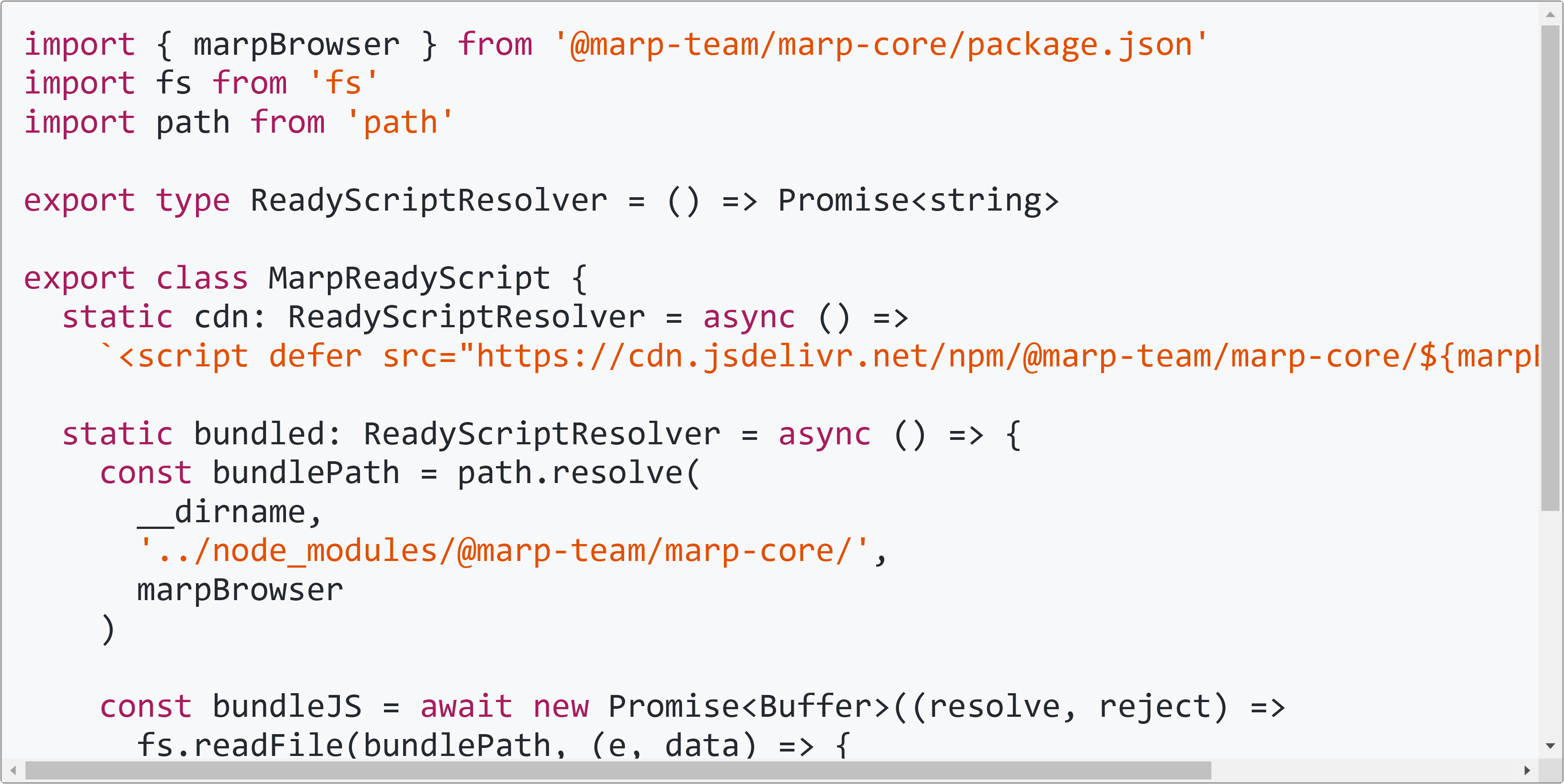 | 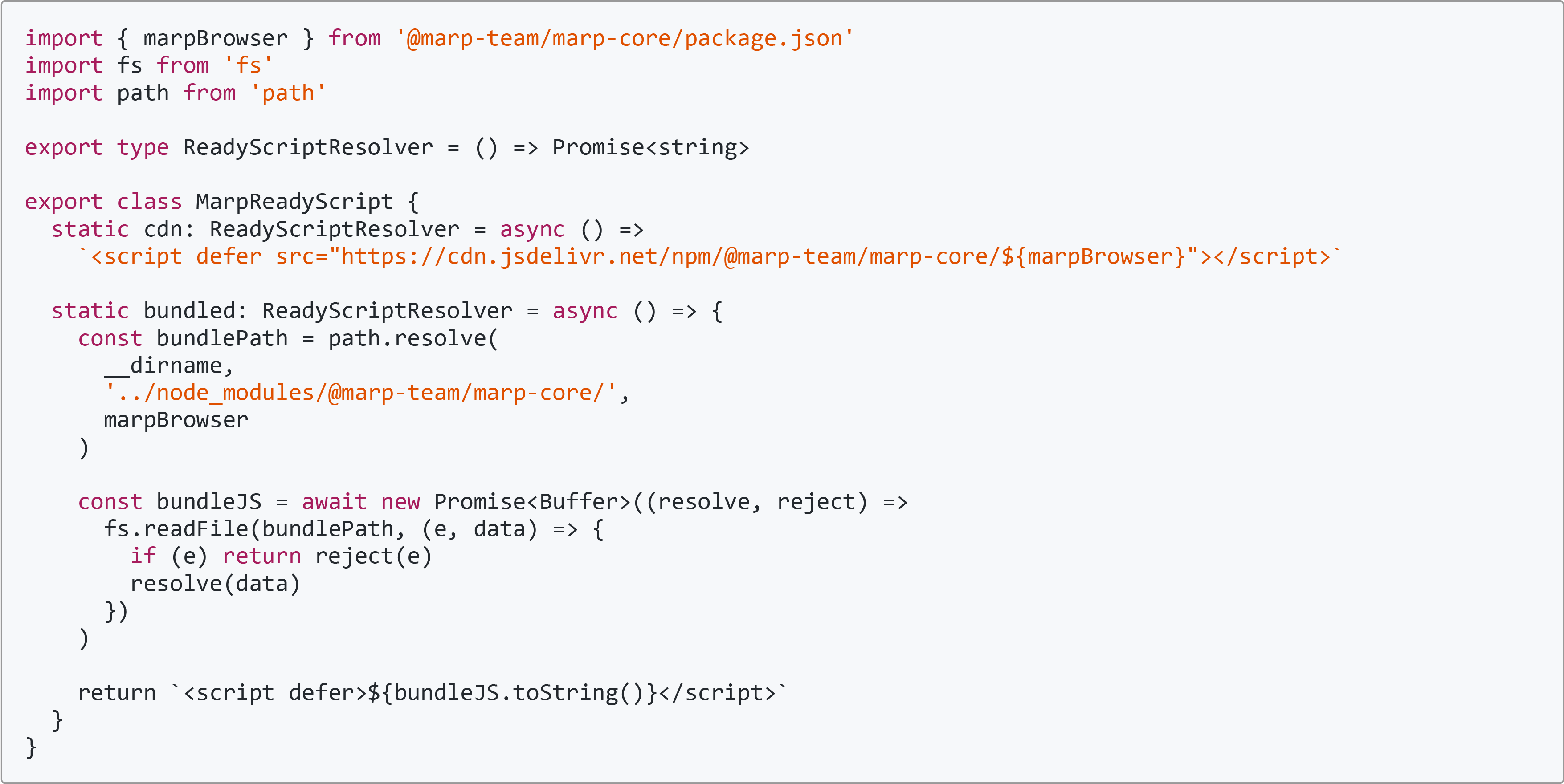 |
| **KaTeX math block** |  |  |
> [!NOTE]
> MathJax math block will always be scaled without even setting `@auto-scaling` metadata.
---
## Constructor options
You can customize a behavior of Marp parser by passing an options object to the constructor. You can also pass together with [Marpit constructor options](https://marpit-api.marp.app/marpit#Marpit).
> [!NOTE]
>
> [Marpit's `markdown` option](https://marpit-api.marp.app/marpit#Marpit) is accepted only object options because of always using CommonMark.
```javascript
const marp = new Marp({
// marp-core constructor options
html: true,
emoji: {
shortcode: true,
unicode: false,
twemoji: {
base: '/resources/twemoji/',
},
},
math: 'katex',
minifyCSS: true,
script: {
source: 'cdn',
nonce: 'xxxxxxxxxxxxxxx',
},
slug: false,
// It can be included Marpit constructor options
looseYAML: false,
markdown: {
breaks: false,
},
})
```
### `html`: _`boolean`_ | _`object`_
Setting whether to render raw HTML in Markdown. It's an alias to `markdown.html` ([markdown-it option](https://markdown-it.github.io/markdown-it/#MarkdownIt.new)) but has additional feature about HTML allowlist.
- (default): Use Marp's default allowlist.
- `true`: The all HTML will be allowed.
- `false`: All HTML except supported in Marpit Markdown will be disallowed.
By passing `object`, you can set the allowlist to specify allowed tags and attributes.
```javascript
// Specify tag name as key, and attributes to allow as string array.
{
a: ['href', 'target'],
br: [],
}
```
```javascript
// You may use custom attribute sanitizer by passing object.
{
img: {
src: (value) => (value.startsWith('https://') ? value : '')
}
}
```
By default, Marp Core allows known HTML elements and attributes that are considered as safe. That is defined as a readonly `html` member in `Marp` class. [See the full default allowlist in the source code.](src/html/allowlist.ts)
> [!NOTE]
> Whatever any option is selected, `<!-- HTML comment -->` and `<style>` tags are always parsed by Marpit for directives / tweaking style.
### `emoji`: _`object`_
Setting about emoji conversions.
- **`shortcode`**: _`boolean` | `"twemoji"`_
- By setting `false`, it does not convert any emoji shortcodes.
- By setting `true`, it converts emoji shortcodes into Unicode emoji. `:dog:` → 🐶
- By setting `"twemoji"` string, it converts into twemoji vector image. `:dog:` → <img src="https://cdn.jsdelivr.net/gh/twitter/twemoji@14.0.2/assets/svg/1f436.svg" alt="🐶" width="16" height="16" valign="middle" /> _(default)_
* **`unicode`**: _`boolean` | `"twemoji"`_
- It can convert Unicode emoji into twemoji when setting `"twemoji"`. 🐶 → <img src="https://cdn.jsdelivr.net/gh/twitter/twemoji@14.0.2/assets/svg/1f436.svg" alt="🐶" width="16" height="16" valign="middle" /> _(default)_
- If you not want this aggressive conversion, please set `false`.
- **`twemoji`**: _`object`_
- **`base`**: _`string`_ - Corresponds to [twemoji's `base` option](https://github.com/twitter/twemoji#object-as-parameter). If not specified, Marp Core will use [online emoji images through jsDelivr CDN](https://cdn.jsdelivr.net/gh/twitter/twemoji@14.0.2/assets/svg/).
- **`ext`**: _`"svg"` | `"png"`_ - Setting the file type of twemoji images. _(`svg` by default)_
> **For developers:** When you setting `unicode` option as `true`, Markdown parser will convert Unicode emoji into tokens internally. The rendering result is same as in `false`.
### `math`: _`boolean` | `"mathjax"` | `"katex"` | `object`_ <a name="math-constructor-option" id="math-constructor-option"></a>
Enable or disable [math typesetting](#math-typesetting) syntax and [`math` global directive](#math-global-directive).
You can choose the default library for math by passing **`"mathjax"`** (default) or **`"katex"`**, and modify more settings by passing an object of sub-options.
- **`lib`**: _`"mathjax"` | `"katex"`_
- Choose the default library for math typesetting. _(`mathjax` by default)_
* **`katexOption`**: _`object`_
- Options that will be passed to KaTeX. Please refer to [KaTeX document](https://khan.github.io/KaTeX/docs/options.html).
- **`katexFontPath`**: _`string` | `false`_
- By default, Marp Core will use [online web-font resources through jsDelivr CDN](https://cdn.jsdelivr.net/npm/katex@latest/dist/fonts/). You have to set path to fonts directory if you want to use local resources. If you set `false`, we will not manipulate the path (Use KaTeX's original path: `fonts/KaTeX_***-***.woff2`).
### `minifyCSS`: _`boolean`_
Enable or disable minification for rendered CSS. `true` by default.
### `script`: _`boolean` | `object`_
Setting about an injected helper script for the browser context. This script is necessary for applying [WebKit polyfill](https://github.com/marp-team/marpit-svg-polyfill) and rendering [auto-scaled elements](#auto-scaling-features) correctly.
- **`true` (default)**: Inject the inline helper script into after the last of slides.
- **`false`**: Don't inject helper script. Developer must execute a helper script manually, exported in [`@marp-team/marp-core/browser`](src/browser.ts). Requires bundler such as [webpack](https://webpack.js.org/). It's suitable to the fully-controlled tool such as [Marp Web](https://github.com/marp-team/marp-web).
You can control details of behavior by passing `object`.
- **`source`**: _`string`_ - Choose the kind of script.
- **`inline`**: Inject the inline script. It would work correctly also in the environment that there is not network. (default)
- **`cdn`**: Inject script referred through [jsDelivr CDN](https://www.jsdelivr.com/). It's better choice on the restricted environment by [CSP](https://developer.mozilla.org/en-US/docs/Web/HTTP/CSP).
* **`nonce`**: _`string`_ - Set [`nonce` attribute](https://developer.mozilla.org/en-US/docs/Web/HTML/Element/script#attr-nonce) of `<script>`.
### `slug`: _`boolean` | `function` | `object`_
Configure slugification for headings. By default, Marp Core tries to make the slug by the similar way to GitHub. It should be compatible with [Markdown Language Server](https://code.visualstudio.com/blogs/2022/08/16/markdown-language-server).
- **`true` (default)**: Assign auto-generated `id` attribute from the contents of `<h1>`-`<h6>` headings.
- **`false`**: Disable auto-assigning slug to headings.
- _`function`_: Set the custom slugifier function, that takes one argument: the content of the heading. It must return a generated slug string.
You can control details of behavior by passing `object`.
- **`slugifier`**: _`function`_ - Set the custom slugifier function.
- **`postSlugify`**: _`function`_ - Set the post-process function after generated a slug. The function takes 2 arguments, the string of generated slug and the index of the same slug, and must return a string for assigning to `id` attribute of the heading.
By default, Marp Core applies the post-process to avoid assigning duplicated `id`s in the document: ``(slug, index) => (index > 0 ? `${slug}-${index}` : slug)``
Assigning the custom post-process function is also helpful to append the custom prefix and suffix to the generated slug: `` (slug, i) => `prefix:${slug}:${i}` ``
> [!NOTE]
> Take care not to confuse Marp Core's `slug` option and [Marpit's `anchor` option](https://marpit-api.marp.app/marpit#:~:text=Description-,anchor,-boolean%20%7C%20Marpit). `slug` is for the Markdown headings, and `anchor` is for the slide elements.
>
> `Marp` class is extended from `Marpit` class so you can customize both options in the constructor. To fully disable auto-generated `id` attribute, set both options as `false`. (This is important to avoid breaking your Web application by user's Markdown contents)
## Contributing
Are you interested in contributing? Please see [CONTRIBUTING.md](.github/CONTRIBUTING.md) and [the common contributing guideline for Marp team](https://github.com/marp-team/.github/blob/master/CONTRIBUTING.md).
## Author
Managed by [@marp-team](https://github.com/marp-team).
- <img src="https://github.com/yhatt.png" width="16" height="16"/> Yuki Hattori ([@yhatt](https://github.com/yhatt))
## License
This package releases under the [MIT License](LICENSE).