@makeappeasy/nocodb-mcp-server
Version:
Comprehensive NocoDB MCP Server with 13 powerful tools for database operations, table management, relationships, and custom API calls
236 lines (177 loc) • 7.5 kB
Markdown
[](https://mseep.ai/app/edwinbernadus-nocodb-mcp-server)
# NocoDB MCP Server
[](https://smithery.ai/server/@edwinbernadus/nocodb-mcp-server)
## Introduction
The NocoDB MCP Server provides a comprehensive toolkit for interacting with your NocoDB database through the Model Context Protocol (MCP). With 13 powerful tools, this server enables you to perform advanced database operations including CRUD operations, table management, relationship creation, and custom API calls - all through natural language commands.
## Example Prompts
### Basic CRUD Operations
```text
[Get Records with Filtering]
Get all active users from the Users table where age > 25
Filter: (age,gt,25)~and(status,eq,active)
[Create Single Record]
Add a new user named John Doe with email john@example.com
[Bulk Create Records]
Create 5 new products from the product_list.json file
[Update Record]
Update user ID 42 - change status to 'premium'
[Bulk Delete]
Delete all inactive users from last year
```
### Advanced Table Management
```text
[Create New Table]
Create a Products table with columns:
- Name (text)
- Price (number)
- InStock (checkbox)
- CreatedAt (datetime)
[Add Column]
Add a 'Description' text column to the Products table
[Remove Column]
Remove the obsolete 'LegacyCode' column from Products
```
### Table Relationships
```text
[One-to-Many Relationship]
Create a relationship between Teams and Members tables
One team can have many members
[Many-to-Many Relationship]
Link Students and Courses tables
Students can enroll in multiple courses
[Belongs To Relationship]
Connect Orders to Customers
Each order belongs to one customer
```
### Custom API Operations
```text
[Custom API Call]
Make a GET request to /api/v2/meta/bases/{baseId}/info
to get detailed base information
[Complex Filtering]
Find all orders from last month with amount > $1000
and status = 'completed', sorted by date
```
## Real-World Use Cases
### 1. E-Commerce Database Setup
```text
Create an e-commerce database structure:
1. Create Products, Categories, Customers, and Orders tables
2. Link Products to Categories (many-to-many)
3. Link Orders to Customers (belongs-to)
4. Link Orders to Products (many-to-many through OrderItems)
```
### 2. Data Migration from JSON
```text
Migrate data from legacy system:
1. Create tables from JSON schema files
2. Bulk import records from exported data
3. Establish relationships between imported tables
4. Validate data integrity with custom API calls
```
Example file: [example_upload.json](example_upload.json)
### 3. Analytics and Reporting
```text
Generate monthly sales report:
1. Filter orders by date range
2. Join with customer and product data
3. Calculate totals using custom API endpoints
4. Export results in required format
```
## Visual Examples
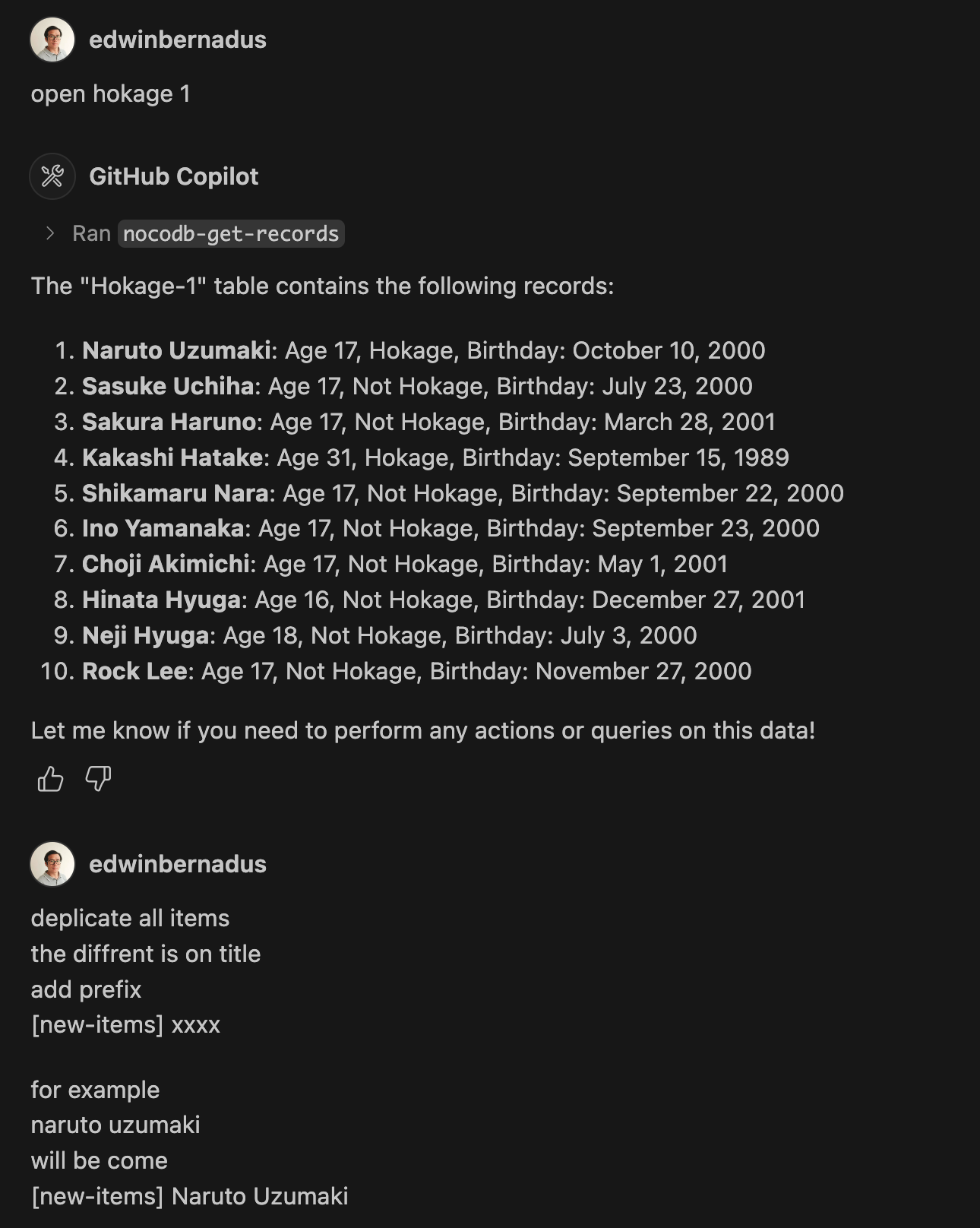
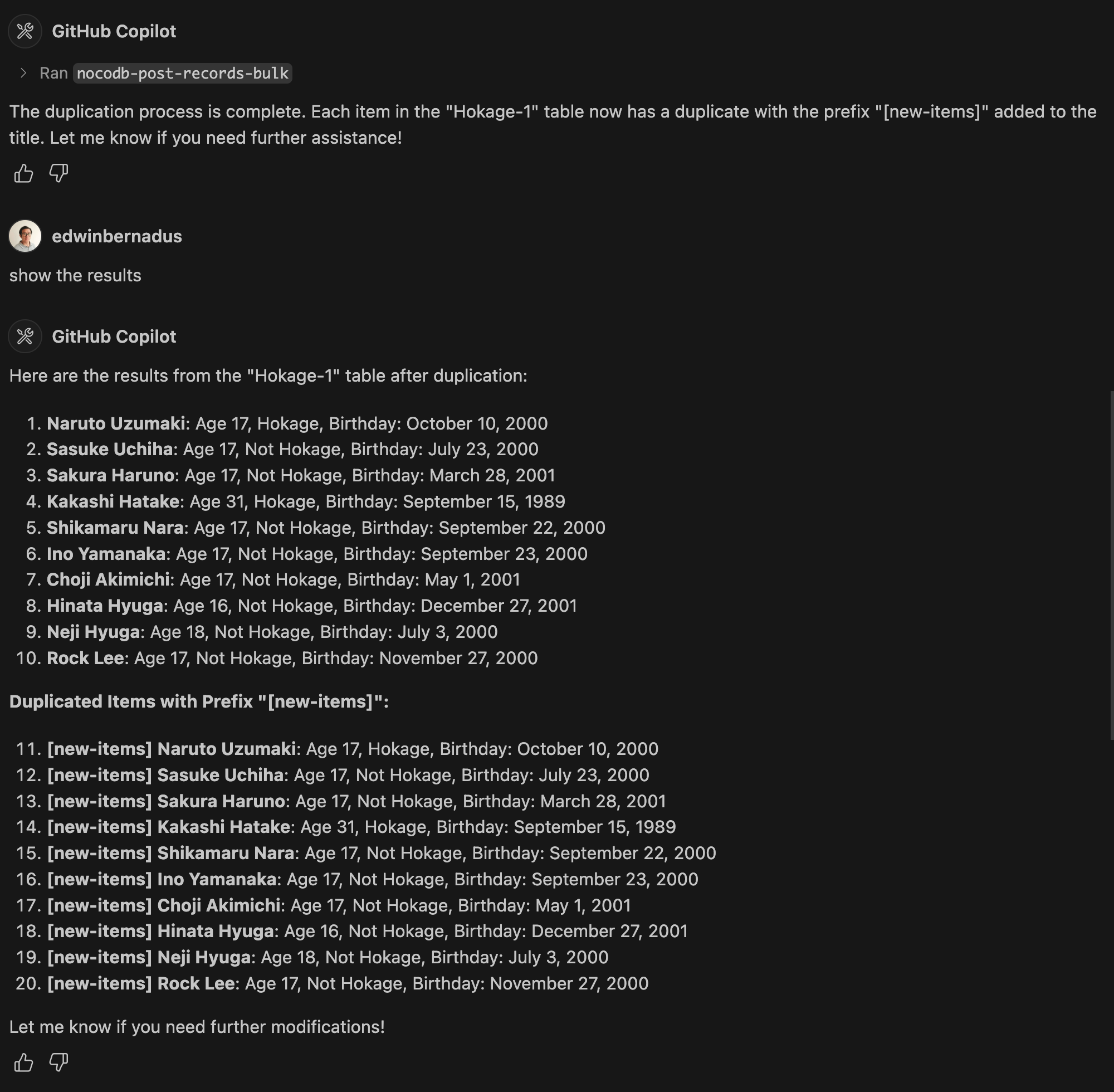
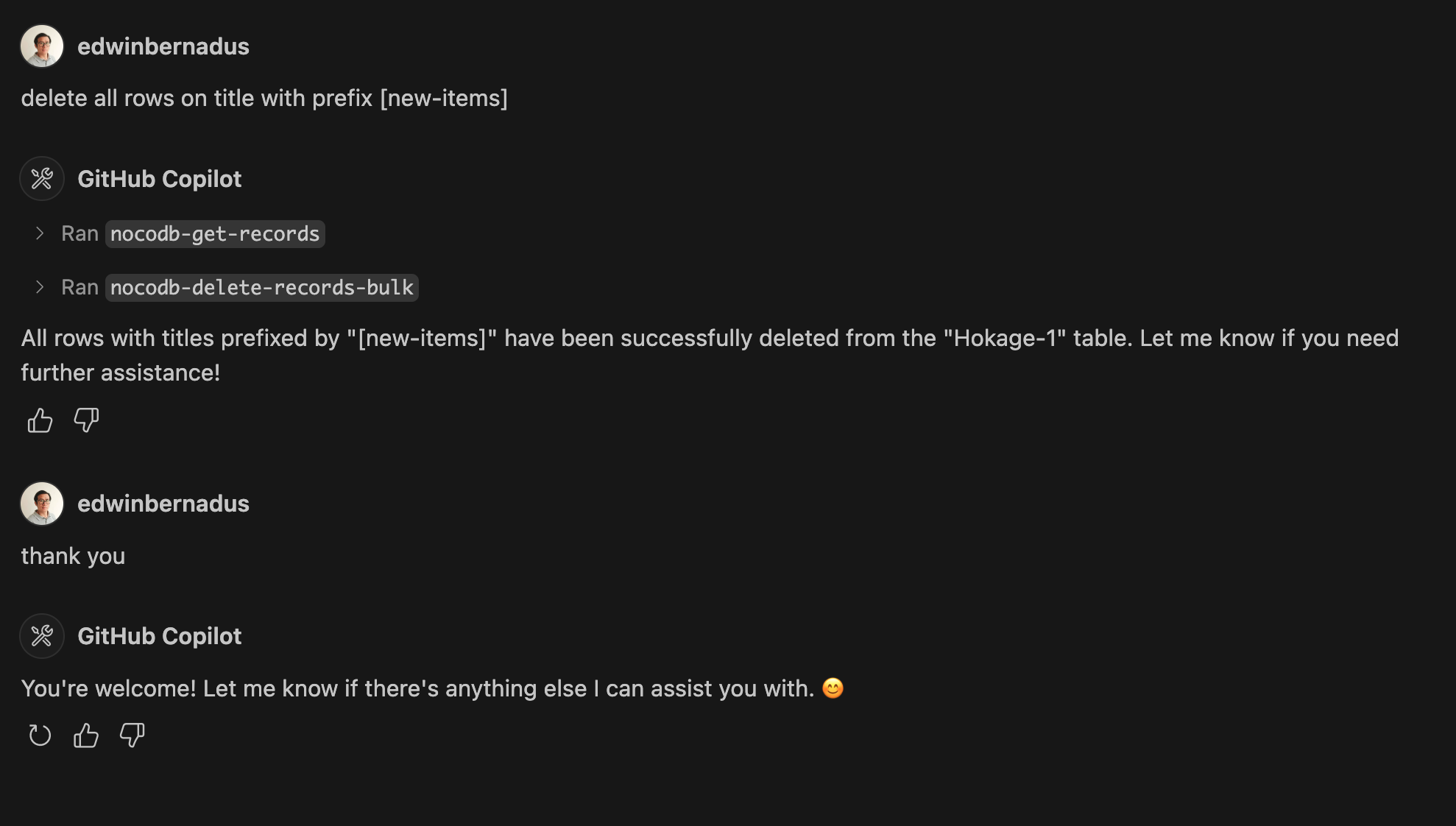
### Bulk Operations Demo
## About This Fork
This repository is a TypeScript-based fork of [NocoDB-MCP-Server](https://github.com/granthooks/Nocodb-MCP-Server). It retains the core functionality while improving maintainability and compatibility with modern TypeScript development practices.
## Setup
Ensure that Node.js and TypeScript are installed, then execute:
```bash
npm install
npm run build
```
## Configuration
Define the required environment variables in a `.env` file:
```env
NOCODB_URL=https://your-nocodb-instance.com
NOCODB_API_TOKEN=your_api_token_here
NOCODB_BASE_ID=your_base_id_here
```
**Tip:** You can copy the template from [env.example](env.example) and fill in your values.
### How to Obtain NOCODB_BASE_ID
To find your `NOCODB_BASE_ID`, check the URL of your Nocodb instance.
For example:
https://app.nocodb.com/#/wi6evls6/pqmob3ammcknma5/maty9c5xkmf4012
In this URL format:
```text
https://app.nocodb.com/#/{USERNAME}/{NOCODB_BASE_ID}/{TABLE_ID}
```
## Integration with Claude Desktop
Modify `claude_desktop_config.json` to include:
```json
{
"mcpServers": {
"nocodb": {
"command": "node",
"args": ["{working_folder}/dist/start.js"],
"env": {
"NOCODB_URL": "https://your-nocodb-instance.com",
"NOCODB_BASE_ID": "your_base_id_here",
"NOCODB_API_TOKEN": "your_api_token_here"
}
}
}
}
```
## Direct call from CLI
You can directly call the MCP server from the command line:
NOCODB_URL, NOCODB_API_TOKEN, and NOCODB_BASE_ID are required parameters.
`NOCODB_URL=https://app.nocodb.com` if you are using NocoDB cloud.
```bash
npx -y nocodb-mcp-server {NOCODB_URL} {NOCODB_BASE_ID} {NOCODB_API_TOKEN}
```
## Testing CLI
To run the tests, execute:
```bash
npx -y @wong2/mcp-cli npx nocodb-mcp-server {NOCODB_URL} {NOCODB_BASE_ID} {NOCODB_API_TOKEN}
```
## Comprehensive Tool Suite (13 Tools)
### Data Operations
1. **nocodb-get-records** - Advanced record retrieval with filtering, sorting, pagination, and field selection
2. **nocodb-post-records** - Create single records with data validation
3. **nocodb-post-records-bulk** - Efficiently create multiple records in batch
4. **nocodb-patch-records** - Update existing records with partial data
5. **nocodb-delete-records** - Remove individual records safely
6. **nocodb-delete-records-bulk** - Batch delete multiple records
### Table Management
7. **nocodb-get-list-tables** - Discover all available tables in your base
8. **nocodb-get-table-metadata** - Inspect table structure, columns, and configurations
9. **nocodb-create-table** - Design and create new tables with custom schemas
10. **nocodb-alter-table-add-column** - Dynamically add columns to existing tables
11. **nocodb-alter-table-remove-column** - Remove unnecessary columns safely
### Advanced Features
12. **nocodb-create-table-relation** - Establish powerful relationships between tables:
- **Has Many (hm)**: One-to-many relationships
- **Many to Many (mm)**: Many-to-many with junction tables
- **Belongs To (bt)**: Many-to-one relationships
13. **nocodb-custom-api-call** - Execute any NocoDB API endpoint for:
- Complex queries beyond standard operations
- Administrative tasks
- Custom integrations
- Direct API access when needed
## API Functions
For detailed information about available API functions, please refer to [API_FUNCTION.md](API_FUNCTION.md).
## Project Structure
```text
/project-root
├── src/ # TypeScript source files
├── dist/ # Compiled JavaScript output
├── .env # Environment variable configurations
├── package.json # Project dependencies and scripts
├── tsconfig.json # TypeScript settings
```
## Contribution Guidelines
Contributions are encouraged! Feel free to open issues or submit pull requests.
## License
This project is distributed under MIT.