@lunalee/react-native-raw-bottom-sheet
Version:
Add Your Own Component To Bottom Sheet Whatever You Want (Android & iOS)
173 lines (144 loc) • 6.33 kB
Markdown
[](//npmjs.com/package/react-native-raw-bottom-sheet)
[
](//npmjs.com/package/react-native-raw-bottom-sheet)
[](https://travis-ci.org/nysamnang/react-native-raw-bottom-sheet)
- Super Lightweight Component
- Add Your own Component To Bottom Sheet
- Customize Whatever You Like
- Support Drag Down Gesture
- Support All Orientations
- Support Both Android And iOS
- Smooth Animation
- Zero Configuration
- Zero dependency
- Top Search Ranking (react native bottom sheet) at [npms.io](https://npms.io/search?q=react%20native%20bottom%20sheet)
| Showcase iOS | Showcase Android |
| :--------------------------------------------------------------------------------------------------------------------: | :--------------------------------------------------------------------------------------------------------------------: |
| 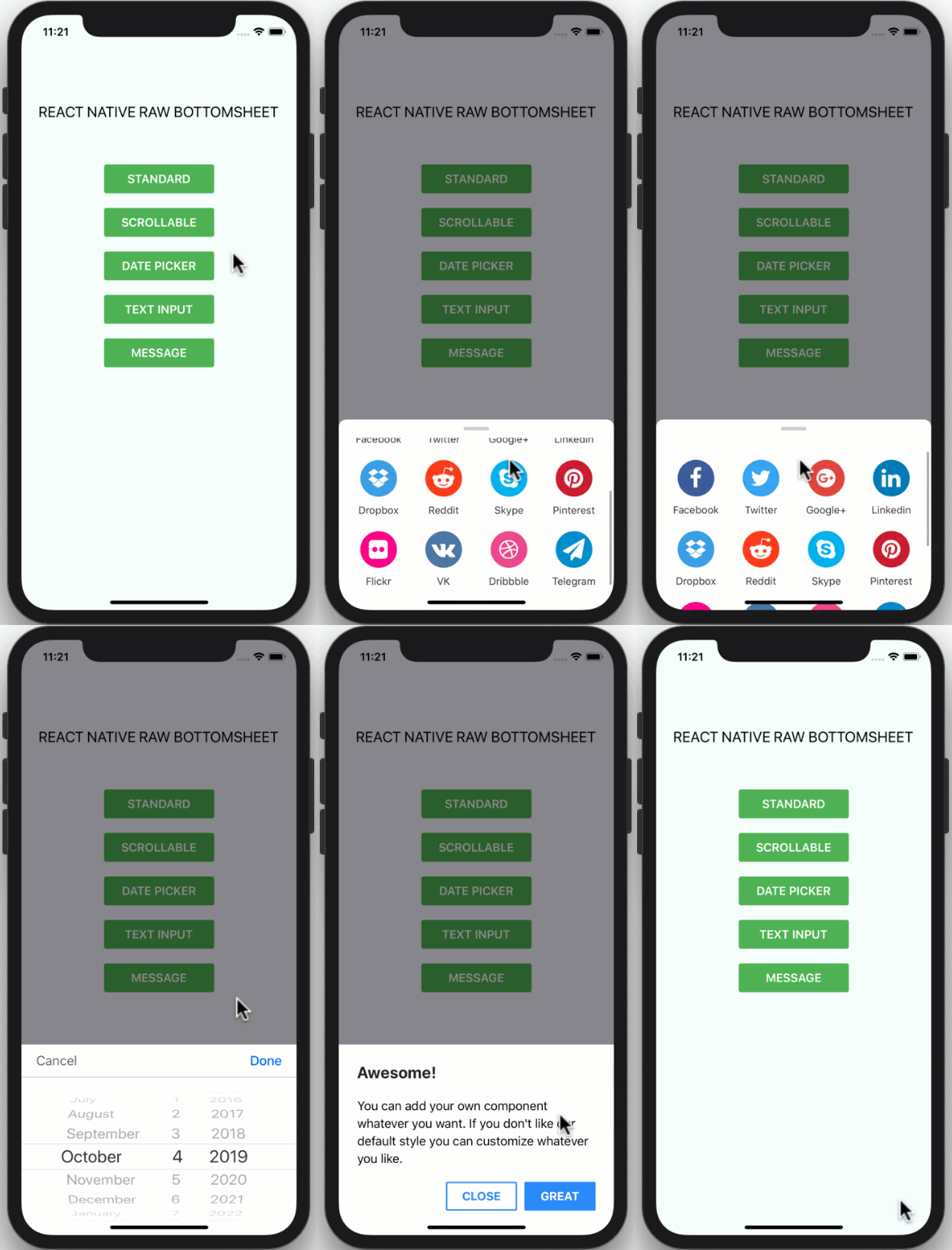 | 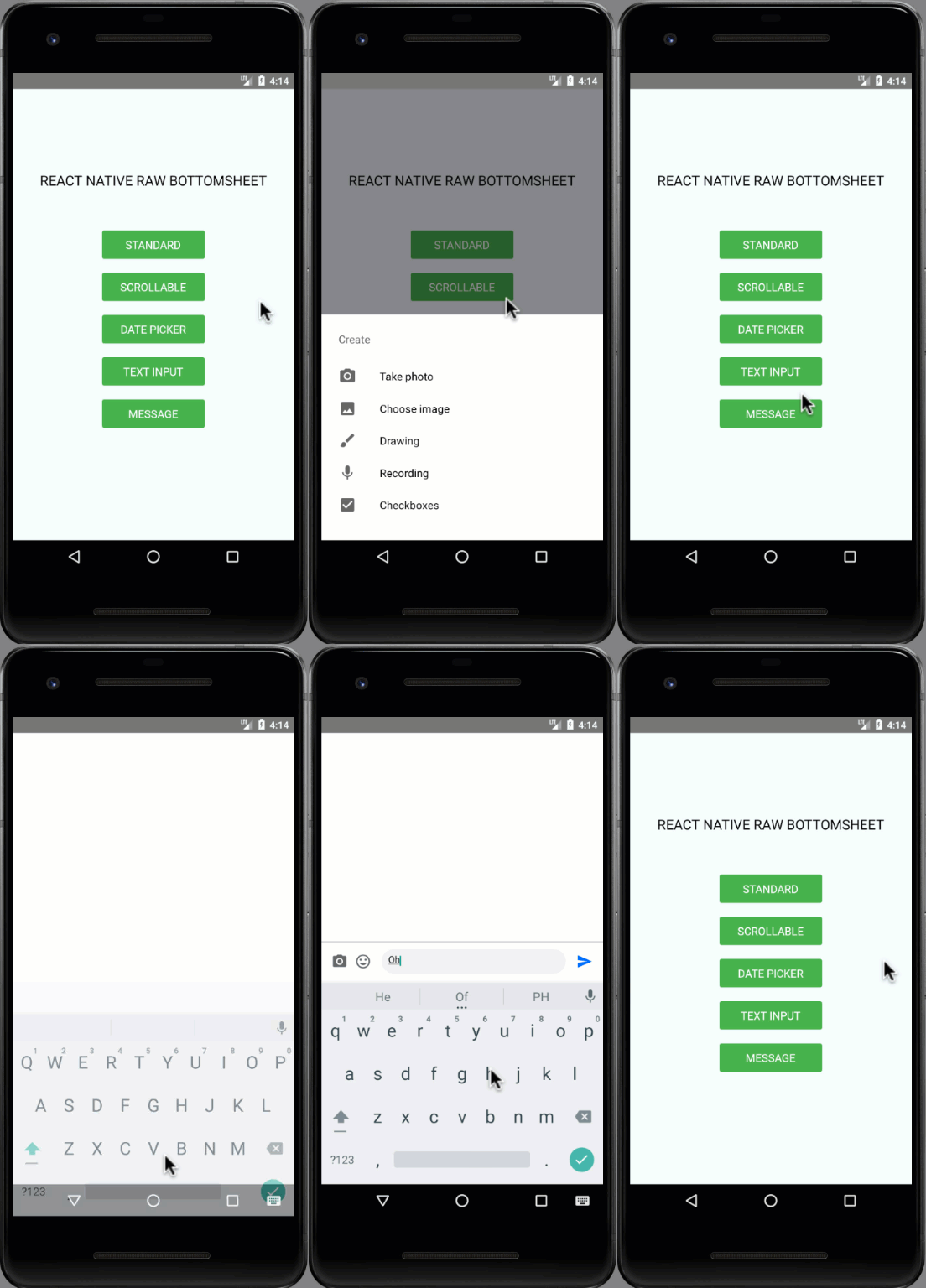 |
## Installation
```
npm i react-native-raw-bottom-sheet --save
```
### or
```
yarn add react-native-raw-bottom-sheet
```
## Example
#### Class component
```jsx
import React, { Component } from "react";
import { View, Button } from "react-native";
import RBSheet from "react-native-raw-bottom-sheet";
export default class Example extends Component {
render() {
return (
<View style={{ flex: 1, justifyContent: "center", alignItems: "center" }}>
<Button title="OPEN BOTTOM SHEET" onPress={() => this.RBSheet.open()} />
<RBSheet
ref={ref => {
this.RBSheet = ref;
}}
height={300}
openDuration={250}
customStyles={{
container: {
justifyContent: "center",
alignItems: "center"
}
}}
>
<YourOwnComponent />
</RBSheet>
</View>
);
}
}
```
```jsx
import React, { useRef } from "react";
import { View, Button } from "react-native";
import RBSheet from "react-native-raw-bottom-sheet";
export default function Example() {
const refRBSheet = useRef();
return (
<View
style={{
flex: 1,
justifyContent: "center",
alignItems: "center",
backgroundColor: "#000"
}}
>
<Button title="OPEN BOTTOM SHEET" onPress={() => refRBSheet.current.open()} />
<RBSheet
ref={refRBSheet}
closeOnDragDown={true}
closeOnPressMask={false}
customStyles={{
wrapper: {
backgroundColor: "transparent"
},
draggableIcon: {
backgroundColor: "#000"
}
}}
>
<YourOwnComponent />
</RBSheet>
</View>
);
}
```
```jsx
renderItem = (item, index) => (
<View>
<Button title={`OPEN BOTTOM SHEET-${index}`} onPress={() => this[RBSheet + index].open()} />
<RBSheet
ref={ref => {
this[RBSheet + index] = ref;
}}
>
<YourOwnComponent onPress={() => this[RBSheet + index].close()} />
</RBSheet>
</View>
);
```
| Props | Type | Description | Default |
| ---------------- | -------- | ------------------------------------------------------- | -------- |
| animationType | string | Background animation ("none", "fade", "slide") | "none" |
| height | number | Height of Bottom Sheet | 260 |
| minClosingHeight | number | Minimum height of Bottom Sheet before close | 0 |
| openDuration | number | Open Bottom Sheet animation duration | 300 (ms) |
| closeDuration | number | Close Bottom Sheet animation duration | 200 (ms) |
| closeOnDragDown | boolean | Use gesture drag down to close Bottom Sheet | false |
| dragFromTopOnly | boolean | Drag only the top area of the draggableIcon to close Bottom Sheet instead of the whole content | false |
| closeOnPressMask | boolean | Press the area outside to close Bottom Sheet | true |
| closeOnPressBack | boolean | Press back android to close Bottom Sheet (Android only) | true |
| onClose | function | Callback function when Bottom Sheet has closed | null |
| onOpen | function | Callback function when Bottom Sheet has opened | null |
| customStyles | object | Custom style to Bottom Sheet | {} |
| keyboardAvoidingViewEnabled | boolean | Enable KeyboardAvoidingView | true (ios) |
```
customStyles: {
wrapper: {...}, // The Root of Component (You can change the `backgroundColor` or any styles)
container: {...}, // The Container of Bottom Sheet
draggableIcon: {...} // The Draggable Icon (If you set closeOnDragDown to true)
}
```
| Method Name | Description |
| ----------- | ------------------ |
| open | Open Bottom Sheet |
| close | Close Bottom Sheet |
- If you combind `RBSheet` with <a href="https://github.com/kmagiera/react-native-gesture-handler" target="_blank">react-native-gesture-handler</a>, the components inside RBSheet will not fire onPress event on Android [
- The demo source codes are in `example folder`.
This project is licensed under the MIT License - see the [LICENSE.md](https://github.com/nysamnang/react-native-raw-bottom-sheet/blob/master/LICENSE) file for details
Made with ❤️ by [NY Samnang](https://github.com/nysamnang).