@logtape/sentry
Version:
LogTape Sentry sink
79 lines (61 loc) • 2.08 kB
Markdown
@logtape/sentry: LogTape Sentry Sink
====================================
[![JSR][JSR badge]][JSR]
[![npm][npm badge]][npm]
[![GitHub Actions][GitHub Actions badge]][GitHub Actions]
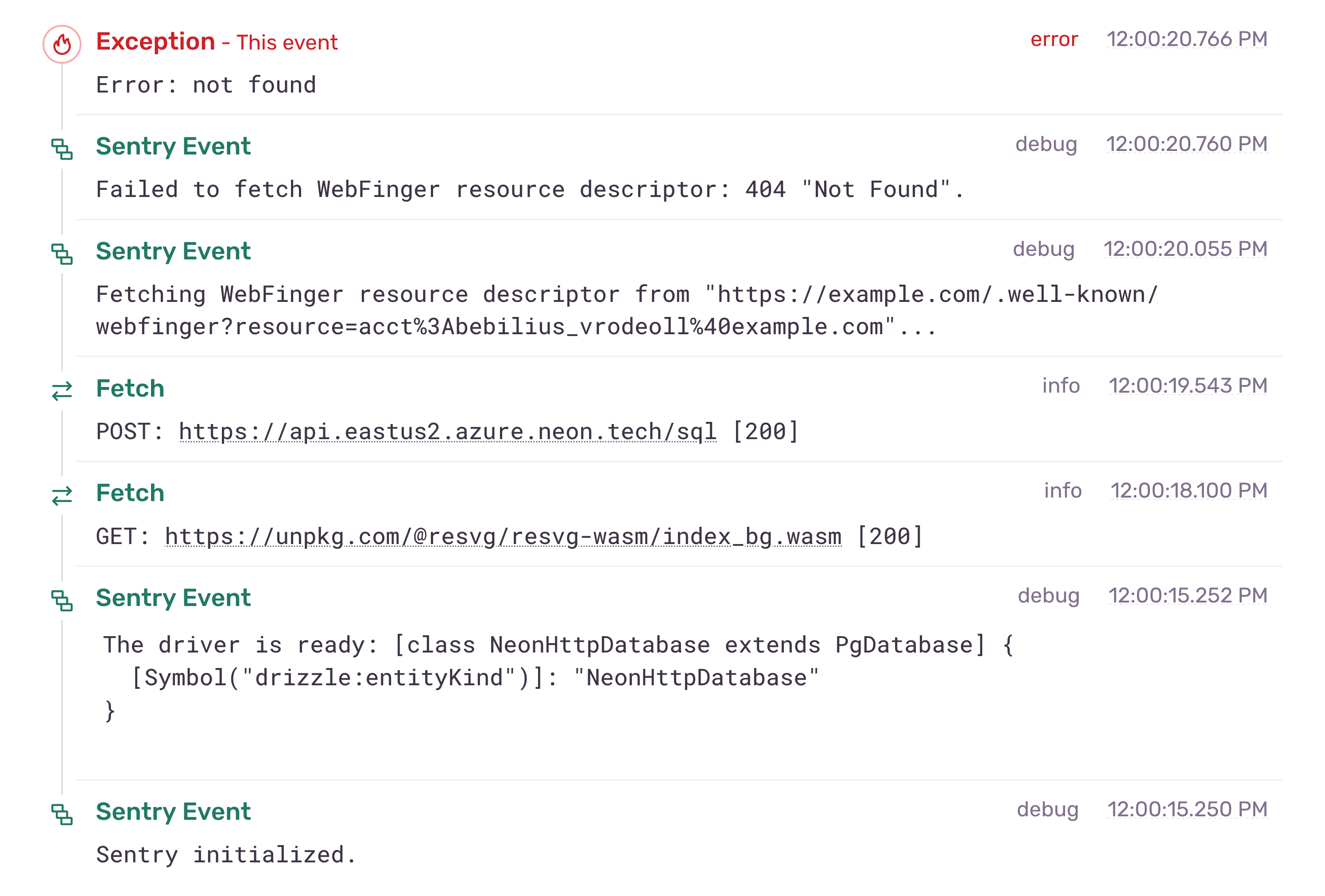
This package provides an [Sentry] sink for [LogTape]. It allows you to
capture your LogTape logs and send them to Sentry.
[JSR]: https://jsr.io/@logtape/sentry
[JSR badge]: https://jsr.io/badges/@logtape/sentry
[npm]: https://www.npmjs.com/package/@logtape/sentry
[npm badge]: https://img.shields.io/npm/v/@logtape/sentry?logo=npm
[GitHub Actions]: https://github.com/dahlia/logtape-sentry/actions/workflows/main.yaml
[GitHub Actions badge]: https://github.com/dahlia/logtape-sentry/actions/workflows/main.yaml/badge.svg
[Sentry]: https://sentry.io/
[LogTape]: https://logtape.org/
Installation
------------
The package is available on [JSR] and [npm].
~~~~ bash
deno add jsr:@logtape/sentry # for Deno
npm add @logtape/sentry # for npm
pnpm add @logtape/sentry # for pnpm
yarn add @logtape/sentry # for Yarn
bun add @logtape/sentry # for Bun
~~~~
Usage
-----
The quickest way to get started is to use the `getSentrySink()` function
without any arguments:
~~~~ typescript
import { configure } from "@logtape/logtape";
import { getSentrySink } from "@logtape/sentry";
await configure({
sinks: {
sentry: getSentrySink(),
},
filters: {},
loggers: [
{ category: [], sinks: ["sentry"], lowestLevel: "trace" },
],
});
~~~~
If you want to explicitly configure the Sentry client, you can pass the
`Client` instance, which is returned by `init()` or `getClient()` functions,
to the `getSentrySink()` function:
~~~~ typescript
import { configure } from "@logtape/logtape";
import { init } from "@sentry/node";
const client = init({
dsn: process.env.SENTRY_DSN,
});
await configure({
sinks: {
sentry: getSentrySink(client),
},
loggers: [
{ category: [], sinks: ["sentry"], lowestLevel: "trace" },
],
});
~~~~