@kissmy/vue-hotel-datepicker
Version:
A responsive date range picker for Vue.js that displays the number of nights selected and allow several useful options like custom check-in/check-out rules, localization support and more
416 lines (288 loc) • 9.33 kB
Markdown
[](https://david-dm.org/krystalcampioni/vue-hotel-datepicker) [](https://david-dm.org/krystalcampioni/vue-hotel-datepicker?type=dev)
[](vue-hotel-datepicker)
[](https://travis-ci.org/krystalcampioni/vue-hotel-datepicker)
A responsive date range picker for Vue.js that displays the number of nights selected and allow several useful options like custom check-in/check-out rules, localisation support and more.
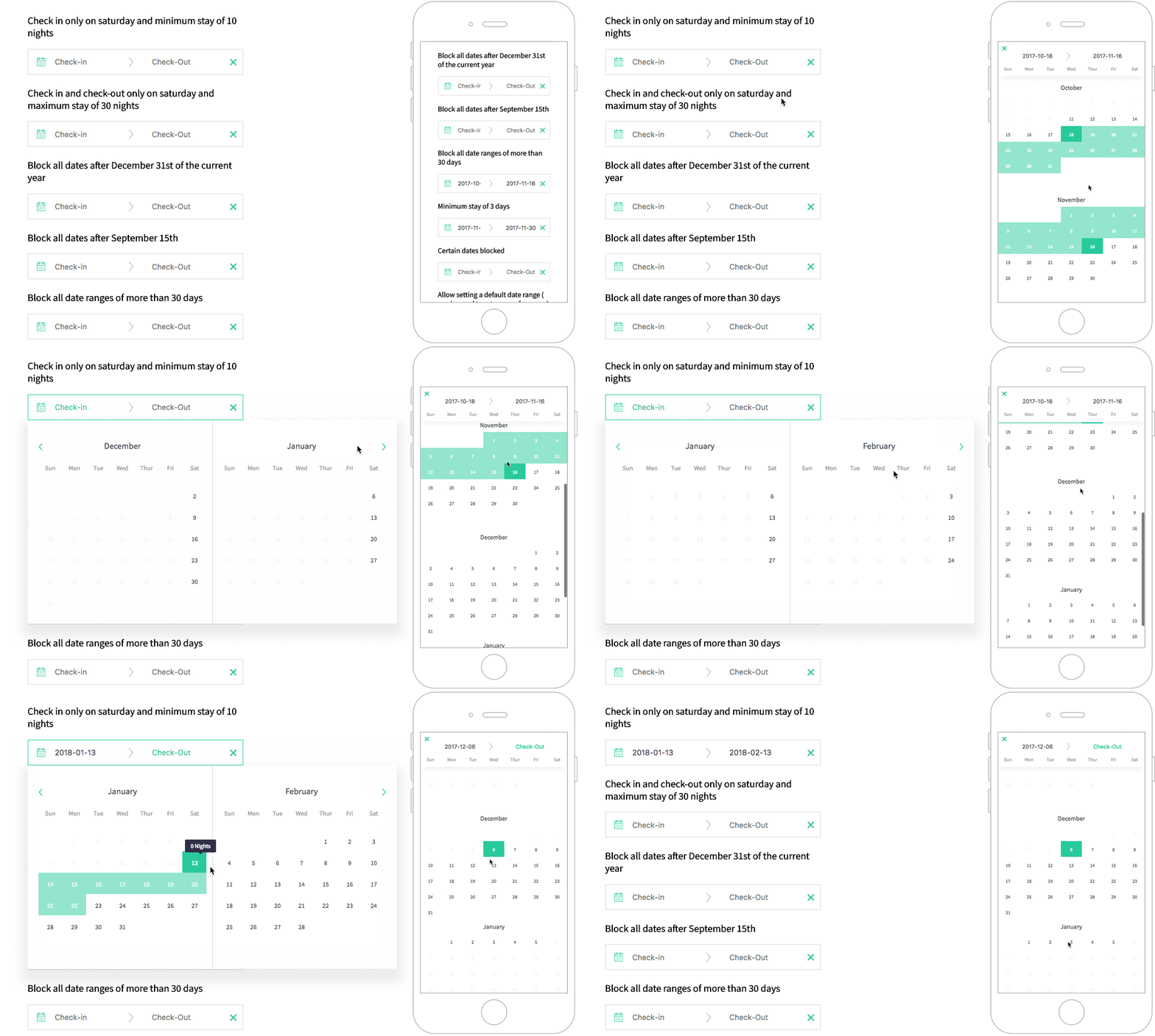
[](https://krystalcampioni.github.io/vue-hotel-datepicker/)
```bash
npm install vue-hotel-datepicker
```
```bash
pnpm install vue-hotel-datepicker
```
```bash
yarn add vue-hotel-datepicker
```
```javascript
import HotelDatePicker from 'vue-hotel-datepicker2'
import 'vue-hotel-datepicker2/dist/vueHotelDatepicker2.css';
export default {
components: {
HotelDatePicker,
},
}
```
```html
<HotelDatePicker />
```
- Type: `Date`
- Default: `null`
Allows to stop calendar pagination after the month of that date
- Type: `Boolean`
- Default: `true`
Allows to have half a day, if you have check in at noon and checkout before noon
- Type: `String`
- Default: `YYYY-MM-DD`
The date format string.
- Type: `Date` or `String`
- Default: `new Date()`
The start view date. All the dates before this date will be disabled.
- Type: `Date`
- Default: `null`
The initial value of the start date.
- Type: `Date` or `String` or `Boolean`
- Default: `false`
The end view date. All the dates after this date will be disabled.
- Type: `Date`
- Default: `null`
The initial value of the end date.
- Type: `Number`
- Default: `0`
The first day of the week. Where Sun = 0, Mon = 1, ... Sat = 6.
You need to set the right order in `i18n.day-names` too.
- Type: `Number`
- Default: `1`
Minimum nights required to select a range of dates.
- Type: `Number`
- Default: `0`
Maximum nights required to select a range of dates.
- Type: `Array`
- Default: `[]`
An array of strings in this format: `YYYY-MM-DD`. All the dates passed to the list will be disabled.
- Type: `Array`
- Default: `[]`
An array of strings in this format: `['Monday', 'Tuesday', 'Wednesday', 'Thursday', 'Friday', 'Saturday', 'Sunday']`. All the days passed to the list will be disabled.
- Type: `Boolean`
- Default: `false`
If `true`, allows the checkout on a disabled date.
- Type: `Boolean` or `Function`
- Default: `true`
Shows a tooltip with the number of nights when hovering a date.
- Type: `String`
- Default `null`
If provided, it will override the default tooltip "X nights" with the text provided. You can use HTML in the string.
- Type `boolean`
- Default `false`
- Type `boolean`
- Default `false`
Shows the year next to the month
- Type: `boolean`
- Default: `true`
- Type: `boolean`
- Default: `true`
If set to true, displays a clear button on the right side of the input if there are dates set
- Type: `boolean`
- Default: `false`
If set to true, disable checkout on the same date has checkin
- Type: `Object`
Default:
```js
i18n: {
"night": "Night",
"nights": "Nights",
"week": "week",
"weeks": "weeks",
"day-names": ["Sun", "Mon", "Tue", "Wed", "Thur", "Fri", "Sat"],
"check-in": "Check-in",
"check-out": "Check-out",
"month-names": [
"January",
"February",
"March",
"April",
"May",
"June",
"July",
"August",
"September",
"October",
"November",
"December",
],
"tooltip": {
"halfDayCheckIn": "Available CheckIn",
"halfDayCheckOut": "Available CheckOut",
"saturdayToSaturday": "Only Saturday to Saturday",
"sundayToSunday": "Only Sunday to Sunday",
"minimumRequiredPeriod": "%{minNightInPeriod} %{night} minimum.",
},
}
```
- Type: `Array`
- Default: `[]`
If you want to have specific startAt and endAt period with different duration or price or type of period-
Key | Type | Description
-------------------------------------|------------|-------------------------
endAt | String | YYYY-MM-DD
startAt | String | YYYY-MM-DD
minimumDuration | Number | Minimum stay (Type: weekly => per_week | Type: nightly => per night)
periodType | String | *nightly*, *weekly_by_saturday*, *weekly_by_sunday*
Example:
```js
periodDates: [
{
startAt: "2020-06-09",
endAt: "2020-07-26",
minimumDuration: 4,
periodType: "nightly"
},
{
startAt: "2020-07-26",
endAt: "2020-09-30",
minimumDuration: 1,
periodType: "weekly_by_saturday"
},
{
startAt: "2020-09-30",
endAt: "2020-11-30",
minimumDuration: 2,
periodType: "weekly_by_sunday",
price: 4000.0
}
],
```
- Type: `Boolean`
- Default: `false`
If set to true, displays a price contains on your periodDates
- Type: `Boolean`
- Default: `false`
If set to true, display one month only
- Type: `Boolean`
- Default: `true`
**Show** or **hide** a grid around the days
- Type: `Boolean`
- Default: `false`
Display calendar on the **right** or the **left** of the input (left by default)
### alwaysVisible
- Type: `Boolean`
- Default: `false`
Display calendar in the page without an input
### bookings
- Type: `Array`
- Default: `[]`
If you want to show bookings
Key | Type | Description
--------------------------------------|-------------|-------------------------
checkInDate | String | YYYY-MM-DD
checkOutDate | String | YYYY-MM-DD
style | Object | Style, (see the example)
Example:
```js
bookings: [
{
event: true,
checkInDate: "2020-08-26",
checkOutDate: "2020-08-29",
style: {
backgroundColor: "#399694"
}
},
{
event: false,
checkInDate: "2020-07-01",
checkOutDate: "2020-07-08",
style: {
backgroundColor: "#9DC1C9"
}
}
],
```
⚠️ In order to open/close the datepicker from an external element, such as a button make sure to set `closeDatepickerOnClickOutside` to false
Hide datepicker
Show datepicker
Toggle datepicker
Emitted every time when day is clicked
Params:
name | Description
-------------------------------------|-------------------------
date | new Date()
formatDate | YYYY-MM-DD
nextDisabledDate | Date, Number, String
Emitted every time a new check in date is selected with the new date as payload
Emitted every time a new check out date is selected with the new date as payload
Emitted every time you clicked on clearDate button
Emitted on [beforeMount, clearSelection, checkOut]
Params:
name | Description
-------------------------------------|-------------------------
checkIncheckOutHalfDay | Object of checkinCheckout date
Emitted every time a booking is clicked
Params:
name | Type | Description
--------------------|-------------------------
event | MouseEvent | Mouse javascript event
date | Date | Clicked Date
currentBooking | Object | Clicked Booking
Example of currentBooking:
```js
{
checkInDate: "YYYY-MM-DD",
checkOutDate: "YYYY-MM-DD",
style: {
backgroundColor: "#399694",
}
}
```
Emitted every time when a checkOut is clicked
name | Type | Description
--------------------|-------------------------
event | MouseEvent | Mouse javascript event
checkIn | Date | checkIn
checkIn | Date | checkOut
This component was originally built as a Vue wrapper component for the [Hotel Datepicker](https://github.com/benitolopez/hotel-datepicker) by @benitolopez. Version 2.0.0 was completely rewritten with Vue, removing the original library, removing some features and introducing others.