@jupyterlite/terminal
Version:
A terminal for JupyterLite
145 lines (101 loc) • 4.08 kB
Markdown
# JupyterLite Terminal
[](https://github.com/jupyterlite/terminal/actions/workflows/build.yml)
[](https://jupyterlite.github.io/terminal/)
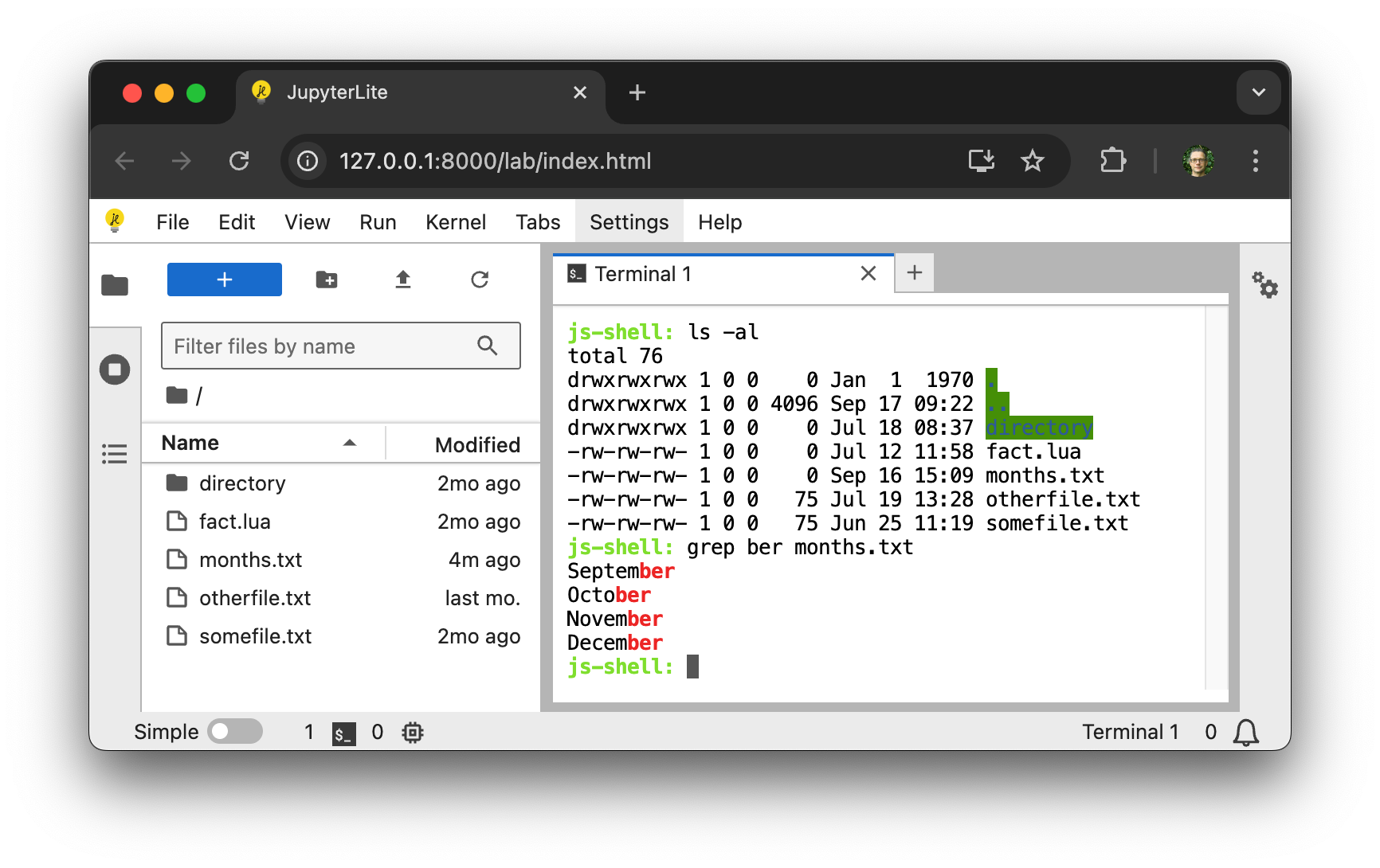
A terminal for JupyterLite.
⚠️ This extension is still in development and not yet ready for general use. ⚠️
## Requirements
- JupyterLite >= 0.7.0, < 0.8.0
## Install
To install the extension, execute:
```bash
pip install jupyterlite-terminal
```
You will also need to install the JupyterLite CLI:
```bash
python -m pip install jupyterlite-core
```
## Usage
After installing `jupyterlite-core` and `jupyterlite-terminal`, create a `jupyter-lite.json` file with the following content to activate the terminal extension:
```json
{
"jupyter-lite-schema-version": 0,
"jupyter-config-data": {
"terminalsAvailable": true
}
}
```
Then build a new JupyterLite site:
```bash
jupyter lite build
```
## Version compatibility
Each `jupyterlite-terminal` release is built against a specific version of `cockle`. If you need to
include imports from both `jupyterlite-terminal` and `cockle`, such as if you are implementing
`cockle` external commands, you should ensure that you are using the correct version combination.
| `jupyterlite-terminal` | `cockle` | `jupyterlite-core` | Release date |
| ---------------------- | -------- | ------------------ | ------------ |
| 1.1.0 | 1.2.0 | >= 0.6, < 0.8 | 2025-10-27 |
| 1.0.1 | 1.0.0 | >= 0.6, < 0.8 | 2025-09-03 |
| 1.0.0 | 1.0.0 | >= 0.6, < 0.7 | 2025-08-11 |
| 0.2.2 | 0.1.3 | >= 0.6, < 0.7 | 2025-06-27 |
## Contributing
### Development install
Note: You will need NodeJS to build the extension package.
The `jlpm` command is JupyterLab's pinned version of
[yarn](https://yarnpkg.com/) that is installed with JupyterLab. You may use
`yarn` or `npm` in lieu of `jlpm` below.
```bash
# Clone the repo to your local environment
# Change directory to the jupyterlite_terminal directory
# Install package in development mode
pip install -e "."
# Link your development version of the extension with JupyterLab
jupyter labextension develop . --overwrite
# Rebuild extension Typescript source after making changes
jlpm build
```
You can watch the source directory and run JupyterLab at the same time in different terminals to watch for changes in the extension's source and automatically rebuild the extension.
```bash
# Watch the source directory in one terminal, automatically rebuilding when needed
jlpm watch
# Run JupyterLab in another terminal
jupyter lab
```
Then build a JupyterLite distribution with the extension installed:
```bash
cd deploy
jupyter lite build --contents contents
```
And serve it either using:
```bash
npx static-handler _output/
```
or:
```bash
jupyter lite serve
```
To enable use of SharedArrayBuffer rather than ServiceWorker for `stdin` you will have to configure your server to add the `Cross-Origin-Embedder-Policy` and `Cross-Origin-Opener-Policy` headers. Do this using either:
```bash
npx static-handler --cors --coop --coep --corp _output/
```
or:
```bash
jupyter lite serve --LiteBuildConfig.extra_http_headers=Cross-Origin-Embedder-Policy=require-corp --LiteBuildConfig.extra_http_headers=Cross-Origin-Opener-Policy=same-origin
```
### Building the documentation
The project documentation includes a demo deployment, and is built on every PR so that the changes can be checked manually before merging. To build the documentation and demo locally use:
```bash
micromamba create -f docs/environment-docs.yml
micromamba activate terminal-docs
pip install -v .
cd docs
make html
```
To serve this locally use:
```bash
cd _build/html
python -m http.server
```
### Packaging the extension
See [RELEASE](RELEASE.md)