@jupyterlite/terminal
Version:
A terminal for JupyterLite
113 lines (77 loc) • 2.88 kB
Markdown
# jupyterlite-terminal
[](https://github.com/jupyterlite/terminal/actions/workflows/build.yml)
[](https://jupyterlite-terminal.vercel.app/)
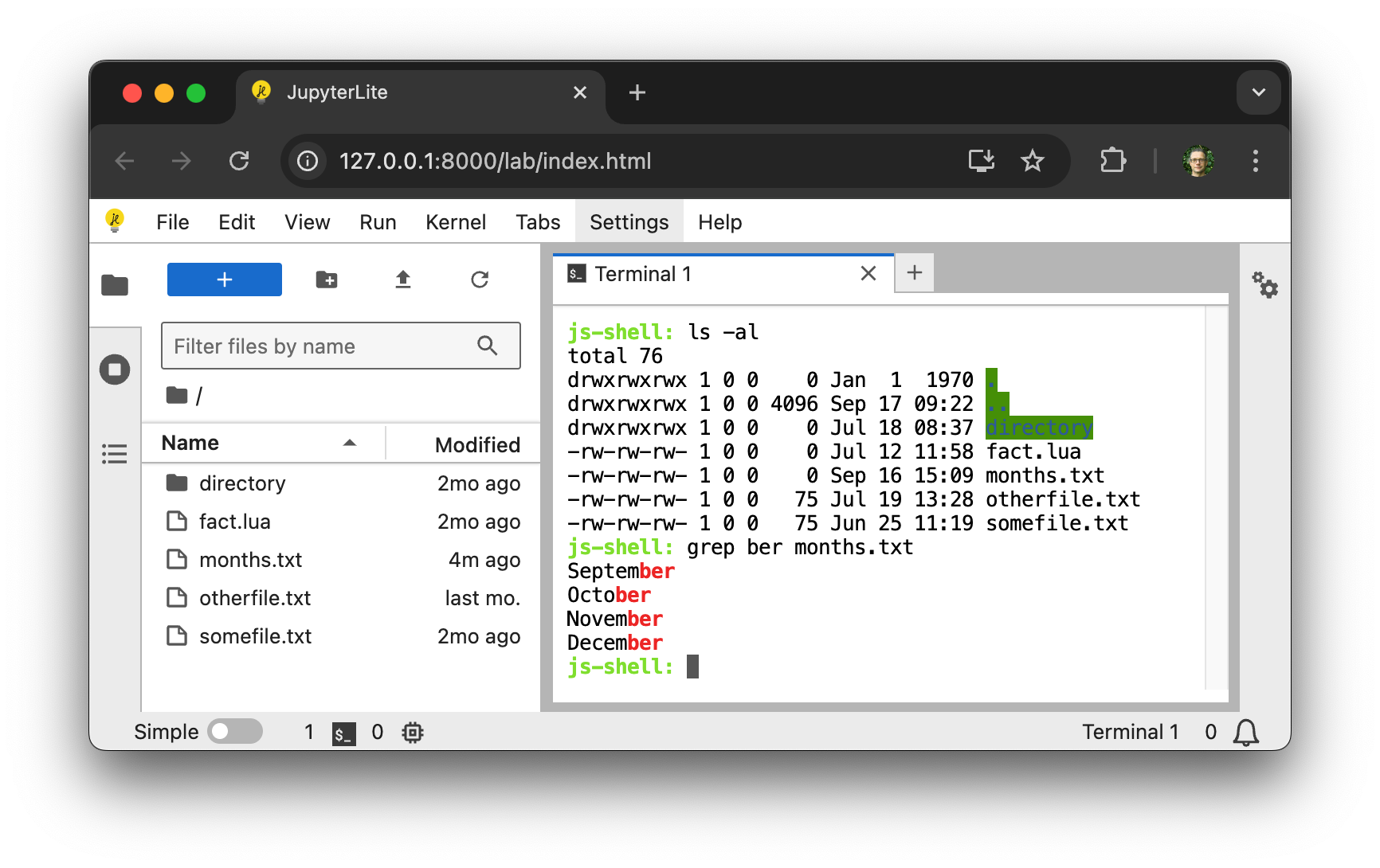
A terminal for JupyterLite.
⚠️ This extension is still in development and not yet ready for general use. ⚠️
## Requirements
- JupyterLite >= 0.6.0
## Install
To install the extension, execute:
```bash
pip install jupyterlite-terminal
```
You will also need to install the JupyterLite CLI:
```bash
python -m pip install jupyterlite-core
```
## Usage
After installing `jupyterlite-core` and `jupyterlite-terminal`, create a `jupyter-lite.json` file with the following content to activate the terminal extension:
```json
{
"jupyter-lite-schema-version": 0,
"jupyter-config-data": {
"terminalsAvailable": true
}
}
```
Then build a new JupyterLite site:
```bash
jupyter lite build
```
## Contributing
### Development install
Note: You will need NodeJS to build the extension package.
The `jlpm` command is JupyterLab's pinned version of
[yarn](https://yarnpkg.com/) that is installed with JupyterLab. You may use
`yarn` or `npm` in lieu of `jlpm` below.
```bash
# Clone the repo to your local environment
# Change directory to the jupyterlite_terminal directory
# Install package in development mode
pip install -e "."
# Link your development version of the extension with JupyterLab
jupyter labextension develop . --overwrite
# Rebuild extension Typescript source after making changes
jlpm build
```
You can watch the source directory and run JupyterLab at the same time in different terminals to watch for changes in the extension's source and automatically rebuild the extension.
```bash
# Watch the source directory in one terminal, automatically rebuilding when needed
jlpm watch
# Run JupyterLab in another terminal
jupyter lab
```
Then build a JupyterLite distribution with the extension installed:
```bash
cd deploy
jupyter lite build --contents contents
```
And serve it either using:
```bash
npx static-handler _output/
```
or:
```bash
jupyter lite serve
```
To enable use of SharedArrayBuffer rather than ServiceWorker for `stdin` you will have to configure your server to add the `Cross-Origin-Embedder-Policy` and `Cross-Origin-Opener-Policy` headers. Do this using either:
```bash
npx static-handler --cors --coop --coep --corp _output/
```
or:
```bash
jupyter lite serve --LiteBuildConfig.extra_http_headers=Cross-Origin-Embedder-Policy=require-corp --LiteBuildConfig.extra_http_headers=Cross-Origin-Opener-Policy=same-origin
```
### Packaging the extension
See [RELEASE](RELEASE.md)