@jcottam/html-metadata
Version:
This JavaScript library simplifies the extraction of HTML Meta and OpenGraph tags from HTML content or URLs.
100 lines (67 loc) • 3.62 kB
Markdown
# HTML Metadata
[](https://www.npmjs.com/package/@jcottam/html-metadata)
[](https://en.wikipedia.org/wiki/MIT_license)
[](http://www.johnryancottam.com)
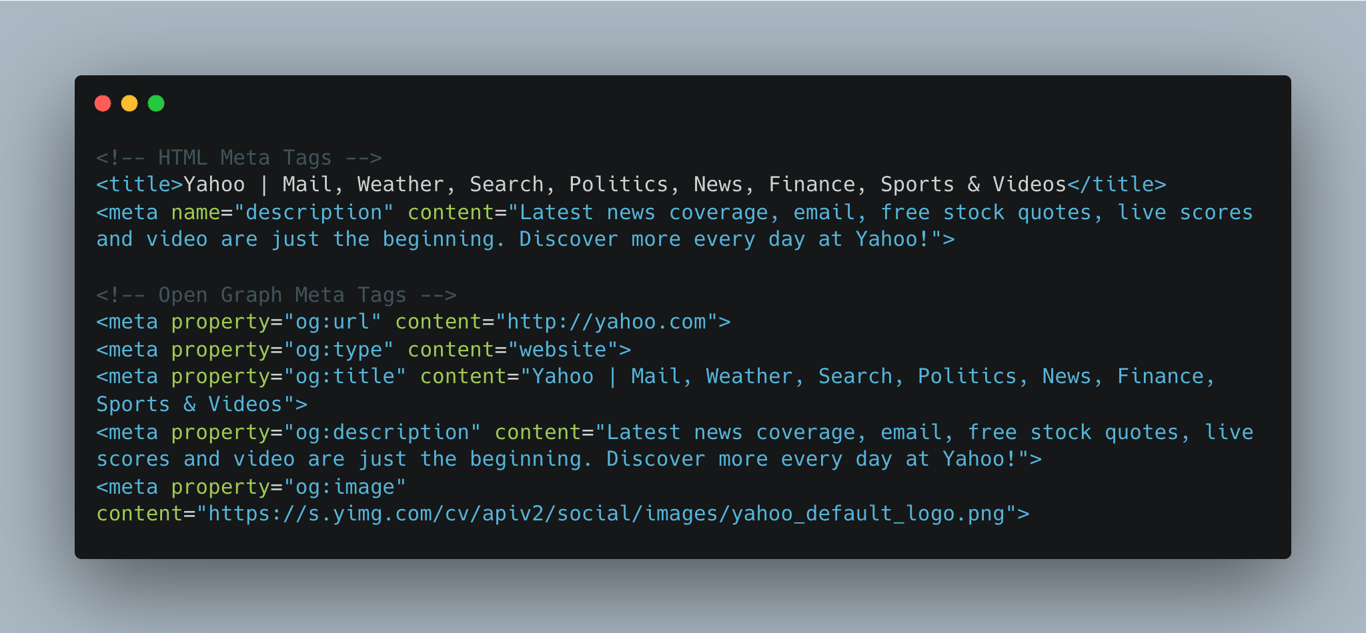
`@jcottam/html-metadata` is a JavaScript library for easy extraction of HTML meta and Open Graph tags from HTML content or URLs. It is useful for social media sharing and SEO.
**Compatibility:** Works with both Node.js (CommonJS) and modern browsers (ES6).
<!--  -->
## Features
<!--  
 -->
- Extracts [HTML meta](https://www.w3schools.com/tags/tag_meta.asp) and [Open Graph](https://ogp.me/) from HTML content or URLs.
- Parses metadata such as `og:title`, `og:description`, and `favicon`.
- Developed in TypeScript for better type safety.
- Simple integration and customizable error handling.
- Fast performance.
## Installation
```sh
npm install @jcottam/html-metadata
```
## Usage
**_ES6 and CommonJS syntax supported_**
### Extract tags from a URL
```ts
const { extractFromUrl } = require("@jcottam/html-metadata")
extractFromUrl("https://www.retool.com").then((data) => console.log(data))
```
### Extract tags from an HTML string
```ts
const { extractFromHTML } = require("@jcottam/html-metadata")
const data = extractFromHTML(
"<html><head><meta property='og:title' content='Hello World' /></head></html>"
)
```
## Documentation
## Methods
- `extractFromHTML(html: string, options?: Options): ExtractedData`
- `extractFromUrl(url: string, options?: Options): Promise<ExtractedData | null>`
### Options
```ts
type Options = {
timeout?: number // fetch timeout in ms
metaTags?: string[] // specific meta tags to extract
}
```
### Example Response
```json
{
"og:type": "website",
"og:url": "https://retool.com/",
"og:title": "Retool | The fastest way to build internal software.",
"og:description": "Retool is the fastest way to build internal software. Use Retool's building blocks to build apps and workflow automations that connect to your databases and APIs, instantly.",
"og:image": "https://d3399nw8s4ngfo.cloudfront.net/og-image-default.webp",
"favicon": "/favicon.png"
}
```
### CORS
To bypass CORS in browsers, run `extractFromUrl` on a server or use a proxy like [AllOrigins](https://api.allorigins.win).
## Third Party Tools
The module utilizes the following third-party tools for testing and functionality:
- [Vitest](https://vitest.dev/): Next-generation testing framework.
- [Cheerio](https://www.npmjs.com/package/cheerio): A fast, flexible, and lean implementation of core jQuery designed for server-side Node.js.
- [Shields.io](https://shields.io/): Concise, consistent, and legible badges for projects.
## Contributing
We welcome contributions to the @jcottam/html-metadata module! If you'd like to contribute, please follow these guidelines:
1. Fork the repository and create a branch.
1. Make your changes and ensure that the code style and tests pass.
1. Submit a pull request with a detailed description of your changes.