@ironsoftware/ironpdf
Version:
IronPDF for Node
155 lines (113 loc) • 4.49 kB
Markdown
%20-107C10?logo=visualstudio)     
# IronPDF - Create, Edit, and Read PDFs in Node.js Applications

IronPDF is a library developed and maintained by Iron Software that helps Software Engineers to create, edit and extract PDF content.
## Features
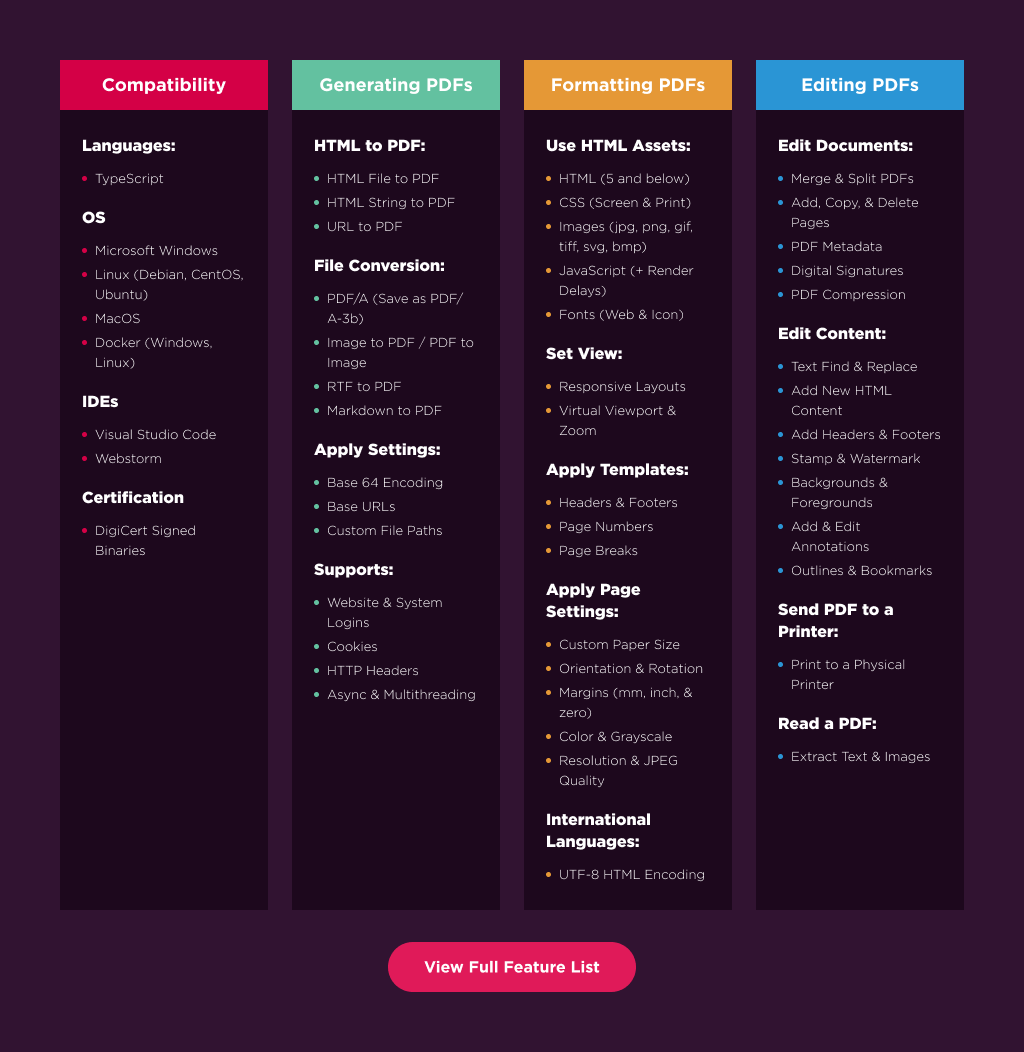
IronPDF excels at:
- Generating PDFs from: HTML, URL, JavaScript, CSS and many image formats
- Adding headers/footers, and signatures
- Merge, Split, Add, Copy, & Delete PDF Pages
- Performance optimization: Full Multithreading and Async support
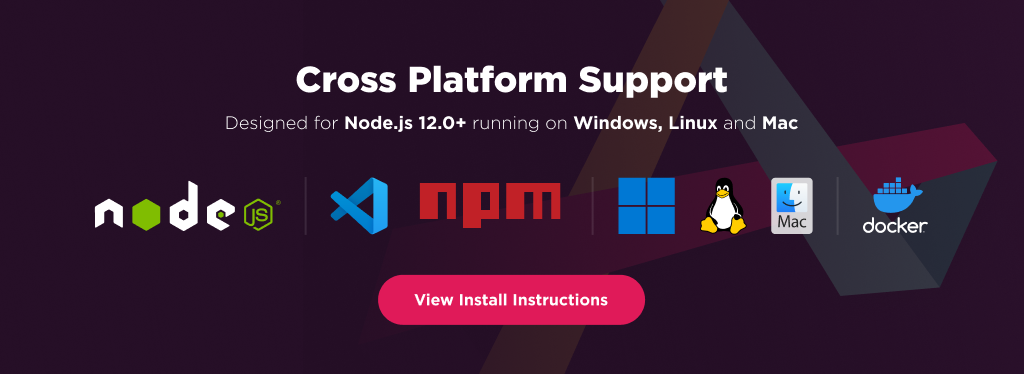
### IronPDF has cross platform support compatibility with:
- Node.js 12.0+
- Windows, Linux, Mac, and Docker
## Using IronPDF
IronPDF for Node.js utilizes a powerful Chrome Engine to render PDFs from HTML strings, files, and web URLs. Since the rendering process can be computationally intensive, it is recommended to delegate this task to the server-side. Frontend frameworks like ReactJs and Angular can communicate with the server to offload the computational work and await the result, which can then be displayed on the frontend side.
## Installation
Using npm:
```shell
npm install @ironsoftware/ironpdf
```
Using yarn:
```shell
yarn add @ironsoftware/ironpdf
```
IronPdf required IronPDF Engine binary, which will download automatically on the first run.
Or you can install it as a npm package (Recommended) (Optional)
> **_NOTE:_** IronPDF Engine and IronPDF version need to match.
### For Windows x64
Using npm:
```console
npm install @ironsoftware/ironpdf-engine-windows-x64
```
Using yarn:
```console
yarn add @ironsoftware/ironpdf-engine-windows-x64
```
### For Windows x86
Using npm:
```console
npm install @ironsoftware/ironpdf-engine-windows-x86
```
Using yarn:
```console
yarn add @ironsoftware/ironpdf-engine-windows-x86
```
### For Linux x64
Using npm:
```console
npm install @ironsoftware/ironpdf-engine-linux-x64
```
Using yarn:
```console
yarn add @ironsoftware/ironpdf-engine-linux-x64
```
### For macOS x64
Using npm:
```console
npm install @ironsoftware/ironpdf-engine-macos-x64
```
Using yarn:
```console
yarn add @ironsoftware/ironpdf-engine-macos-x64
```
### For macOS Arm
Using npm:
```console
npm install @ironsoftware/ironpdf-engine-macos-arm64
```
Using yarn:
```console
yarn add @ironsoftware/ironpdf-engine-macos-arm64
```
## Usage
Here is a sample HTML to PDF example to get started:
```typescript
import {PdfDocument} from "@ironsoftware/ironpdf";
// HTML to PDF
(async () => {
// Render the HTML string
const pdf = await PdfDocument.fromHtml("<h1>Testing</h1>");
// Export the PDF document
await pdf.saveAs("pdf-from-html.pdf");
})();
```
And another option is to create from URL to PDF:
```typescript
import {PdfDocument} from "@ironsoftware/ironpdf";
// URL to PDF
(async () => {
// Render the web URL
const pdf = await PdfDocument.fromUrl("https://www.google.com");
// Export the PDF document
await pdf.saveAs("pdf-from-url.pdf");
})();
```
Stamp PDF
```typescript
import {PdfDocument} from "@ironsoftware/ironpdf";
// Stamp PDF
(async () => {
// Load existing PDF document
const pdf = await PdfDocument.fromFile("mypdf.pdf");
// Stamp image on the PDF
await pdf.stampHtml("<img src='https://ironpdf.com/img/products/ironpdf-logo-text.svg'/>");
// Export the PDF document
await pdf.saveAs("stampedPdf.pdf");
})();
```
## Features Table
## Licensing & Support Available
For more support and inquiries, please email us at: support@ironsoftware.com