@ireceipt.pro/js
Version:
Create PDF files or images (JPG, PNG, WEBP) from your HTML template.
154 lines (132 loc) • 5.6 kB
Markdown
# @ireceipt-pro/js
Create PDF files or images from your HTML template.
[](https://www.npmjs.com/package/@ireceipt.pro/js)
[](https://www.npmjs.com/package/@ireceipt.pro/js)
[](https://www.npmjs.com/package/@ireceipt.pro/js)


## Examples
More information and examples are available on <https://dashboard.ireceipt.pro>
| | | |
| --- | --- | --- |
| [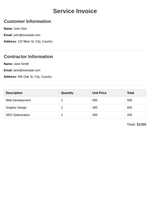](https://dashboard.ireceipt.pro/sandbox/public/invoice_for_services_h2lmu9s2) | [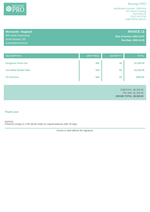](https://dashboard.ireceipt.pro/sandbox/public/invoice_universal_e2wa2qvy) | [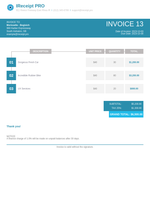](https://dashboard.ireceipt.pro/sandbox/public/invoice_universal_k5gizy86) |
| | |
| --- | --- |
| [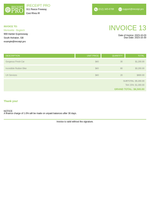](https://dashboard.ireceipt.pro/sandbox/public/invoice_universal_qg1oiing) | [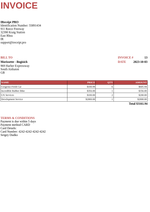](https://dashboard.ireceipt.pro/sandbox/public/invoice_universal_vzrt6k1s) |
## Get Started
For the library to work, you will need an API key, which you can get at <https://dashboard.ireceipt.pro>. You can also find public template IDs there or create your own.
```ts
import { IReceiptPRO } from '@ireceipt.pro/js';
const irp = new IReceiptPRO(process.env.IRETAILPRO_API_KEY);
irp.createJpgFromPublicTemplate("invoice_universal_vzrt6k1s", {
"invoice": {
"number": "13",
"date": "2023-10-03",
"table": {
"headers": [
"NAME",
"PRICE",
"QTY",
"AMOUNT"
],
"rows": [
{
"values": [
"Gorgeous Fresh Car",
"$100.99",
"6",
"$605.94"
]
},
{
"values": [
"Incredible Rubber Bike",
"$356.00",
"1",
"$356.00"
]
},
{
"values": [
"UX Services",
"$100.00",
"2",
"$200.00"
]
},
{
"values": [
"Development Service",
"$2000.00",
"1",
"$2000.00"
]
}
]
},
"total": "$3161.94",
"terms": [
"Payment is due within 5 days",
"Payment method CARD",
"Card Details:",
"Card Number: 4242-4242-4242-4242",
"Sergey Dudko"
]
},
"from": {
"companyName": "IReceipt PRO",
"lines": [
"Identification Number: 55891434",
"911 Reece Freeway",
"32390 Kraig Station",
"East Rhea",
"IR",
"support@ireceipt.pro"
]
},
"to": {
"companyName": "Morissette - Bogisich",
"lines": [
"969 Harber Expressway",
"South Aishaton",
"GB"
]
},
"localization": {
"invoice": "INVOICE",
"bill_to": "BILL TO",
"date": "DATE",
"total": "Total",
"terms_and_conditions": "TERMS & CONDITIONS"
}
}, {
"width": 796,
"height": 1126
})
```
## Use
Available methods for generating PDF files and JPG, PNG, WEBP images from public or your personal templates:
| method | description |
| --- | --- |
| `createJpgFromPublicTemplate` | Create JPG Image from public template |
| `createPdfFromPublicTemplate` | Create PDF File from public template |
| `createPngFromPublicTemplate` | Create PNG Image from public template |
| `createWebpFromPublicTemplate` | Create WEBP Image from public template |
| `createJpgFromPrivateTemplate` | Create JPG Image from private template |
| `createPdfFromPrivateTemplate` | Create PDF File from private template |
| `createPngFromPrivateTemplate` | Create PNG Image from private template |
| `createWebpFromPrivateTemplate` | Create WEBP Image from private template |
All methods have the same arguments, for example:
```ts
const buffer: Buffer | ArrayBuffer = await createJpgFromPublicTemplate(templateId, args, size);
```
| argument | description | required | example |
| --- | --- | --- | --- |
| `templateId` | template id, you can find it on <https://dashboard.ireceipt.pro> | true | `gift_card_template_1` |
| `args` | arguments for substitution in the template | true | `{"amount": "$25","name": "Gift Card","code": "#1234567890","color": "#ebfdff"}` |
| `size` | the size of the file being created | false | `{"width": 796,"height": 1126}` |
## Project outline
The scheme of work looks like this:

## LICENSE
MIT