@illgrenoble/ngx-remote-desktop
Version:
ngx-remote-desktop is an Angular2+ module for connecting to a remote desktop using the guacamole protocol
44 lines (30 loc) • 2.27 kB
Markdown
# ngx-remote-desktop
[](https://badge.fury.io/js/%40illgrenoble%2Fngx-remote-desktop)
For installation and usage details go [here](https://illgrenoble.github.io/ngx-remote-desktop/additional-documentation/installation.html)
`ngx-remote-desktop` is an Angular component for connecting to a remote desktop using the [guacamole remote desktop gateway](https://guacamole.apache.org/)
It has been built for use with Angular 5.0.0+. It has been tested in Chrome, Firefox, Edge and Safari. It makes heavy use of flex, therefore it will not work in browsers that do not support flex.
There is no dependency on any presentation component library / framework (ng-bootstrap, clarity etc.). This component does not make any assertions about how the backend web socket broker to guacd is implemented.
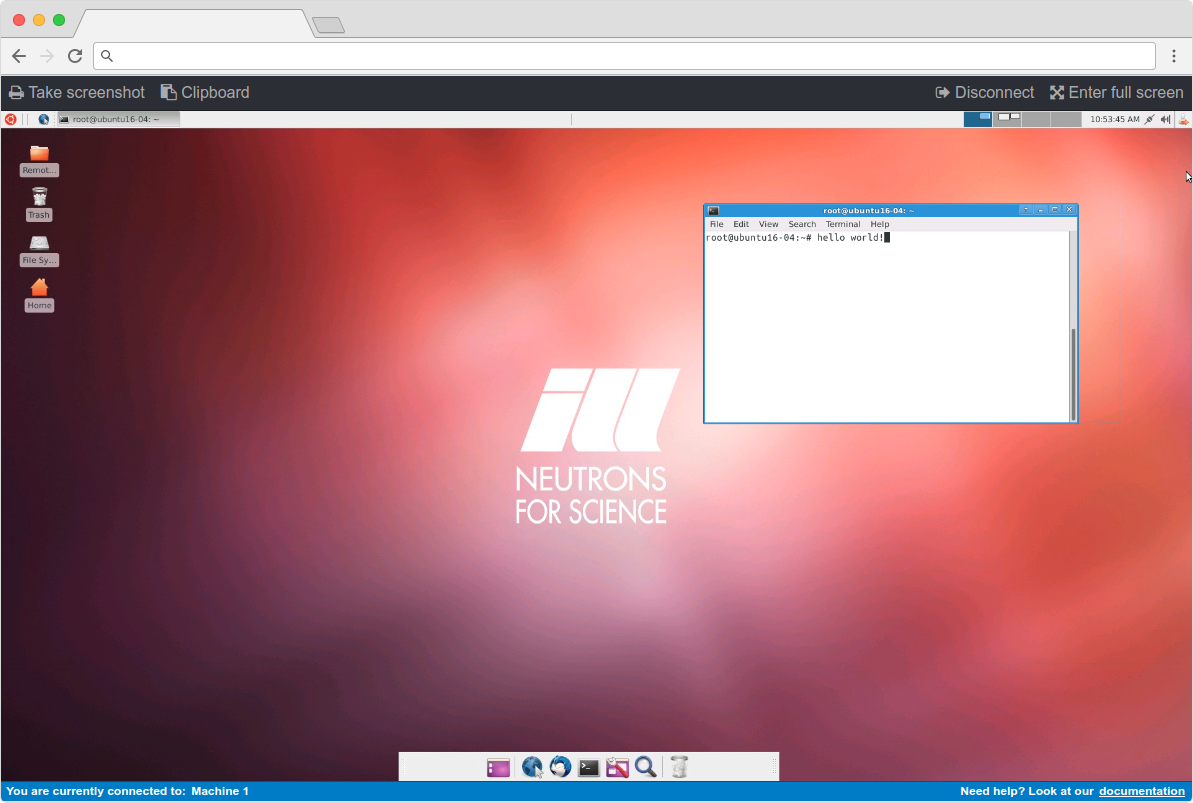
By default, there are no toolbar items, however, you can add as many toolbar items as you wish and create a handler in your component. You can also override the scss if you wish to change the styling. The `RemoteDesktopManager` exposes some useful methods for generating a screenshot or thumbnail, entering and exiting full screen mode, focusing and unfocusing the display, getting the client state, subscribing to the remote desktop clipboard and sending data to the remote desktop clipboard.
## Features
- Fluid screen resizing and scaling
- Full screen mode
- Toolbar (auto hide when in full screen mode)
- Take a screenshot
- Get a thumbnail
- Subscribe to the remote clipboard observable and receive remote clipboard data
- Send data to the remote clipboard
- Status bar (optional) to provide contextual information
For a full implementation example, see the [demo source code](https://github.com/ILLGrenoble/ngx-remote-desktop/tree/master/demo)
## Installation
To use `ngx-remote-desktop` in your project, install it via npm:
```
npm i @illgrenoble/ngx-remote-desktop --save
```
We also require two peer dependencies:
```
npm i @illgrenoble/guacamole-common-js --save
npm i screenfull --save
```
### Thank you
Thank you to the guacamole team for a fantastic project.