@hungrybluedev/theme-switcher
Version:
Makes it easy to add support for theme switching for static websites.
108 lines (82 loc) • 3.84 kB
Markdown
# [Theme Switcher](https://theme-switcher.com/)




_Theming is hard. Let's make it easier._
[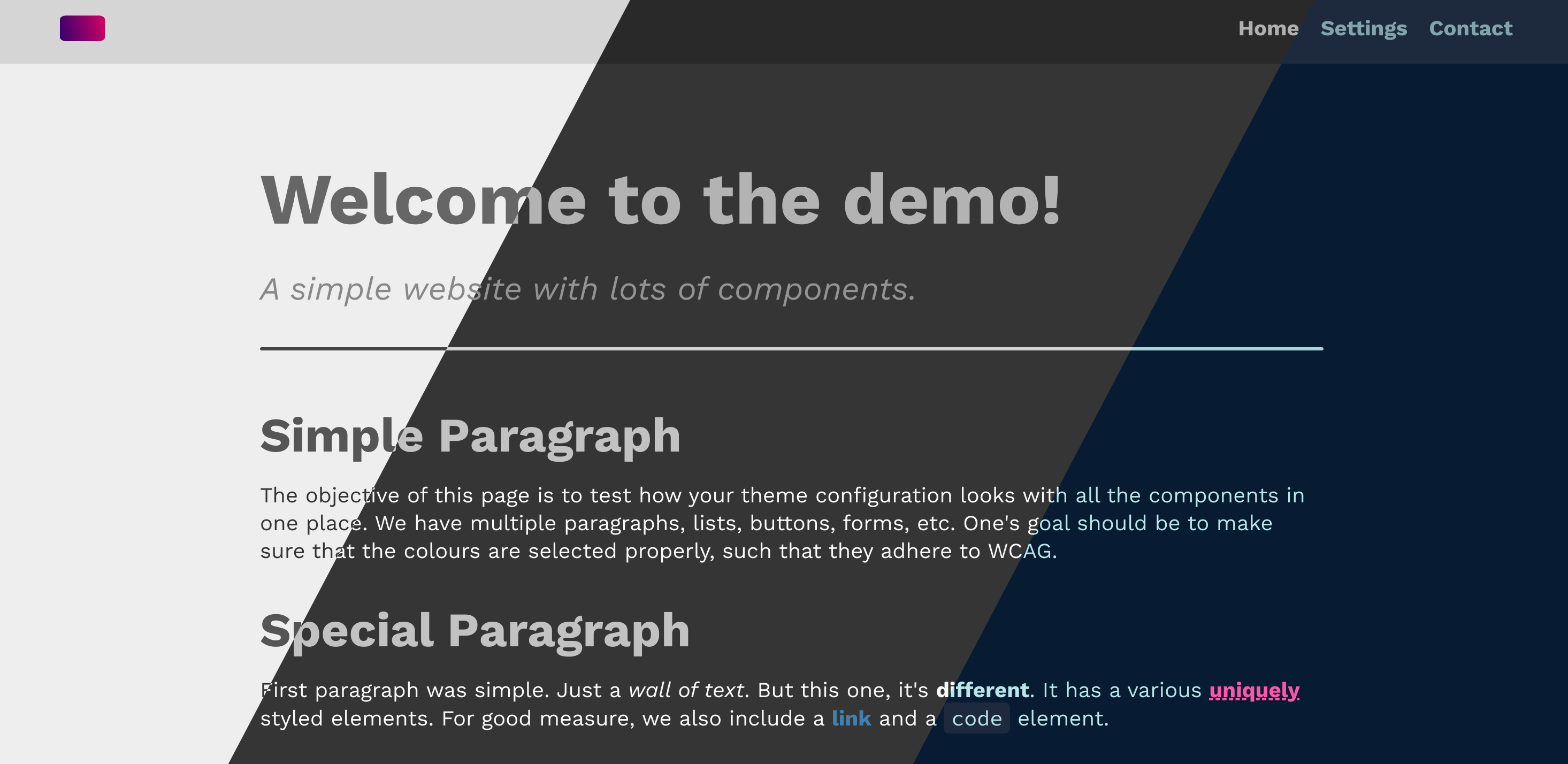](https://demo.theme-switcher.com/)
Sample: [demo.theme-switcher.com](https://demo.theme-switcher.com/)
## Introduction
I wanted a modular system for theming for all of my projects. I deal with HTML, CSS, and plain JavaScript. Therefore, I wanted my approach to be as simple and un-intrusive as possible. This project is my attempt as standardising my theme switching code across all of my projects. There are still a few things that must be taken care of manually, such as defining CSS variables for the themes, using the variables in a consistent format, ensuring a settings page. However, this project hopes to provide a standard way to manage user preference for themes.
## Usage
See the [static](https://github.com/hungrybluedev/theme-switcher/tree/main/static) folder for an example on how to structure your code. Essentially, it is best to have a dedicated **Settings** page where the user can configure the theme. Any page is valid as a settings page as long as:
1. It has a `<form>` element with `id="theme-switcher-form"`.
2. The form has `<input>` elements, one for each supported theme.
3. All input elements must have `name="theme-choice"` and id+value=`(theme-name)-theme`.
In summary, a `settings.html` file should be have something like:
```html
...
<form id="theme-switcher-form">
<p>Select your preferred theme:</p>
<div>
<input
type="radio"
id="light-theme"
name="theme-choice"
value="light-theme"
/>
<label for="light-theme">Light</label>
</div>
<div>
<input
type="radio"
id="dark-theme"
name="theme-choice"
value="dark-theme"
/>
<label for="dark-theme">Dark</label>
</div>
...
</form>
...
```
Additionally, the see [theme.css](https://github.com/hungrybluedev/theme-switcher/blob/main/static/theme.css) for an example of how to configure your themes with **CSS variables**. There should be a `light` theme by default. Add more as you please. An example CSS theme configuration is:
```css
html {
--primary: #bd1767;
--secondary: #271a6f;
--bg-primary: #eee;
--bg-secondary: #d5d5d5;
--fg-primary: #333;
--fg-secondary: #444;
}
html[data-theme="light"] {
--primary: #bd1767;
--secondary: #271a6f;
--bg-primary: #eee;
--bg-secondary: #d5d5d5;
--fg-primary: #333;
--fg-secondary: #444;
}
html[data-theme="dark"] {
--primary: #e679ad;
--secondary: #63aff1;
--bg-primary: #353535;
--bg-secondary: #292929;
--fg-primary: #fafafa;
--fg-secondary: #d2d2d2;
}
```
The next part is easy. Just have a `<script>` tag on all the HTML files you are serving with the following code:
```html
<script
src="https://unpkg.com/@hungrybluedev/theme-switcher@latest/dist/switch.js"
type="module"
defer
></script>
```
If you prefer having the source code served from your server, you can use save it from the unpkg link and use the `switch.js` file directly.
## License
This project is distributed under the MIT license. See the [LICENSE](https://github.com/hungrybluedev/theme-switcher/blob/main/LICENSE) file for more information.
## Contact
Visit my [contact](https://hungrybluedev.in/contact/) page to get in touch with me. Consider starring the repo if you like it. If you're really happy with it, consider contributing to it or [sponsoring me](https://github.com/sponsors/hungrybluedev)!