@groupdocs/groupdocs.watermark
Version:
Create and apply watermarks on PDF, Word, Excel, PowerPoint, and image files, including JPG and PNG. Fast, powerful, and easy-to-use watermarking tool.
169 lines (117 loc) • 7.3 kB
Markdown
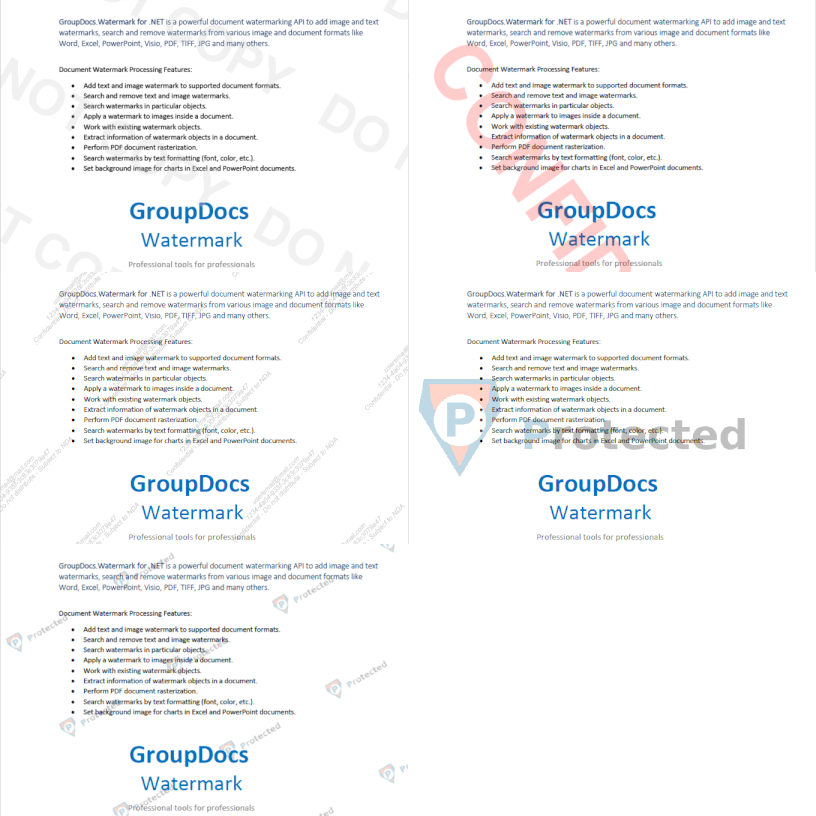
Powerful document watermarking API for Node.js (powered by Java) designed to help developers seamlessly add, detect, customize, and remove watermarks in 40+ file formats, including PDFs, Word documents, Excel spreadsheets, PowerPoint presentations, images, Visio diagrams, and more.
### Quick links
- [Release Notes](https://releases.groupdocs.com/watermark/nodejs-java/release-notes/)
- [Documentation](https://docs.groupdocs.com/watermark/nodejs-java/)
- [System Requirements](https://docs.groupdocs.com/watermark/nodejs-java/system-requirements/)
- [Installation Guide](https://docs.groupdocs.com/watermark/nodejs-java/installation/)
- [Support](https://forum.groupdocs.com/)
- [Pricing](https://purchase.groupdocs.com/pricing/watermark/nodejs-java/)
## Key Features
- Add text and image watermark to supported document formats.
- Search and remove text and image watermarks.
- Search watermarks in particular objects.
- Apply a watermark to images inside a document.
- Work with existing watermark objects.
- Extract information of watermark objects in a document.
- Perform PDF document rasterization.
- Fetch document basic information.
- Search watermarks by text formatting (font, color, etc.).
- Set background image for charts in Excel and PowerPoint documents.
- Work with PDF and email attachments.
## Supported Formats
### Supported File Formats
**Microsoft Word:** DOC, DOT, DOCX, DOCM, DOTX, DOTM, RTF
**Microsoft Excel:** XLSX, XLSM, XLTM, XLT, XLTX, XLS
**Microsoft PowerPoint:** PPTX, PPTM, PPSX, PPSM, POTX, POTM, PPT, PPS
**Microsoft Visio:** VSD, VDX, VSDX, VSTX, VSS, VSSX, VSDM, VSSM, VSTM, VTX, VSX
**OpenOffice:** ODT
**Email:** EML, EMLX, OFT, MSG
**Fixed Layout:** PDF
**Image:** BMP, GIF, JPG/JPEG/JPE, JP2, PNG, TIFF, WEBP
### Supported Watermark Types
- Text stamps
- Text labels
- Text as an image watermark
- Image watermark
## Getting Started
### Prerequisites
- Node.js (LTS recommended)
- Java Runtime Environment (JRE) 8 or later
- Windows, Linux, or macOS
### Installation
To install the package, check the [System Requirements](https://docs.groupdocs.com/watermark/nodejs-java/system-requirements/) and [Installation](https://docs.groupdocs.com/watermark/nodejs-java/installation/) documentation topics for platform-specific instructions.
### Use cases
Here are some typical use cases:
### Adding text watermak to the PDF document
This example shows how to compare two DOCX files and save a diff file.
```js
'use strict';
const groupdocs = require('@groupdocs/groupdocs.watermak');
// Apply license, required for non-evaluation usage
const license = new groupdocs.License();
license.setLicense("GroupDocs.Watermark.lic");
// Create watermarker
const watermarker = new groupdocs.Watermarker("source.pdf");
const watermark = new groupdocs.TextWatermark('Test watermark', new groupdocs.Font('Arial', 36, groupdocs.FontStyle.Bold | groupdocs.FontStyle.Italic));
watermark.setHorizontalAlignment(groupdocs.HorizontalAlignment.Center);
watermark.setVerticalAlignment(groupdocs.VerticalAlignment.Center);
watermarker.add(watermark);
watermarker.save("result.pdf");
// Exit
process.exit(0);
```
The output file 'result.pdf', is the watermarked version of the original.
### Search for watermarks in the document
```js
'use strict';
const groupdocs = require('@groupdocs/groupdocs.watermak');
// Apply license, required for non-evaluation usage
const license = new groupdocs.License();
license.setLicense("GroupDocs.Watermark.lic");
// Create watermarker
const watermarker = new groupdocs.Watermarker("source.pdf");
// Search by exact string
const textSearchCriteria = new groupdocs.TextSearchCriteria("2017");
// Find all possible watermarks containing some specific text
const possibleWatermarks = watermarker.search(textSearchCriteria);
// Output the results
console.log(`Found ${possibleWatermarks.getCount()} possible watermark(s)`);
// Exit
process.exit(0);
```
## Troubleshooting
- Download during installation fails (corporate proxy/firewall): Ensure your environment allows downloading the required JAR during `postinstall`. If needed, download the file manually to the `lib/` directory as described in the [Installation Guide](https://docs.groupdocs.com/watermark/nodejs-java/installation/).
- Java not found: Make sure Java (JRE 8+) is installed and available on your system `PATH`.
- Permission issues when writing output files: Verify your process has write access to the target directory.
## Licensing
For testing without trial limitations, you can request a 30-day Temporary License:
* Visit the [Get a Temporary License](https://purchase.groupdocs.com/temporary-license/) page
* Follow the instructions to request your temporary license
* Copy the license file and apply it using the code example
```javascript
'use strict';
const groupdocs = require('@groupdocs/groupdocs.watermark');
// Apply license
const license = new groupdocs.License();
license.setLicense("GroupDocs.Watermark.lic");
```
This product is licensed under the GroupDocs End User License Agreement (EULA). For pricing information, visit the [GroupDocs.Watermark for Node.js via Java pricing page](https://purchase.groupdocs.com/pricing/watermark/nodejs-java/).
## Support
GroupDocs provides unlimited free technical support for all of its products. Support is available to all users, including evaluation. The support is provided at [Free Support Forum](https://forum.groupdocs.com/), [Paid Support Helpdesk](https://helpdesk.groupdocs.com/) and [Paid Consulting](https://consulting.groupdocs.com/).
### Free Support Forum
The [GroupDocs Free Support Forum](https://forum.groupdocs.com/) is available to all users and provides:
- Direct access to the GroupDocs.Total development team
- Community-driven support and knowledge sharing
- No time limitations on support requests
- Access to historical solutions and discussions
### Paid Support Helpdesk
The [Paid Support Helpdesk](https://helpdesk.groupdocs.com/) offers:
- Higher priority response times
- Dedicated support team
- Extended support hours
- Priority issue resolution
### Paid Consulting
We can work together with you on your project and develop a part or complete application. If you need new features in the existing GroupDocs product or to create API for new file formats, send us a request at [consulting.groupdocs.com/contact](https://consulting.groupdocs.com/contact/).
---
[Home](https://www.groupdocs.com/) | [Product Home](https://products.groupdocs.com/watermark/nodejs-java/) | [Documentation](https://docs.groupdocs.com/watermark/nodejs-java/) | [Blog](https://blog.groupdocs.com/categories/groupdocs.watermark-product-family/) | [Code Samples](https://github.com/groupdocs-watermark/GroupDocs.Watermark-for-Node.js-via-Java) | [Free Support](https://forum.groupdocs.com/c/watermark/12) | [Temporary License](https://purchase.groupdocs.com/temporary-license) | [Pricing](https://purchase.groupdocs.com/pricing/watermark/nodejs-java/)