@gfazioli/mantine-flip
Version:
Flip component is a wrapper for any component that can be flipped. It is used to create cards, flip boxes and more.
107 lines (70 loc) • 4.53 kB
Markdown
<img alt="Mantine Flip" src="https://github.com/gfazioli/mantine-flip/blob/master/logo.jpeg" />
<div align="center">
[](https://www.npmjs.com/package/@gfazioli/mantine-flip)
[](https://www.npmjs.com/package/@gfazioli/mantine-flip)
[](https://www.npmjs.com/package/@gfazioli/mantine-flip)

---
[<kbd> <br/> ❤️ If this component has been useful to you or your team, please consider becoming a sponsor <br/> </kbd>](https://github.com/sponsors/gfazioli?o=esc)
</div>
This component is created on top of the [Mantine](https://mantine.dev/) library.
It requires **Mantine 9.x** and **React 19**.
[](https://gfazioli.github.io/mantine-flip/) is a two-face container that animates between a front and a back view, ideal for compact UIs that need progressive disclosure (e.g., editing panels, settings, sign-in/sign-up toggles, or profile details). It supports both uncontrolled usage with Flip.Target to wire any element as a click trigger, and controlled usage via flipped/defaultFlipped using React state for full synchronization with your app logic. The component enforces exactly two children, accepts size constraints (w/h), and offers transition customization such as vertical flipping and distinct rotation directions for flip-in and flip-out. Styling hooks (classNames/Styles API) let you target inner parts for design refinement, while examples demonstrate practical patterns like credit-card editing, modal-like settings panes, and multi-target triggers within a single face.
> [!note]
>
> → [Demo and Documentation](https://gfazioli.github.io/mantine-flip/) → [Youtube Video](https://www.youtube.com/playlist?list=PL85tTROKkZrWyqCcmNCdWajpx05-cTal4) → [More Mantine Components](https://mantine-extensions.vercel.app/)
```sh
npm install @gfazioli/mantine-flip
```
or
```sh
yarn add @gfazioli/mantine-flip
```
After installation import package styles at the root of your application:
```tsx
import '@gfazioli/mantine-flip/styles.css';
```
```tsx
import { Flip } from '@gfazioli/mantine-flip';
function Demo() {
return (
<Flip h={200} w={200}>
<Paper radius="md" withBorder p="lg" shadow="md">
<h3>Front Card</h3>
<Flip.Target>
<Button>Flip Back</Button>
</Flip.Target>
</Paper>
<Paper radius="md" withBorder p="lg" shadow="md">
<h3>Back Card</h3>
<Flip.Target>
<Button>Flip Front</Button>
</Flip.Target>
</Paper>
</Flip>
);
}
```
As you can see, the `Flip` component wraps two children, which are the two views that you want to flip between.
The `Flip.Target` component is used to define the trigger for the flip animation. It can be any component, such as a button, or a link, or even a div.
<div align="center">
[<kbd> <br/> ❤️ If this component has been useful to you or your team, please consider becoming a sponsor <br/> </kbd>](https://github.com/sponsors/gfazioli?o=esc)
</div>
Your support helps me:
- Keep the project actively maintained with timely bug fixes and security updates
- Add new features, improve performance, and refine the developer experience
- Expand test coverage and documentation for smoother adoption
- Ensure long‑term sustainability without relying on ad hoc free time
- Prioritize community requests and roadmap items that matter most
Open source thrives when those who benefit can give back—even a small monthly contribution makes a real difference. Sponsorships help cover maintenance time, infrastructure, and the countless invisible tasks that keep a project healthy.
Your help truly matters.
💚 [Become a sponsor](https://github.com/sponsors/gfazioli?o=esc) today and help me keep this project reliable, up‑to‑date, and growing for everyone.
---
https://github.com/user-attachments/assets/cc968450-9d8c-4b16-be58-a6766597742e
---
[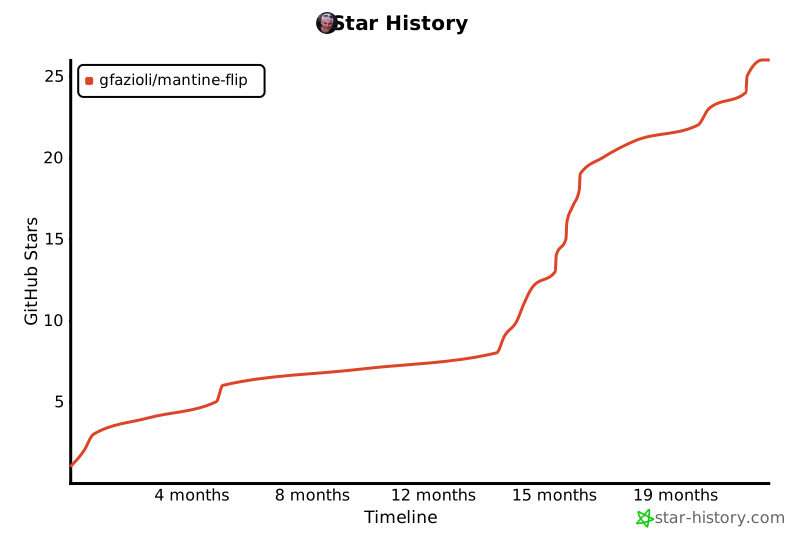](https://www.star-history.com/#gfazioli/mantine-flip&Timeline)