@geraldn/generator-gsndnn
Version:
Scaffolds DNN extensions, including Modules (Webforms, SPA, and MVC), Persona Bar, Skin Object, Library, Scheduler, and Hotcakes Commerce projects (based on the generator built by Matt Rutledge).
83 lines (54 loc) • 4.21 kB
Markdown
# generator-gsndnn [![NPM version][npm-image]][npm-url] [![Build Status][travis-image]][travis-url] [![Dependency Status][daviddm-image]][daviddm-url]
> Scaffolds DNN extensions, including Modules (Webforms, SPA, and MVC), Persona Bar, Skin Object, Library, Scheduler, and Hotcakes Commerce projects (based on [generator-upendodnn](https://github.com/mtrutledge/generator-dnn) built by Matt Rutledge).
The 25 minute video below will walk you through everything you need to know. (right-click and open in a new tab)
[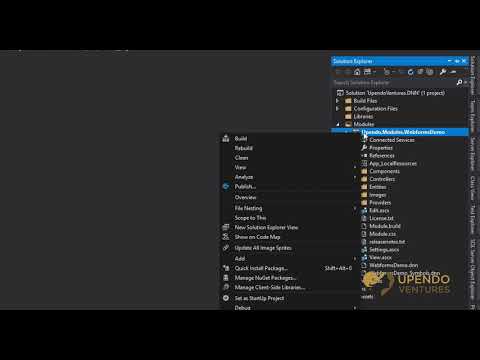](http://www.youtube.com/watch?v=ZD1p5DDlY2E "DNN: Building Enterprise & Team Friendly Solutions & Extensions with UpendoDNN")
## Installation
First, install [Yeoman](http://yeoman.io) and generator-upendodnn using [npm](https://www.npmjs.com/) (we assume you have pre-installed [node.js](https://nodejs.org/)).
Warning: You may need to [add the user path to your Environmental Variables](https://superuser.com/questions/949560/how-do-i-set-system-environment-variables-in-windows-10). Here is an example from Windows 10 (you'd replace your username):
`C:\Users\yourUsername\AppData\Roaming\npm`
You also need to install the latest version of MSBuild if you don't already have it installed.
- [Build tools for Visual Studio 2017](https://visualstudio.microsoft.com/downloads/#build-tools-for-visual-studio-2017)
- [Build tools for Visual Studio 2015](https://www.microsoft.com/en-us/download/details.aspx?id=48159)
- [Build tools for Visual Studio 2013](https://www.microsoft.com/en-us/download/details.aspx?id=40760)
Now, simply run the following commands:
```bash
npm install -g yo
npm install -g yarn
npm install -g generator-gsndnn
```
Then generate your new project:
```bash
mkdir my-project-name
cd my-project-name
yo upendodnn
```
You're intended to first create the `Solution Structure` if you haven't yet done so in this directory.
[More verbose instructions on how to use this.](http://www.dnnsoftware.com/community-blog/cid/155574/create-a-dnn-module-in-less-than-2-minutes)
## Getting To Know Yeoman
- Yeoman has a heart of gold.
- Yeoman is a person with feelings and opinions, but is very easy to work with.
- Yeoman can be too opinionated at times but is easily convinced not to be.
- Feel free to [learn more about Yeoman](http://yeoman.io/).
## Video Overview
- [DNN: Building Enterprise & Team Friendly Solutions & Extensions with UpendoDNN](https://www.youtube.com/watch?v=ZD1p5DDlY2E)
## First-Timers: How to Use
1. Install the generator as shown above.
2. Create and navigate to a folder where you wish to begin your new DNN-based solution. (command line example is above)
3. Run `yo upendodnn` in CMD or Powershell in that folder.
4. For the first time, you'll want to always first choose the `Solution` scaffold and step through the wizard.
5. Once the solution scaffold is created, run `yo upendodnn` again to add your other desired DNN solutions/projects.
6. After you add the desired solution/project, open the original Solution scaffold in Visual Studio and add the new project to this main solution.
7. Build your awesome DNN extension(s) as you see fit. Everything is now under one easy to open, run, code, build, and commit to source control solution.
8. Say hi to Will at [DNN Summit](https://www.dnnsummit.org/) and [DNN-Connect](https://www.dnn-connect.org/). :)
## More Documentation
Want to learn more or how to build the generator code locally?
[Original Project Documentation](https://mtrutledge.github.io/generator-dnn/)
## License
MIT © 2018 [Matt Rutledge]()
MIT © 2019 [Upendo Ventures, LLC](https://upendoventures.com)
[npm-image]: https://badge.fury.io/js/generator-dnn.svg
[npm-url]: https://npmjs.org/package/generator-dnn
[travis-image]: https://travis-ci.org/mtrutledge/generator-dnn.svg?branch=master
[travis-url]: https://travis-ci.org/mtrutledge/generator-dnn
[daviddm-image]: https://david-dm.org/mtrutledge/generator-dnn.svg?theme=shields.io
[daviddm-url]: https://david-dm.org/mtrutledge/generator-dnn