@fajarkim/github-readme-profile
Version:
🙀 Generate your Stats GitHub Profile in SVG
376 lines (319 loc) • 20.6 kB
Markdown
<div align="center">
<img src="https://raw.githubusercontent.com/FajarKim/github-readme-profile/master/logo.svg" alt="GitHub Readme Profile" width="120"/>
<h2>GitHub Readme Profile</h2>
<p>🙀 Generate your Stats GitHub Profile in SVG</p>
<p><a href="https://techforpalestine.org/learn-more"><img src="https://raw.githubusercontent.com/Safouene1/support-palestine-banner/master/banner-support.svg" width="100%" alt="Support Palestine"/></a></p>
<p><a href="https://github.com/FajarKim/github-readme-profile/issues/new?assignees=&labels=bug&projects=&template=bug_report.yml">Report Bugs</a> · <a href="https://github.com/FajarKim/github-readme-profile/issues/new?assignees=&labels=enhancement&projects=&template=feature_request.yml">Request Feature</a> · <a href="https://github.com/FajarKim/github-readme-profile/discussions/new?category=q-a">Ask Question</a></p>
<a href="https://github.com/FajarKim/github-readme-profile/releases"><img src="https://custom-icon-badges.demolab.com/github/v/tag/FajarKim/github-readme-profile?label=Version&labelColor=302d41&color=f2cdcd&logoColor=d9e0ee&logo=tag&style=for-the-badge" alt="GitHub Readme Profile Version"/></a>
<a href="https://www.codefactor.io/repository/github/fajarkim/github-readme-profile"><img src="https://img.shields.io/codefactor/grade/github/FajarKim/github-readme-profile?label=CodeFactor&labelColor=302d41&color=8bd5ca&logoColor=d9e0ee&logo=codefactor&style=for-the-badge" alt="GitHub Readme Profile Code Quality"/></a>
<a href="https://github.com/FajarKim/github-readme-profile/issues"><img src="https://custom-icon-badges.demolab.com/github/issues/FajarKim/github-readme-profile?label=Issues&labelColor=302d41&color=f5a97f&logoColor=d9e0ee&logo=issue&style=for-the-badge" alt="GitHub Readme Profile Issues"/></a>
<a href="https://github.com/FajarKim/github-readme-profile/pull"><img src="https://custom-icon-badges.demolab.com/github/issues-pr/FajarKim/github-readme-profile?&label=Pull%20requests&labelColor=302d41&color=ddb6f2&logoColor=d9e0ee&logo=git-pull-request&style=for-the-badge" alt="GitHub Readme Profile PRs"/></a>
<a href="https://github.com/FajarKim/github-readme-profile/graphs/contributors"><img src="https://custom-icon-badges.demolab.com/github/contributors/FajarKim/github-readme-profile?label=Contributors&labelColor=302d41&color=c9cbff&logoColor=d9e0ee&logo=people&style=for-the-badge"/></a>
<a href="https://chat.whatsapp.com/DM6WaaTQ4IJ3VOe2ly6KJD"><img src="https://img.shields.io/badge/Join%20To%20Community-blue?style=for-the-badge&logo=whatsapp&color=302d41&logoColor=a6da95" alt="Join to Community"/></a>
</div>
</br>
<div align="center">
<a href="https://vercel.com"><img src="https://raw.githubusercontent.com/FajarKim/FajarKim/master/images/powered-by-vercel.svg" alt="Powered by Vercel"/></a>
</div>
# 📌 Features
- [🎴 Getting Started](#-getting-started)
- [🎨 Themes](#-themes)
- [✏️ Customization](#%EF%B8%8F-customization)
- [📑 License](#-license)
- [Deploy on ▲ Vercel](#deploy-on--vercel)
- [💳 Credits](#-credits)
- [💰 Donate](#-donate)
- [👥 Contributions](#-contributions)
# 🎴 Getting Started
Copy-paste this into your markdown content, and that is it. Simple!
Change the `?username=` value to your GitHub username.
```markdown
[](https://github.com/FajarKim/github-readme-profile)
```
[](https://github.com/FajarKim/github-readme-profile)
## 🎨 Themes
With inbuilt themes, you can customize the look of the card without doing any [manual customization](#%EF%B8%8F-customization).
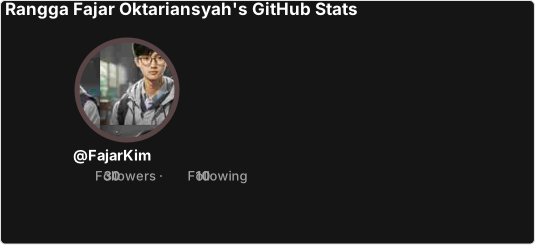
Use `&theme=THEME_NAME` parameter like so:
```markdown
```
<details>
<summary>Show Example</summary>
<a href="https://github.com/FajarKim/github-readme-profile"><img src="https://github-readme-profile-theta.vercel.app/api?username=FajarKim&theme=dark" alt="GitHub Stats"/></a>
</details>
#### All inbuilt themes
GitHub Readme Profile comes with several built-in themes (e.g. `transparent`, `dark`, `highcontarst`).
| Themes | Preview |
| :------------------: | :-------------------------: |
| `default` | ![image][default] |
| `transparent` | ![image][transparent] |
| `dark` | ![image][dark] |
| `highcontrast` | ![image][highcontrast] |
You can look at a preview for [all available themes](./themes/README.md). You can also contribute new themes if you like, contributing guidelines can be found [here](./CONTRIBUTING.md#-themes-contribution).
[default]: https://github-readme-profile-theta.vercel.app/api?username=FajarKim&theme=default
[transparent]: https://github-readme-profile-theta.vercel.app/api?username=FajarKim&theme=transparent
[dark]: https://github-readme-profile-theta.vercel.app/api?username=FajarKim&theme=dark
[highcontrast]: https://github-readme-profile-theta.vercel.app/api?username=FajarKim&theme=highcontrast
## ✏️ Customization
You can customize the appearance of all your cards however you wish with URL parameters.
#### Options
<table>
<tr>
<td><p align="center"><b>Name</b></p></td>
<td><p align="center"><b>Description</b></p></td>
<td><p align="center"><b>Type</b></p></td>
<td><p align="center"><b>Default value</b></p></td>
</tr>
<tr>
<td><p align="left"><code>title_color</code></p></td>
<td><p align="left">Card's title color.</p></td>
<td><p align="left">string (hex color)</p></td>
<td><p align="left"><code>2f80ed</code></p></td>
</tr>
<tr>
<td><p align="left"><code>text_color</code></p></td>
<td><p align="left">Body text color.</p></td>
<td><p align="left">string (hex color)</p></td>
<td><p align="left"><code>434d58</code></p></td>
</tr>
<tr>
<td><p align="left"><code>icon_color</code></p></td>
<td><p align="left">Icons color.</p></td>
<td><p align="left">string (hex color)</p></td>
<td><p align="left"><code>4c71f2</code></p></td>
</tr>
<tr>
<td><p align="left"><code>border_color</code></p></td>
<td><p align="left">Card's border color. Does not apply when <code>hide_border</code> is enabled.</p></td>
<td><p align="left">string (hex color)</p></td>
<td><p align="left"><code>e4e2e2</code></p></td>
</tr>
<tr>
<td><p align="left"><code>bg_color</code></p></td>
<td><p align="left">Card's background color.</p></td>
<td><p align="left">string (hex color or a gradient in the form of <i>angle,start,end</i>)</p></td>
<td><p align="left"><code>fffefe</code></p></td>
</tr>
<tr>
<td><p align="left"><code>stroke_color</code></p></td>
<td><p align="left">Profile image border color. Does not apply when <code>hide_stroke</code> is enabled.</p></td>
<td><p align="left">string (hex color)</p></td>
<td><p align="left"><code>e4e2e2</code> or <code>border_color</code> query</p></td>
</tr>
<tr>
<td><p align="left"><code>username_color</code></p></td>
<td><p align="left">Username text color.</p></td>
<td><p align="left">string (hex color)</p></td>
<td><p align="left"><code>434d58</code> or <code>text_color</code> query</p></td>
</tr>
<tr>
<td><p align="left"><code>theme</code></p></td>
<td><p align="left">Name of the theme, choose from <a href="/themes">all available themes</a>.</p></td>
<td><p align="left">enum</p></td>
<td><p align="left"><code>default</code></p></td>
</tr>
<tr>
<td><p align="left"><code>locale</code></p></td>
<td><p align="left">Sets the language in the card, you can check full list of available locales <a href="/docs/translations.md">here</a>.</p></td>
<td><p align="left">enum</p></td>
<td><p align="left"><code>en</code></p></td>
</tr>
<tr>
<td><p align="left"><code>border_width</code></p></td>
<td><p align="left">Sets the border's width manually.</p></td>
<td><p align="left">number</p></td>
<td><p align="left"><code>1</code></p></td>
</tr>
<tr>
<td><p align="left"><code>border_radius</code></p></td>
<td><p align="left">Corner rounding on the card.</p></td>
<td><p align="left">number</td>
<td><p align="left"><code>4.5</code></p></td>
</tr>
<tr>
<td><p align="left"><code>hide</code></p></td>
<td><p align="left">Hides the <a href="#hiding-individual-stats">specified items</a> from stats.</p></td>
<td><p align="left">string (comma-separated values)</td>
<td><p align="left"><code>null</code></p></td>
</tr>
<tr>
<td><p align="left"><code>show</code></p></td>
<td><p align="left">Shows <a href="#showing-additional-individual-stats">additional items</a> on stats card.</p></td>
<td><p align="left">string (comma-separated values)</td>
<td><p align="left"><code>null</code></p></td>
</tr>
<tr>
<td><p align="left"><code>format</code></p></td>
<td><p align="left">Output format card option (i.e. <code>svg</code>, <code>png</code>, or <code>json</code>).</p></td>
<td><p align="left">enum</td>
<td><p align="left"><code>svg</code></p></td>
</tr>
<tr>
<td><p align="left"><code>disabled_animations</code></p></td>
<td><p align="left">Disables all animations in the card.</p></td>
<td><p align="left">boolean</td>
<td><p align="left"><code>false</code></p></td>
</tr>
<tr>
<td><p align="left"><code>hide_border</code></p></td>
<td><p align="left">Hides the card's border.</p></td>
<td><p align="left">boolean</td>
<td><p align="left"><code>false</code></p></td>
</tr>
<tr>
<td><p align="left"><code>hide_stroke</code></p></td>
<td><p align="left">Hides the image's profile stroke in the card.</p></td>
<td><p align="left">boolean</td>
<td><p align="left"><code>false</code></p></td>
</tr>
</table>
#### Use the transparent theme
We have included a `transparent` theme that has a transparent background. This theme is optimized to look good on GitHub's dark and light default themes. You can enable this theme using the `&theme=transparent` parameter like so:
```markdown

```
<details>
<summary>Show Example</summary>
<a href="https://github.com/FajarKim/github-readme-profile"><img src="https://github-readme-profile-theta.vercel.app/api?username=FajarKim&theme=transparent" alt="GitHub Stats"/></a>
</details>
#### Add transparent alpha channel to a themes `bg_color`
You can use the `bg_color` parameter to make any of the available themes transparent. This is done by setting the `bg_color` to a color with a transparent alpha channel (i.e. `bg_color=00000000`):
```markdown

```
<details>
<summary>Show Example</summary>
<a href="https://github.com/FajarKim/github-readme-profile"><img src="https://github-readme-profile-theta.vercel.app/api?username=FajarKim&bg_color=00000000" alt="GitHub Stats"/></a>
</details>
#### Use GitHub's theme context tag
You can use [GitHub's theme context](https://github.blog/changelog/2021-11-24-specify-theme-context-for-images-in-markdown/) tags to switch the theme based on the user GitHub theme automatically. This is done by appending `#gh-dark-mode-only` or `#gh-light-mode-only` to the end of an image URL. This tag will define whether the image specified in the markdown is only shown to viewers using a light or a dark GitHub theme:
```markdown
[](https://github.com/FajarKim/github-readme-profile#gh-dark-mode-only)
[](https://github.com/FajarKim/github-readme-profile#gh-light-mode-only)
```
<details>
<summary>Show Example</summary>
<a href="https://github.com/FajarKim/github-readme-profile#gh-dark-mode-only"><img src="https://github-readme-profile-theta.vercel.app/api?username=FajarKim&theme=dark#gh-dark-mode-only" alt="GitHub Stats-Dark"/></a>
<a href="https://github.com/FajarKim/github-readme-profile#gh-light-mode-only"><img src="https://github-readme-profile-theta.vercel.app/api?username=FajarKim&theme=default#gh-light-mode-only" alt="GitHub Stats-Light"/></a>
</details>
#### Use gradient color
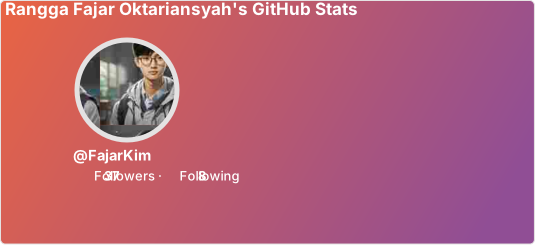
You can use the `bg_color` parameter to make gradient color. This is done by setting the `bg_color` with format _angle,start,end_ (comma-separated value).
```markdown
```
<details>
<summary>Show Example</summary>
<a href="https://github.com/FajarKim/github-readme-profile"><img src="https://github-readme-profile-theta.vercel.app/api?username=FajarKim&bg_color=30,e96443,904e95&title_color=fff&text_color=fff&icon_color=fff" alt="GitHub Stats"/></a>
</details>
#### Hiding individual stats
You can pass a query parameter `&hide=` to hide any specific stats with comma-separated values.
> Options:
> `&hide=repos,stars,forks,commits,prs,prs_merged,issues,
contributed`
```markdown

```
<details>
<summary>Show Example</summary>
<a href="https://github.com/FajarKim/github-readme-profile"><img src="https://github-readme-profile-beta.vercel.app/api?username=FajarKim&hide=repos,forks,prs_merged" alt="GitHub Stats"/></a>
</details>
#### Showing additional individual stats
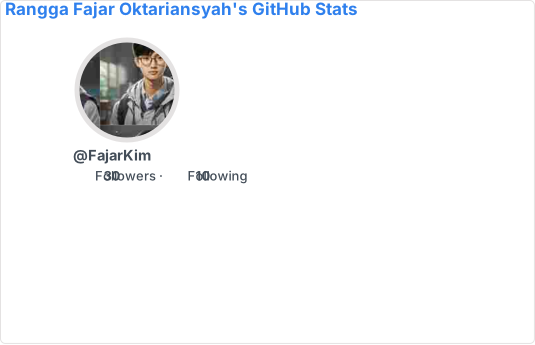
You can pass a query parameter `&show=` to show any specific additional stats with comma-separated values
> Options:
> `&show=reviews,issues_closed,discussions_started,discussions_answered`
```markdown
```
<details>
<summary>Show Example</summary>
<a href="https://github.com/FajarKim/github-readme-profile"><img src="https://github-readme-profile-beta.vercel.app/api?username=FajarKim&show=reviews,issues_closed,discussions_started,discussions_answered" alt="GitHub Stats"/></a>
</details>
#### Available locales
<table>
<tr>
<td><p align="center"><b>Code</b></p></td>
<td><p align="center"><b>Locale</b></p></td>
</tr>
<tr>
<td><p align="center"><code>en</code></p></td>
<td><p align="left">English</p></td>
</tr>
<tr>
<td><p align="center"><code>ar</code></p></td>
<td><p align="left">Arabic (العربية)</p></td>
</tr>
<tr>
<td><p align="center"><code>fr</code></p></td>
<td><p align="left">French (Français)</p></td>
</tr>
<tr>
<td><p align="center"><code>id</code></p></td>
<td><p align="left">Indonesian (Bahasa Indonesia)</p></td>
</tr>
<tr>
<td><p align="center"><code>ja</code></p></td>
<td><p align="left">Japanese (日本語)</p></td>
</tr>
<tr>
<td><p align="center"><code>ko</code></p></td>
<td><p align="left">Korean (한국어)</p></td>
</tr>
</table>
See [more](/docs/translations.md) available locale. The locale code added to file should be a 2-letter abbreviation from [ISO 639-1](https://www.andiamo.co.uk/resources/iso-language-codes/) or a 4-letter code with a language and country code (eg. `id` or `pt-BR`). Anything appearing in [the list](https://gist.github.com/FajarKim/91516c2aecbfc8bf65f584d528d5f2b1) should be fine. You can also contribute new translations if you like, contributing guidelines can be found [here](/CONTRIBUTING.md#%EF%B8%8F-translations-contribution).
```markdown

```
<details>
<summary>Show Example</summary>
<a href="https://github.com/FajarKim/github-readme-profile"><img src="https://github-readme-profile-theta.vercel.app/api?username=FajarKim&locale=id" alt="GitHub Stats"/></a>
</details>
## 📑 License
GitHub Readme Profile is released under the MIT license, which grants the following permissions:
- Commercial use
- Modification
- Distribution
- Private use
For more convoluted language, see the [LICENSE](/LICENSE).
## Deploy on ▲ Vercel
Step-by-step guide on setting up your own Vercel instance.
1. Go to [vercel.com](https://vercel.com).
2. Click on `Log In`.
3. Sign in with GitHub by pressing `Continue with GitHub`.
4. Sign in to GitHub and allow access to all repositories if prompted.
5. Fork this repository.
6. Go back to your [Vercel dashboard](https://vercel.com/dashboard).
7. To import a project, click the `Add New...` or `+` button and select the `Project` option.
8. Click the Continue with GitHub button, search for the required Git Repository and import it by clicking the `Import` button. Alternatively, you can import a Third-Party Git Repository using the `Import Third-Party Git Repository` link at the bottom of the page.
9. Create a personal access token (PAT) [here](https://github.com/settings/tokens/new) and enable the `repo` and `user` permissions (this allows access to see private repo and user stats).
10. Add the PAT as an environment variable named `GH_TOKEN_1`.
11. Repeat step number 9 and add PAT up to the `GH_TOKEN_3` environment variable.
12. In build and output settings, you set install command toggle and add command `npm install typescript`.
13. Click deploy, and you're good to go. See your domains to use the API!
[](https://vercel.com/import/project?template=https://github.com/FajarKim/github-readme-profile)
## 💳 Credits
This repository contains forked from [tuhinpal/readme-stats-github](https://github.com/tuhinpal/readme-stats-github) and inspired from [anuraghazra/github-readme-stats](https://github.com/anuraghazra/github-readme-stats).
## 💰 Donate
Love the project? Please consider donating to help it improve!
<div align="left">
<a href="https://github.com/sponsors/FajarKim/" target="_blank"><img src="https://img.shields.io/badge/GitHub-Sponsor-blue?labelColor=302d41&color=f5bde6&logo=github&logoColor=d9e0ee&style=for-the-badge" alt="GitHub Sponsor"></a>
<a href="https://ko-fi.com/fajarkim/" target="_blank"><img src="https://img.shields.io/badge/Ko%e2%80%91fi-Donate-blue?labelColor=302d41&color=94e2d5&logo=ko-fi&logoColor=d9e0ee&style=for-the-badge" alt="Ko-fi"></a>
<a href="https://trakteer.id/fajarkim/" target="_blank"><img src="https://custom-icon-badges.demolab.com/badge/Trakteer-Donate-blue?labelColor=302d41&color=ed8796&logo=trakteerid&logoColor=d9e0ee&style=for-the-badge" alt="Trakteer.id Donate"></a>
</div>
Are you considering supporting the project by donating to me? Please DO NOT!!
Please visit [this link](https://fajarkim.github.io/donate) and make a small donation to help the people in need. A small donation goes a long way. ❤️
### 👥 Contributions
> Contributions are welcome!
Specially thanks ❤️ for contributors bellow:
<a href="https://github.com/FajarKim/github-readme-profile/graphs/contributors">
<img src="https://contrib.rocks/image?repo=FajarKim/github-readme-profile" />
</a>
Want to contribute? Please note our contribution guidelines [here](/CONTRIBUTING.md).
[](https://techforpalestine.org/learn-more)
<div align="center">
<img src="https://raw.githubusercontent.com/FajarKim/FajarKim/master/images/line.svg?sanitize=true"/>
</div>
<p align="center">Made with ❤️ and TypeScript</p>
<p align="center">Copyright © 2023-present Rangga Fajar Oktariansyah</p>
<div align="center">
<a href="LICENSE"><img src="https://custom-icon-badges.demolab.com/github/license/FajarKim/github-readme-profile?label=License&labelColor=302d41&color=91d7e3&logo=law&logoColor=d9e0ee&style=for-the-badge" alt="GitHub Readme Profile License"></a>
</div>