@etchteam/storybook-addon-status
Version:
Add component status to the storybook UI
159 lines (115 loc) • 5.45 kB
Markdown
# Storybook Addon Status
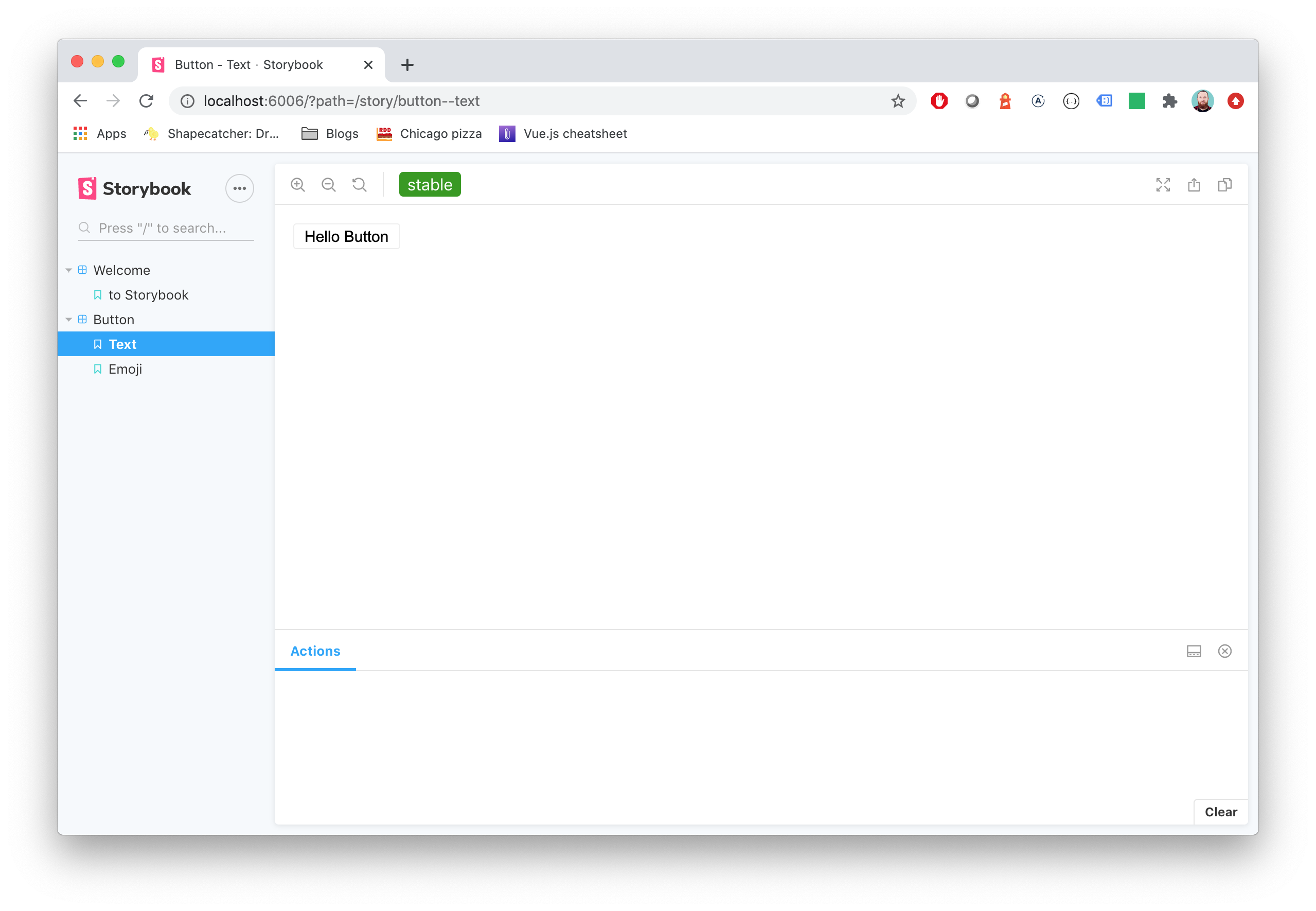
Storybook Status Addon can be used to add a component status label in [Storybook](https://storybook.js.org).
## Installation
```sh
npm install @etchteam/storybook-addon-status --save-dev
```
## Configuration
Then create a file called `main.js` in your storybook config.
Add the following content to it:
```js
export default {
addons: ['@etchteam/storybook-addon-status'],
};
```
In `manager.js` you can globally configure custom status configurations, or overwrite the built in "beta", "deprecated", "stable" & "releaseCandidate". You can also change how status dots will appear in the sidebar with the `sidebarDots` prop.
```js
import { addons } from "storybook/manager-api";
addons.setConfig({
status: {
statuses: {
released: {
background: '#0000ff',
color: '#ffffff',
description: 'This component is stable and released',
},
},
sidebarDots: 'single', // 'single' | 'multiple' | 'none'. 'single' is the default
},
});
```
**IMPORTANT:** The addon was previously configured using parameters in `preview.js`. This will still work as before, however newer features such as sidebar dot customisation are not available.
**NOTE:** Each key will be used as the label for the status and will convert camelCase to words.
## Story Usage
There are two ways to add statuses to your stories:
1. [Tags](#tags) (new, recommended)
2. [Story parameters](#story-parameters) (legacy)
You can also use [both methods together](#combined-method) to get the benefits of both at once.
### Tags
Storybook's built-in [tag system](https://storybook.js.org/docs/writing-stories/tags) can now be used to add statuses to your stories.
Just add an array of status names to the `tags` property:
```js
export default {
title: 'BetterSoftwareLink',
tags: ['beta'], // 'beta' | 'stable' | 'deprecated' | 'releaseCandidate' | your own custom status
};
```
This can be used for the built-in statuses, as well as any custom statuses defined in `manager.js`. Only these tags will appear as statuses - if they are not built-in or have a definition in `manager.js`, they will be ignored by the addon. This means that status tags can be used alongside tags for other purposes.
Using tags to define statuses means that stories can also be [filtered](https://storybook.js.org/docs/writing-stories/tags#filtering-by-custom-tags) by status.
### Story parameters
The alternative (legacy) way to add statuses to stories is to add them to the `status` property of the story parameters:
```js
export default {
title: 'BetterSoftwareLink',
parameters: {
status: {
type: 'beta', // 'beta' | 'stable' | 'deprecated' | 'releaseCandidate'
url: 'http://www.url.com/status', // Optional: will make the tag a link
statuses: {...} // Optional: add custom status configurations for this story here
}
},
};
```
`type` also accepts an object with `name` and `url` keys, or an array of strings and/or objects for multiple statuses.
If not specifically set, every status uses `status.url` as the linked Url.
```js
export default {
parameters: {
status: {
type: [
'beta',
'released',
'myCustomStatus',
{
name: 'stable',
url: 'http://www.url.com/stable'
}
],
url: 'http://www.url.com/status'
},
},
}
```
Setting statuses via the story parameters allows more customisation on a story-by-story basis, but at the expense of sidebar filtering. Additionally, using this method means that the status dot(s) in the sidebar only shows for the story that is currently being viewed - this is a [known limitation](https://github.com/storybookjs/storybook/discussions/24022#discussioncomment-12737532) of the way Storybook works.
### Combined method
For the best of both worlds, tag and story parameter statuses can be used together. This gives you the ability to filter by status in the sidebar, see sidebar dots for all stories at once, and to customise statuses within a story.
To do this, add all the statuses for the story to the `tags` array in the story definition. Then, add any statuses that need customisation (e.g. for a URL or custom style) to the story parameters' `status` property.
Both sets of statuses will be combined and de-duplicated.
```js
export default {
title: 'BetterSoftwareLink',
tags: ['beta', 'customStoryStatus']
parameters: {
status: {
type: {
name: 'customStoryStatus',
url: 'http://www.url.com/custom',
},
url: 'http://www.url.com/status',
statuses: {
customStoryStatus: {
background: '#0000ff',
color: '#ffffff',
description: 'This is a custom status configuration for this story only',
}
}
},
},
};
```
**NOTE:** The sidebar dot(s) for a status with custom styles added in a particular story will only work while you are viewing that story. This is a [known limitation](https://github.com/storybookjs/storybook/discussions/24022#discussioncomment-12737532) of the way Storybook works. We recommend [defining custom status styles globally](#configuration) in `preview.js` wherever possible instead.
## Migration guide
Need to [update your major version](Migration.md)?
---
Made with ☕ at [Etch](https://etch.co)