@etchteam/storybook-addon-marker
Version:
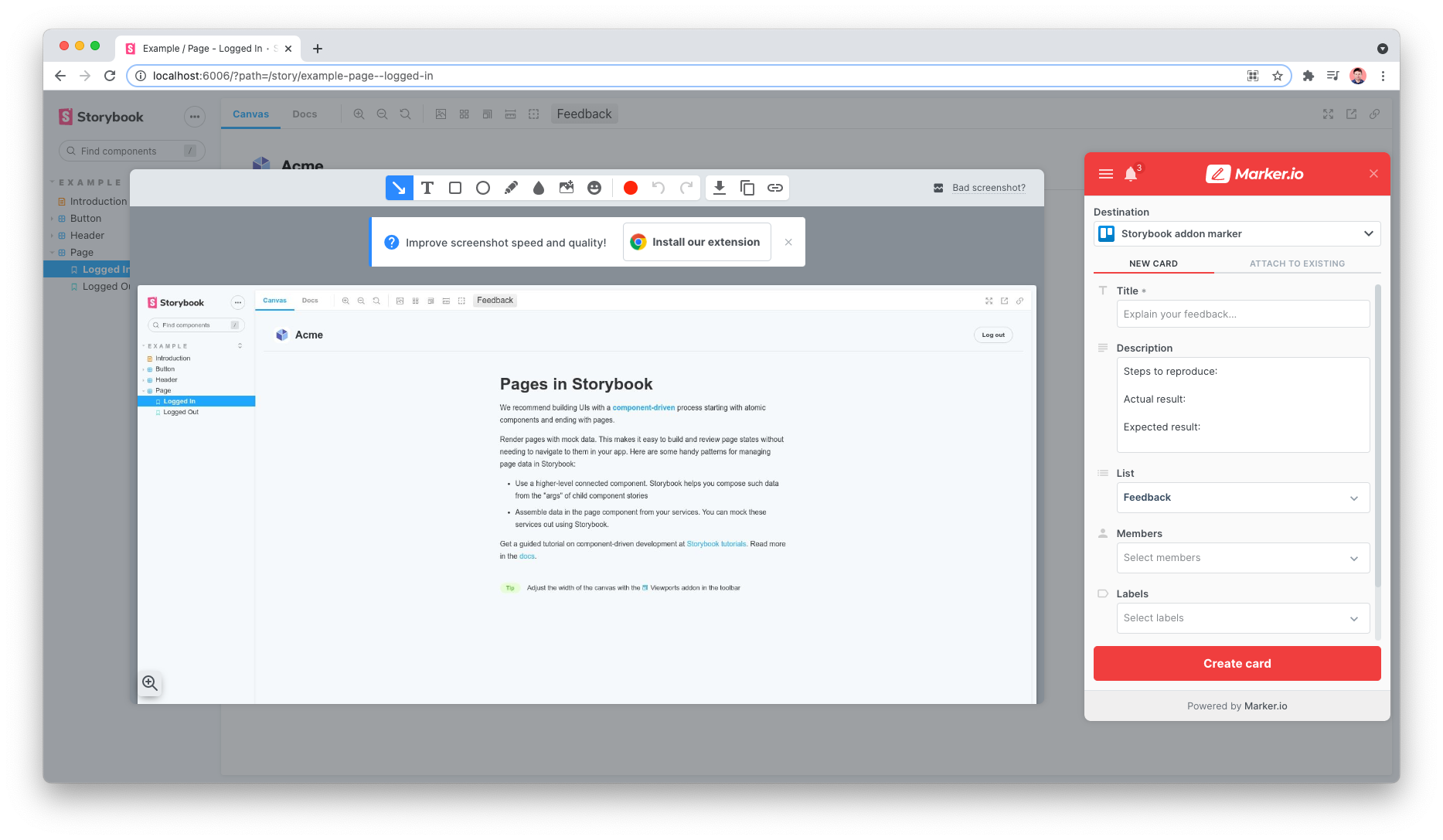
Add a Marker.io feedback button to the storybook UI
69 lines (46 loc) • 2.4 kB
Markdown
# Storybook Addon Marker
A Storybook Addon to add a [Marker.io](https://marker.io/) feedback button in [Storybook](https://storybook.js.org).
## Installation
```sh
npm install @etchteam/storybook-addon-marker --save-dev
```
## Configuring Storybook
Create a file called `main.js` in your `.storybook` config folder.
Add the following content to it:
```js
export default {
addons: ['@etchteam/storybook-addon-marker']
}
```
Then create a file called `preview.js` in the same folder and add your [Marker project ID](https://marker.io/blog/integrate-web-app-browser-sdk) in the [initalGlobals](https://storybook.js.org/docs/essentials/toolbars-and-globals).
```js
export default {
initialGlobals: {
marker: {
project: 'abcd1234567890', // Your unique project ID
},
},
}
```
Only `project` is required, the [rest of the marker widget params](https://github.com/marker-io/browser-sdk/blob/b5b3b9b19c7525be7dfa3f92b745f74f8e305303/src/index.ts#L7) are accepted and will be passed down to [the `loadWidget` method](https://github.com/marker-io/browser-sdk?tab=readme-ov-file#method-1-passing-custom-metadata-while-loading-your-widget).
Additionally, the `mode` option of [the browser SDK `capture` method](https://github.com/marker-io/browser-sdk?tab=readme-ov-file#widgetcapturemode) can be added to this config:
```js
export default {
initialGlobals: {
marker: {
project: 'abcd1234567890', // <- Your unique project ID
mode: 'fullscreen', // fullscreen | advanced
},
},
}
```
## Configuring Marker
Guidance on how to locate your Marker project and other Marker configuration options can be found on the [Marker website](https://help.marker.io/en/collections/3646812-configuration).
### Hiding the Marker widget button
This addon places a feedback button in the Storybook toolbar and automatically hides the default Marker button.
If you're finding the duplicate button still appears, there is a Marker setting under Widget > Button > Button visibility that can be set to "hidden".
### Screenshot rendering
If screenshots aren’t rendering correctly check [Markers tips and limitations](https://help.marker.io/en/articles/6282853-widget-screenshot-tips-limitations#h_96fa6c657e).
---
Made with ☕ at [Etch](https://etch.co)