@emiplegiaqmnpm/dicta-aliquid-aut
Version:
> Explicit states for predictable user experiences
93 lines (72 loc) • 1.79 kB
Markdown
# react-states
> Explicit states for predictable user experiences
## Install
```sh
npm install react-states
```
## Introduction to react-states
[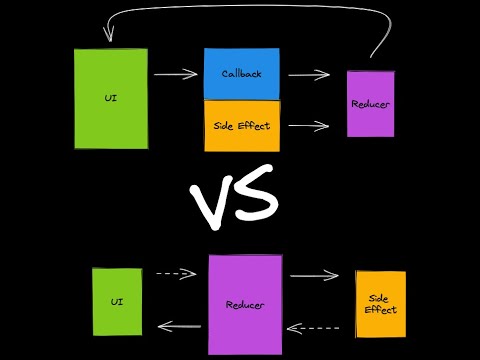](https://www.youtube.com/watch?v=4M--Kp41CjI)
## Examples
- [Resizer in the Devtools](./src/devtools//Resizer.tsx)
- [ExcalidrawFirebase](https://github.com/codesandbox/excalidraw-firebase/tree/main/src)
- [FamilyScrum](https://github.com/christianalfoni/family-scrum-v2/tree/main/src)
## Documentation
- [API](./docs/api.md)
- [Patterns](./docs/patterns.md)
## Values
- "It is just a reducer"
- Simple utilities
- Enhanced type safety
- Reducer does not express side effects
## Learn by example
Instead of expressing your state implicitly:
```ts
type State = {
isLoading: boolean;
error: string | null;
data: string[];
};
```
You can do so explicitly:
```ts
type State =
| {
state: 'NOT_LOADED';
}
| {
state: 'LOADING';
}
| {
state: 'LOADED';
data: string[];
}
| {
state: 'ERROR';
error: string;
};
```
With explicit states you can guard what actions are valid in what states using `transition`:
```ts
import { transition } from 'react-states';
const reducer = (prevState: State, action: Action) =>
transition(prevState, action, {
NOT_LOADED: {
FETCH: () => ({
state: 'LOADING',
}),
},
LOADING: {
FETCH_SUCCESS: (_, { data }) => ({
state: 'LOADED',
data,
}),
FETCH_ERROR: (_, { error }) => ({
state: 'ERROR',
error,
}),
},
LOADED: {},
ERROR: {},
});
```
With additional utilities like `createStates`, `createActions` and `match` you will increase safety and reduce boilerplate in your code.