@diva.exchange/i2p-sam
Version:
I2P SAM: peer-to-peer communication between applications over I2P
529 lines (399 loc) • 12.7 kB
Markdown
An I2P SAM library: enabling applications to communicate through the I2P network.
Long story short: I2P is an anonymous network layer allowing censorship-resistant and end-to-end-encrypted communication. I2P is a fully distributed, "privacy-by-design" peer-to-peer network.
To get I2P up and running, take a look at the project: https://github.com/diva-exchange/i2p
I2P is an instantly available peer-to-peer network which can be used for things like:
* chat, social media and alike - all private and secure
* distributed databases, aka blockchains (see https://testnet.diva.exchange as an example)
* gaming, file sharing and ... whatever else you come up with
I2P is fully distributed, well researched and gets further developed by a competent community.
This I2P SAM library helps developers to create an I2P application quickly and hassle-free.
## Get Started
`npm i @diva.exchange/i2p-sam`
or, lighter, without developer dependencies:
`npm i --omit dev @diva.exchange/i2p-sam`
## Quick Start - Examples
### How to Use Streams
Send an HTTP GET request to diva.i2p and output the response:
```
import { createStream } from '@diva.exchange/i2p-sam';
(async () => {
const s = await createStream({
stream: {
destination: 'diva.i2p'
},
sam: {
// your local I2P SAM host,
// like 172.19.74.11 if you use the given test
// docker container (see "Unit Tests" below)
host: '127.0.0.1',
// your local I2P SAM port, this is the default
portTCP: 7656
},
});
s.on('data', (data: Buffer) => {
console.log('Incoming Data: ' + data.toString());
});
s.stream(Buffer.from('GET /hosts.txt HTTP/1.1\r\nHost: diva.i2p\r\n\r\n'));
})();
```
Forward incoming streaming data to a local socket server:
```
import { createStream, createForward, I2pSamStream } from '@diva.exchange/i2p-sam';
import net from 'net';
(async () => {
const serverForward = net.createServer((c) => {
console.debug('client connected');
c.on('end', () => {
console.debug('client disconnected');
});
c.on('data', (data: Buffer) => {
console.debug(data.toString());
c.write(`Hello Client!\n`);
});
});
serverForward.listen(20222, '127.0.0.2');
const samForward: I2pSamStream = await createForward({
sam: {
host: '127.0.0.1', // your local I2P SAM host
portTCP: 7656 // your local I2P SAM port
},
forward: {
host: '127.0.0.2', // your local listener, see above
port: 20222, // your local listener, see above
},
});
const samClient: I2pSamStream = await createStream({
sam: {
host: '127.0.0.1', // your local I2P SAM host
portTCP: 7656 // your local I2P SAM port
},
stream: {
destination: samForward.getPublicKey()
},
});
// event handler
samClient.on('data', (data: Buffer) => {
console.debug(data.toString());
});
// send some data to destination
samClient.stream(Buffer.from(`Hi Server!\n`));
})();
```
NOTE: reply-able datagrams contain the origin of the data. An "origin" is defined as the public key of a node in the I2P network.
Send reply-able UDP messages from peer **A** to peer **B** through the I2P network:
```
import { createDatagram, toB32 } from '@diva.exchange/i2p-sam';
(async () => {
// instantiate Peer A
const peerA = await createDatagram({
sam: {
host: '127.0.0.1', // your local I2P SAM host
portTCP: 7656 // your local I2P SAM port
}
});
// instantiate Peer B
const peerB = await createDatagram({
sam: {
host: '127.0.0.1', // your local I2P SAM host
portTCP: 7656 // your local I2P SAM port
},
listen: {
address: '127.0.0.1', // udp listener
port: 20202 // udp listener
}
}).on('data', (data: Buffer, from) => {
console.debug(`Incoming Data from ${toB32(from)}: ${data.toString()}`);
});
// send 100 messages via UDP, every 500ms a message
// IMPORTANT: UDP is not reliable. Some messages might get lost.
const msg: string = 'Hello World';
await new Promise((resolve) => {
let t = 0;
const i = setInterval(() => {
peerA.send(peerB.getPublicKey(), Buffer.from(`${t} ${msg}`));
if (t++ >= 100) {
clearInterval(i);
resolve(true);
}
}, 500);
});
})();
```
NOTE: raw datagrams do not contain the "origin" of the data. A typical use case for raw datagrams: broadcasting of data. Raw datagrams are lean.
Send raw UDP messages from peer **A** to peer **B** through the I2P network:
```
import { createRaw } from '@diva.exchange/i2p-sam';
(async () => {
// instantiate Peer A
const peerA = await createRaw({
sam: {
host: '127.0.0.1', // your local I2P SAM host
portTCP: 7656 // your local I2P SAM port
}
});
// instantiate Peer B
const peerB = await createRaw({
sam: {
host: '127.0.0.1', // your local I2P SAM host
portTCP: 7656 // your local I2P SAM port
},
listen: {
address: '127.0.0.1', // udp listener
port: 20202 // udp listener
}
}).on('data', (data: Buffer) => {
console.log('Incoming Data: ' + data.toString());
});
// send 100 messages via UDP, every 500ms a message
// IMPORTANT: UDP is not reliable. Some messages might get lost.
const msg: string = 'Hello Peer B - I am Peer A';
await new Promise((resolve) => {
let t = 0;
const i = setInterval(() => {
peerA.send(peerB.getPublicKey(), Buffer.from(`${t} ${msg}`));
if (t++ >= 100) {
clearInterval(i);
resolve(true);
}
}, 500);
});
})();
```
Get the public key of the local destination.
Example:
```
import { createDatagram } from '@diva.exchange/i2p-sam';
createDatagram({
sam: {
host: '127.0.0.1', // your local I2P SAM host
portTCP: 7656 // your local I2P SAM port
}
}).then((sam) => console.log(sam.getPublicKey()));
```
Get the private key of the local destination.
Example:
```
import { createDatagram } from '@diva.exchange/i2p-sam';
createDatagram({
sam: {
host: '127.0.0.1', // your local I2P SAM host
portTCP: 7656 // your local I2P SAM port
}
}).then((sam) => console.log(sam.getPrivateKey()));
```
Get the public and private key of the local destination.
Example:
```
import { createStream } from '@diva.exchange/i2p-sam';
createStream({
sam: {
host: '127.0.0.1', // your local I2P SAM host
portTCP: 7656 // your local I2P SAM port
},
stream: {
destination: 'diva.i2p'
},
}).then((sam) => console.log(sam.getKeyPair()));
```
Close a SAM connection.
Example:
```
import { createRaw } from '@diva.exchange/i2p-sam';
(async () => {
const sam = await createRaw({
sam: {
host: '127.0.0.1', // your local I2P SAM host
portTCP: 7656 // your local I2P SAM port
}
});
sam.close();
})();
```
Convert a destination to a b32 address (without any extensions - just a Base32 string).
Example:
```
import { toB32 } from '@diva.exchange/i2p-sam';
console.log(toB32('[some base64-encoded destination]'));
```
Create a new local destination and return its properties.
Example:
```
import { createLocalDestination } from '@diva.exchange/i2p-sam';
createLocalDestination({
sam: {
host: '127.0.0.1', // your local I2P SAM host
portTCP: 7656 // your local I2P SAM port
}
}).then((obj) => console.log(obj));
```
Lookup (aka resolve) an I2P address (like diva.i2p or also a .b32.i2p address) to a destination. The destination, which is the public key, is a base64 encoded string.
Example:
```
import { lookup } from '@diva.exchange/i2p-sam';
lookup({
sam: {
host: '127.0.0.1', // your local I2P SAM host
portTCP: 7656 // your local I2P SAM port
}
}, 'diva.i2p').then((dest) => console.log(dest));
```
Example: see the _Get Started: How to Use Streams_ above.
Example: see _Get Started: How to Use Datagrams_ above.
```
type tSession = {
id?: string;
options?: string;
};
type tStream = {
destination: string;
};
type tForward = {
host: string;
port: number;
silent?: boolean;
};
type tListen = {
address: string;
port: number;
hostForward?: string;
portForward?: number;
};
type tSam = {
host: string;
portTCP: number;
portUDP?: number;
versionMin?: string;
versionMax?: string;
publicKey?: string;
privateKey?: string;
timeout?: number;
};
export type Configuration = {
session?: tSession;
stream?: tStream;
forward?: tForward;
listen?: tListen;
sam?: tSam;
};
type ConfigurationDefault = {
session: tSession;
stream: tStream;
forward: tForward;
listen: tListen;
sam: tSam;
};
const DEFAULT_CONFIGURATION: ConfigurationDefault = {
session: {
id: '',
options: '',
},
stream: {
destination: '',
},
forward: {
host: '',
port: 0,
silent: false,
},
listen: {
address: '127.0.0.1',
port: 0,
hostForward: '',
portForward: 0,
},
sam: {
host: '127.0.0.1',
portTCP: 7656,
portUDP: 7655,
versionMin: '',
versionMax: '',
publicKey: '',
privateKey: '',
timeout: 300,
},
};
```
Incoming data.
Generic Error event - emitted if sockets report errors.
```
import { createRaw } from '@diva.exchange/i2p-sam';
(async () => {
const sam = await createRaw({
sam: {
host: '127.0.0.1', // your local I2P SAM host
portTCP: 7656 // your local I2P SAM port
}
});
sam.on('error', (error) => console.debug(error));
})();
```
Emitted if one of the involved sockets got closed.
Assumptions:
1. git, node and npm is available.
2. docker and docker-compose is available.
Clone the source code from git `git clone https://github.com/diva-exchange/i2p-sam.git` and enter the folder `i2p-sam`.
Prepare the test environment by creating the docker container:
```
docker compose -f test/sam.diva.i2p.yml up -d
```
Check whether the I2P test node is properly running by accessing the local console on: http://172.19.74.11:7070.
To modify the IP address of the local console, adapt the file `test/sam.diva.i2p.yml`.
After the docker container is _running for about five minutes_ (reason: the I2P network needs some minutes to integrate), execute the unit tests:
```
npm run test
```
Executing the unit tests will take around 5 minutes. Reason: the communication via I2P gets tested - which is the purpose of this library.
Stop the container (and purge all data within):
```
docker compose -f test/sam.diva.i2p.yml down --volumes
```
## Linting
To lint the code, use
```
npm run lint
```
## Contributions
Contributions are very welcome. This is the general workflow:
1. Fork from https://github.com/diva-exchange/divachain/
2. Pull the forked project to your local developer environment
3. Make your changes, test, commit and push them
4. Create a new pull request on github.com
It is strongly recommended to sign your commits: https://docs.github.com/en/authentication/managing-commit-signature-verification/telling-git-about-your-signing-key
If you have questions, please just contact us (see below).
## Donations
Your donation goes entirely to the project. Your donation makes the development of DIVA.EXCHANGE faster. Thanks a lot.
### XMR
42QLvHvkc9bahHadQfEzuJJx4ZHnGhQzBXa8C9H3c472diEvVRzevwpN7VAUpCPePCiDhehH4BAWh8kYicoSxpusMmhfwgx
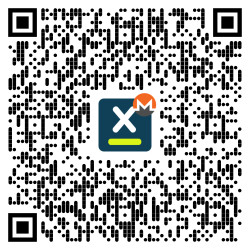
or via https://www.diva.exchange/en/join-in/
### BTC
3Ebuzhsbs6DrUQuwvMu722LhD8cNfhG1gs

## Contact the Developers
On [DIVA.EXCHANGE](https://www.diva.exchange) you'll find various options to get in touch with the team.
Talk to us via [Telegram](https://t.me/diva_exchange_chat_de) (English or German).
## References
SAM docs: https://geti2p.net/en/docs/api/samv3
I2Pd: https://i2pd.readthedocs.io/
## License
[APACHE 2.0](https://github.com/diva-exchange/i2p-sam/blob/main/LICENSE)