@directus-labs/ai-image-generation-operation
Version:
Use DALLE•E 3 to generate images based on a user prompt.
30 lines (17 loc) • 1.64 kB
Markdown
Generate new images within Directus Flows with this custom operation, powered by [OpenAI](https://platform.openai.com).
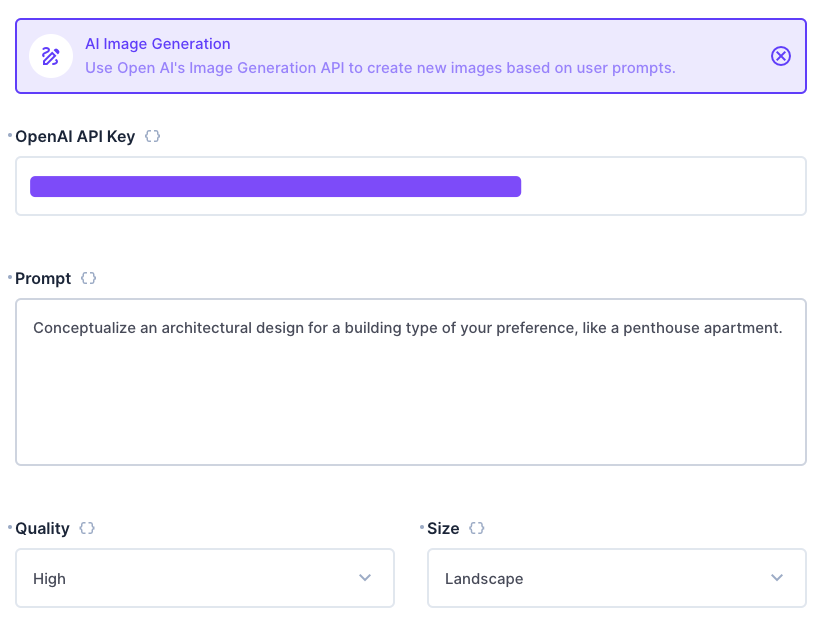
This operation contains four required configuration options - an [OpenAI API Key](https://platform.openai.com), a text prompt, a quality (standard or high), and a size (square, portrait, or landscape). It returns a string which is a direct URL to the generated image.
You can use an operation to then import the image to your project, or run further automation on the output.
The output is a plain string which is a URL to the generated image.
Use the **AI Image Generation** operation, using the `{{ step }}` variable syntax to dynamically create a prompt.
Immediately after the operation, create a **Webhook / Request URL** operation with the name "Import". Use a `POST` Method and a URL of `https://your-directus-project-url/files/import`, being sure to provide your specific Directus Project URL. If public file uploads are not enabled, you will need to add an `Authorization` header with the value `Bearer token`, where `token` must be a static token from a user who has permissions to create files.
Use the following Request Body:
```json
{
"url": "{{$last}}"
}
```
This operation will return the id of the new file at `{{ import.data.data.id }}`. You can use this ID in file/image relational fields.