@codemovie/code-movie-markdown-plugins
Version:
Code.Movie plugin for Marked and markdown-it
385 lines (299 loc) • 14.1 kB
Markdown
**Author animated code examples with markdown!** Supports
[](https://marked.js.org/) and
[](https://github.com/markdown-it/markdown-it). This collection of
plugins extends markdown with a wrapper syntax for fenced code blocks:
!!!json
```
[]
```
```
["World"]
```
```
["Hello", "World"]
```
```
[
"Hello",
"World"
]
```
!!!
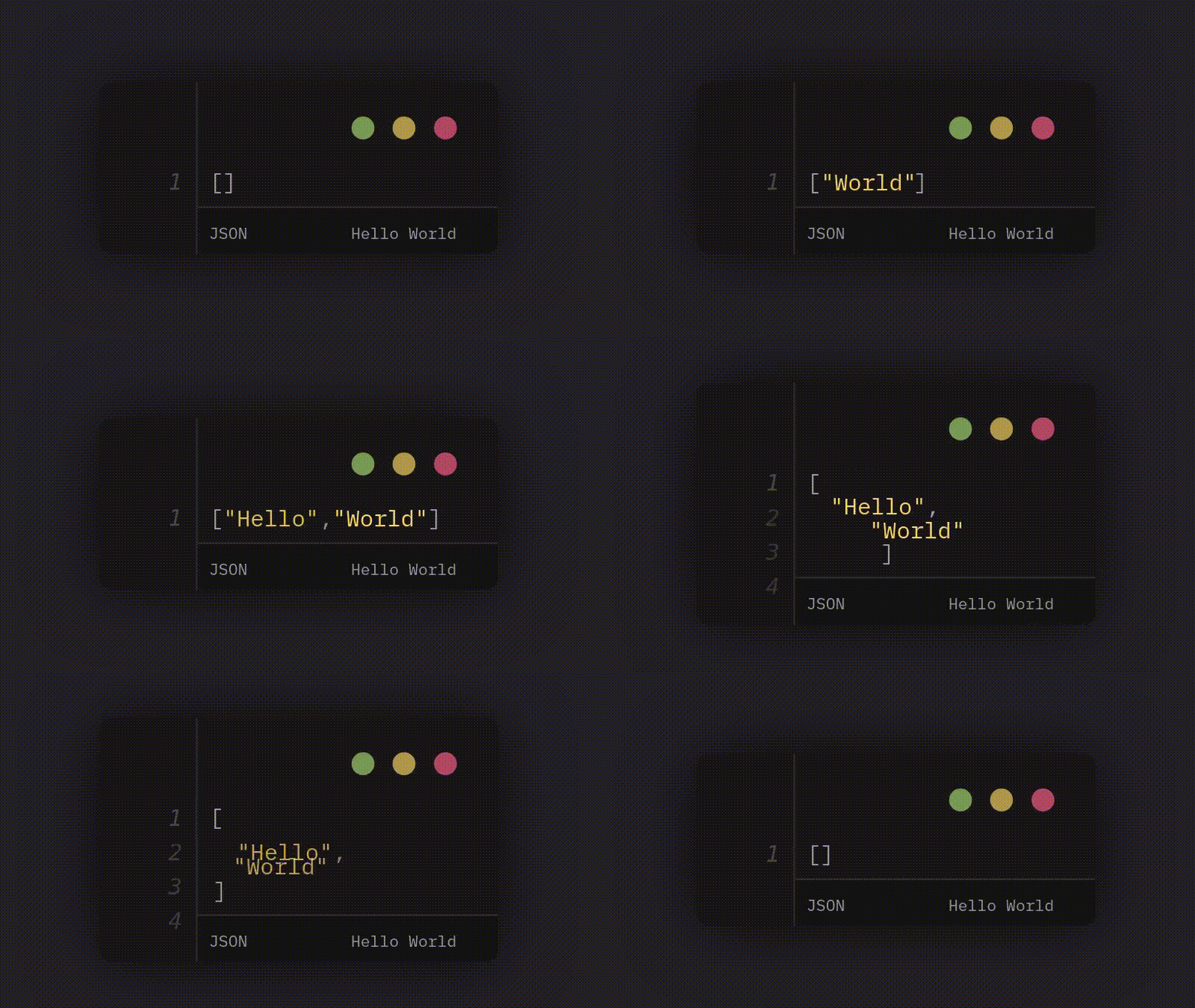
Combined with a moderate amount of plugin configuration the above turns into
animated, syntax highlighted code when rendered to HTML:
You can install the library as `@codemovie/code-movie-markdown-plugins` from NPM,
[](https://github.com/CodeMovie/code-movie-markdown-plugins/releases)
or just grab the matching plugin file [from the source code](https://github.com/CodeMovie/code-movie-markdown-plugins/tree/main/dist).
After installation, run `npm demo` and visit [localhost:3000/demo/index.html](http://localhost:3000/demo/index.html)
for a simple demo page. The source code is unminified and has extensive
comments.
All plugins in this package work the same, support the same syntax and have an
identical setup procedure.
<!-- prettier-ignore -->
> [!IMPORTANT]
> **This package does _not_ bundle the Code.Movie core library!** You have to either manually install [@codemovie/code-movie](https://www.npmjs.com/package/@codemovie/code-movie) or load the relevant files from a CDN like [jsDelivr](https://www.jsdelivr.com/) as shown in the examples below.
Plugin setup entails loading your markdown library of choice and then writing a
very simple wrapper function to connect Code.Movie to the plugin.
Apart from importing the plugin and calling the markdown library in the adapter,
the setup is virtually identical for Marked and markdown-it. The code below
shows the setup for Marked:
```javascript
// Import Marked and the plugin
import { marked } from "https://cdn.jsdelivr.net/npm/marked@15.0.6/lib/marked.esm.js";
import { markedCodeMoviePlugin } from "@codemovie/code-movie-markdown-plugins/marked";
// For flexibility reasons, the plugin does not ship with the main library.
// You need to load the required functions, themes and language modules from
// somewhere, either a CDN as shown below or from your local installation of
// @codemovie/code-movie.
import {
animateHTML,
monokaiDark,
} from "https://cdn.jsdelivr.net/npm/@codemovie/code-movie/dist/index.js";
import json from "https://cdn.jsdelivr.net/npm/@codemovie/code-movie/dist/languages/json.js";
import ecmascript from "https://cdn.jsdelivr.net/npm/@codemovie/code-movie/dist/languages/ecmascript.js";
// The plugins can automatically add markup for <code-movie-runtime> custom
// elements, but this too requires the module for the element to be loaded
import "https://cdn.jsdelivr.net/npm/@codemovie/code-movie-runtime";
// Set the options for the plugin
const codeMoviePlugin = markedCodeMoviePlugin({
// Because the core library is not bundled with the plugins, you need to
// provide an adapter function. The adapter function is called with the array
// of frame objects, the relevant language object, and the markdown token for
// the animation. You can pass the first two arguments on to your particular
// version of the core library. The token might be interesting if you want to
// run `animateHTML()` with different arguments depending on metadata present
// in the token. If you want to tweak the tab size, theme, or run some side
// effects (maybe depending on the aforementioned metadata), this is the place
// to do that. You can also add extra HTML before, after, or around the
// output... or not call `animateHTML()` at all, but rather do something else
// with the raw data.
adapter(frames, language, token) {
return animateHTML(frames, {
tabSize: 2,
language,
theme: monokaiDark,
});
},
// Because the language modules are HUGE and can be configured in a variety
// of ways, you may want to be selective about what you include and how you
// configure each language.
languages: {
// Every entry in the languages object maps a class name ("json" in this
// case) to a language module instance. To then create an animation for
// JSON, you'll need an element with the class "code-movie" (as defined in
// the selector option above) and also the class "json". <pre> elements
// inside this element (again, as defined by the selector option) will
// then be processed and animated als JSON.
json: json(),
// Here, the class "javascript" maps to the ecmascript module with types
// disabled, while the class "typescript" maps to the same language
// module, but with types enabled.
javascript: ecmascript({ ts: false }),
typescript: ecmascript({ ts: true }),
},
// To automatically add markup for <code-movie-runtime> custom elements, set
// the "addRuntime" option to something truthy. To initialize the
// <code-movie-runtime> tags with the "controls" attribute, pass an object
// with the controls property set to something truthy. If you need more
// customization, consider extending the adapter function.
addRuntime: {
controls: true,
},
});
// Pass the plugin to the markdown library, in this case Marked. Done!
marked.use(codeMoviePlugin);
// Time to parse some markdown...
const markdown = await fetch("./content.md").then((res) => res.text());
document.body.innerHTML += marked.parse(markdown);
```
The setup for marked-it matches the setup for marked with very few (and obvious)
differences:
1. Instead of Marked, import markdown-it as the core library
2. Instead of a Marked token, the adapter function receives a marked-it token as its third argument
3. Instead of calling (and passing the plugin to) Marked, use marked-it's API
Everything else is _exactly_ identical.
<details>
<summary>Show full example anyway</summary>
```javascript
// Import markdown-it and the plugin
import markdownIt from "https://cdn.jsdelivr.net/npm/markdown-it@14.1.0/+esm";
import { markdownItCodeMoviePlugin } from "@codemovie/code-movie-markdown-plugins/markdown-it";
// For flexibility reasons, the plugin does not ship with the main library.
// You need to load the required functions, themes and language modules from
// somewhere, either a CDN as shown below or from your local installation of
// @codemovie/code-movie.
import {
animateHTML,
monokaiDark,
} from "https://cdn.jsdelivr.net/npm/@codemovie/code-movie/dist/index.js";
import json from "https://cdn.jsdelivr.net/npm/@codemovie/code-movie/dist/languages/json.js";
import ecmascript from "https://cdn.jsdelivr.net/npm/@codemovie/code-movie/dist/languages/ecmascript.js";
// The plugins can automatically add markup for <code-movie-runtime> custom
// elements, but this too requires the module for the element to be loaded
import "https://cdn.jsdelivr.net/npm/@codemovie/code-movie-runtime";
// Set the options for the plugin
const codeMoviePlugin = markdownItCodeMoviePlugin({
// Because the core library is not bundled with the plugins, you need to
// provide an adapter function. The adapter function is called with the array
// of frame objects, the relevant language object, and the markdown token for
// the animation. You can pass the first two arguments on to your particular
// version of the core library. The token might be interesting if you want to
// run `animateHTML()` with different arguments depending on metadata present
// in the token. If you want to tweak the tab size, theme, or run some side
// effects (maybe depending on the aforementioned metadata), this is the place
// to do that. You can also add extra HTML before, after, or around the
// output... or not call `animateHTML()` at all, but rather do something else
// with the raw data.
adapter(frames, language, token) {
return animateHTML(frames, {
tabSize: 2,
language,
theme: monokaiDark,
});
},
// Because the language modules are HUGE and can be configured in a variety
// of ways, you may want to be selective about what you include and how you
// configure each language.
languages: {
// Every entry in the languages object maps a class name ("json" in this
// case) to a language module instance. To then create an animation for
// JSON, you'll need an element with the class "code-movie" (as defined in
// the selector option above) and also the class "json". <pre> elements
// inside this element (again, as defined by the selector option) will
// then be processed and animated als JSON.
json: json(),
// Here, the class "javascript" maps to the ecmascript module with types
// disabled, while the class "typescript" maps to the same language
// module, but with types enabled.
javascript: ecmascript({ ts: false }),
typescript: ecmascript({ ts: true }),
},
// To automatically add markup for <code-movie-runtime> custom elements, set
// the "addRuntime" option to something truthy. To initialize the
// <code-movie-runtime> tags with the "controls" attribute, pass an object
// with the controls property set to something truthy. If you need more
// customization, consider extending the adapter function.
addRuntime: {
controls: true,
},
});
// Pass the plugin to markdown-it. Done!
const md = markdownIt().use(codeMoviePlugin);
// Time to parse some markdown...
const markdown = await fetch("./index.md").then((res) => res.text());
document.body.innerHTML += md.render(markdown);
```
</details>
The syntax for an animation comprises of **a wrapper block** that, similar to
fenced code blocks, starts and ends with `!!!`. The desired programming language
comes after the opening trio of exclamation points. The animations keyframes are
built up from **code blocks**. These can be either regular fenced code blocks or
an extended variant that we will cover shortly.
The most basic example therefore looks as follows:
!!!json
```
"Code block content, first keyframe"
```
```
"Code Block content, second keyframe"
```
!!!
Both the wrapper block and the code blocks can take **arguments**. These are
pairs of keys and [JSON5-encoded values](https://www.npmjs.com/package/json5),
wrapped in parenthesis, that pass additional information. Keys always start with
a pipe (`|`) symbol and are always immediately followed by an equals sign (`=`).
Currently there are two arguments available:
- **`|meta=`** for both wrapper and code blocks
- **`|decorations=`** for code blocks only
Example:
!!!json(|meta={ value: "This is metadata for the wrapper" })
```(|meta={ value: "This is metadata for the first frame" })
"Code block content, first keyframe"
```
```(
|meta={
value: "This is metadata for the second frame. With whitespace!"
}
)
"Code Block content, second keyframe"
```
!!!
Data from `|meta` can be accessed as `token.meta` in the adapter function, while
`|decorations` is specifically for
[](https://code.movie/docs/guides/decorations.html). Both types of
arguments are explained in more detail below. The arguments lists can contain
whitespace.
You can add any metadata you like as a [JSON5-encoded object](https://www.npmjs.com/package/json5)
to a **wrapper block** or **code block**. The argument is always optional and
defaults to an empty object:
!!!json(|meta={ value: "Metadata for the entire animation" })
```(|meta={ value: "Metadata for the first frame" })
[]
```
```(|meta={ value: "Metadata for the second frame" })
[]
```
!!!
The object can contain line breaks.
Metadata on wrapper blocks has no immediate effect, but is available as
`token.meta` in the adapter function. You could use to control markup creation
(to eg. allow ad-hoc addition of [custom properties](https://code.movie/docs/reference/css-variables.html))
or switch [themes](https://code.movie/docs/reference/themes.html) entirely.
#### `|meta` on code blocks
Metadata on code blocks has no immediate effect, but gets added to the `meta`
property on the frame objects available in the adapter function.
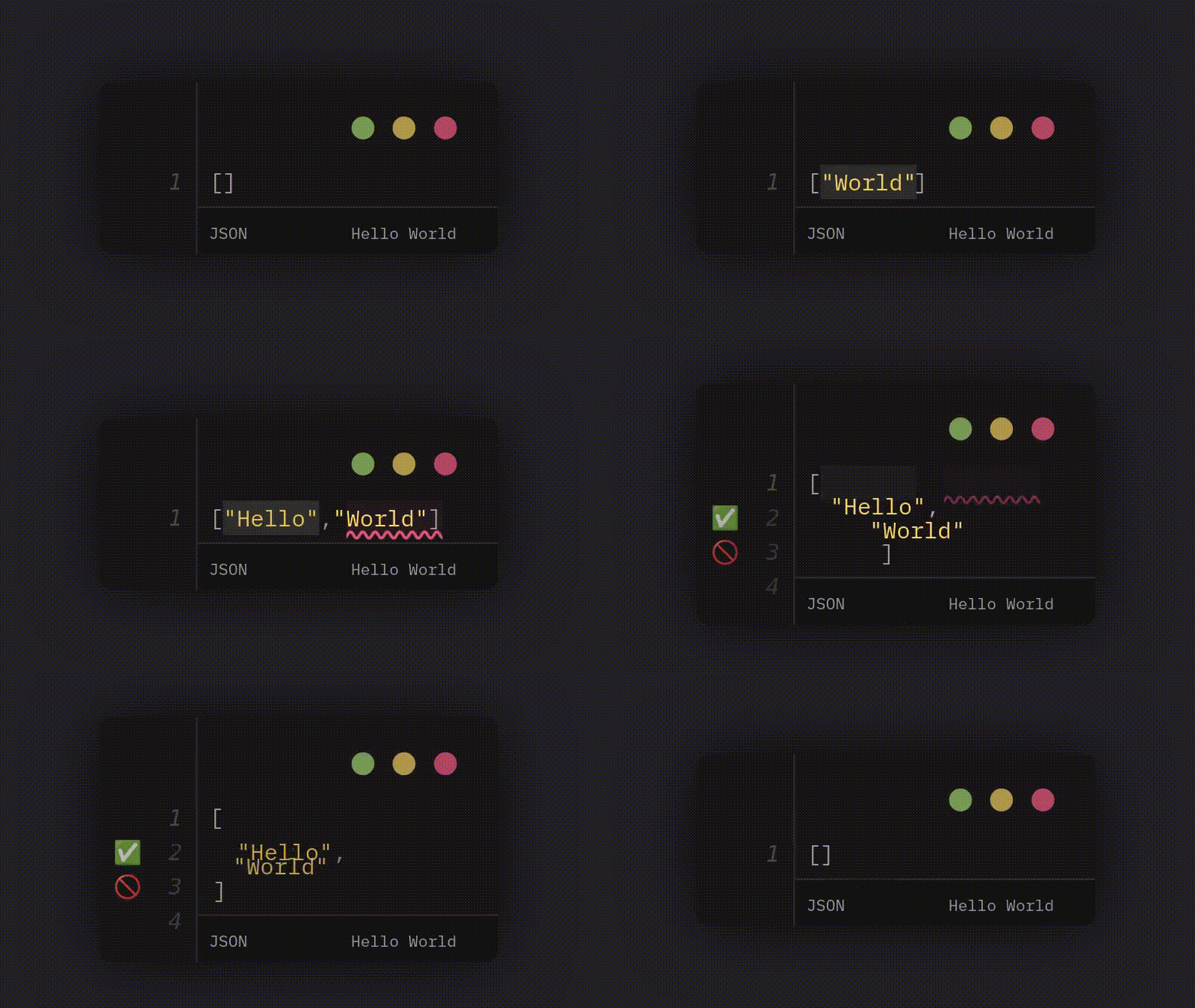
### [Decorations](https://code.movie/docs/guides/decorations.html): `|decorations`
You can add decorations as [JSON5-encoded arrays](https://www.npmjs.com/package/json5)
to the individual code blocks inside a `code-movie` block. The`data` fields are
optional and default to empty objects.
!!!json
```
[]
```
```(|decorations=[{ kind: "TEXT", from: 1, to: 8 }])
["World"]
```
```(|decorations=[
{ kind: "TEXT", from: 1, to: 8 },
{ kind: "TEXT", from: 10, to: 17, data: { class: "error" } }
])
["Hello", "World"]
```
```(|decorations=[
{ kind: "GUTTER", text: "✅", line: 2 },
{ kind: "GUTTER", text: "🚫", line: 3 }
])
[
"Hello",
"World"
]
```
!!!
Resulting animation:
### Language
Languages on code blocks are not required, but you might want to add them anyway
to enable syntax highlighting in your code editor.
!!!json
```json
["The language is not needed, but maybe you want it"]
```
```json (
|meta={ info: "Frame 1" }
|decorations=[{ kind: "TEXT", from: 1, to: 8 }]
)
["Note that a space between the language and the arguments is valid!"]
```
!!!
## Customization
You can read up on [styling and theming in the Code.Movie documentation!](https://code.movie/docs/guides/styling.html)