@ckeditor/ckeditor5-comments
Version:
Collaborative comments feature for CKEditor 5.
73 lines (39 loc) • 4.54 kB
Markdown
CKEditor 5 Comments feature
================================
[](https://www.npmjs.com/package/@ckeditor/ckeditor5-comments)
[CKEditor 5 Comments feature](https://ckeditor.com/collaboration/comments/) is a collaboration feature that makes it possible to add comments to any part of rich text content in CKEditor 5 WYSIWYG editor, including text and block elements such as embedded media or images.
This is a premium feature. Sign up for a [free non-commitment 14-day trial](https://portal.ckeditor.com/checkout?plan=free), or see: [https://ckeditor.com/pricing](https://ckeditor.com/pricing) for more information.
## About this feature
Comments can be added, edited, deleted and replied to, allowing the users to collaborate on the same document directly in the rich text editor. Comments are also integrated with the [track changes feature](https://ckeditor.com/collaboration/track-changes/), so you can add comments to change suggestions.
The comments data can be stored together with the content in your database or it can be synchronized immediately between collaborating clients as a part of the [CKEditor 5 real-time collaboration](https://ckeditor.com/collaboration/real-time/) solution.
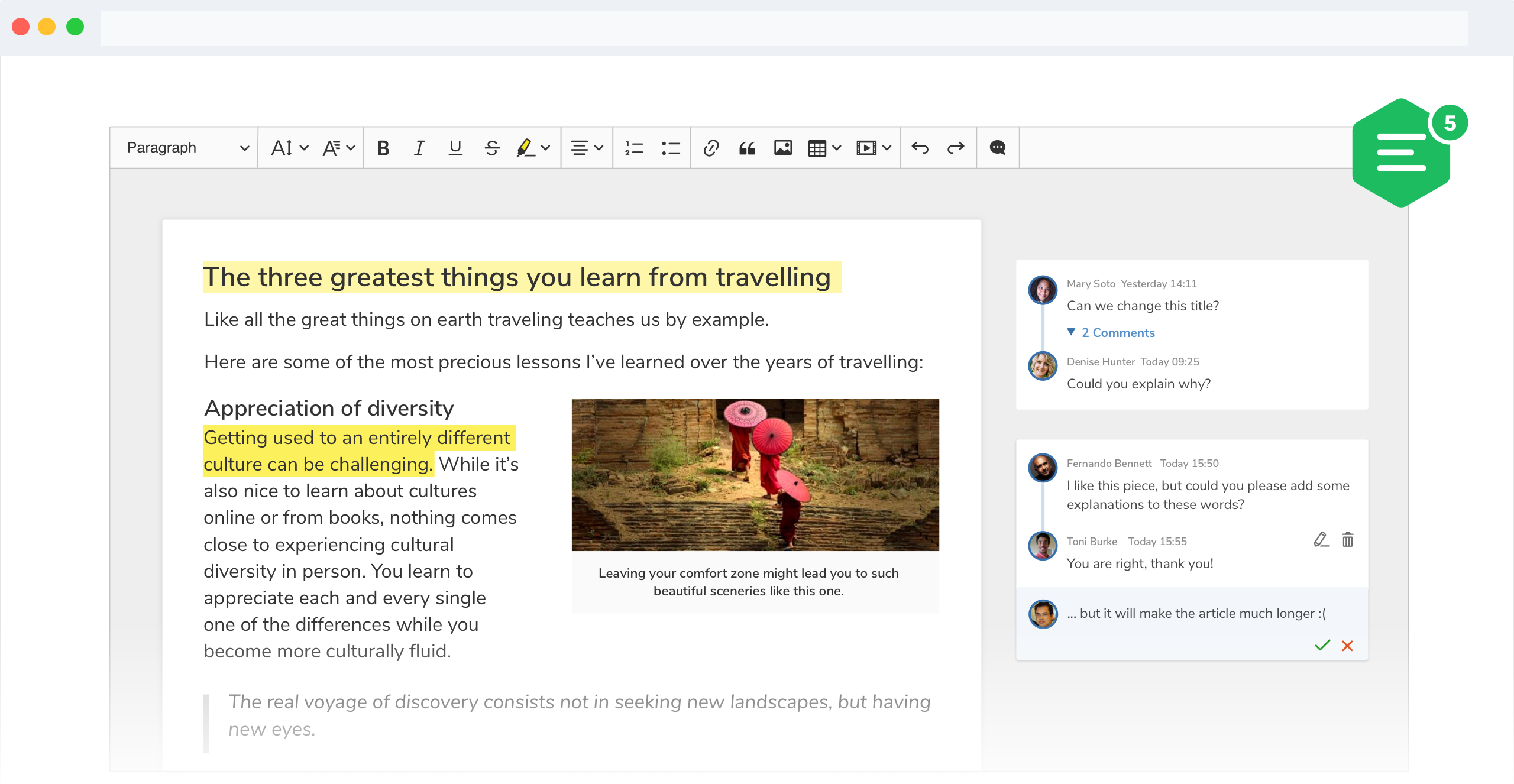
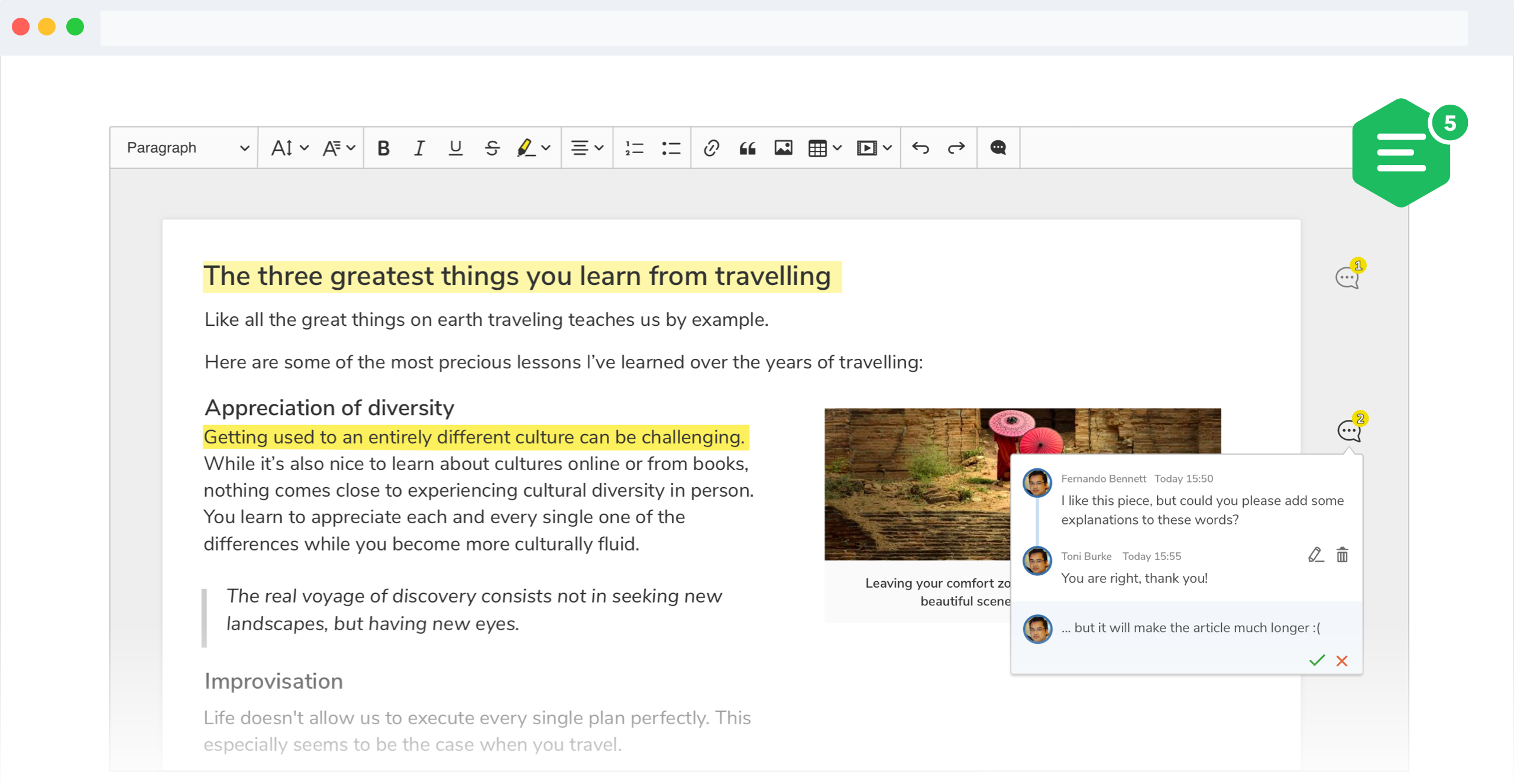
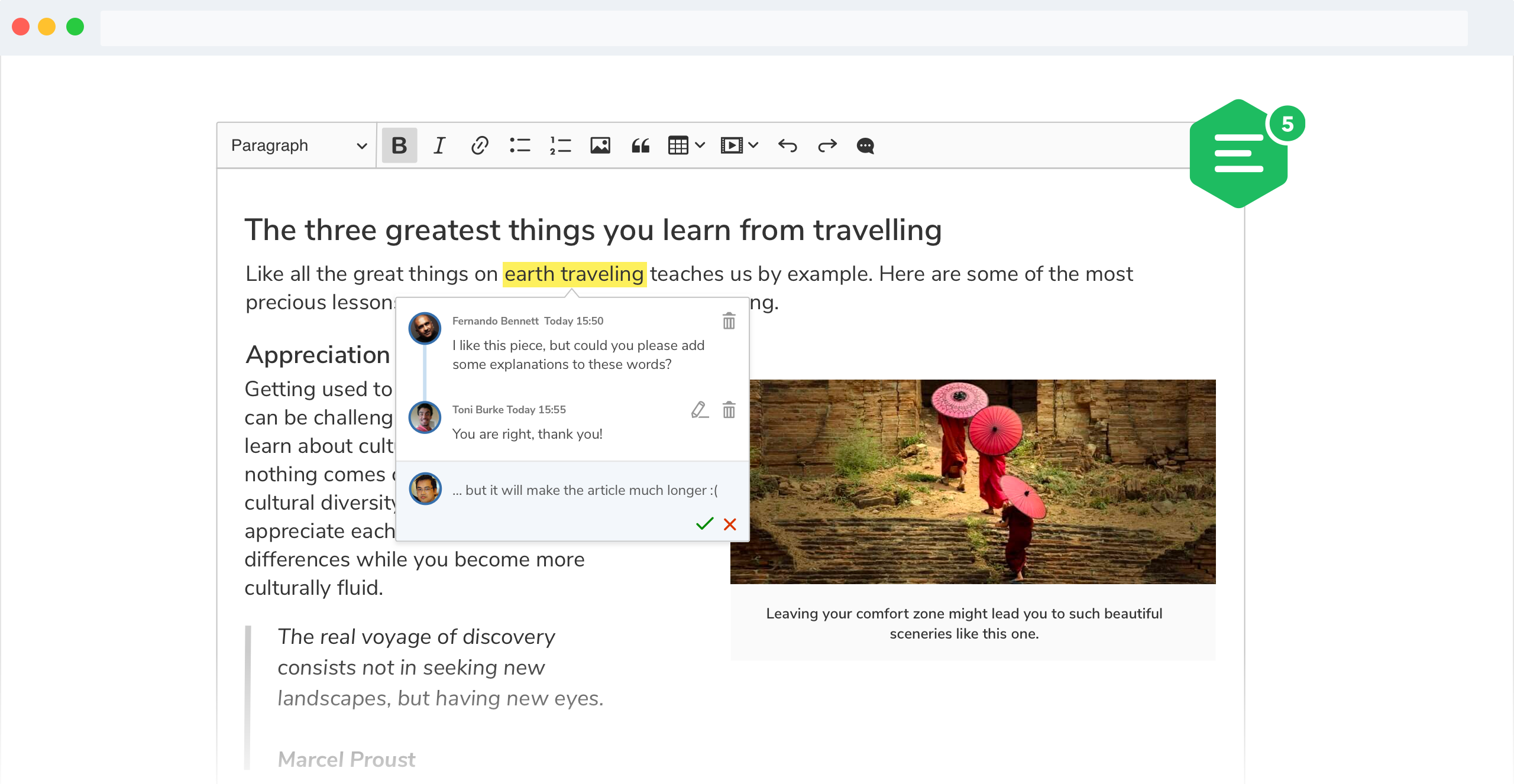
Comments can be [displayed](https://ckeditor.com/docs/ckeditor5/latest/features/collaboration/comments/comments-display-mode.html) in three modes:
- Wide sidebar:
- Narrow sidebar:
- Inline balloons:
Additionally, it is possible to turn the editor to the [comments-only mode](https://ckeditor.com/docs/ckeditor5/latest/features/collaboration/comments/comments-only-mode.html), where the users can add comments to the document but are not allowed to edit its content directly.
## Installation
This plugin is part of the `ckeditor5-premium-features` package. Install the whole package to use it.
```bash
npm install ckeditor5-premium-features
```
## Create free account
If you want to check full CKEditor 5 capabilities, sign up for a [free non-commitment 14-day trial](https://portal.ckeditor.com/checkout?plan=free).
## Demo
Check out the [demo in the Comments](https://ckeditor.com/docs/ckeditor5/latest/features/collaboration/comments/comments.html#demo) feature guide.
## Documentation
For more information about the comments feature see the [CKEditor 5 comments documentation](https://ckeditor.com/docs/ckeditor5/latest/features/collaboration/comments/comments.html).
Also, make sure you visit the [CKEditor 5 changelog](https://github.com/ckeditor/ckeditor5/blob/master/CHANGELOG.md) whenever a new version of the package is released.
## Browser compatibility
CKEditor 5 comments work in all major modern browsers: Chrome, Firefox, Safari, and Edge. They are also compatible with mobile environments: Android and iOS. Refer to the CKEditor 5 [Browser compatibility](https://ckeditor.com/docs/ckeditor5/latest/builds/guides/support/browser-compatibility.html) article for more details.
## Getting support
CKEditor 5 comments come with outstanding support from a dedicated team of customer care specialists, QA engineers and CKEditor 5 developers. The team will gladly assist you in all aspects from setting up your account to integrating CKEditor 5 comments features with your application.
As a licensed CKEditor 5 comments user you can report bugs and request features directly through the CKEditor Ecosystem customer dashboard.
## License
**CKEditor 5 Comments feature** (https://ckeditor.com/collaboration/comments/)<br>
Copyright (c) 2003–2025, [CKSource Holding sp. z o.o.](https://cksource.com) All rights reserved.
CKEditor 5 Comments feature is licensed under a commercial license and is protected by copyright law. For more information, see: [https://ckeditor.com/pricing](https://ckeditor.com/pricing).
### Trademarks
**CKEditor** is a trademark of [CKSource Holding sp. z o.o.](https://cksource.com) All other brand and product names are trademarks, registered trademarks or service marks of their respective holders.