@cicciosgamino/snack-bar
Version:
Simple snackbar Lit Element
206 lines (157 loc) • 6.32 kB
Markdown

[](https://www.npmjs.com/package/@cicciosgamino/snack-bar)
[](https://www.webcomponents.org/element/cicciosgamino/snack-bar)
# 🌰 \<snack-bar\>
Simple Snackbar CustomElement 🌰!
<p align="center">
<a href="#examples">examples</a> •
<a href="#usage">usage</a> •
<a href="#api">api</a> •
<a href="#accessibility">accessibility</a> •
<a href="#todo">TODO</a> •
</p>
## Examples
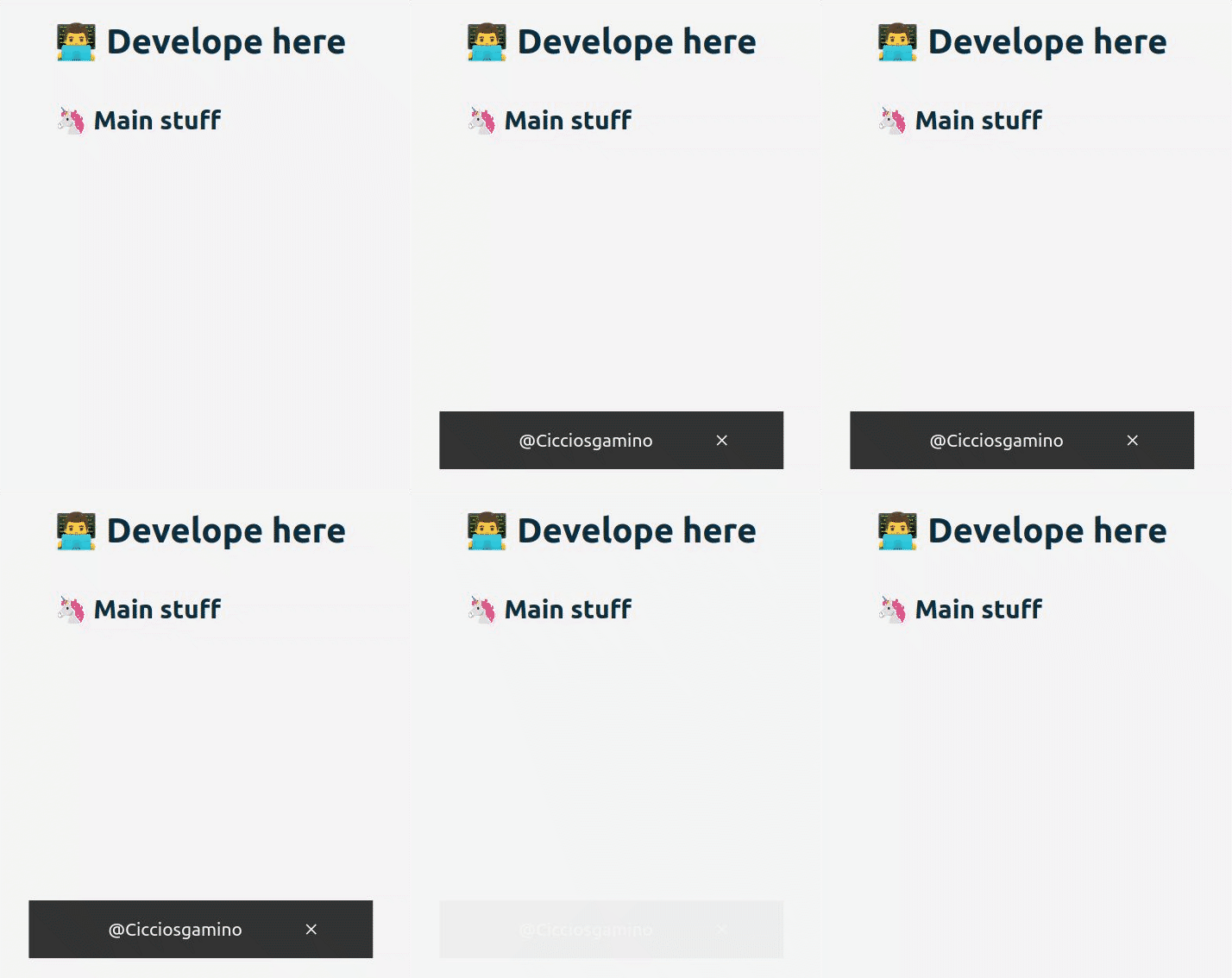
```html
<snack-bar timing="5000" title="Offline"></snack-bar>
```
## 🚀 Usage
1. Install package
```bash
npm install --save @cicciosgamino/snack-bar
```
2. Import
```html
<!-- Import Js Module -->
<script type="module">
// Importing this module registers <progress-ring> as an element that you
// can use in this page.
//
// Note this import is a bare module specifier, so it must be converted
// to a path using a server such as @web/dev-server.
import '@cicciosgamino/snack-bar'
</script>
```
3. Place in your HTML
```html
<snack-bar timing="5000" title="Offline"></snack-bar>
```
## 🐝 API
### 📒 Properties/Attributes
| Name | Type | Default | Description
| ------- | ---------- | ------------ | --------------
| timing | Number | `3000` | Snackbar active timing
| title | String | `🌰 ... SnackBar Title` | Snackbar title
| active | Boolean | `` | Snackbar active attribute (present/NOT)
| closebtn| Boolean | `` | Show the close button when attribute is present
### Methods
| Name | Description
| -------- | -------------
| `closeSnackbar() => void` | Close the snackbar
### Events
*None*
### 🧁 CSS Custom Properties
| Name | Default | Description
| ------------------- | --------- | ----------------------------------
| `--snak-bk-color` | `#333` | Snackbar background-color
| `--snack-txt-color` | `#f5f5f5` | Snackbar text color
| `--snack-font-size` | `2.1rem` | Snackbar text / space / proportion
| `--snack-bottom` | `0` | Snackbar bottom
| `--snack-radius` | `1px` | Snackbar border-radius
### 🤖 Write HTML and JavaScript
Import the component's JavaScript module, use the component in your HTML, and control it with JavaScript, just like you would with a built-in element such as `<button>`:
```html
<html>
<head>
<meta charset="utf-8">
<title>My Example App</title>
<!-- Add support for Web Components to older browsers. -->
<script src="./node_modules/@webcomponents/webcomponentsjs/webcomponents-loader.js"></script>
</head>
<body>
<!-- Use Web Components in your HTML like regular built-in elements. -->
<snack-bar url=""></snack-bar>
<!-- The Material Web Components use standard JavaScript modules. -->
<script type="module">
// Importing this module registers <progress-ring> as an element that you
// can use in this page.
//
// Note this import is a bare module specifier, so it must be converted
// to a path using a server such as @web/dev-server or @vitejs.
import '@cicciosgamino/snack-bar'
// Standard DOM APIs work with Web Components just like they do for
// built-in elements.
window.addEventListener('DOMContentLoaded', () => {
const snack = document.querySelector('snack-bar')
setTimeout(() => {
// active the snack
snack.setAttribute('active', '')
}, 4000)
setTimeout(() => {
// close the snack (before timing ended)
snack.closeSnackbar()
}, 6000)
})
</script>
</body>
</html>
```
### 🚀 Serve
Serve your HTML with any server or build process that supports bare module specifier resolution (see next section) in this project i'll use vite. So check the **vite.config.js** and the **package.json** for the scripts.
vite.config.js
```javascript
import { defineConfig } from 'vite'
import { resolve } from 'path'
// https://vitejs.dev/config/
export default defineConfig({
build: {
lib: {
entry: 'snack-bar.js',
formats: ['es']
},
rollupOptions: {
input: {
main: resolve(__dirname, 'index.html')
}
}
}
})
```
package.json
```json
"scripts": {
"dev": "vite --host",
"build": "vite build",
"preview": "vite preview --port 3000 --host"
},
```
## Contributing
Got **something interesting** you'd like to **share**? Learn about [contributing](https://github.com/CICCIOSGAMINO/init/blob/master/CONTRIBUTING.md).
# Accessibility
TODO
# 🔧 TODO
- [ ] Basic Unit testing
## CSS encapsulation
The elements HTML structure is initialized in a [Shadow DOM](https://developer.mozilla.org/en-US/docs/Web/Web_Components/Using_shadow_DOM), so it is impossible to apply CSS to it. If you need to change the element's default style for any reason, you should open up a new issue (or a pull request!), describing your use case, and we'll work with you on solving the problem.
## Browser support
Browsers without native [custom element support][support] require a [polyfill][]. Legacy browsers require various other polyfills. See [`examples/index.html`][example] for details.
- Chrome
- Firefox
- Safari
- Microsoft Edge
[support]: https://caniuse.com/#feat=custom-elementsv1
[polyfill]: https://github.com/webcomponents/custom-elements
## Author
| [](https://linkedin.com/in/) |
|:------------------------------------------------------------------------------------------: |
| **@cicciosgamino** |
## Support
Reach out to me at one of the following places:
- [Github](https://github.com/CICCIOSGAMINO)
- [Twitter](https://twitter.com/cicciosgamino)
## Donate
Donate help and contibutions!
# License
[GNU General Public License v3.0](https://github.com/CICCIOSGAMINO/init/blob/master/LICENSE)
Made 🧑💻 by [@cicciosgamino](https://cicciosgamino.web.app)