@cbinsights/react-d3-graph
Version:
React component to build interactive and configurable graphs with d3 effortlessly
106 lines (77 loc) • 4.54 kB
Markdown
# react-d3-graph · [](https://travis-ci.org/danielcaldas/react-d3-graph)
[](https://www.npmjs.com/package/react-d3-graph) [](https://probot.github.io/) [](https://trello.com/b/KrnmFXha/react-d3-graph)
[](https://github.com/prettier/prettier)
[](https://www.npmjs.com/package/react-d3-graph)
[](https://www.npmjs.com/package/react-d3-graph)
:book: [documentation](https://danielcaldas.github.io/react-d3-graph/docs/index.html)
### _Interactive and configurable graphs with react and d3 effortlessly_
[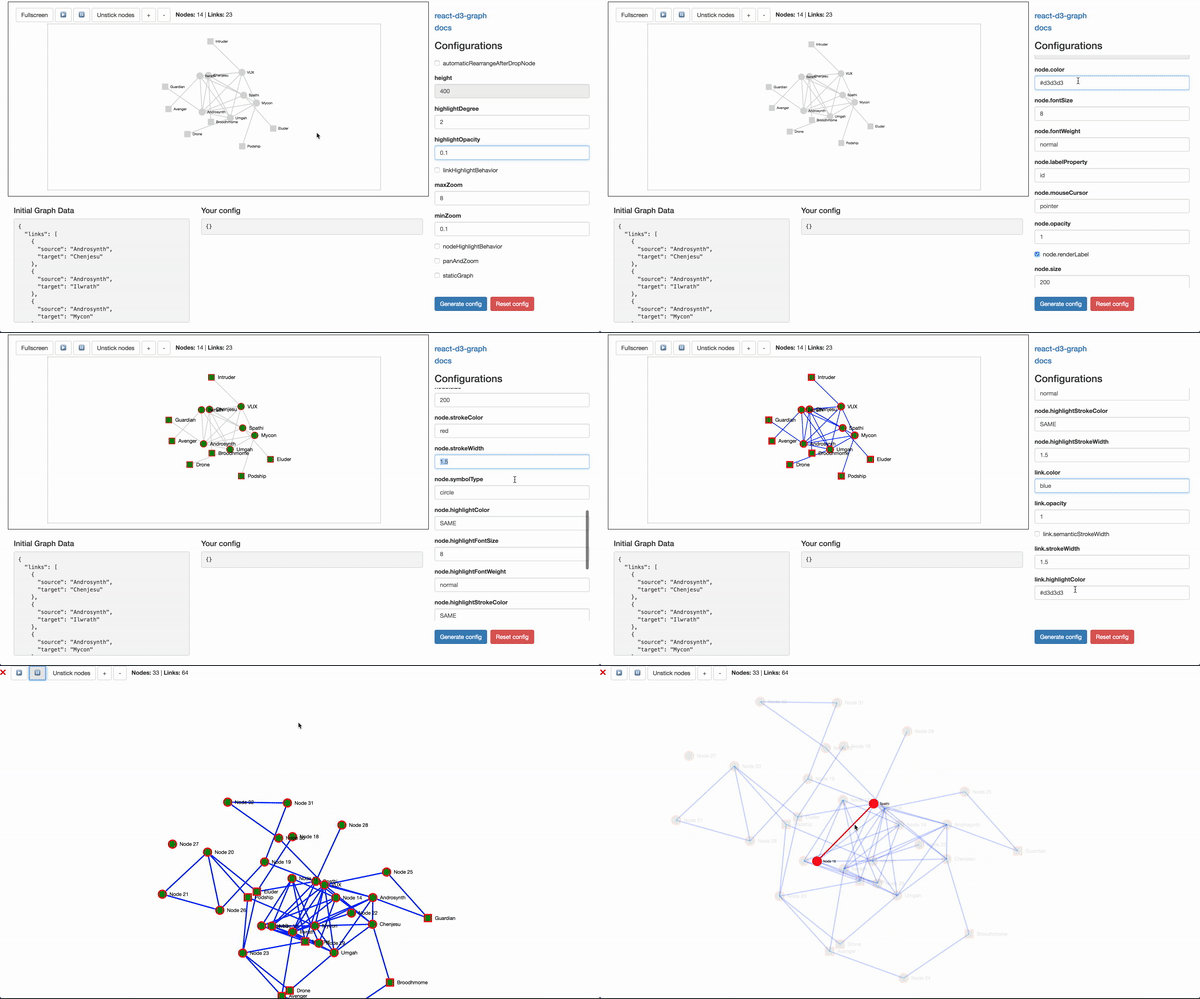](https://danielcaldas.github.io/react-d3-graph/sandbox/index.html)
## Playground
[Here a live playground](https://danielcaldas.github.io/react-d3-graph/sandbox/index.html) page where you can interactively config your own graph, and generate a ready to use configuration! :sunglasses:
## Documentation :book:
Full documentation [here](https://danielcaldas.github.io/react-d3-graph/docs/index.html).
## Install
[](https://www.npmjs.com/package/react-d3-graph)
```bash
npm install react-d3-graph // using npm
yarn add react-d3-graph // using yarn
```
## Usage sample
Graph component is the main component for react-d3-graph components, its interface allows its user to build the graph once the user provides the data, configuration (optional) and callback interactions (also optional).
The code for the [live example](https://danielcaldas.github.io/react-d3-graph/sandbox/index.html) can be consulted [here](https://github.com/danielcaldas/react-d3-graph/blob/master/sandbox/Sandbox.jsx).
```javascript
import { Graph } from 'react-d3-graph';
// graph payload (with minimalist structure)
const data = {
nodes: [{ id: 'Harry' }, { id: 'Sally' }, { id: 'Alice' }],
links: [{ source: 'Harry', target: 'Sally' }, { source: 'Harry', target: 'Alice' }]
};
// the graph configuration, you only need to pass down properties
// that you want to override, otherwise default ones will be used
const myConfig = {
nodeHighlightBehavior: true,
node: {
color: 'lightgreen',
size: 120,
highlightStrokeColor: 'blue'
},
link: {
highlightColor: 'lightblue'
}
};
// graph event callbacks
const onClickNode = function(nodeId) {
window.alert('Clicked node ${nodeId}');
};
const onMouseOverNode = function(nodeId) {
window.alert(`Mouse over node ${nodeId}`);
};
const onMouseOutNode = function(nodeId) {
window.alert(`Mouse out node ${nodeId}`);
};
const onClickLink = function(source, target) {
window.alert(`Clicked link between ${source} and ${target}`);
};
const onMouseOverLink = function(source, target) {
window.alert(`Mouse over in link between ${source} and ${target}`);
};
const onMouseOutLink = function(source, target) {
window.alert(`Mouse out link between ${source} and ${target}`);
};
<Graph
id="graph-id" // id is mandatory, if no id is defined rd3g will throw an error
data={data}
config={myConfig}
onClickNode={onClickNode}
onClickLink={onClickLink}
onMouseOverNode={onMouseOverNode}
onMouseOutNode={onMouseOutNode}
onMouseOverLink={onMouseOverLink}
onMouseOutLink={onMouseOutLink}
/>;
```
## Roadmap :railway_track:
Want to know what's ahead for react-d3-graph? Or simply curious on what comes next and stuff that is under development?
Check [this trello board](https://trello.com/b/KrnmFXha/react-d3-graph) where everything related to react-d3-graph is managed.
## Contributions
Contributions are welcome fell free to submit new ideas/features, just open an issue or send me an email or something. If you are more a _hands on_ person, just submit a pull request.