@capgo/native-audio
Version:
A native plugin for native audio engine
1,046 lines (724 loc) • 47.9 kB
Markdown
# Native audio
<a href="https://capgo.app/"><img src='https://raw.githubusercontent.com/Cap-go/capgo/main/assets/capgo_banner.png' alt='Capgo - Instant updates for capacitor'/></a>
<div align="center">
<h2><a href="https://capgo.app/?ref=plugin_native_audio"> ➡️ Get Instant updates for your App with Capgo</a></h2>
<h2><a href="https://capgo.app/consulting/?ref=plugin_native_audio"> Missing a feature? We’ll build the plugin for you 💪</a></h2>
</div>
<h3 align="center">Native Audio</h3>
<p align="center">
<strong>
<code>@capgo/native-audio</code>
</strong>
</p>
<p align="center">Capacitor plugin for playing sounds.</p>
<p align="center">
<img src="https://img.shields.io/maintenance/yes/2023?style=flat-square" />
<a href="https://github.com/capgo/native-audio/actions?query=workflow%3A%22Test+and+Build+Plugin%22"><img src="https://img.shields.io/github/workflow/status/@capgo/native-audio/Test%20and%20Build%20Plugin?style=flat-square" /></a>
<a href="https://www.npmjs.com/package/capgo/native-audio"><img src="https://img.shields.io/npm/l/@capgo/native-audio?style=flat-square" /></a>
<br>
<a href="https://www.npmjs.com/package/@capgo/native-audio"><img src="https://img.shields.io/npm/dw/@capgo/native-audio?style=flat-square" /></a>
<a href="https://www.npmjs.com/package/@capgo/native-audio"><img src="https://img.shields.io/npm/v/@capgo/native-audio?style=flat-square" /></a>
<!-- ALL-CONTRIBUTORS-BADGE:START - Do not remove or modify this section -->
<a href="#contributors-"><img src="https://img.shields.io/badge/all%20contributors-6-orange?style=flat-square" /></a>
<!-- ALL-CONTRIBUTORS-BADGE:END -->
</p>
# Capacitor Native Audio Plugin
Capacitor plugin for native audio engine.
Capacitor V7 - ✅ Support!
Support local file, remote URL, and m3u8 stream
Click on video to see example 💥
[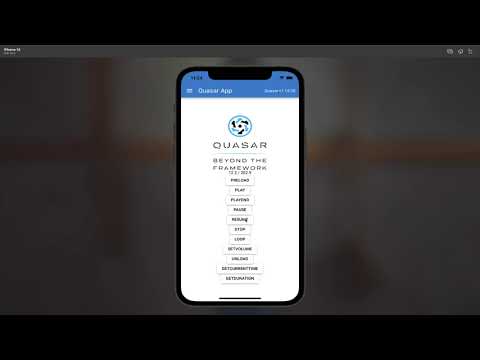](https://www.youtube.com/watch?v=XpUGlWWtwHs)
## Why Native Audio?
The only **free**, **full-featured** audio playback plugin for Capacitor:
- **HLS/M3U8 streaming** - Play live audio streams and adaptive bitrate content
- **Remote URLs** - Stream from HTTP/HTTPS sources with built-in caching
- **Low-latency playback** - Optimized native audio engine for sound effects and music
- **Full control** - Play, pause, resume, loop, seek, volume, playback rate
- **Multiple channels** - Play multiple audio files simultaneously
- **Background playback** - Continue playing when app is backgrounded
- **Notification center display** - Show audio metadata in iOS Control Center and Android notifications
- **Position tracking** - Real-time currentTime events (100ms intervals)
- **Modern package management** - Supports both Swift Package Manager (SPM) and CocoaPods (SPM-ready for Capacitor 8)
- **Same JavaScript API** - Compatible interface with paid alternatives
- **Support player notification center** - Play, pause, show cover for your user when long playing audio.
Perfect for music players, podcast apps, games, meditation apps, and any audio-heavy application.
## Maintainers
| Maintainer | GitHub | Social |
| --------------- | ----------------------------------- | --------------------------------------- |
| Martin Donadieu | [riderx](https://github.com/riderx) | [Telegram](https://t.me/martindonadieu) |
Mainteinance Status: Actively Maintained
## Preparation
All audio files must be with the rest of your source files.
First make your sound file end up in your built code folder, example in folder `BUILDFOLDER/assets/sounds/FILENAME.mp3`
Then use it in preload like that `assets/sounds/FILENAME.mp3`
## Documentation
The most complete doc is available here: https://capgo.app/docs/plugins/native-audio/
## Installation
To use npm
```bash
npm install @capgo/native-audio
```
To use yarn
```bash
yarn add @capgo/native-audio
```
Sync native files
```bash
npx cap sync
```
On iOS, Android and Web, no further steps are needed.
### Swift Package Manager
You can also consume the iOS implementation via Swift Package Manager. In Xcode open **File → Add Package…**, point it at `https://github.com/Cap-go/capacitor-native-audio.git`, and select the `CapgoNativeAudio` library product. The package supports iOS 14 and newer alongside Capacitor 7.
## Configuration
### Optional HLS/m3u8 Streaming (Android)
By default, HLS streaming support is **enabled** for backward compatibility. However, it adds approximately **4MB** to your Android APK size due to the `media3-exoplayer-hls` dependency.
If you don't need HLS/m3u8 streaming support, you can disable it to reduce your APK size:
```typescript
// capacitor.config.ts
import type { CapacitorConfig } from '@capacitor/cli';
const config: CapacitorConfig = {
appId: 'com.example.app',
appName: 'My App',
plugins: {
NativeAudio: {
hls: false // Disable HLS to reduce APK size by ~4MB
}
}
};
export default config;
```
After changing the configuration, run:
```bash
npx cap sync
```
**Notes:**
- iOS uses native AVPlayer for HLS, so this setting only affects Android
- If HLS is disabled and you try to play an `.m3u8` file, you'll get a clear error message explaining how to enable it
- The default is `hls: true` to maintain backward compatibility
<docgen-config>
<!--Update the source file JSDoc comments and rerun docgen to update the docs below-->
</docgen-config>
## Supported methods
| Name | Android | iOS | Web |
| :------------- | :------ | :-- | :-- |
| configure | ✅ | ✅ | ❌ |
| preload | ✅ | ✅ | ✅ |
| play | ✅ | ✅ | ✅ |
| pause | ✅ | ✅ | ✅ |
| resume | ✅ | ✅ | ✅ |
| loop | ✅ | ✅ | ✅ |
| stop | ✅ | ✅ | ✅ |
| unload | ✅ | ✅ | ✅ |
| setVolume | ✅ | ✅ | ✅ |
| getDuration | ✅ | ✅ | ✅ |
| getCurrentTime | ✅ | ✅ | ✅ |
| isPlaying | ✅ | ✅ | ✅ |
## Usage
[Example repository](https://github.com/bazuka5801/native-audio-example)
### Notification Center Display (iOS & Android)
You can display audio playback information in the system notification center. This is perfect for music players, podcast apps, and any app that plays audio in the background.
> **⚠️ Important iOS Behavior**
>
> Enabling `showNotification: true` changes how your app's audio interacts with other apps on iOS:
>
> - **With notifications enabled** (showNotification: true): Your audio will **interrupt** other apps' audio (like Spotify, Apple Music, etc.). This is required for Now Playing controls to appear in Control Center and on the lock screen.
> - **With notifications disabled** (showNotification: false): Your audio will **mix** with other apps' audio, allowing background music to continue playing.
>
> **When to use each:**
> - ✅ Use `showNotification: true` for: Music players, podcast apps, audiobook players (primary audio source)
> - ❌ Use `showNotification: false` for: Sound effects, notification sounds, secondary audio where mixing is preferred
>
> See [Issue #202](https://github.com/Cap-go/capacitor-native-audio/issues/202) for technical details.
**Step 1: Configure the plugin with notification support**
```typescript
import { NativeAudio } from '@capgo/native-audio'
// Enable notification center display
await NativeAudio.configure({
showNotification: true,
background: true // Also enable background playback
});
```
**Step 2: Preload audio with metadata**
```typescript
await NativeAudio.preload({
assetId: 'song1',
assetPath: 'https://example.com/song.mp3',
isUrl: true,
notificationMetadata: {
title: 'My Song Title',
artist: 'Artist Name',
album: 'Album Name',
artworkUrl: 'https://example.com/artwork.jpg' // Can be local or remote URL
}
});
```
**Step 3: Play the audio**
```typescript
// When you play the audio, it will automatically appear in the notification center
await NativeAudio.play({ assetId: 'song1' });
```
The notification will:
- Show the title, artist, and album information
- Display the artwork/album art (if provided)
- Include media controls (play/pause/stop buttons)
- Automatically update when audio is paused/resumed
- Automatically clear when audio is stopped
- Work on both iOS and Android
**Media Controls:**
Users can control playback directly from:
- iOS: Control Center, Lock Screen, CarPlay
- Android: Notification tray, Lock Screen, Android Auto
The media control buttons automatically handle:
- **Play** - Resumes paused audio
- **Pause** - Pauses playing audio
- **Stop** - Stops audio and clears the notification
**Notes:**
- All metadata fields are optional
- Artwork can be a local file path or remote URL
- The notification only appears when `showNotification: true` is set in configure()
- ⚠️ **iOS:** Enabling notifications will interrupt other apps' audio (see warning above)
- iOS: Uses MPNowPlayingInfoCenter with MPRemoteCommandCenter
- Android: Uses MediaSession with NotificationCompat.MediaStyle
### Android Background Playback @since 8.2.0
By default, Android apps pause audio when the app is backgrounded or the screen is locked. To enable continuous audio playback in the background (for meditation apps, music players, podcast players, etc.), use the `backgroundPlayback` flag.
> **⚠️ Important Android Requirements**
>
> To use background playback on Android, your app must meet these requirements:
> 1. Declare the required permissions in `AndroidManifest.xml`
> 2. Start an Android Foreground Service with a media notification
> 3. Configure the plugin with `backgroundPlayback: true`
**Step 1: Add required permissions to `AndroidManifest.xml`**
```xml
<manifest xmlns:android="http://schemas.android.com/apk/res/android">
<!-- Required for background audio playback -->
<uses-permission android:name="android.permission.FOREGROUND_SERVICE" />
<uses-permission android:name="android.permission.FOREGROUND_SERVICE_MEDIA_PLAYBACK" />
<uses-permission android:name="android.permission.WAKE_LOCK" />
<application>
<!-- Your app configuration -->
</application>
</manifest>
```
**Step 2: Configure the plugin with background playback enabled**
```typescript
import { NativeAudio } from '@capgo/native-audio';
// Enable background playback and notification center
await NativeAudio.configure({
backgroundPlayback: true, // Prevent automatic pause when backgrounded
showNotification: true, // Show playback controls in notification
focus: true // Request audio focus (optional but recommended)
});
```
**Step 3: Start a Foreground Service (your responsibility)**
The plugin does NOT automatically create or manage the Android Foreground Service. You must create and start your own foreground service using a Capacitor plugin like [`@capacitor/local-notifications`](https://capacitorjs.com/docs/apis/local-notifications) or a custom Android service.
Here's a conceptual example:
```typescript
// 1. Configure the audio plugin
await NativeAudio.configure({
backgroundPlayback: true,
showNotification: true
});
// 2. Start your foreground service (implementation depends on your app)
// This is typically done with a native Android service or a plugin
// that provides foreground service capabilities
await startForegroundService();
// 3. Preload and play audio as normal
await NativeAudio.preload({
assetId: 'meditation',
assetPath: 'audio/meditation.mp3',
notificationMetadata: {
title: 'Meditation Session',
artist: 'Your App Name'
}
});
await NativeAudio.play({ assetId: 'meditation' });
// Audio will continue playing when app is backgrounded
// The foreground service ensures Android allows background playback
```
**Important timing notes:**
- The foreground service should be started **before** the app enters the background
- Start the service immediately after configuring the audio plugin and before playing audio
- If the foreground service is not running, Android may still kill your audio playback
**How it works:**
- Without `backgroundPlayback: true`: The plugin automatically pauses all audio when the app enters the background
- With `backgroundPlayback: true`: The plugin skips automatic pause/resume, allowing continuous playback
**Important notes:**
- This flag is **Android-only** (iOS already supports background playback via AVAudioSession)
- You **must** start an Android Foreground Service separately (plugin does not handle this)
- Combine with `showNotification: true` to display playback controls
- Starting Android 14+, foreground services require the `FOREGROUND_SERVICE_MEDIA_PLAYBACK` permission type
**Alternative approach:**
If you need a complete solution including foreground service management, consider using a dedicated media playback plugin or implementing a custom Android service in your app's native code.
## Play Once (Fire-and-Forget) @since 7.11.0
For simple one-shot audio playback (sound effects, notifications, etc.), use `playOnce()` which handles the entire asset lifecycle automatically:
```typescript
// Basic usage - automatic cleanup after playback
await NativeAudio.playOnce({
assetPath: 'audio/notification.mp3',
});
// With volume control
await NativeAudio.playOnce({
assetPath: 'audio/beep.wav',
volume: 0.8,
});
// Remote audio with notification metadata
await NativeAudio.playOnce({
assetPath: 'https://example.com/audio.mp3',
isUrl: true,
autoPlay: true,
notificationMetadata: {
title: 'Song Name',
artist: 'Artist Name',
}
});
// Temporary file with automatic deletion
await NativeAudio.playOnce({
assetPath: 'file:///path/to/temp-audio.wav',
deleteAfterPlay: true, // File deleted after playback completes
volume: 0.5,
});
```
#### Advanced: Manual Control
If you need to control playback timing, set `autoPlay: false` and use the returned `assetId`:
```typescript
const { assetId } = await NativeAudio.playOnce({
assetPath: 'audio/sound.wav',
autoPlay: false,
});
// Play later when needed
await NativeAudio.play({ assetId });
// Stop if needed (will auto-cleanup)
await NativeAudio.stop({ assetId });
```
**Key Features:**
- ✅ Automatic asset loading and unloading
- ✅ Cleanup on completion or error
- ✅ Optional file deletion after playback
- ✅ Notification metadata support
- ✅ Works with local files and remote URLs
**Notes:**
- Assets are automatically cleaned up after playback completes or on error
- `deleteAfterPlay` only works for local `file://` URLs, not remote URLs
- The returned `assetId` can be used with `play()`, `stop()`, `unload()` methods
- Manual cleanup via `stop()` or `unload()` is optional but supported
## Example app
This repository now ships with an interactive Capacitor project under `example/` that exercises the main APIs on web, iOS, and Android shells.
```bash
cd example
npm install
npm run dev # start the web playground
npm run sync # optional: generate iOS/Android platforms
npm run ios # open the iOS shell app
npm run android # open the Android shell app
```
The UI demonstrates local asset preloading, remote streaming, playback controls, looping, live position updates, and cache clearing for remote audio.
```typescript
import {NativeAudio} from '@capgo/native-audio'
/**
* This method will load more optimized audio files for background into memory.
* @param assetPath - relative path of the file, absolute url (file://) or remote url (https://)
* assetId - unique identifier of the file
* audioChannelNum - number of audio channels
* isUrl - pass true if assetPath is a `file://` url
* @returns void
*/
NativeAudio.preload({
assetId: "fire",
assetPath: "assets/sounds/fire.mp3",
audioChannelNum: 1,
isUrl: false
});
/**
* This method will play the loaded audio file if present in the memory.
* @param assetId - identifier of the asset
* @param time - (optional) play with seek. example: 6.0 - start playing track from 6 sec
* @returns void
*/
NativeAudio.play({
assetId: 'fire',
// time: 6.0 - seek time
});
/**
* This method will loop the audio file for playback.
* @param assetId - identifier of the asset
* @returns void
*/
NativeAudio.loop({
assetId: 'fire',
});
/**
* This method will stop the audio file if it's currently playing.
* @param assetId - identifier of the asset
* @returns void
*/
NativeAudio.stop({
assetId: 'fire',
});
/**
* This method will unload the audio file from the memory.
* @param assetId - identifier of the asset
* @returns void
*/
NativeAudio.unload({
assetId: 'fire',
});
/**
* This method will set the new volume for a audio file.
* @param assetId - identifier of the asset
* volume - numerical value of the volume between 0.1 - 1.0 default 1.0
* @returns void
*/
NativeAudio.setVolume({
assetId: 'fire',
volume: 0.4,
});
/**
* this method will get the duration of an audio file.
* only works if channels == 1
*/
NativeAudio.getDuration({
assetId: 'fire'
})
.then(result => {
console.log(result.duration);
})
/**
* this method will get the current time of a playing audio file.
* only works if channels == 1
*/
NativeAudio.getCurrentTime({
assetId: 'fire'
});
.then(result => {
console.log(result.currentTime);
})
/**
* This method will return false if audio is paused or not loaded.
* @param assetId - identifier of the asset
* @returns {isPlaying: boolean}
*/
NativeAudio.isPlaying({
assetId: 'fire'
})
.then(result => {
console.log(result.isPlaying);
})
```
## API
<docgen-index>
<docgen-api>
<!--Update the source file JSDoc comments and rerun docgen to update the docs below-->
### configure(...)
```typescript
configure(options: ConfigureOptions) => Promise<void>
```
Configure the audio player
| Param | Type |
| ------------- | ------------------------------------------------------------- |
| **`options`** | <code><a href="#configureoptions">ConfigureOptions</a></code> |
**Since:** 5.0.0
--------------------
### preload(...)
```typescript
preload(options: PreloadOptions) => Promise<void>
```
Load an audio file
| Param | Type |
| ------------- | --------------------------------------------------------- |
| **`options`** | <code><a href="#preloadoptions">PreloadOptions</a></code> |
**Since:** 5.0.0
--------------------
### playOnce(...)
```typescript
playOnce(options: PlayOnceOptions) => Promise<PlayOnceResult>
```
Play an audio file once with automatic cleanup
Method designed for simple, single-shot audio playback,
such as notification sounds, UI feedback, or other short audio clips
that don't require manual state management.
**Key Features:**
- **Fire-and-forget**: No need to manually preload, play, stop, or unload
- **Auto-cleanup**: Asset is automatically unloaded after playback completes
- **Optional file deletion**: Can delete local files after playback (useful for temp files)
- **Returns assetId**: Can still control playback if needed (pause, stop, etc.)
**Use Cases:**
- Notification sounds
- UI sound effects (button clicks, alerts)
- Short audio clips that play once
- Temporary audio files that should be cleaned up
**Comparison with regular play():**
- `play()`: Requires manual preload, play, and unload steps
- `playOnce()`: Handles everything automatically with a single call
| Param | Type |
| ------------- | ----------------------------------------------------------- |
| **`options`** | <code><a href="#playonceoptions">PlayOnceOptions</a></code> |
**Returns:** <code>Promise<<a href="#playonceresult">PlayOnceResult</a>></code>
**Since:** 7.11.0
--------------------
### isPreloaded(...)
```typescript
isPreloaded(options: PreloadOptions) => Promise<{ found: boolean; }>
```
Check if an audio file is preloaded
| Param | Type |
| ------------- | --------------------------------------------------------- |
| **`options`** | <code><a href="#preloadoptions">PreloadOptions</a></code> |
**Returns:** <code>Promise<{ found: boolean; }></code>
**Since:** 6.1.0
--------------------
### play(...)
```typescript
play(options: { assetId: string; time?: number; delay?: number; }) => Promise<void>
```
Play an audio file
| Param | Type |
| ------------- | ---------------------------------------------------------------- |
| **`options`** | <code>{ assetId: string; time?: number; delay?: number; }</code> |
**Since:** 5.0.0
--------------------
### pause(...)
```typescript
pause(options: Assets) => Promise<void>
```
Pause an audio file
| Param | Type |
| ------------- | ----------------------------------------- |
| **`options`** | <code><a href="#assets">Assets</a></code> |
**Since:** 5.0.0
--------------------
### resume(...)
```typescript
resume(options: Assets) => Promise<void>
```
Resume an audio file
| Param | Type |
| ------------- | ----------------------------------------- |
| **`options`** | <code><a href="#assets">Assets</a></code> |
**Since:** 5.0.0
--------------------
### loop(...)
```typescript
loop(options: Assets) => Promise<void>
```
Stop an audio file
| Param | Type |
| ------------- | ----------------------------------------- |
| **`options`** | <code><a href="#assets">Assets</a></code> |
**Since:** 5.0.0
--------------------
### stop(...)
```typescript
stop(options: Assets) => Promise<void>
```
Stop an audio file
| Param | Type |
| ------------- | ----------------------------------------- |
| **`options`** | <code><a href="#assets">Assets</a></code> |
**Since:** 5.0.0
--------------------
### unload(...)
```typescript
unload(options: Assets) => Promise<void>
```
Unload an audio file
| Param | Type |
| ------------- | ----------------------------------------- |
| **`options`** | <code><a href="#assets">Assets</a></code> |
**Since:** 5.0.0
--------------------
### setVolume(...)
```typescript
setVolume(options: { assetId: string; volume: number; }) => Promise<void>
```
Set the volume of an audio file
| Param | Type |
| ------------- | ------------------------------------------------- |
| **`options`** | <code>{ assetId: string; volume: number; }</code> |
**Since:** 5.0.0
--------------------
### setRate(...)
```typescript
setRate(options: { assetId: string; rate: number; }) => Promise<void>
```
Set the rate of an audio file
| Param | Type |
| ------------- | ----------------------------------------------- |
| **`options`** | <code>{ assetId: string; rate: number; }</code> |
**Since:** 5.0.0
--------------------
### setCurrentTime(...)
```typescript
setCurrentTime(options: { assetId: string; time: number; }) => Promise<void>
```
Set the current time of an audio file
| Param | Type |
| ------------- | ----------------------------------------------- |
| **`options`** | <code>{ assetId: string; time: number; }</code> |
**Since:** 6.5.0
--------------------
### getCurrentTime(...)
```typescript
getCurrentTime(options: { assetId: string; }) => Promise<{ currentTime: number; }>
```
Get the current time of an audio file
| Param | Type |
| ------------- | --------------------------------- |
| **`options`** | <code>{ assetId: string; }</code> |
**Returns:** <code>Promise<{ currentTime: number; }></code>
**Since:** 5.0.0
--------------------
### getDuration(...)
```typescript
getDuration(options: Assets) => Promise<{ duration: number; }>
```
Get the duration of an audio file
| Param | Type |
| ------------- | ----------------------------------------- |
| **`options`** | <code><a href="#assets">Assets</a></code> |
**Returns:** <code>Promise<{ duration: number; }></code>
**Since:** 5.0.0
--------------------
### isPlaying(...)
```typescript
isPlaying(options: Assets) => Promise<{ isPlaying: boolean; }>
```
Check if an audio file is playing
| Param | Type |
| ------------- | ----------------------------------------- |
| **`options`** | <code><a href="#assets">Assets</a></code> |
**Returns:** <code>Promise<{ isPlaying: boolean; }></code>
**Since:** 5.0.0
--------------------
### addListener('complete', ...)
```typescript
addListener(eventName: 'complete', listenerFunc: CompletedListener) => Promise<PluginListenerHandle>
```
Listen for complete event
| Param | Type |
| ------------------ | --------------------------------------------------------------- |
| **`eventName`** | <code>'complete'</code> |
| **`listenerFunc`** | <code><a href="#completedlistener">CompletedListener</a></code> |
**Returns:** <code>Promise<<a href="#pluginlistenerhandle">PluginListenerHandle</a>></code>
**Since:** 5.0.0
return {@link CompletedEvent}
--------------------
### addListener('currentTime', ...)
```typescript
addListener(eventName: 'currentTime', listenerFunc: CurrentTimeListener) => Promise<PluginListenerHandle>
```
Listen for current time updates
Emits every 100ms while audio is playing
| Param | Type |
| ------------------ | ------------------------------------------------------------------- |
| **`eventName`** | <code>'currentTime'</code> |
| **`listenerFunc`** | <code><a href="#currenttimelistener">CurrentTimeListener</a></code> |
**Returns:** <code>Promise<<a href="#pluginlistenerhandle">PluginListenerHandle</a>></code>
**Since:** 6.5.0
return {@link CurrentTimeEvent}
--------------------
### clearCache()
```typescript
clearCache() => Promise<void>
```
Clear the audio cache for remote audio files
**Since:** 6.5.0
--------------------
### getPluginVersion()
```typescript
getPluginVersion() => Promise<{ version: string; }>
```
Get the native Capacitor plugin version
**Returns:** <code>Promise<{ version: string; }></code>
--------------------
### deinitPlugin()
```typescript
deinitPlugin() => Promise<void>
```
Deinitialize the plugin and restore original audio session settings
This method stops all playing audio and reverts any audio session changes made by the plugin
Use this when you need to ensure compatibility with other audio plugins
**Since:** 7.7.0
--------------------
### Interfaces
#### ConfigureOptions
| Prop | Type | Description | Default | Since |
| ------------------------ | -------------------- | ------------------------------------------------------------------------------------------------------------------------------------------------------------------------------------------------------------------------------------------------------------------------------------------------------------------------------------------------------------------------------------------------------------------------------------------------------------------------------------------------------------------------------------------------------------------------------------------------------------------------------------------------------------------------------------------------------------------------------------------------------------------------------------------------------------------------------------------------------------------------------------------------------------------------------------------------------------------------------------------------------------------------------------------------------------------------------------------------------------------------------------------------------------------------- | ------------------ | ----- |
| **`fade`** | <code>boolean</code> | Play the audio with Fade effect, only available for IOS | | |
| **`focus`** | <code>boolean</code> | focus the audio with Audio Focus | | |
| **`background`** | <code>boolean</code> | Play the audio in the background | | |
| **`ignoreSilent`** | <code>boolean</code> | Ignore silent mode, works only on iOS setting this will nuke other audio apps | | |
| **`showNotification`** | <code>boolean</code> | Show audio playback in the notification center (iOS and Android) When enabled, displays audio metadata (title, artist, album, artwork) in the system notification and Control Center (iOS) or lock screen. **Important iOS Behavior:** Enabling this option changes the audio session category to `.playback` with `.default` mode, which means your app's audio will **interrupt** other apps' audio (like background music from Spotify, Apple Music, etc.) instead of mixing with it. This is required for the Now Playing info to appear in Control Center and on the lock screen. **Trade-offs:** - `showNotification: true` → Shows Now Playing controls, but interrupts other audio - `showNotification: false` → Audio mixes with other apps, but no Now Playing controls Use this when your app is the primary audio source (music players, podcast apps, etc.). Disable this for secondary audio like sound effects or notification sounds where mixing with background music is preferred. | | |
| **`backgroundPlayback`** | <code>boolean</code> | Enable background audio playback (Android only) When enabled, audio will continue playing when the app is backgrounded or the screen is locked. The plugin will skip the automatic pause/resume logic that normally occurs when the app enters the background or returns to the foreground. **Important Android Requirements:** To use background playback on Android, your app must: 1. Declare the required permissions in `AndroidManifest.xml`: - `<uses-permission android:name="android.permission.FOREGROUND_SERVICE" />` - `<uses-permission android:name="android.permission.FOREGROUND_SERVICE_MEDIA_PLAYBACK" />` - `<uses-permission android:name="android.permission.WAKE_LOCK" />` 2. Start a Foreground Service with a media-style notification before backgrounding (the plugin does not automatically create or manage the foreground service) 3. Use `showNotification: true` to display playback controls in the notification **Usage Example:** ```typescript await NativeAudio.configure({ backgroundPlayback: true, showNotification: true }); // Start your foreground service here // Then preload and play audio as normal ``` | <code>false</code> | 8.2.0 |
#### PreloadOptions
| Prop | Type | Description | Since |
| -------------------------- | --------------------------------------------------------------------- | ----------------------------------------------------------------------------------------------------------------------------------------------------------------------------------------------------------------------------------------------------------------------------------------------- | ------ |
| **`assetPath`** | <code>string</code> | Path to the audio file, relative path of the file, absolute url (file://) or remote url (https://) Supported formats: - MP3, WAV (all platforms) - M3U8/HLS streams (iOS and Android) | |
| **`assetId`** | <code>string</code> | Asset Id, unique identifier of the file | |
| **`volume`** | <code>number</code> | Volume of the audio, between 0.1 and 1.0 | |
| **`audioChannelNum`** | <code>number</code> | Audio channel number, default is 1 | |
| **`isUrl`** | <code>boolean</code> | Is the audio file a URL, pass true if assetPath is a `file://` url or a streaming URL (m3u8) | |
| **`notificationMetadata`** | <code><a href="#notificationmetadata">NotificationMetadata</a></code> | Metadata to display in the notification center when audio is playing. Only used when `showNotification: true` is set in `configure()`. See {@link <a href="#configureoptions">ConfigureOptions.showNotification</a>} for important details about how this affects audio mixing behavior on iOS. | |
| **`headers`** | <code><a href="#record">Record</a><string, string></code> | Custom HTTP headers to include when fetching remote audio files. Only used when isUrl is true and assetPath is a remote URL (http/https). Example: { 'x-api-key': 'abc123', 'Authorization': 'Bearer token' } | 7.10.0 |
#### NotificationMetadata
Metadata to display in the notification center, Control Center (iOS), and lock screen
when `showNotification` is enabled in `configure()`.
Note: This metadata will only be displayed if `showNotification: true` is set in the
`configure()` method. See {@link <a href="#configureoptions">ConfigureOptions.showNotification</a>} for important
behavior details about audio mixing on iOS.
| Prop | Type | Description |
| ---------------- | ------------------- | ----------------------------------------------------- |
| **`title`** | <code>string</code> | The title to display in the notification center |
| **`artist`** | <code>string</code> | The artist name to display in the notification center |
| **`album`** | <code>string</code> | The album name to display in the notification center |
| **`artworkUrl`** | <code>string</code> | URL or local path to the artwork/album art image |
#### PlayOnceResult
| Prop | Type | Description |
| ------------- | ------------------- | ------------------------------------------------------------------------------------------------------------------------- |
| **`assetId`** | <code>string</code> | The internally generated asset ID for this playback Can be used to control playback (pause, stop, etc.) before completion |
#### PlayOnceOptions
| Prop | Type | Description | Default | Since |
| -------------------------- | --------------------------------------------------------------------- | ----------------------------------------------------------------------------------------------------------------------------------------------------------------------------------------------------------------------------------------------------------------------------------------------- | ------------------ | ------ |
| **`assetPath`** | <code>string</code> | Path to the audio file, relative path of the file, absolute url (file://) or remote url (https://) Supported formats: - MP3, WAV (all platforms) - M3U8/HLS streams (iOS and Android) | | |
| **`volume`** | <code>number</code> | Volume of the audio, between 0.1 and 1.0 | <code>1.0</code> | |
| **`isUrl`** | <code>boolean</code> | Is the audio file a URL, pass true if assetPath is a `file://` url or a streaming URL (m3u8) | <code>false</code> | |
| **`autoPlay`** | <code>boolean</code> | Automatically start playback after loading | <code>true</code> | |
| **`deleteAfterPlay`** | <code>boolean</code> | Delete the audio file from disk after playback completes Only works for local files (file:// URLs), ignored for remote URLs | <code>false</code> | 7.11.0 |
| **`notificationMetadata`** | <code><a href="#notificationmetadata">NotificationMetadata</a></code> | Metadata to display in the notification center when audio is playing. Only used when `showNotification: true` is set in `configure()`. See {@link <a href="#configureoptions">ConfigureOptions.showNotification</a>} for important details about how this affects audio mixing behavior on iOS. | | 7.10.0 |
| **`headers`** | <code><a href="#record">Record</a><string, string></code> | Custom HTTP headers to include when fetching remote audio files. Only used when isUrl is true and assetPath is a remote URL (http/https). Example: { 'x-api-key': 'abc123', 'Authorization': 'Bearer token' } | | 7.10.0 |
#### Assets
| Prop | Type | Description |
| ------------- | ------------------- | --------------------------------------- |
| **`assetId`** | <code>string</code> | Asset Id, unique identifier of the file |
#### PluginListenerHandle
| Prop | Type |
| ------------ | ----------------------------------------- |
| **`remove`** | <code>() => Promise<void></code> |
#### CompletedEvent
| Prop | Type | Description | Since |
| ------------- | ------------------- | -------------------------- | ----- |
| **`assetId`** | <code>string</code> | Emit when a play completes | 5.0.0 |
#### CurrentTimeEvent
| Prop | Type | Description | Since |
| ----------------- | ------------------- | ------------------------------------ | ----- |
| **`currentTime`** | <code>number</code> | Current time of the audio in seconds | 6.5.0 |
| **`assetId`** | <code>string</code> | Asset Id of the audio | 6.5.0 |
### Type Aliases
#### Record
Construct a type with a set of properties K of type T
<code>{
[P in K]: T;
}</code>
#### CompletedListener
<code>(state: <a href="#completedevent">CompletedEvent</a>): void</code>
#### CurrentTimeListener
<code>(state: <a href="#currenttimeevent">CurrentTimeEvent</a>): void</code>
</docgen-api>
## Development and Testing
### Building
```bash
npm run build
```
### Testing
This plugin includes a comprehensive test suite for iOS:
1. Open the iOS project in Xcode: `npx cap open ios`
2. Navigate to the `PluginTests` directory
3. Run tests using Product > Test (⌘+U)
The tests cover core functionality including audio asset initialization, playback, volume control, fade effects, and more. See the [test documentation](ios/PluginTests/README.md) for more details.